Knowledge base
1000 FAQs, 500 tutorials and instructional videos. Here, there are only solutions!
Unlink a domain name linked to my kSuite
This guide explains how to remove the link between a domain name and my kSuite.
Preamble
- Once removed, the domain name is available again to link to one of your services.
Remove the linked domain
To unlink a domain name from my kSuite:
- Click here to access the management of your my kSuite on the Infomaniak Manager (need help?).
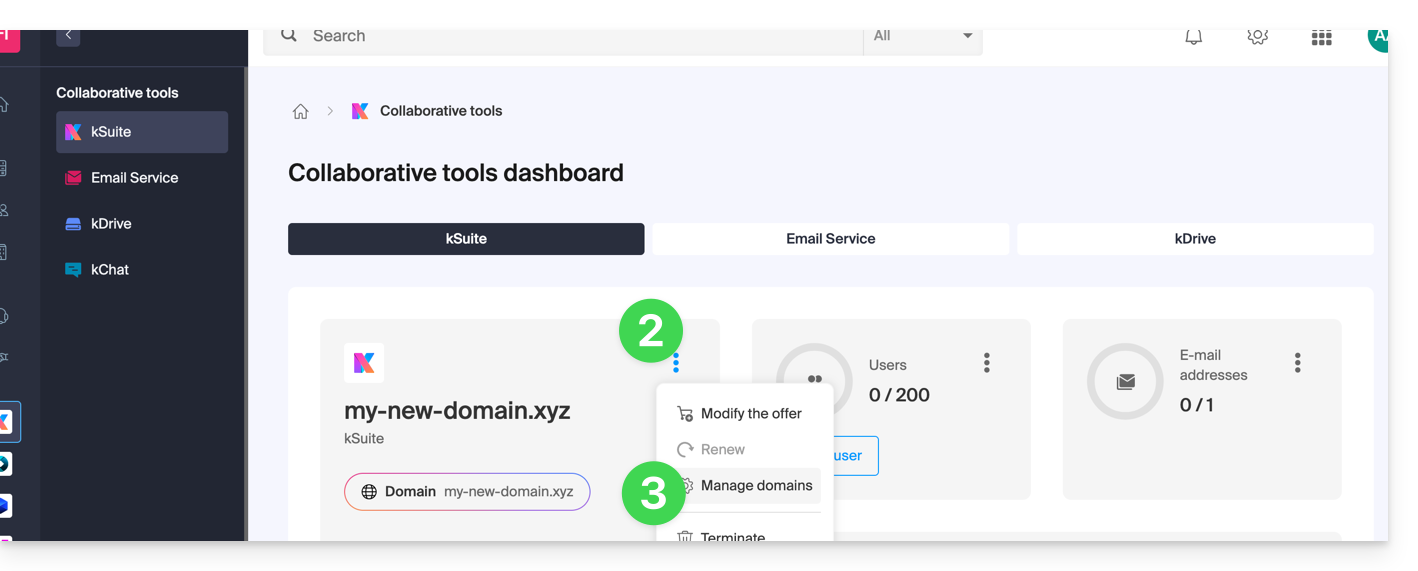
- Click on the action menu ⋮ to the right of the my kSuite name.
- Choose Manage domains:
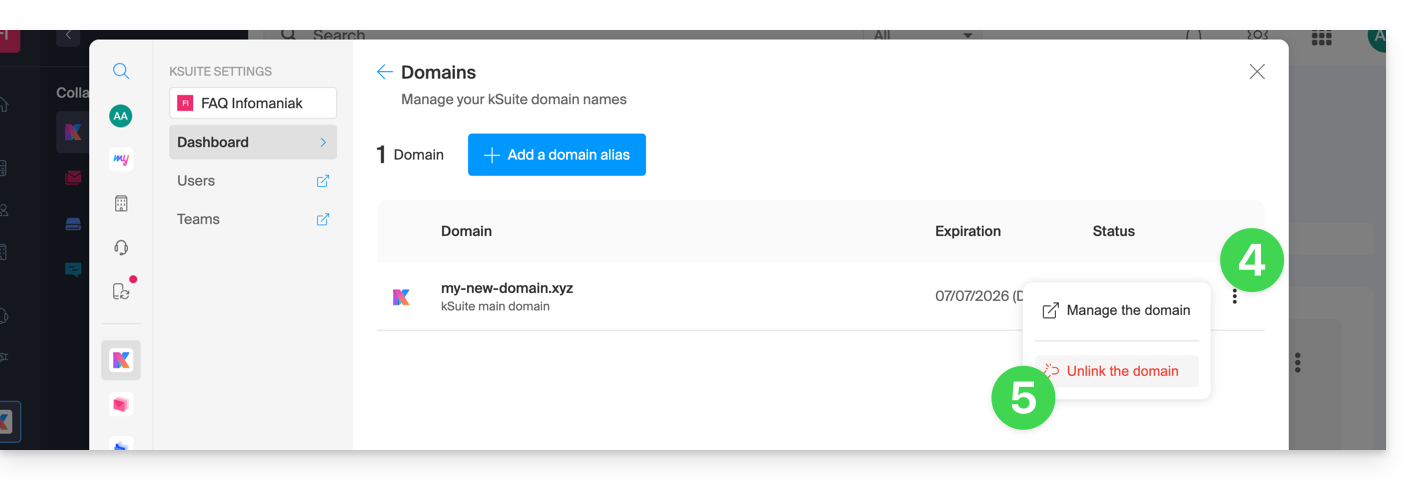
- Click on the icon ⋮ to the right of the domain name to unlink.
- Click on Unlink the domain:
- In the case of a my kSuite paid offer, you cannot unlink the domain name (terminate the paid offer first if necessary):
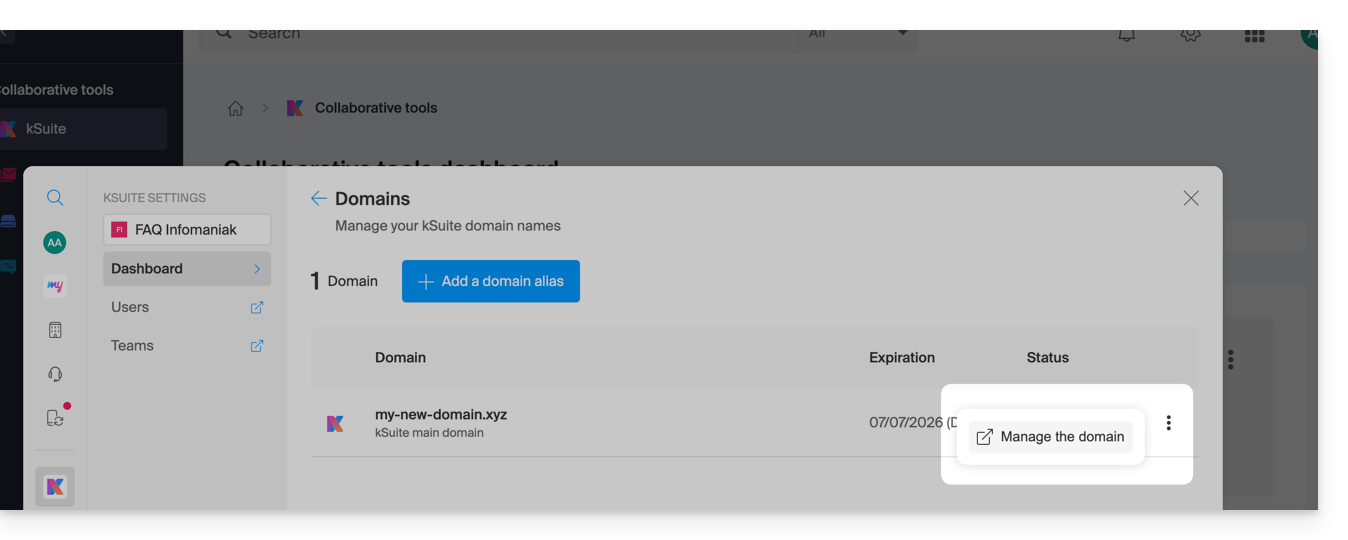
- In the case of a my kSuite paid offer, you cannot unlink the domain name (terminate the paid offer first if necessary):
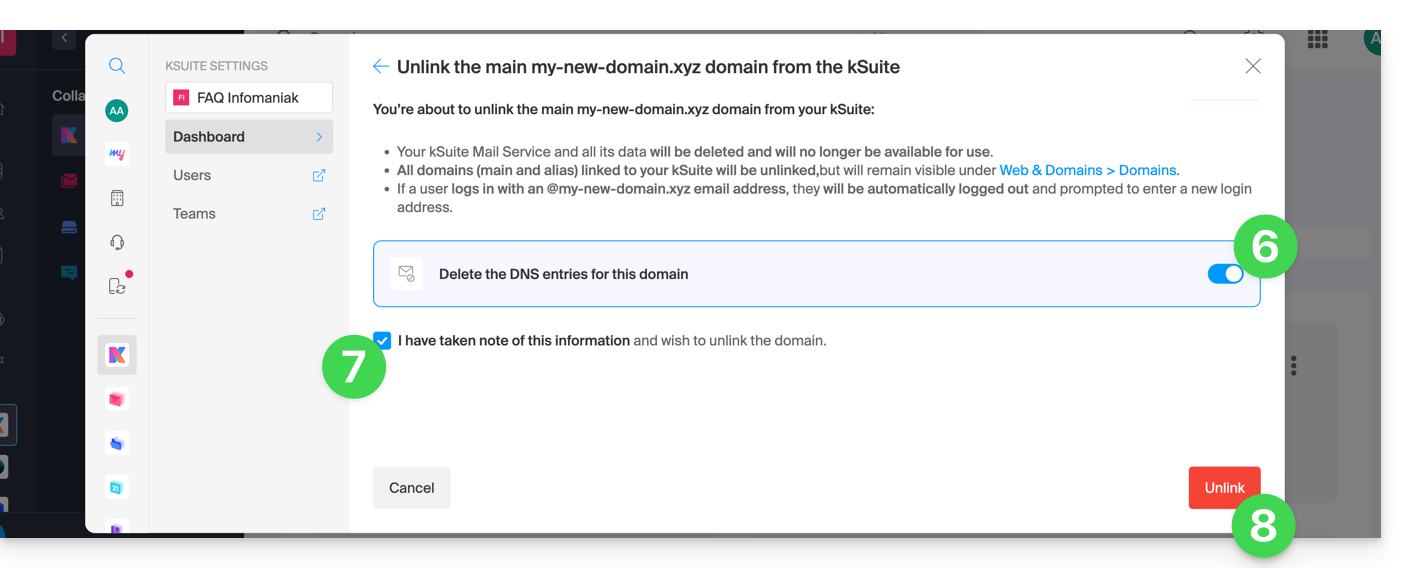
- Activate if necessary the deletion of the domain name DNS entries.
- Confirm the detachment.
- Click the button to validate:
Link to this FAQ:
Has this FAQ been helpful?