Knowledge base
1000 FAQs, 500 tutorials and instructional videos. Here, there are only solutions!
Resolve any instability in Infomaniak Streaming Radio broadcasting
This guide covers the statistics of Streaming Radio which allow you, among other things, to check any possible stream interruptions.
Analyze recent statistics
To access this information:
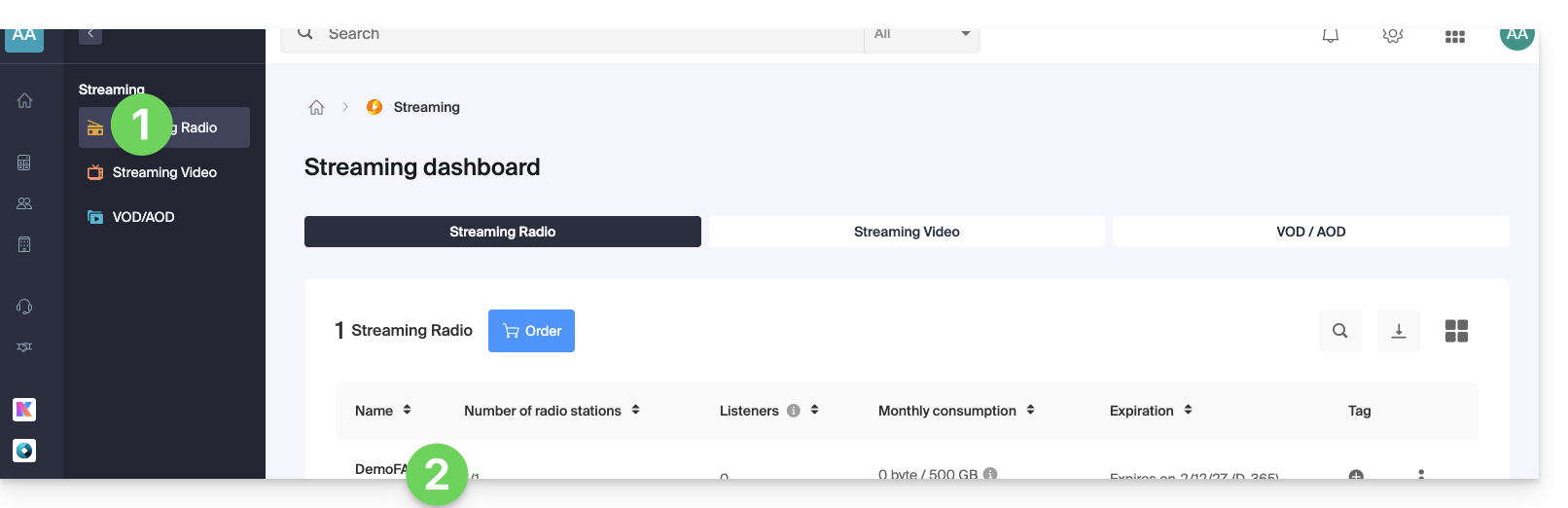
- Click here to access the management of your product on the Infomaniak Manager (need help?).
- Click directly on the name assigned to the product concerned:
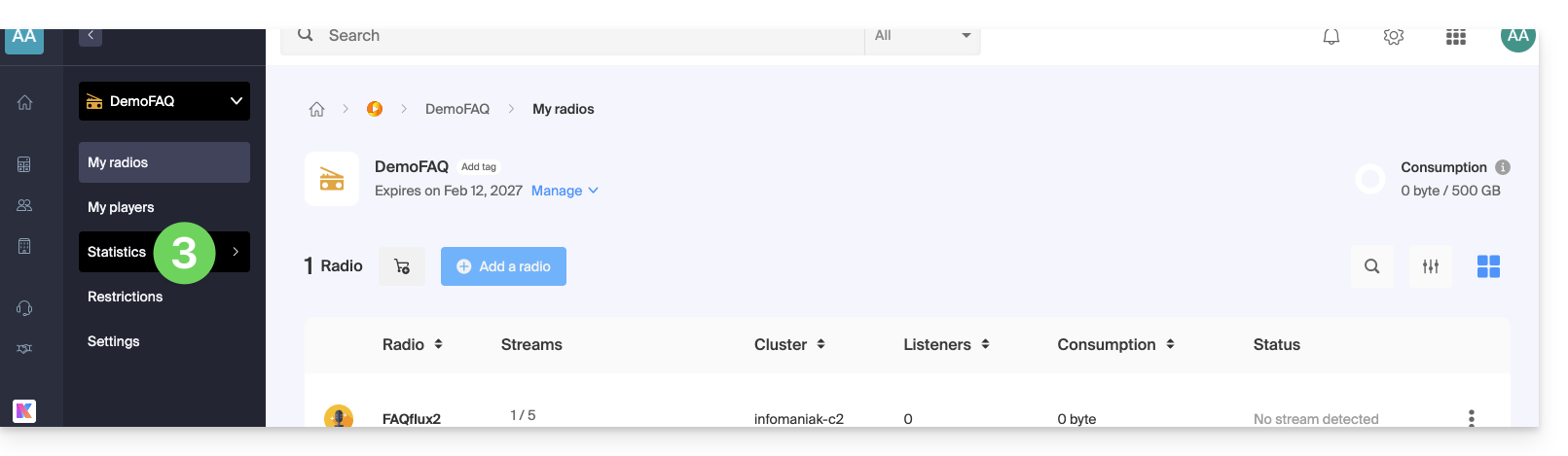
- Click on Statistics in the left sidebar:
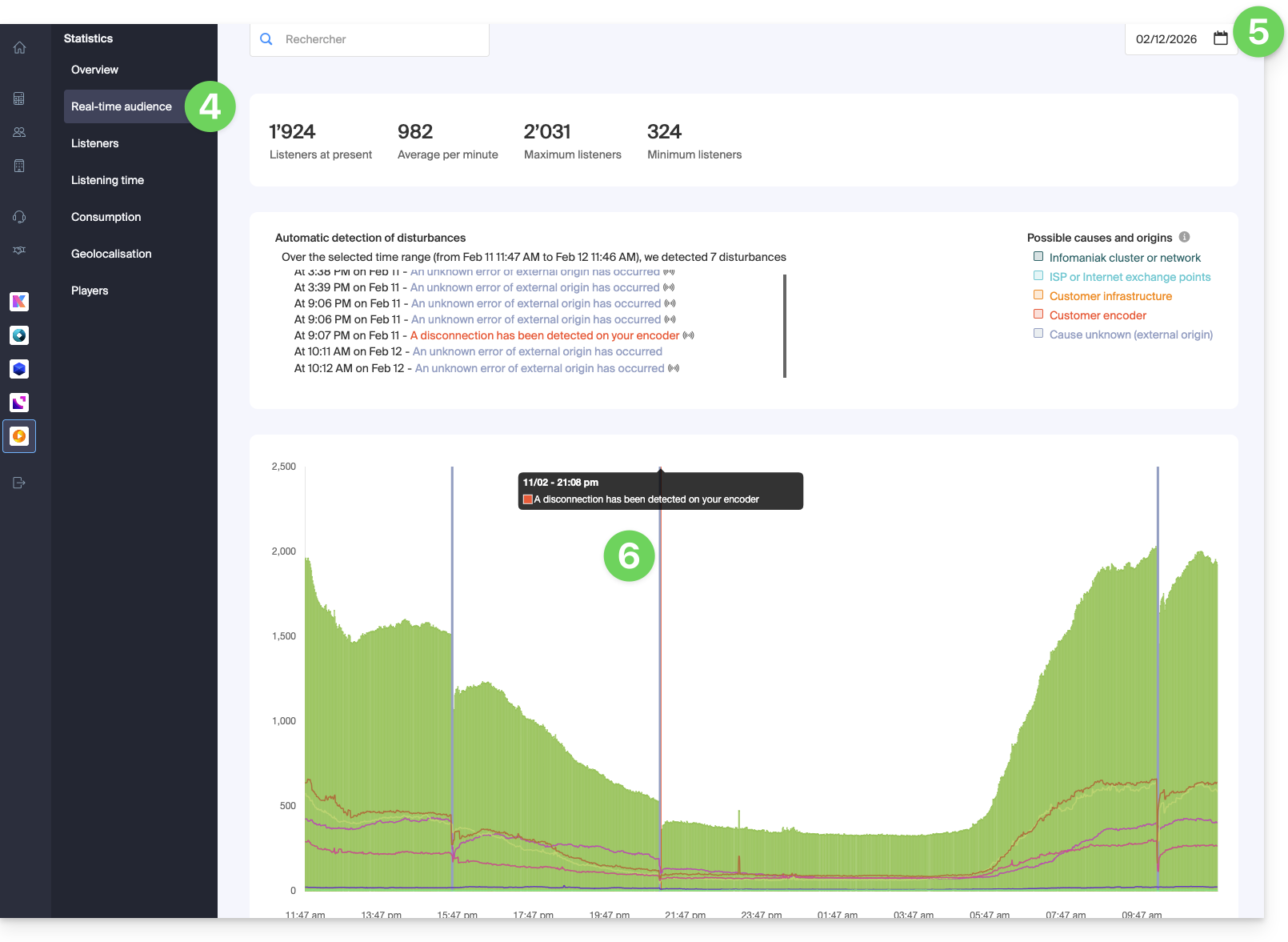
- Click on Real-time audience in the left sidebar.
- Choose a date to load the corresponding graph.
- Hover over any reported interruptions highlighted in color to get information:
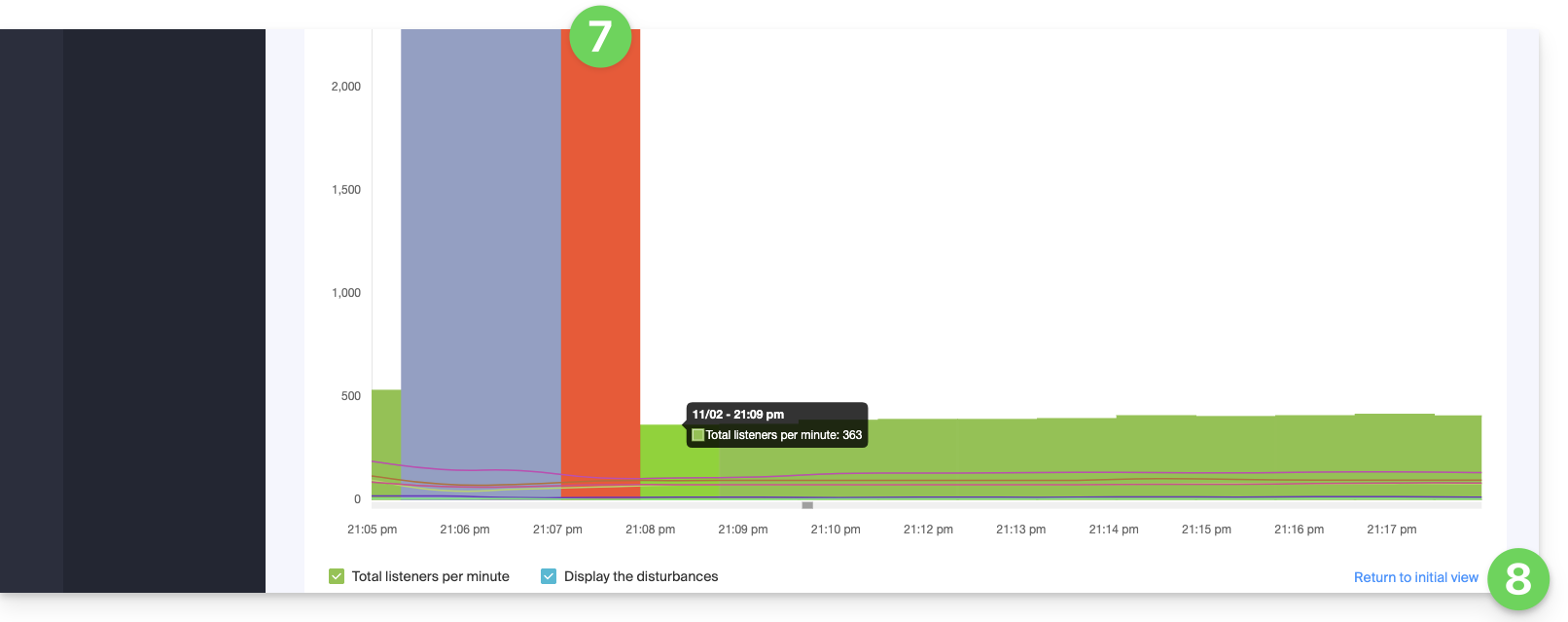
- Zoom in on the graph with the mouse wheel or by framing the period.
- You can return to the initial display by clicking at the bottom right:
Link to this FAQ: https://faq.infomaniak.com/2884
Has this FAQ been helpful?