Knowledge base
1000 FAQs, 500 tutorials and instructional videos. Here, there are only solutions!
Ticketing: duplicate an event (on second ticket office)
Update 07/16/2026
This guide explains how to duplicate an event from one ticket office to another within the framework of the Infomaniak ticketing system.
Preamble
- The duplicated event will take over all the information and parameters of the event except for the information relating to the general parameters of the ticket office and dates.
- Please check all the information that requires manual updating.
- If necessary, refer to this other guide regarding the duplication (unique or recurring) of an event on the same ticket office.
Duplicate an event
Prerequisites
To duplicate an event from one of your ticket offices to another, you need to go to the one from which you want to duplicate the events, previous season or edition for example:
- Click here to access the management of your product on the Infomaniak Manager (need help?).
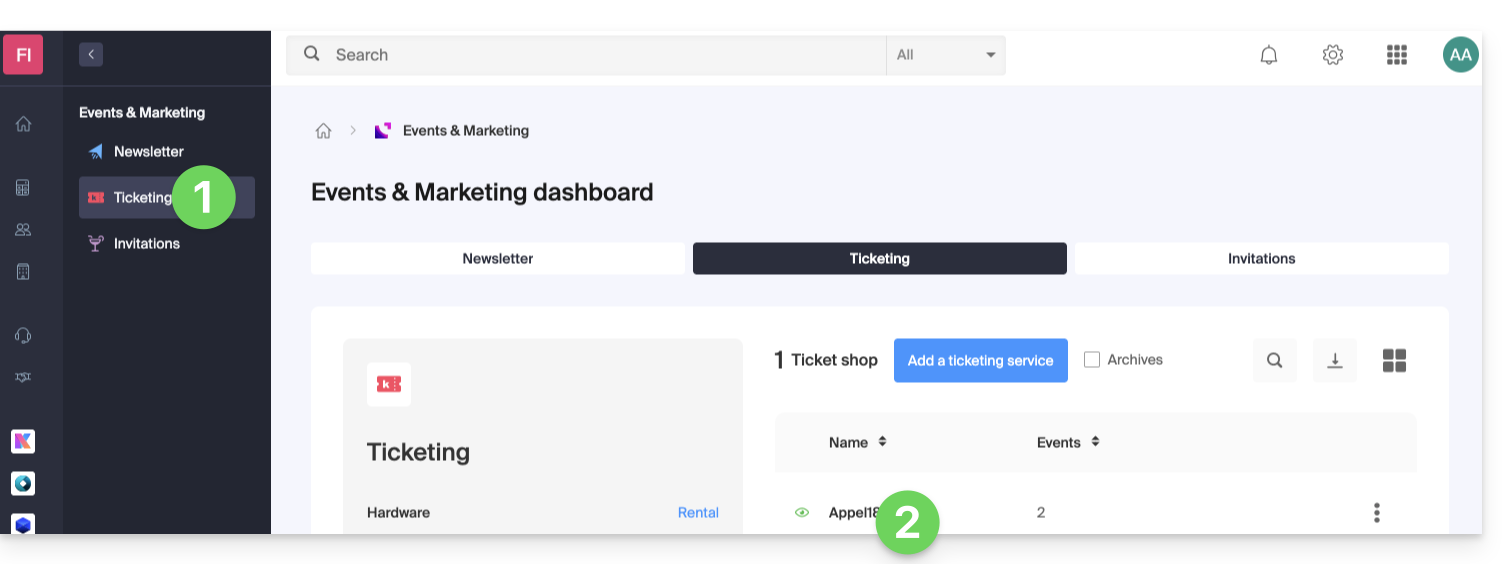
- Click directly on the name assigned to the ticket office on which the event to be duplicated is located:
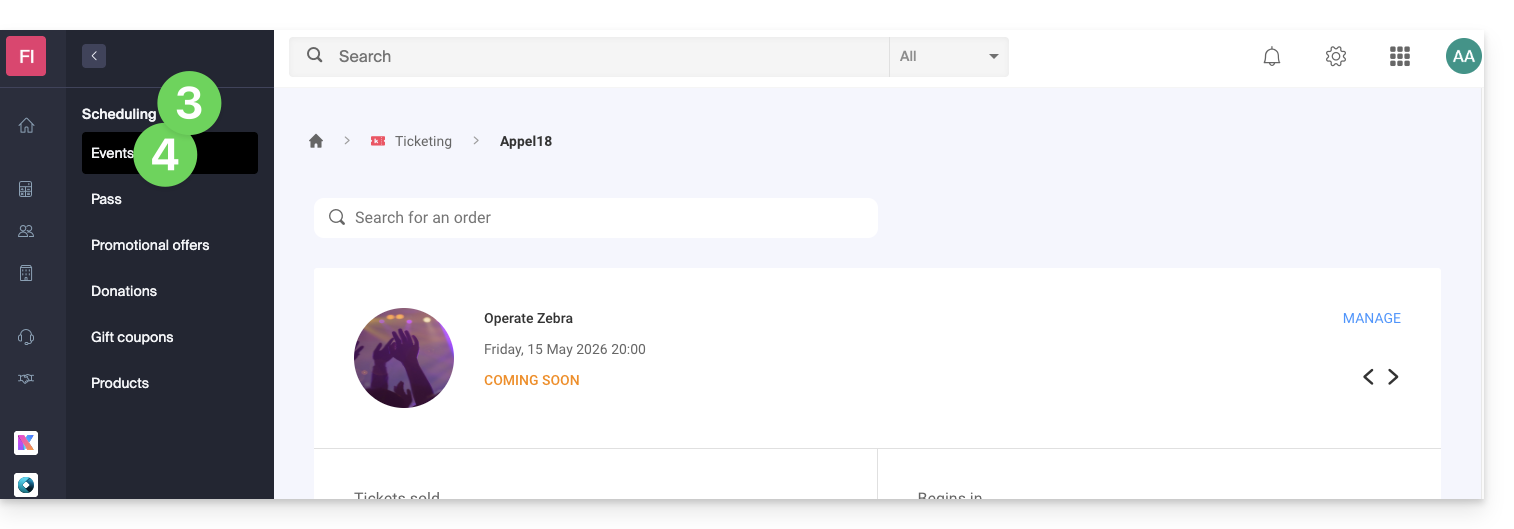
- Click on Programming in the left sidebar.
- Click on Events in the left sidebar:
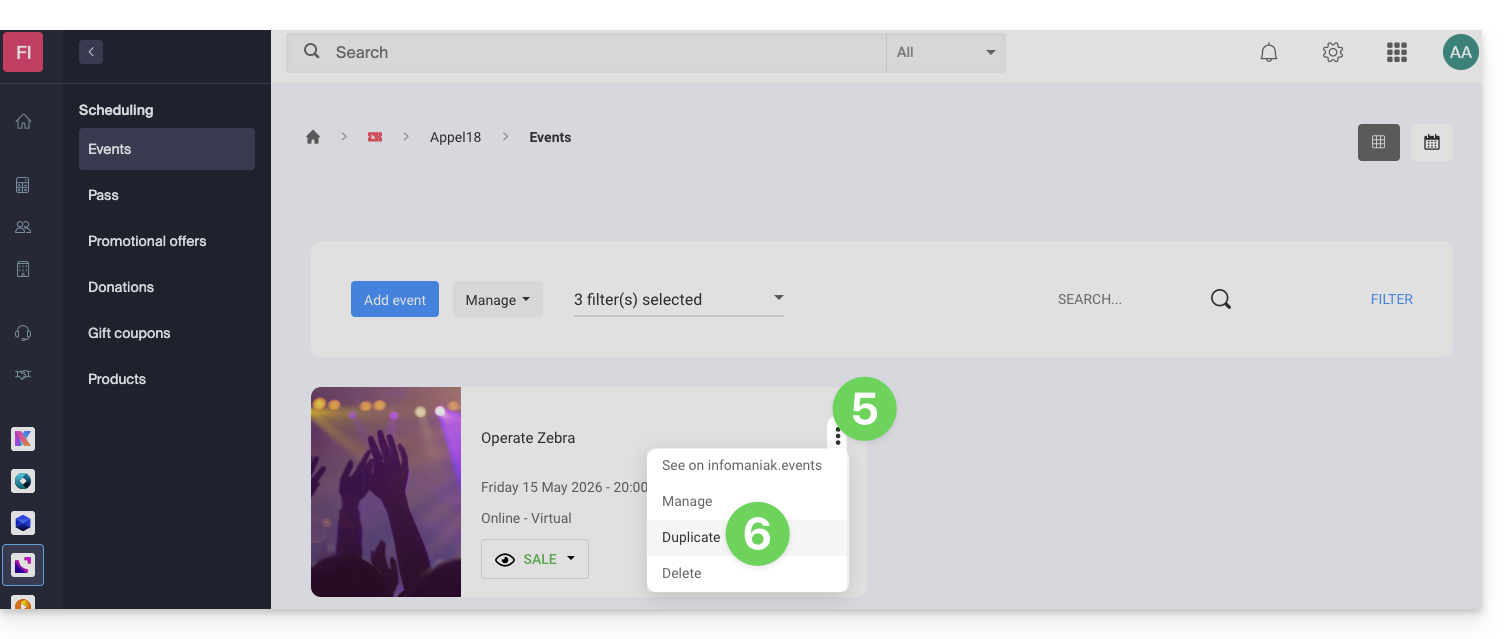
- Click on the action menu ⋮ located to the right of the event to be duplicated.
- Click on Duplicate:
- On the modal that opens, activate the Duplicate to another ticket office option and choose which one:
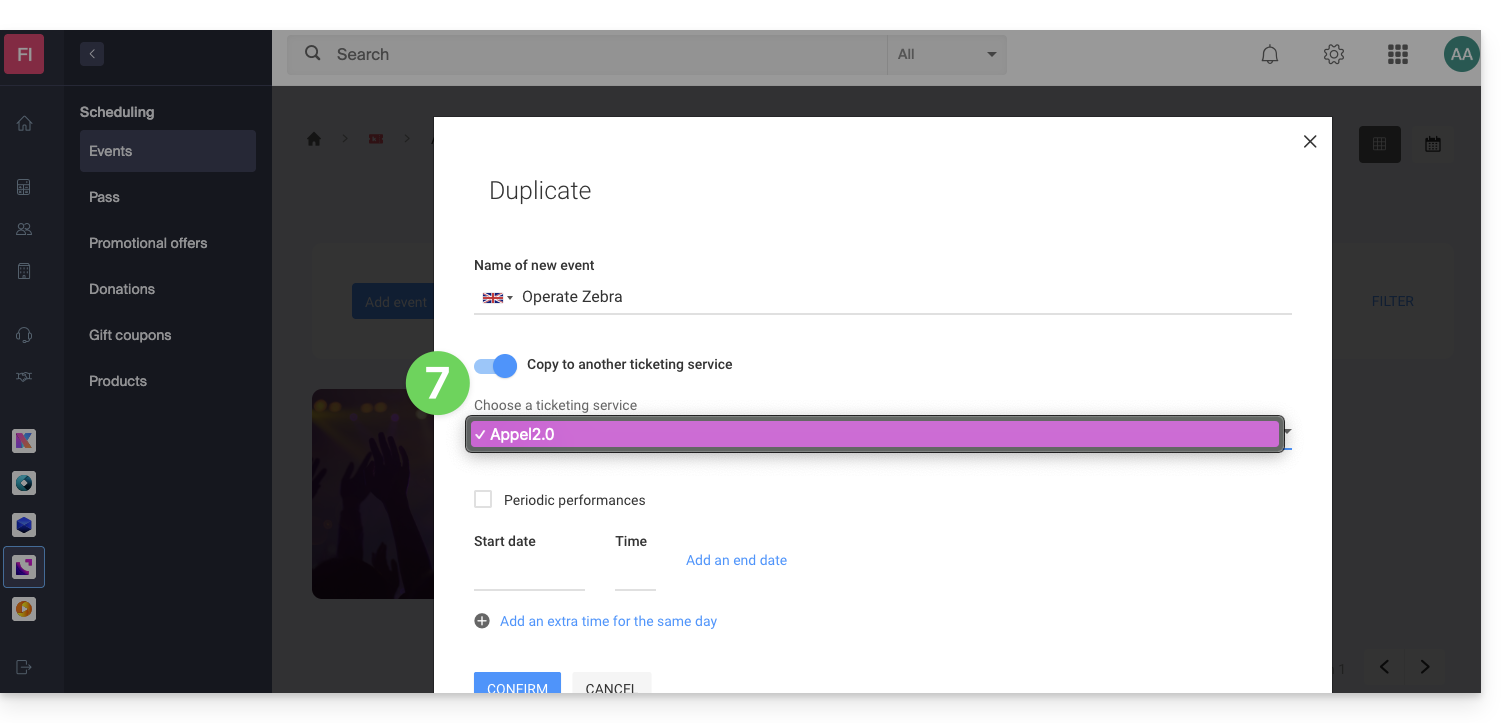
- If necessary, indicate the new name of the event, the new dates and the other parameters of the representations of your event.
- Click on Confirm to start the duplication.
Link to this FAQ: https://faq.infomaniak.com/2883
Has this FAQ been helpful?