Knowledge base
1000 FAQs, 500 tutorials and instructional videos. Here, there are only solutions!
Integrate multiple ticket shops
This guide explains how to obtain a code or a URL to automatically display all the stores of your Organization (as part of the Infomaniak ticketing system visible on “infomaniak.events”.
Display all your stores
Prerequisites
Then to access the online ticketing options:
- Click here to access the management of your product on the Infomaniak Manager (need help?).
- Click directly on the name of the ticketing concerned:
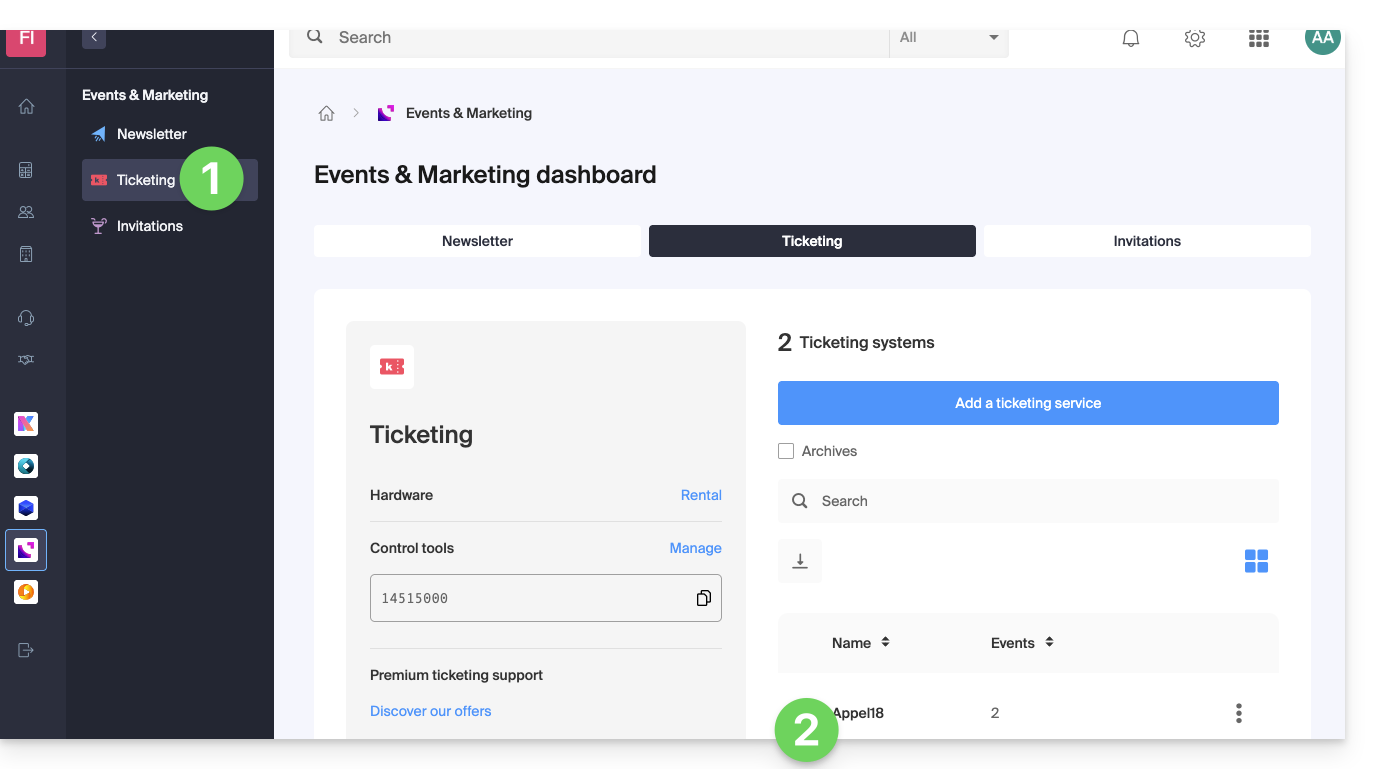
- Click on Ticketing Portal in the left sidebar menu.
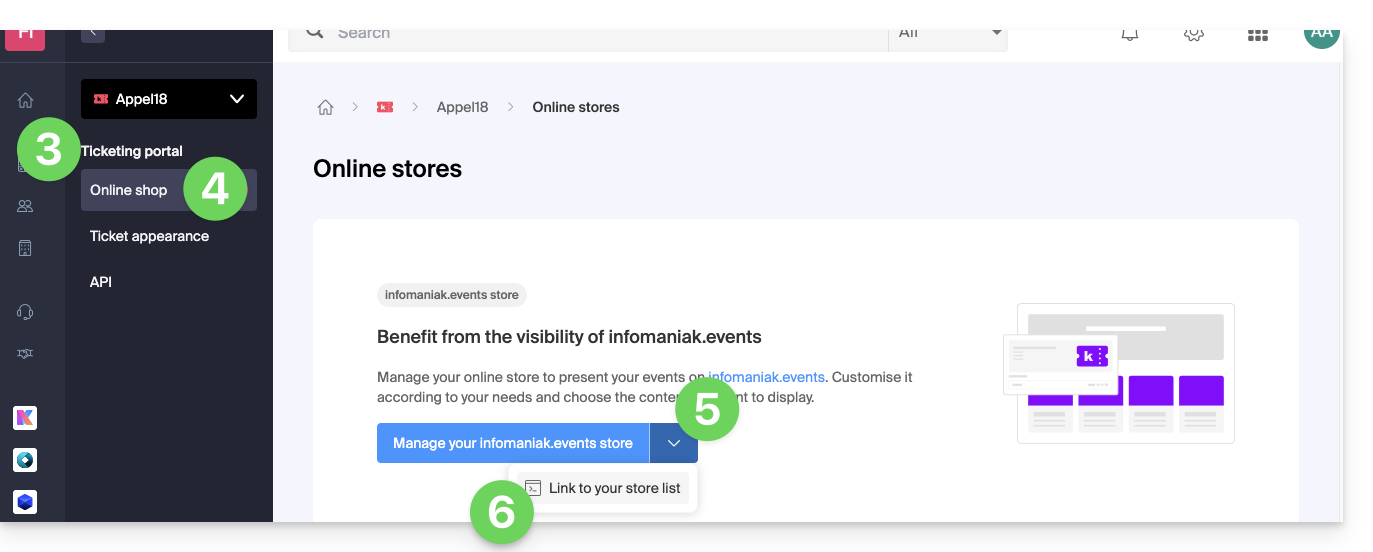
- Click on Online Store in the left sidebar menu.
- Click on the chevron to the right of the button to create your store.
- Click on Link to the list of your stores:
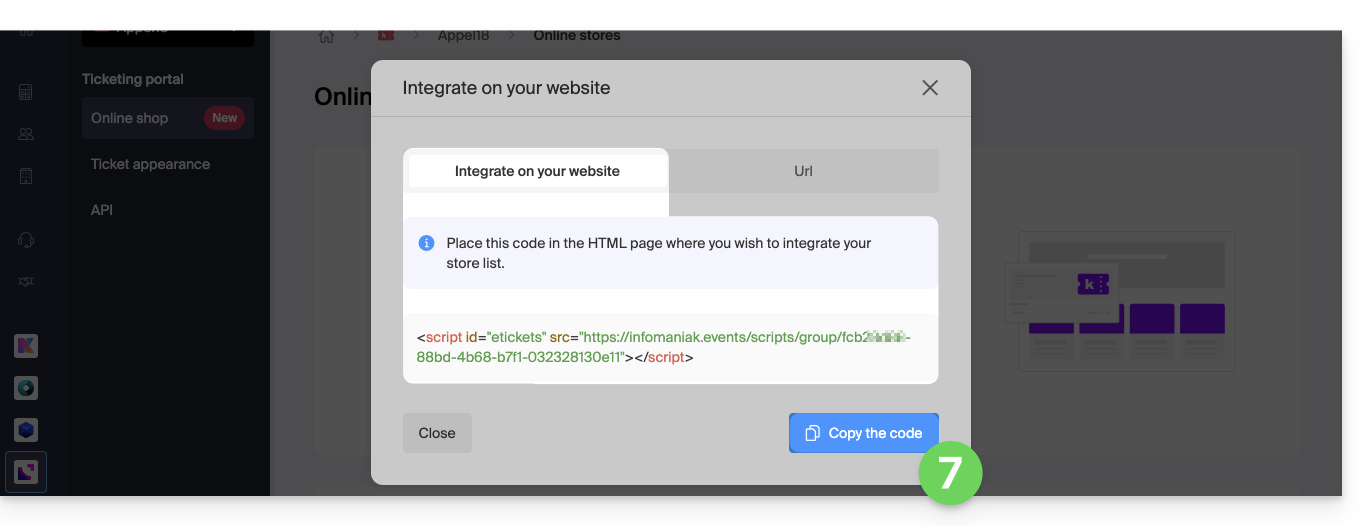
- Select and copy the script proposed on the first tab to integrate your list of stores by pasting the code where desired…
- … or click on the second tab to simply get an external URL:
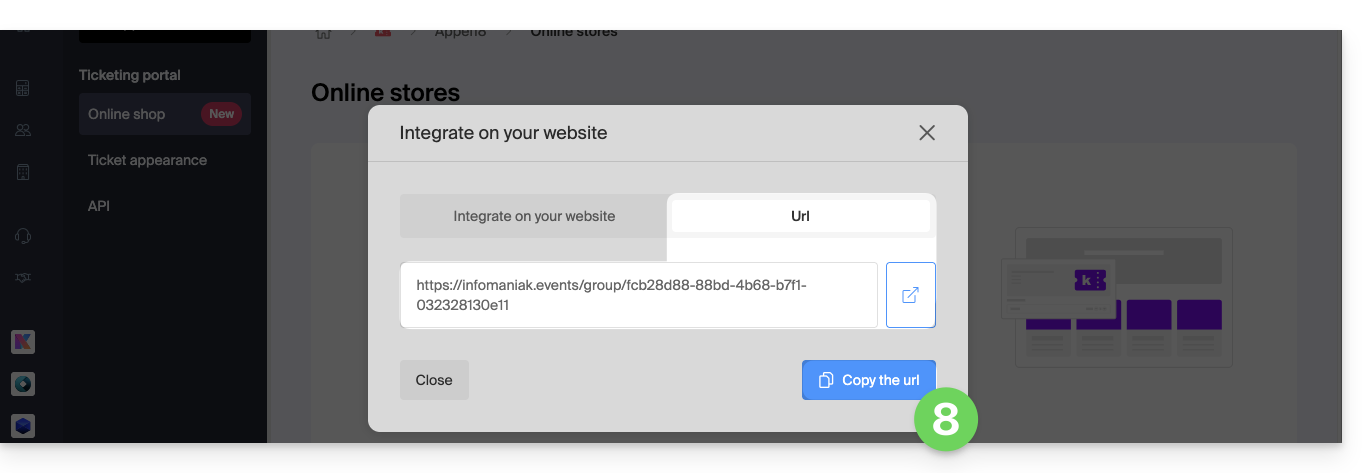
- This URL leads to a page that displays the different ticketing systems of the Organization whose ticket sales are ongoing.
- To modify if necessary the ticketing name used for display on this summary, refer to this other guide:

Link to this FAQ: https://faq.infomaniak.com/2858
Has this FAQ been helpful?