Knowledge base
1000 FAQs, 500 tutorials and instructional videos. Here, there are only solutions!
Resolve a Lite Sync error (kDrive macOS)
This guide explains how to resolve certain errors Lite Sync macOS that may occur with the desktop app kDrive (desktop application on macOS).
Synchronization lockout 1/10
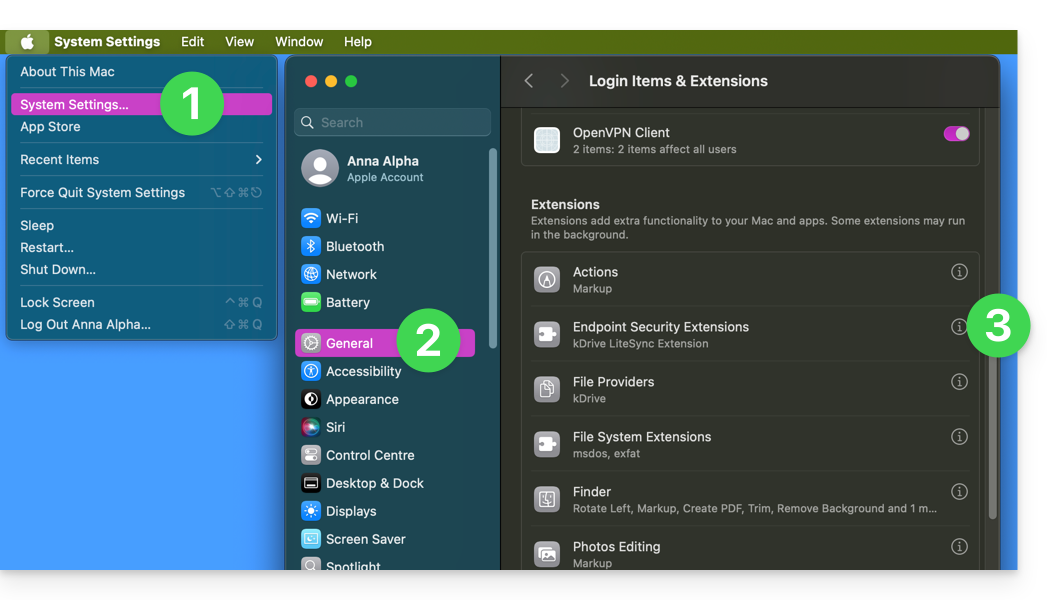
Check if macOS permissions are enabled for kDrive and Lite Sync extensions:
- Open macOS settings.
- Under General, click on Opening and extensions.
- Scroll down to the indication Endpoint Security Extensions :: kDrive LiteSync Extension:
- Check that permissions are enabled and validate at the bottom:
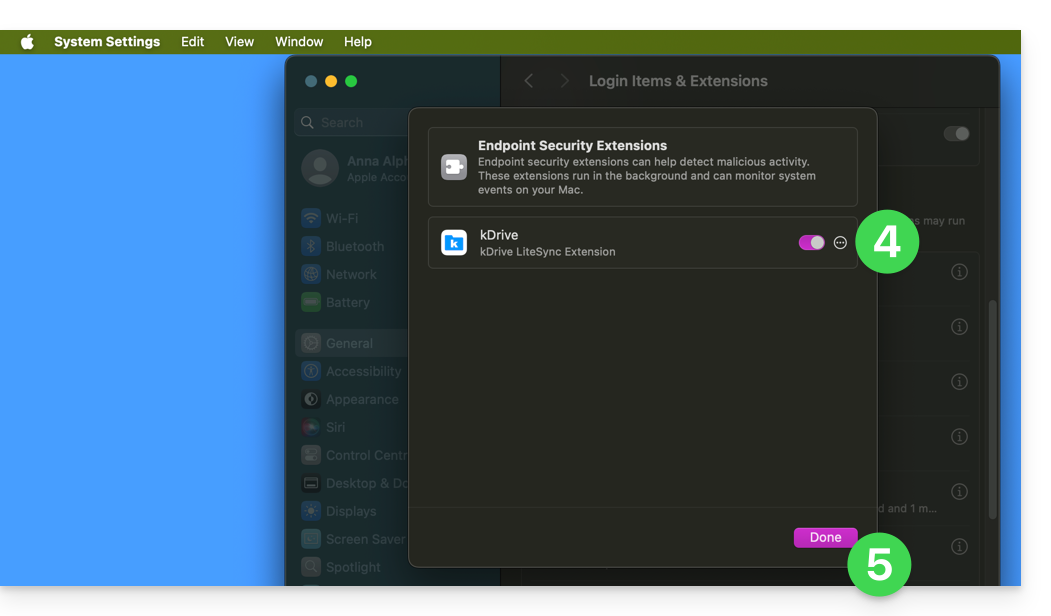
Take the opportunity to review the other elements related to kDrive to ensure that everything is enabled.
Error of type "Unable to start Lite Sync plugin"
To correct an error of type "Unable to start Lite Sync plugin" that usually occurs when the Lite Sync extension has disappeared or does not have the necessary permissions…
... check the presence of the extension
From an application of type Terminal (command line interface, CLI / Command Line Interface) on a macOS device:
% systemextensionsctl listThe result is similar to:
1 extension(s)
--- com.apple.system_extension.endpoint_security
enabled active teamID bundleID (version) name [state]
* * 864VDCS2QY com.infomaniak.drive.desktopclient.LiteSyncExt (3.5.0/1) kDrive LiteSync Extension [activated enabled]
If the command result does not mention "kDrive LiteSync Extension", the extension is not present:
- Delete the synchronization and add it again.
If the command result does not have the status [activated enabled]:
- Authorize the extension in the System Settings / Privacy and Security.
... check the extension's permissions
In the System Settings / Privacy and Security / Full Disk Access of the macOS device: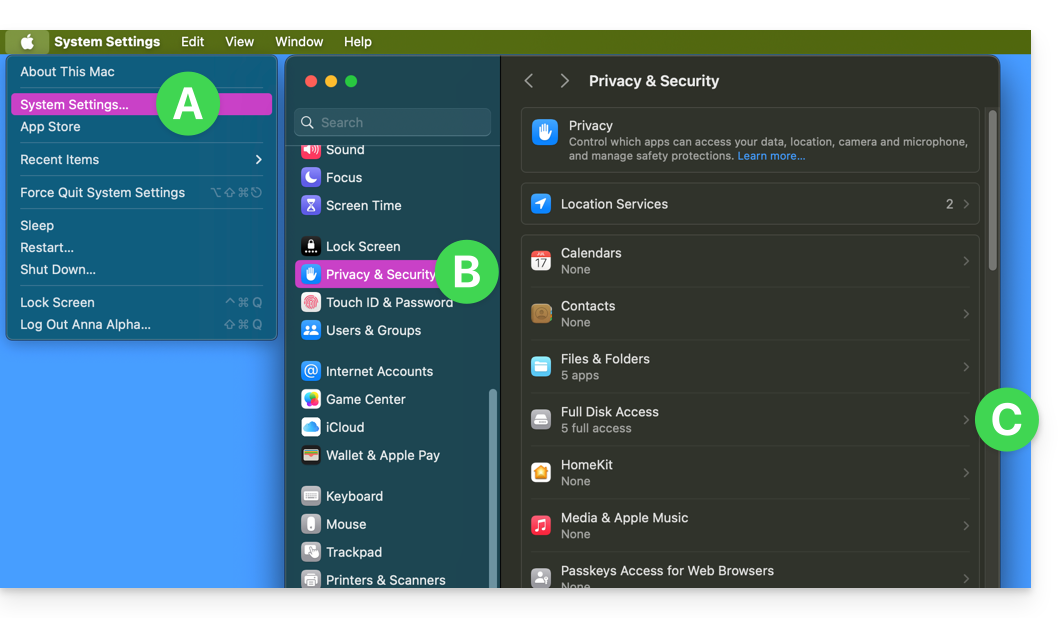
Grant full access to kDrive and the Lite Sync extensions: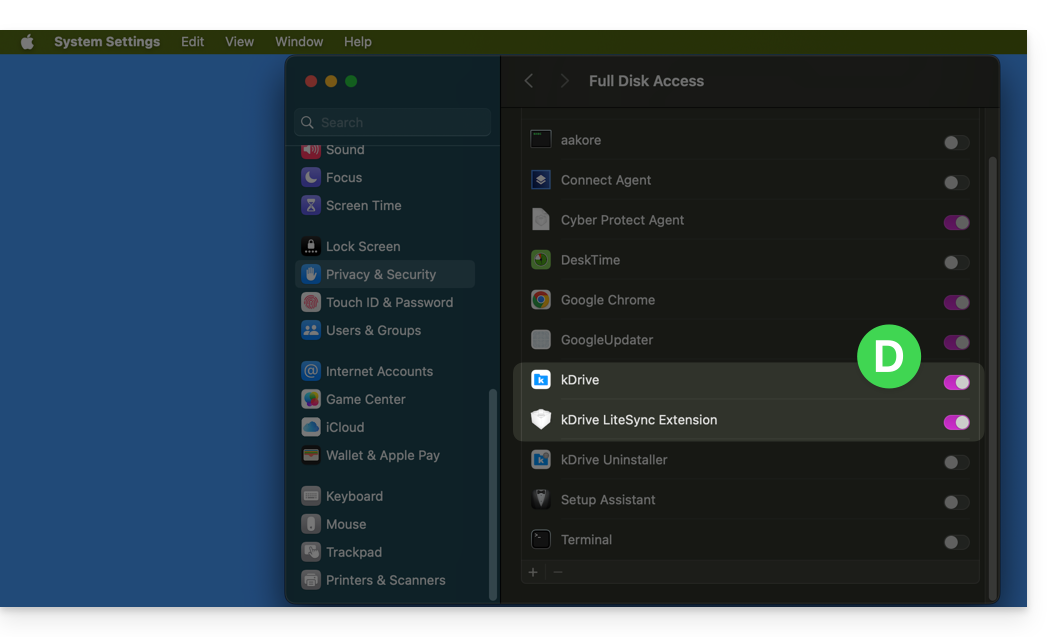
...check the extension's functionality
From a Terminal:
% ps -ef | grep LiteSyncExtThe result is similar to:
0 7434 1 0 1:02 ?? 0:25.42 /Library/SystemExtensions/6035BDE4-B7D6-477E-A6AB-C2281E3C7752/com.infomaniak.drive.desktopclient.LiteSyncExt.systemextension/Contents/MacOS/com.infomaniak.drive.desktopclient.LiteSyncExtIf the extension does not appear to be working, try the following actions:
- Restart the app.
- Reboot the Mac.
- Remove/add the sync.
- Uninstall/reinstall the app.
If it is still not OK
- Request the kDrive logs (level Debug):
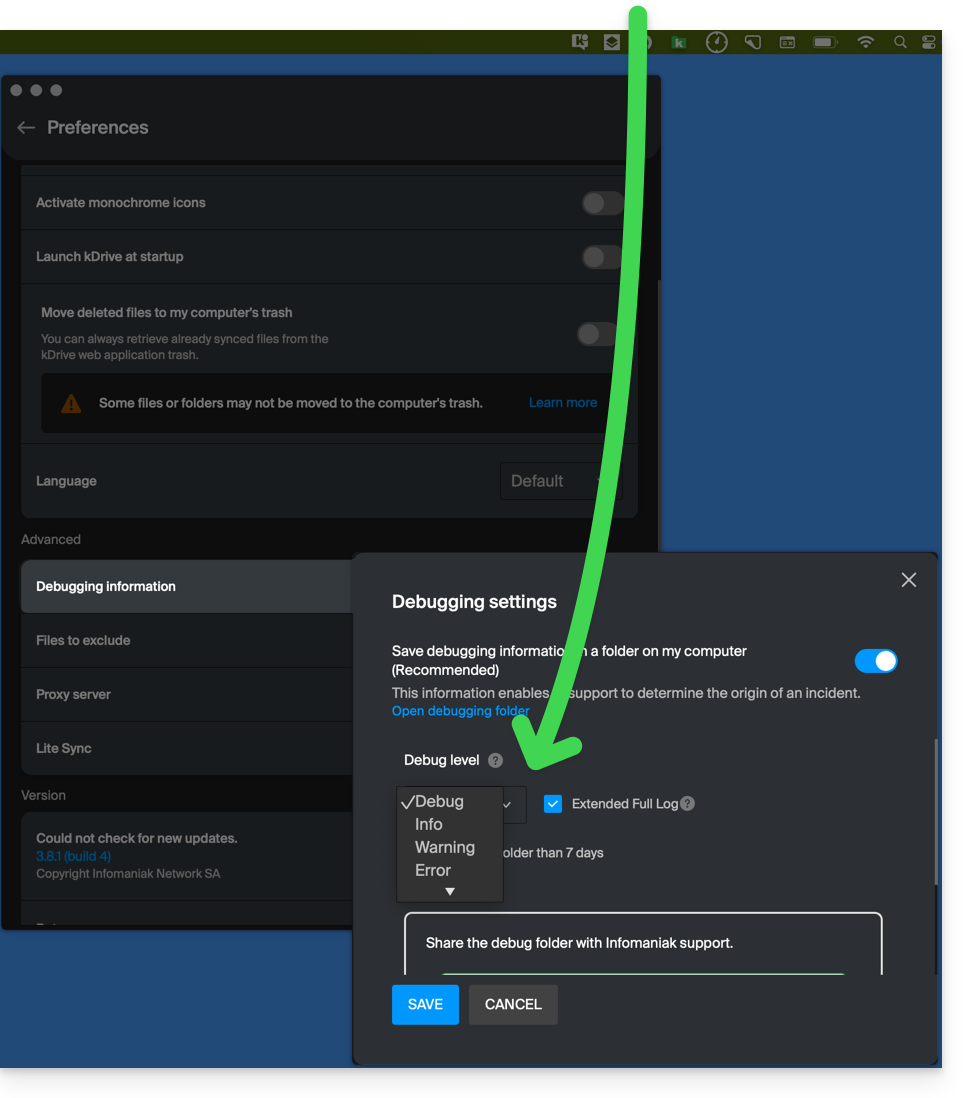
- Check in the Console if there is a blockage report on the date of the last app startup and if so, send them to Infomaniak:

Retrieve the kDrive messages in the Console:
- Quit the app.
- In the Console, select the Mac, filter on
[KD], click on Start:
- Launch the app.
- Click in the list of messages, select them (Ctrl+A), copy them (Ctrl+C) and send them to Infomaniak.
Link to this FAQ: https://faq.infomaniak.com/2824
Has this FAQ been helpful?