Knowledge base
1000 FAQs, 500 tutorials and instructional videos. Here, there are only solutions!
Manage duplicates on the Infomaniak Contacts Web app
This guide explains how to remove duplicate contacts from an address book in the Infomaniak Web app Contacts.
Remove duplicates among contacts
To view existing duplicates in your Infomaniak address books and merge (or hide) them:
- Click here to access the Infomaniak Web app Contacts (online service ksuite.infomaniak.com/contacts).
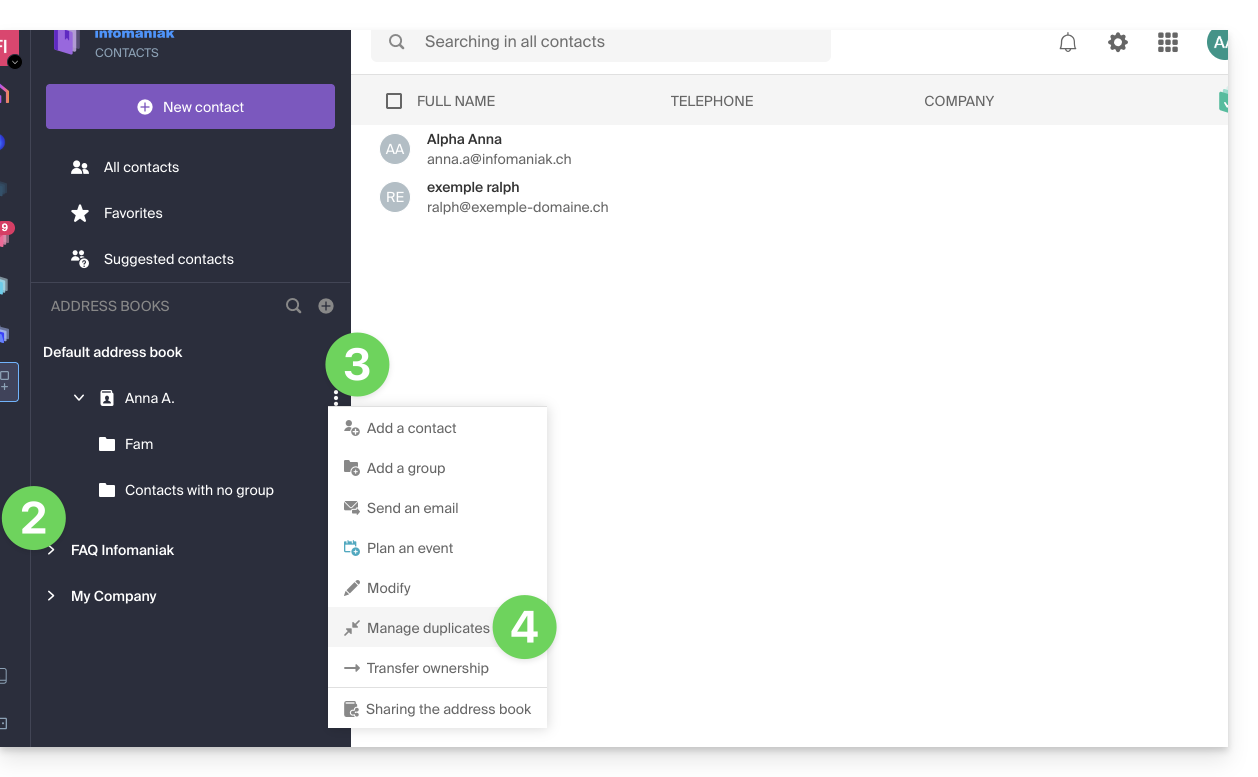
- Click on the chevron to expand the address book list if necessary.
- Click on the action menu ⋮ to the right of the concerned address book.
- Click on Manage duplicates:
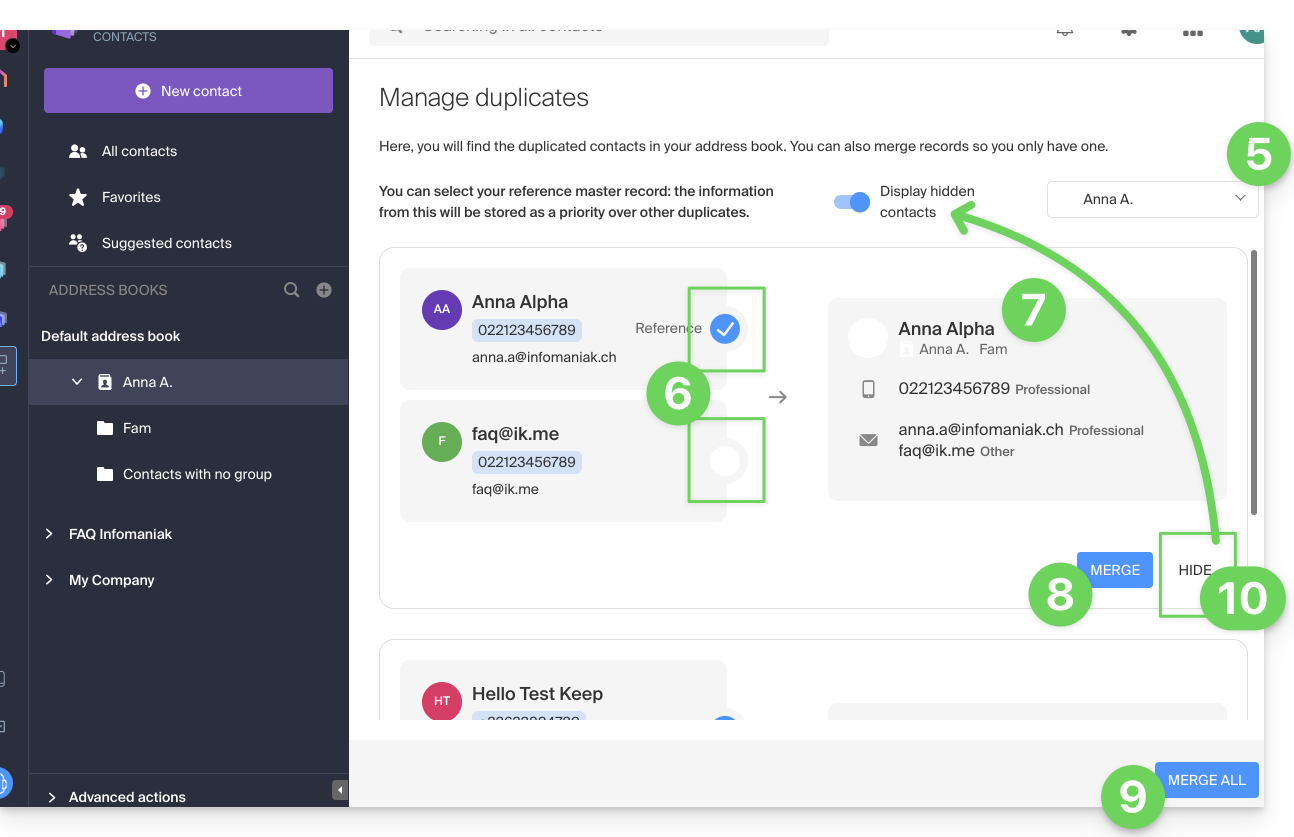
- Choose the address book if necessary in which to search for your duplicates.
- Click on the card to be kept as the reference; identical information is highlighted in blue.
- View and control the information from the duplicate cards that will be added to the reference card (point 6 above):
- Click on the blue button Merge to process the duplicate one by one…
- … or on Merge All to process all duplicates.
- You can also hide a duplicate to not process it, and review it by clicking on the toggle switch at the top of the page:
Warning you cannot undo this operation (refer to this other guide if you are looking for information about restoring address books).
Link to this FAQ: https://faq.infomaniak.com/2794
Has this FAQ been helpful?