Knowledge base
1000 FAQs, 500 tutorials and instructional videos. Here, there are only solutions!
Manage Site Creator cookies (GDPR)
Update 05/22/2026
This guide for Infomaniak's Site Creator covers the topic of browser cookies.
Introduction
- By default, when your website is new, no cookies should be stored on your visitors' devices, and there are no tracking features for advertising or marketing.
- As a website administrator, some data is stored in your own cookies (such as information indicating that you are a website administrator).
- If you add applications/modules integrated into your website, cookies may be used; for example, with the Poll Form: if you add a poll module to your website, it will use cookies when the website visitor votes (to remember that they have already voted).
Notification for the visitor
Prerequisites
- Access Site Creator:
- Click here to access the management of your product on the Infomaniak Manager (need help?).
- Click directly on the name assigned to the Site Creator in question.
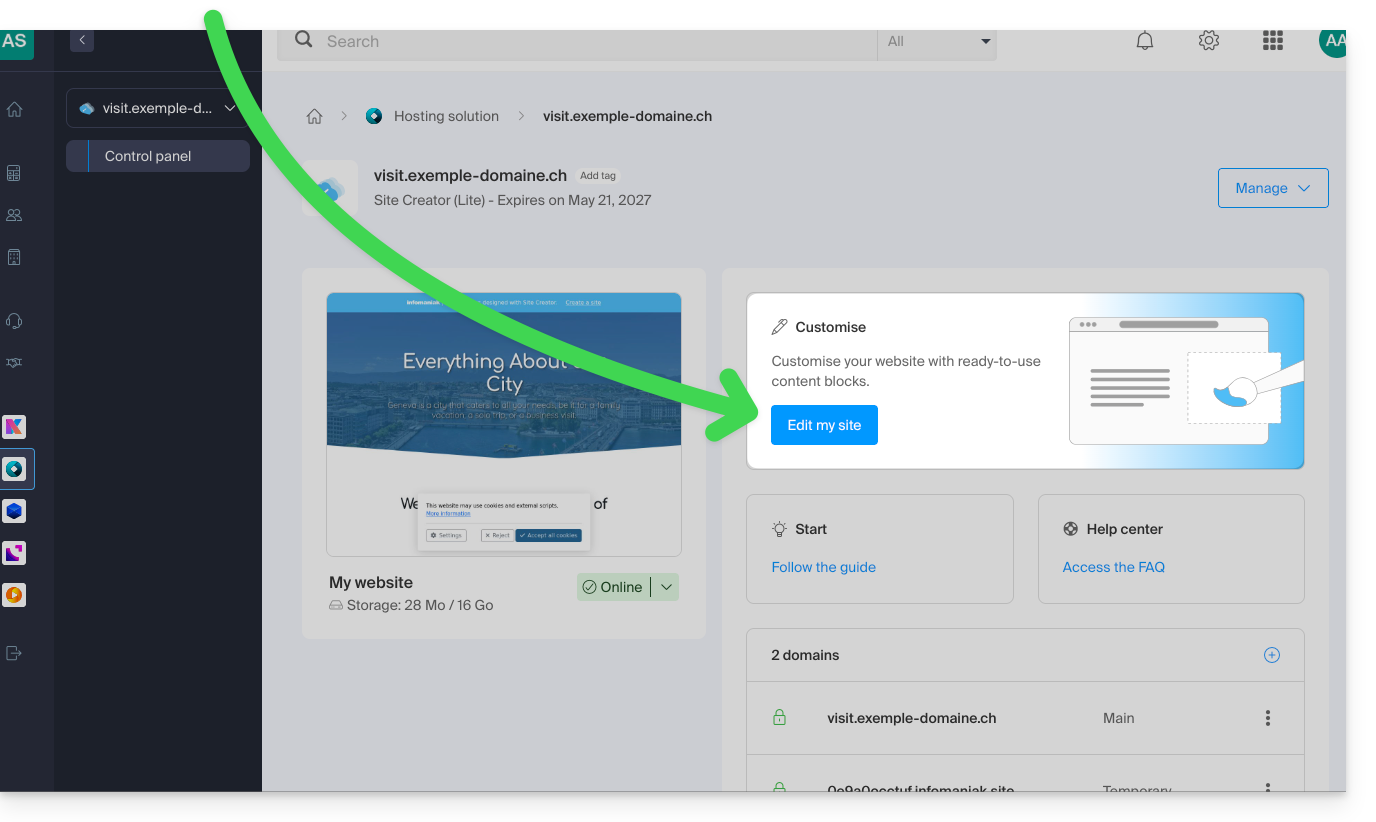
- Click on the Edit my site button to start the editor:
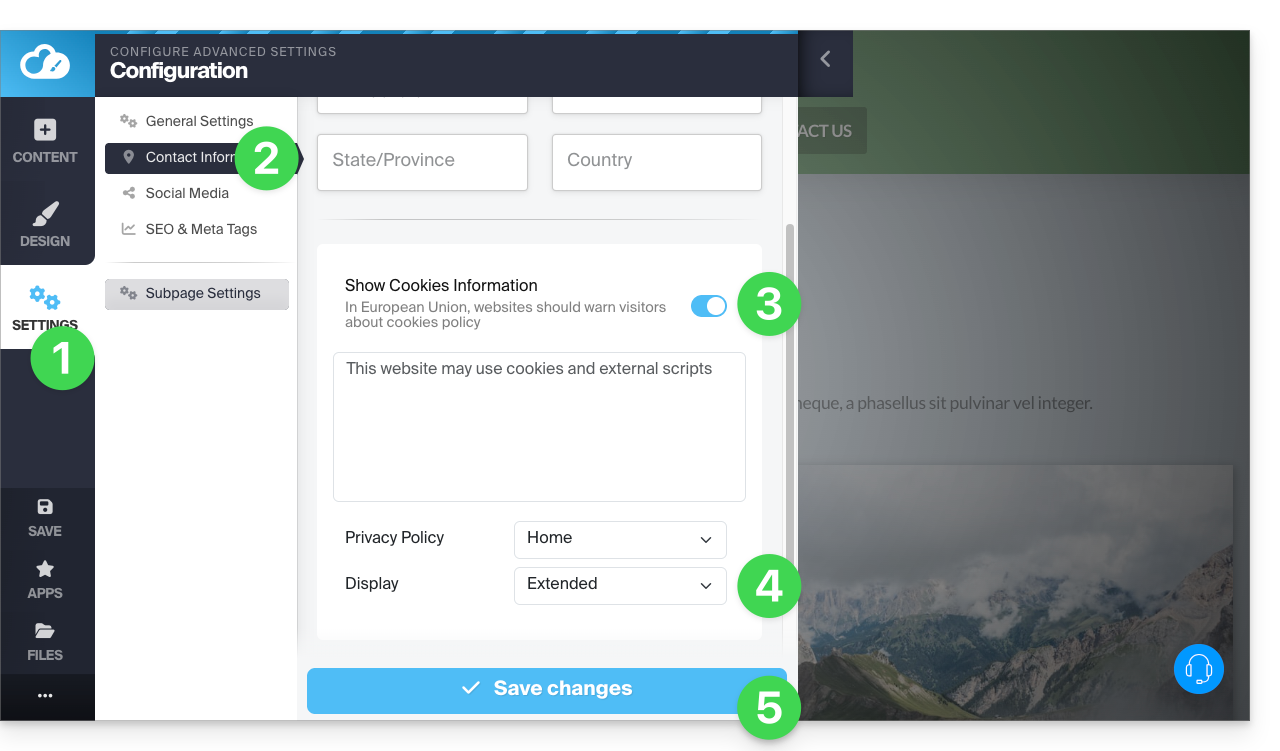
You can enable a cookie consent message that will appear in a small pop-up window at the bottom of the screen for all new visitors to your site:
- Click on the Settings button in the left-hand menu.
- Click on Contact Information under Website Configuration.
- Enable the cookie information option to configure the brief message and the URL for additional information.
- Set the display type to expanded or not (see below).
- Save the changes at the bottom of the page:
Additional Settings
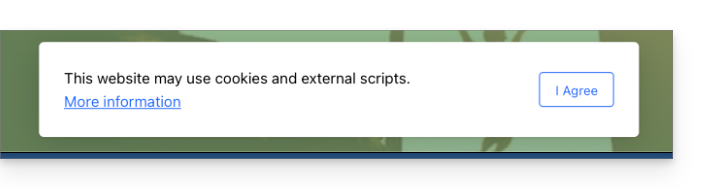
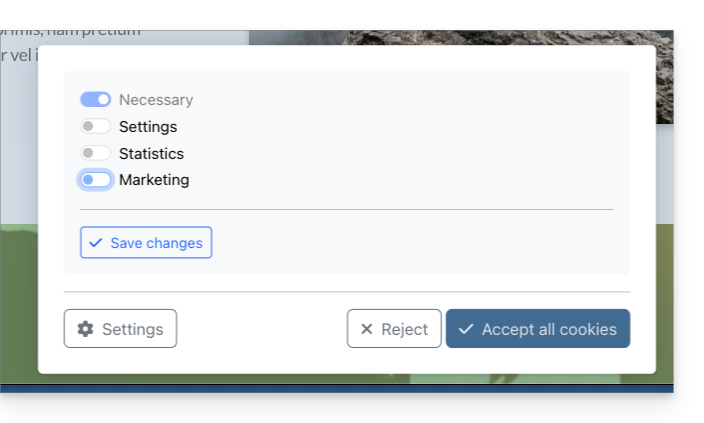
The consent message can be set to default or expanded when you click on Display. The result is as follows:
- default:
- expanded:
Link to this FAQ: https://faq.infomaniak.com/2727
Has this FAQ been helpful?