Knowledge base
1000 FAQs, 500 tutorials and instructional videos. Here, there are only solutions!
Ticketing: get information about customers
This guide explains how to collect and retrieve customer information when they order tickets through the Infomaniak ticketing system.
Set up a contact form
To gather information from customers:
- Click here to access your product management interface on the Infomaniak Manager (need help?).
- Click directly on the name assigned to the ticketing system for the event.
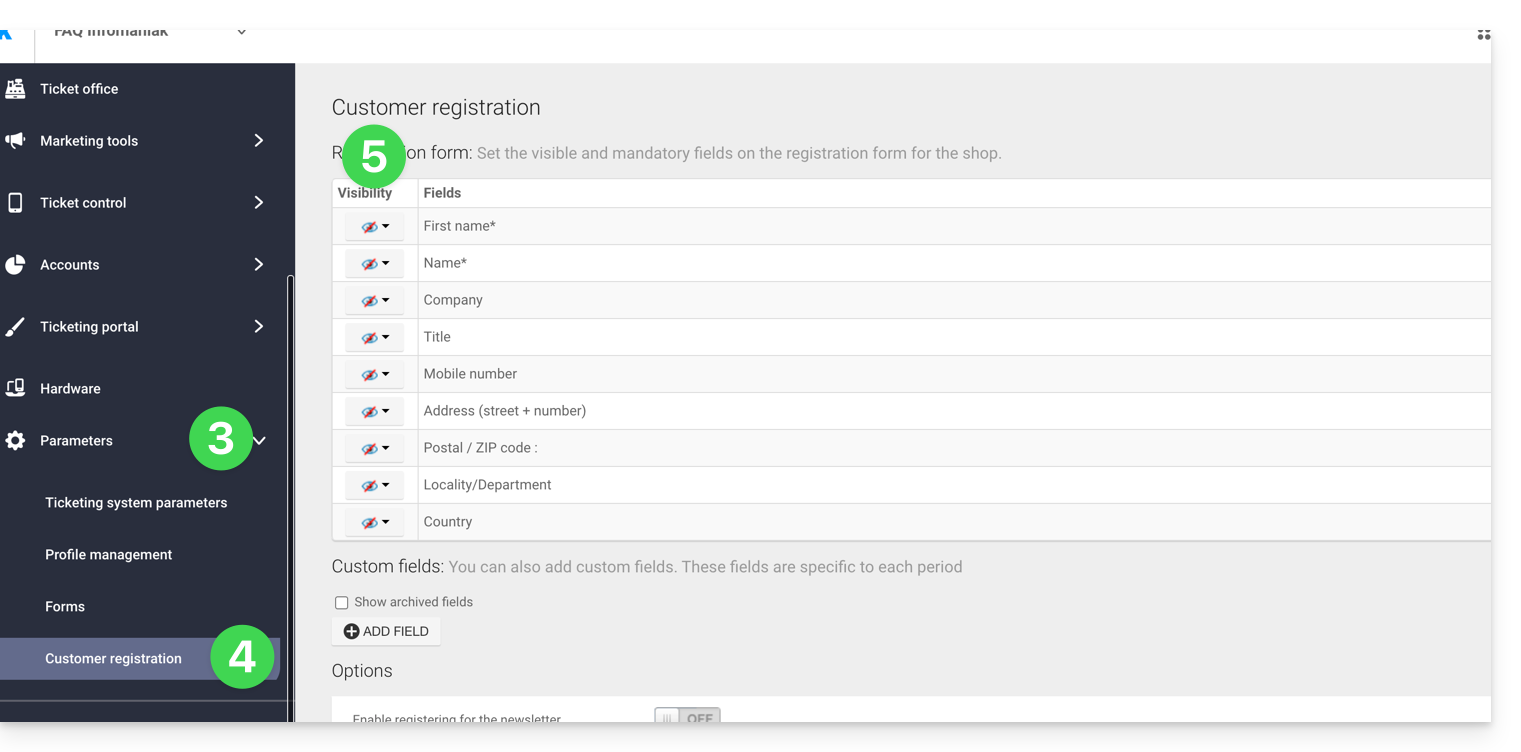
- Click on Settings in the left-hand menu.
- Click on Customer Registration in the left-hand menu.
- Enable the information to be requested from customers and choose the visibility:
Visible and required
Visible, but optional
Invisible (do not ask)
Add additional fields
It is possible to add additional information to this form:
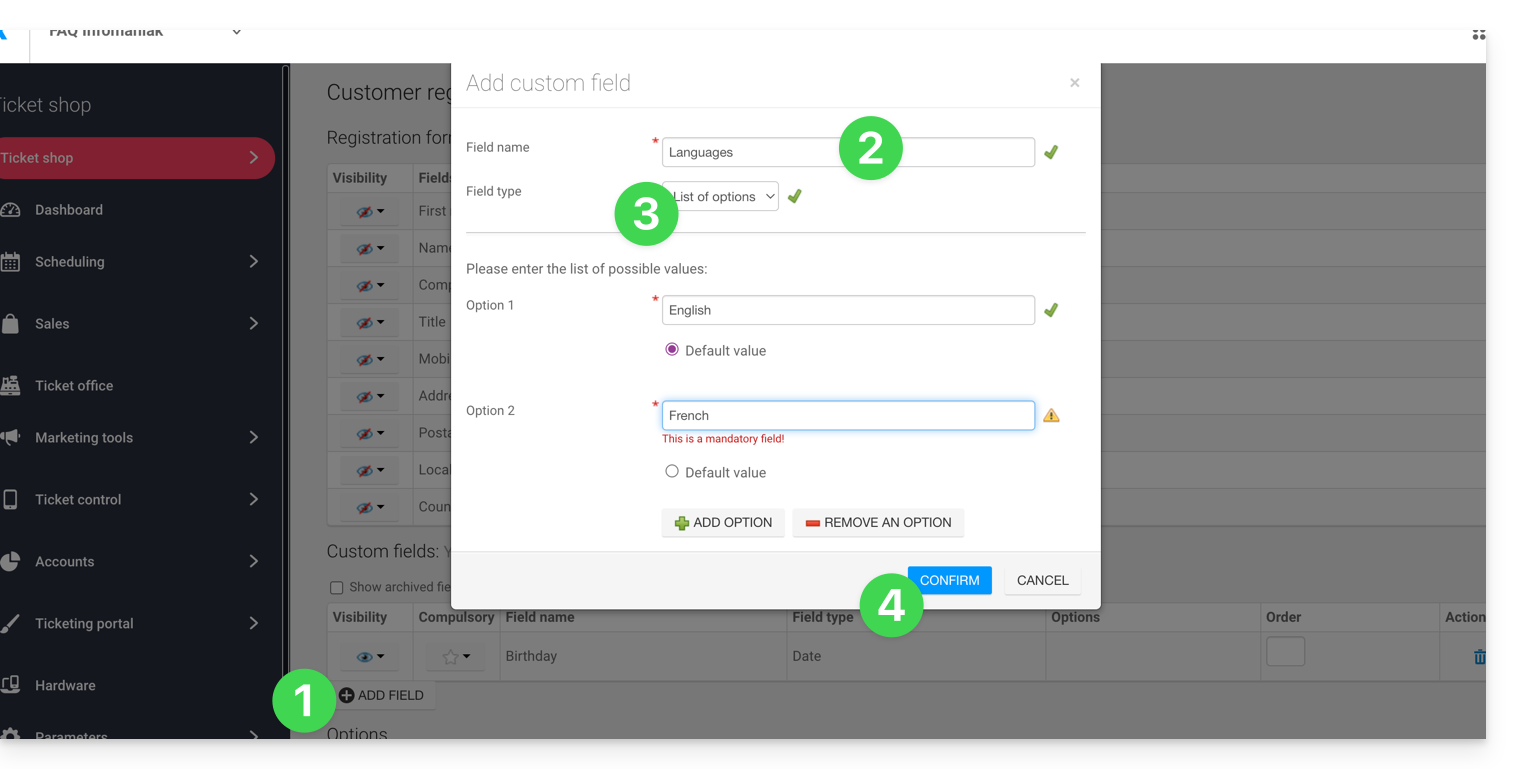
- Click on the Add field button.
- Give the field a name and choose the field type.
- Depending on the field type, complete the fields using the options in the drop-down menus or check boxes.
- Click the button to Confirm:
Link to this FAQ: https://faq.infomaniak.com/2697
Has this FAQ been helpful?