Knowledge base
1000 FAQs, 500 tutorials and instructional videos. Here, there are only solutions!
Ticketing: discover the passes
This guide covers the pass system, its various uses, and how to configure it (within the Infomaniak ticketing system).
Creating a pass
For detailed procedures and explanations, please refer to the following guides:
- Create a pass and configure it
- Associate events with passes
- Configure the visual appearance and information related to the pass
- Define and collect subscriber information that will be linked to the passes
Types of passes
A pass is a versatile tool that allows you to group events:
- The all-inclusive subscription
- It provides access to all events associated with it.
- This is the solution to choose if you want a seasonal subscription where everything is directly included, with or without numbered seats.
- These can be renewed year after year.
- Subscription with discounts on each ticket (package of several events to choose from)
- Similar to the Swiss Federal Railways' half-price subscription, it is possible to create a pass where each added ticket will have a reduced price.
- Multi-event access package (multi-day package (2-day pass, weekend pass))
- A 2-day pass, a 10-entry pass, etc.
- This type of pass allows the customer to attend events taking place over several days, either all events or a selection.
- Accreditation
- Allows you to create passes that provide access to certain areas or specific dates.
Pass formats
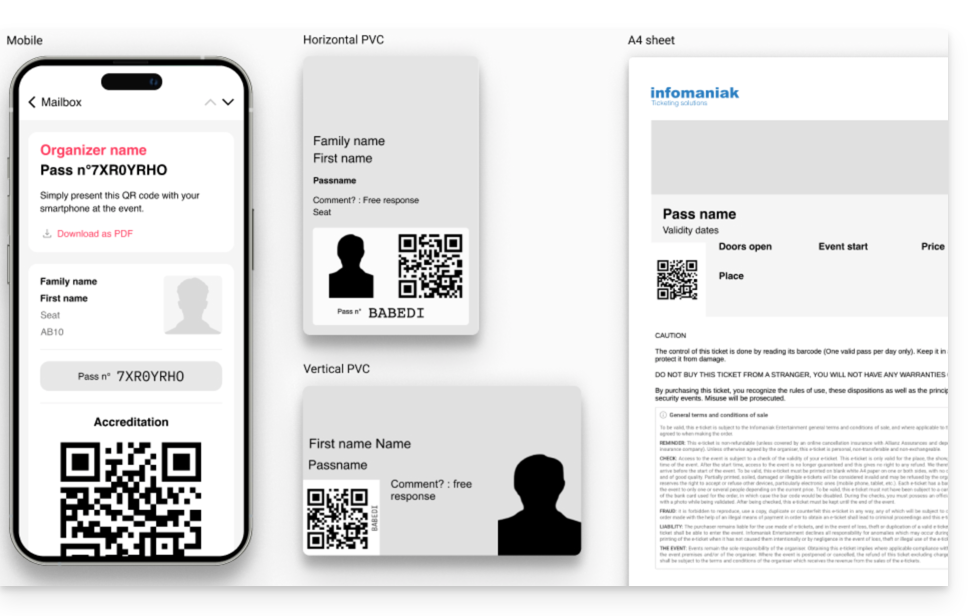
The pass can be:
- Printed on a CR80-type PVC card (credit card format) using a suitable printer available for rent.
- Printed in A4 or A6 format, like a standard ticket.
Used in digital format directly on the phone
- either with an email containing a QR code
- or by downloading the PDF version to be saved on the phone
Link to this FAQ: https://faq.infomaniak.com/2662
Has this FAQ been helpful?