Knowledge base
1000 FAQs, 500 tutorials and instructional videos. Here, there are only solutions!
Ticketing: create a new Infomaniak ticket office
This guide explains how to create a new ticketing system, or new period, within the framework of the Infomaniak ticketing system.
Preamble
- You can create multiple events in the same ticketing system:
- This “period” usually corresponds to an edition, season, or a highlight of your programming (2025-2026 season, summer 2026 festival…).
- It's a simple grouping framework; it does not technically isolate events as a new ticketing system would.
- Creating a new ticketing system allows you to structure and organize your ticket sales independently:
- You organize recurring seasons of events (cultural seasons, sports seasons).
- You manage several distinct clients (case of ticketing partners).
- You want to separate your sales, settings, or statistics from one series of events to another.
- You need distinct management spaces, with different teams or access rights.
- This action should not be confused with creating a new Infomaniak Organization, which is much rarer and more restrictive (kCheck / kAuth level, for example).
- Also, refer to this other guide before any publication.
Add the Online Ticketing tool
To start a new Infomaniak ticketing system:
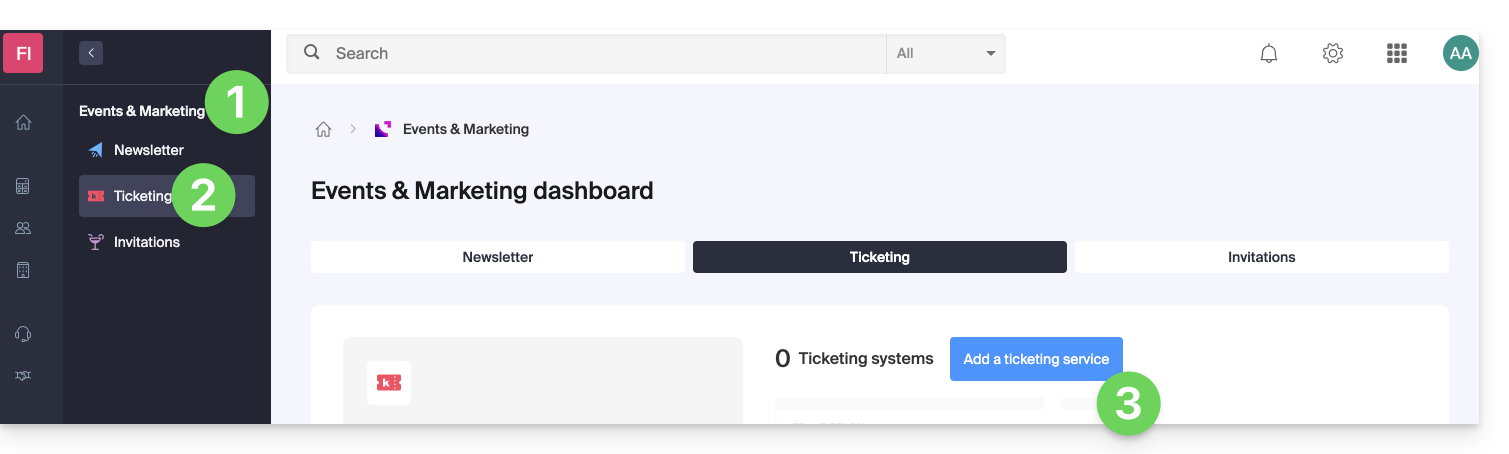
- Click here to access the management of your products on the Infomaniak Manager.
- Click on Ticketing under the Events & Marketing universe.
- Click the blue Add button:
- Enter the name of the ticketing system, the currencies to be used, as well as the languages to be used on the ticketing system.
- Enter the user's contact information.
- Choose the default appearance of the ticketing system:
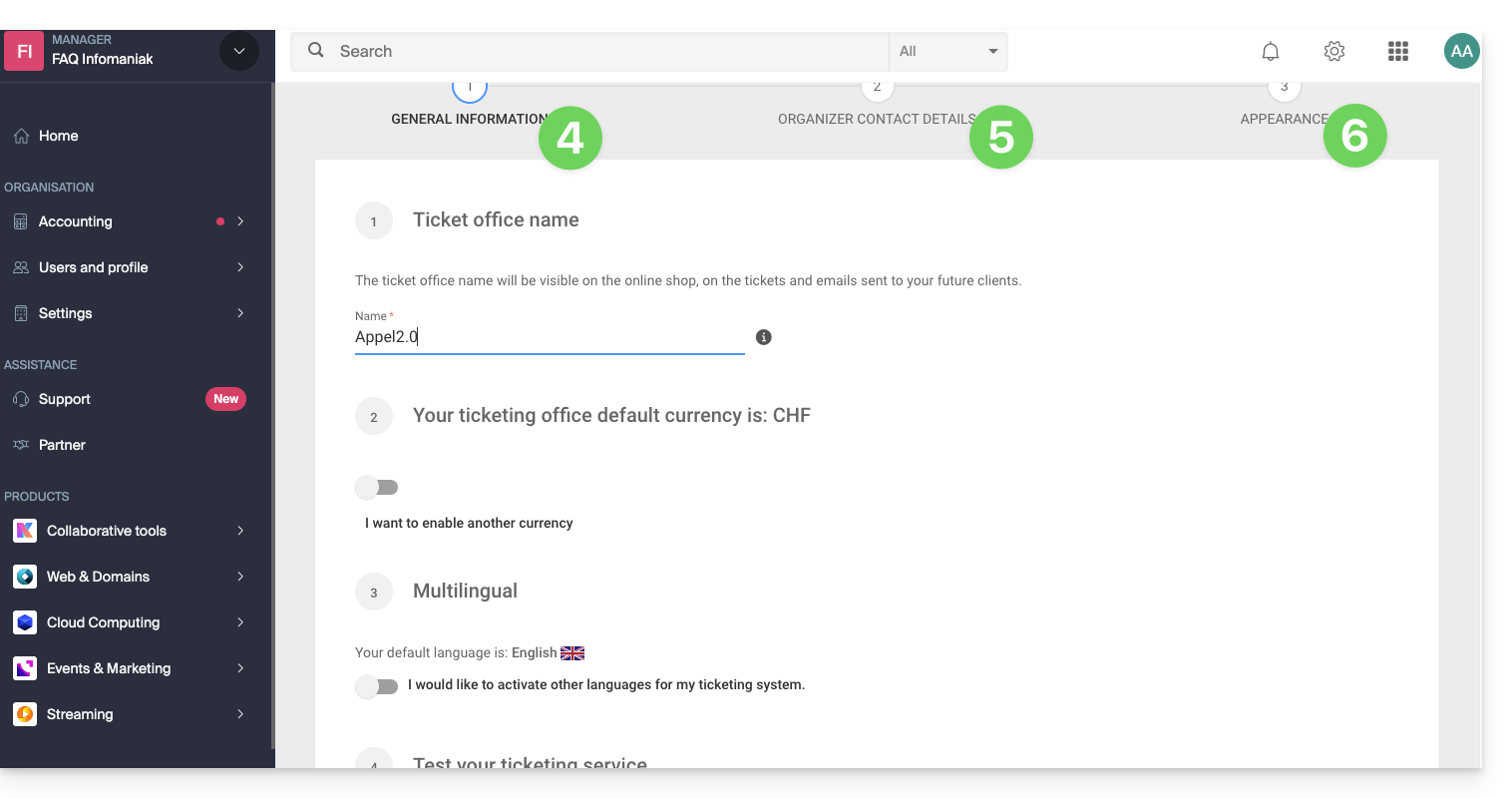
This information can be modified at any time in the ticketing system settings.
Link to this FAQ: https://faq.infomaniak.com/2658
Has this FAQ been helpful?