Knowledge base
1000 FAQs, 500 tutorials and instructional videos. Here, there are only solutions!
Link an additional domain name to kSuite
This guide explains how to have multiple domain names linked to an existing kSuite by adding additional domain names to it.
Prerequisites
- Own the new domain name (if necessary, you will need to create it in advance).
- Be aware of the instructions in this other guide by applying the instructions corresponding to your situation (so that the domain name works when it is linked to your kSuite).
Add a domain name to kSuite
Once the new domain name is ready to be used alongside the old one, you need to add it to kSuite:
- Click here to access the management of your kSuite (need help?).
- Click on the Settings icon at the top right.
- Click on kSuite in the left sidebar menu.
- Click on Domains:
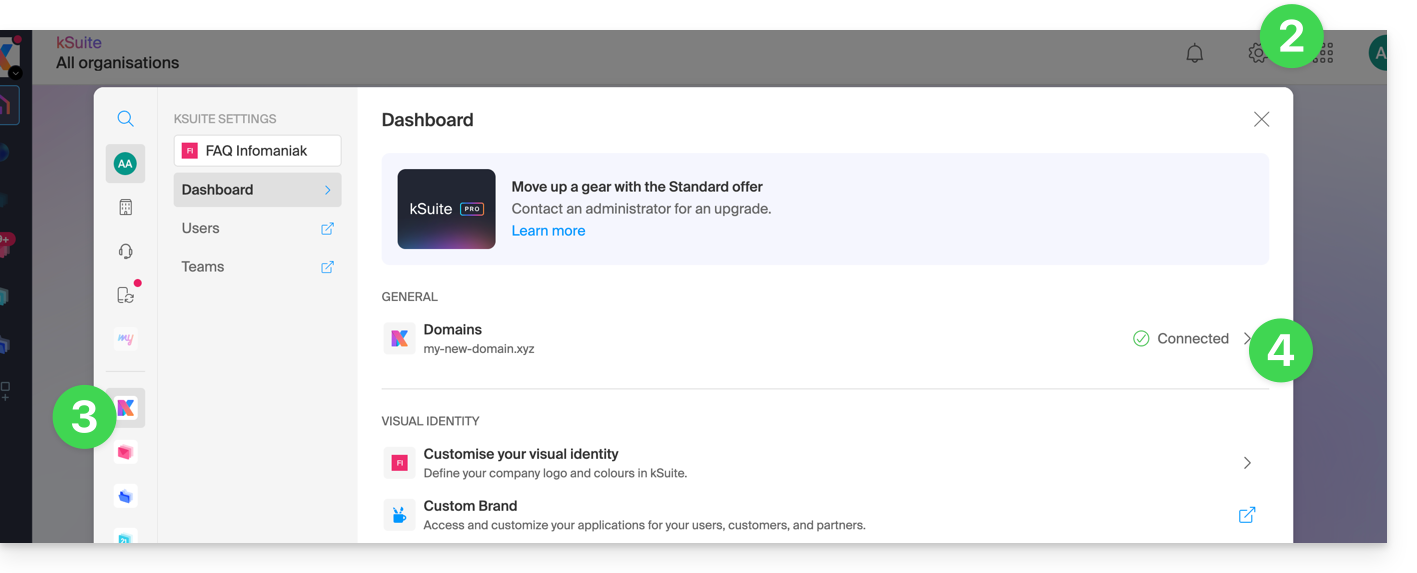
- Click the blue button Add a domain alias:

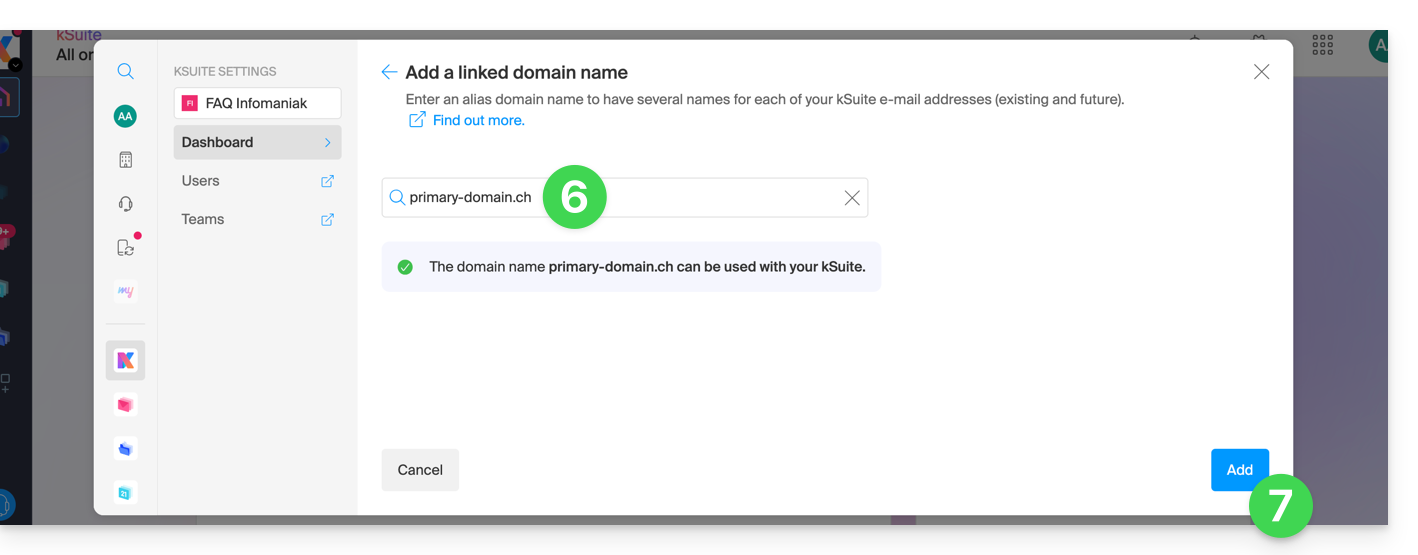
- Choose the domain to attach from those in your Organization (still available, i.e., not attached to any service) or enter an external domain name (see prerequisites above).
- Click the button to add the domain:
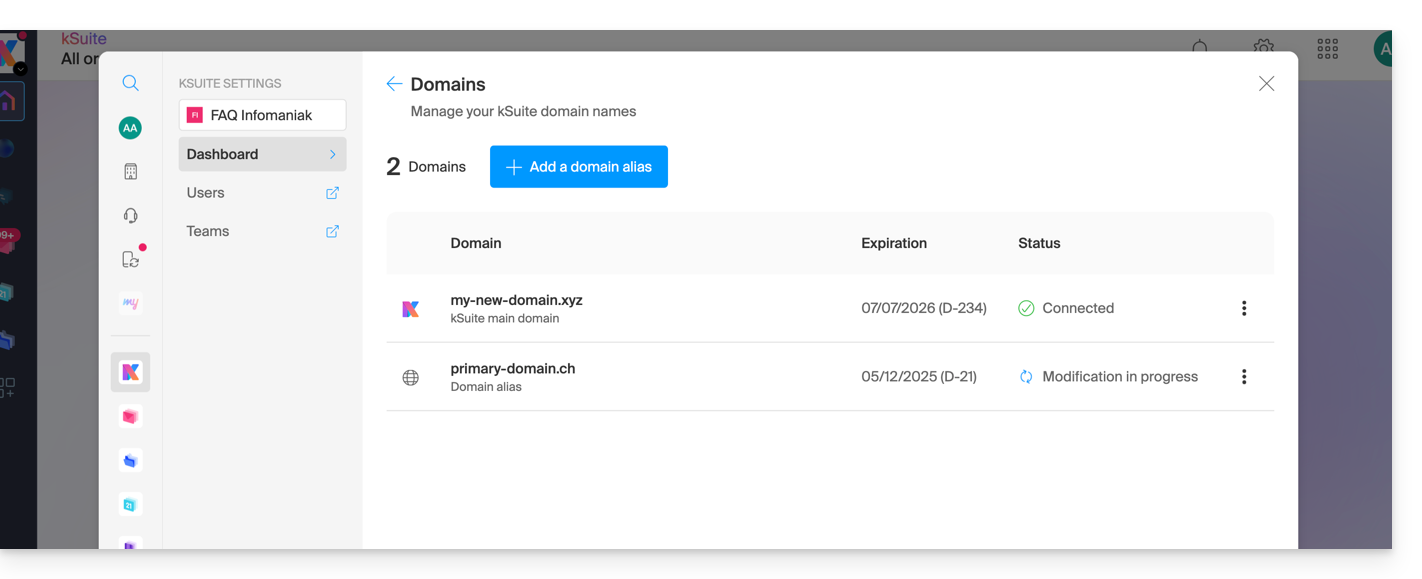
- The domain is successfully attached:
You can also consider a reversal of the additional domain name linked to kSuite with its main domain, in order to change the domain name of your kSuite.
Link to this FAQ:
Has this FAQ been helpful?