Knowledge base
1000 FAQs, 500 tutorials and instructional videos. Here, there are only solutions!
Create a new Public Cloud project
This guide explains how to create a new project with Infomaniak Public Cloud.
Prerequisites
- Have read and understood the Getting Started Guide.
- Have Public Cloud in your Infomaniak Manager.
It is perfectly possible to create multiple projects on the same Public Cloud.
Create a new project
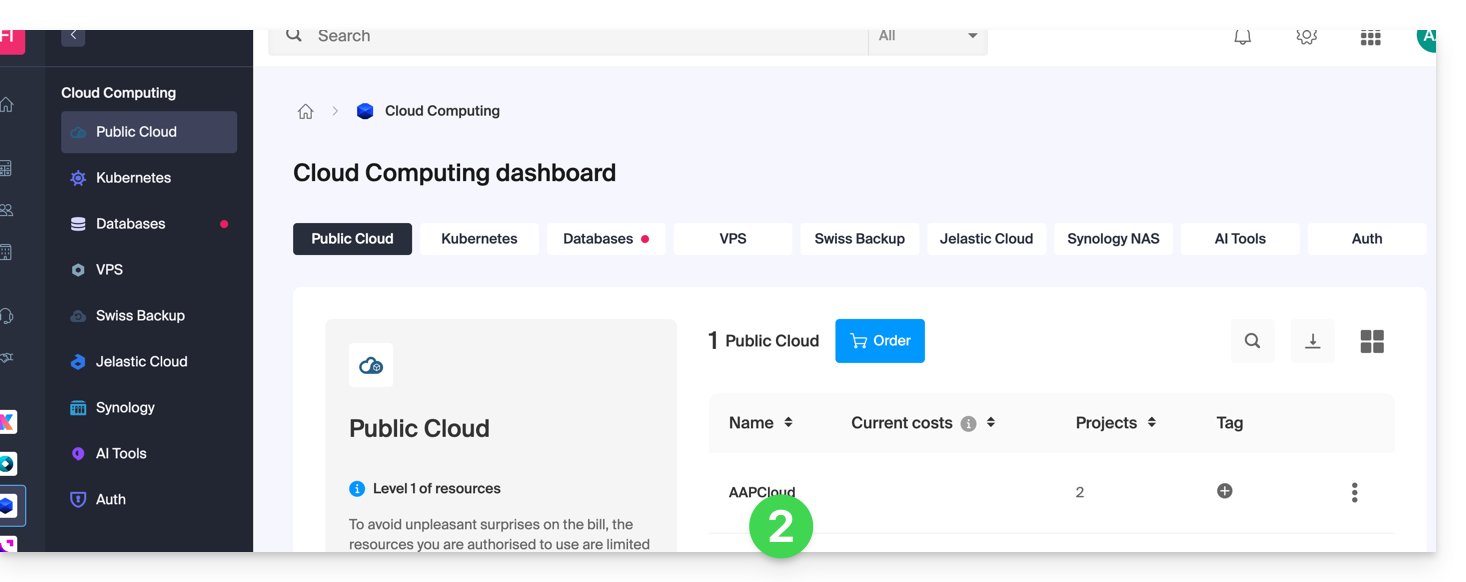
To access Public Cloud:
- Click here to access your product management interface on the Infomaniak Manager (need help?).
- Click directly on the name assigned to the product in question; a new project will be created.
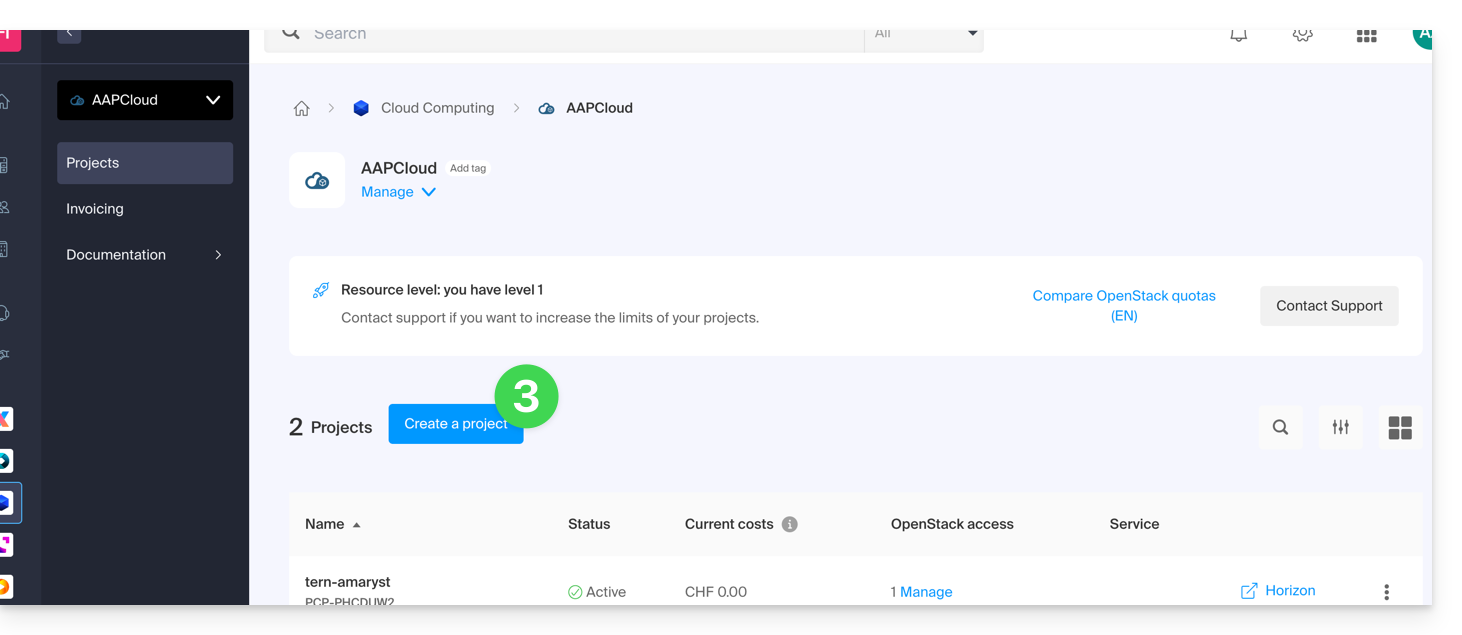
- Click on the Create a project button:
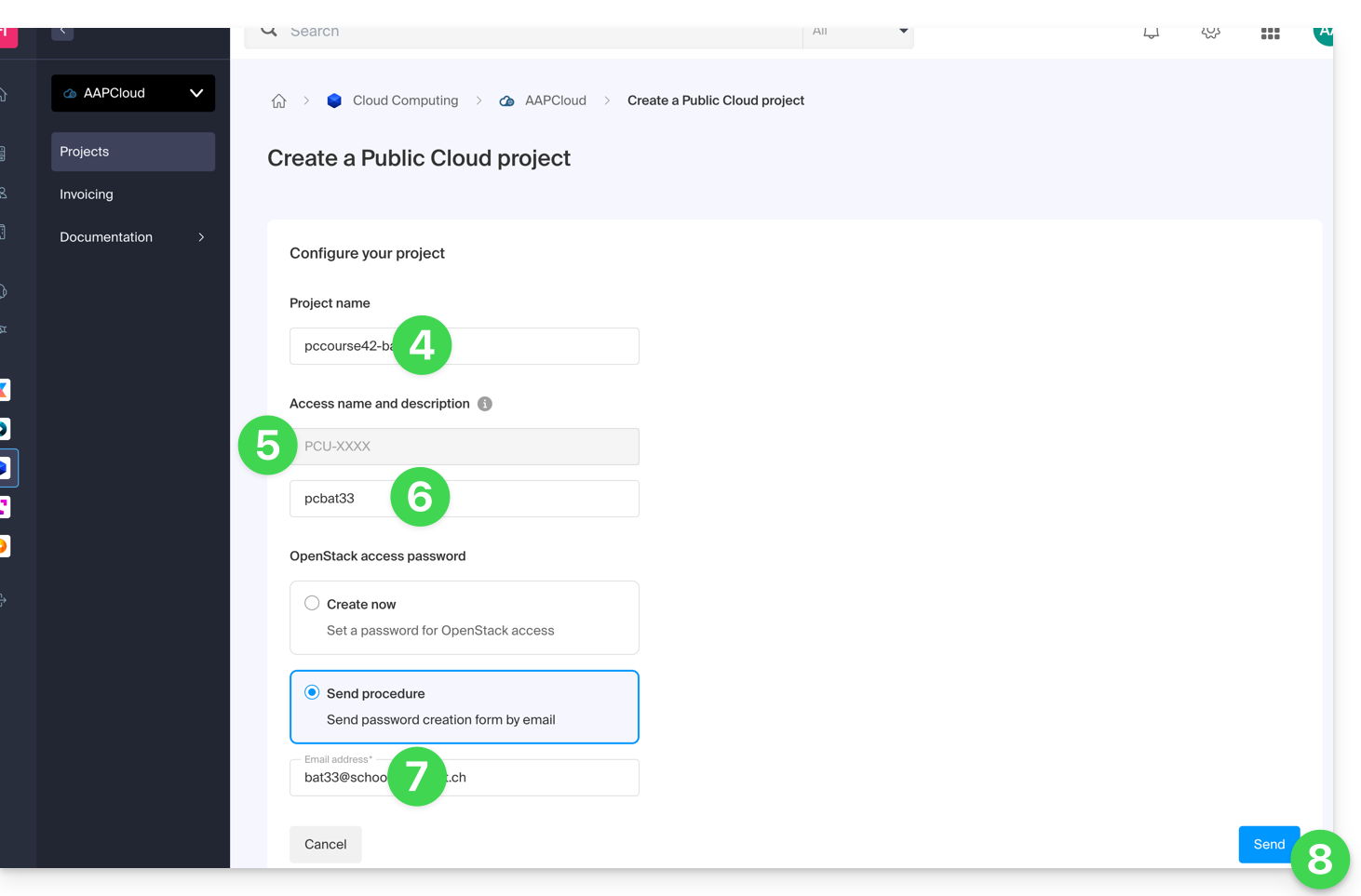
- Name your project.
- An OpenStack ID is automatically created (in the format
PCU-XXXX). - You can add a description (e.g., to specify who the identifier is intended for).
- Define a password (or send the procedure by email).
- Click on Create to complete the project creation:
Resource Level
The highest resource level available to your organization is automatically assigned to the project. You can change this at any time after the project has been created.
You may also want to consult this other guide if you are looking for information about actions on an existing project.
Link to this FAQ: https://faq.infomaniak.com/2603
Has this FAQ been helpful?