Knowledge base
1000 FAQs, 500 tutorials and instructional videos. Here, there are only solutions!
Manage the Organization's VAT number
Update 10/22/2026
This guide is intended for Infomaniak customers with a registered business in a European Union (EU) country and details how to enter or modify their European VAT number to enable the application of the appropriate billing rules.
Introduction
- EU companies can benefit from the self-billing mechanism by providing a valid VAT identification number. In this case, Infomaniak does not collect the tax, and it is the company's responsibility to declare and pay the VAT in its country of residence.
- For a Swiss company, this number is not applicable:
- Switzerland has its own tax system, which is separate from that of the EU.
- Swiss companies are subject to Swiss VAT and are not affected by the self-billing mechanisms specific to intra-EU transactions.
Add your VAT number
You can enter your VAT number when ordering your first Infomaniak product, when you are asked for the company details (corresponding to your Organization).
To add or modify the VAT number at any time:
- Click here to to access the management of your Organization's details in the Infomaniak Manager.
- Fill in the VAT number:
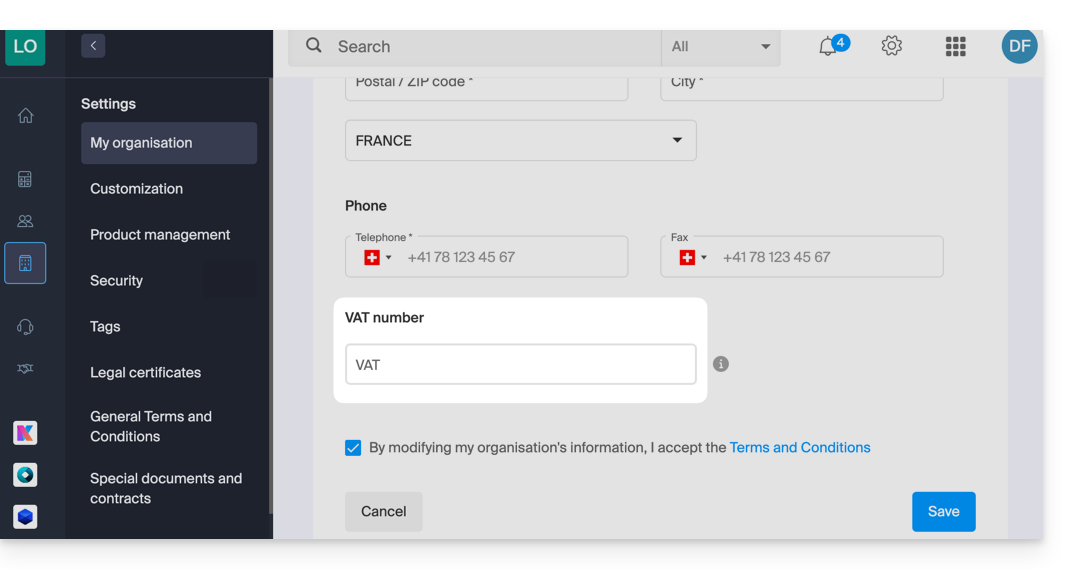
- Read and check the box for the Terms and Conditions, then click Save.
If necessary, refer to this other guide regarding other modifiable settings.
Link to this FAQ: https://faq.infomaniak.com/2599
Has this FAQ been helpful?