Knowledge base
1000 FAQs, 500 tutorials and instructional videos. Here, there are only solutions!
Create a work team
Update 03/17/2026
This guide explains how to create a work team from the Infomaniak Manager.
Prerequisites
- Be Administrator or Legal Representative within the Organization.
Creating a work team
To do this:
- Click here to access work team management on the Infomaniak Manager (need help?).
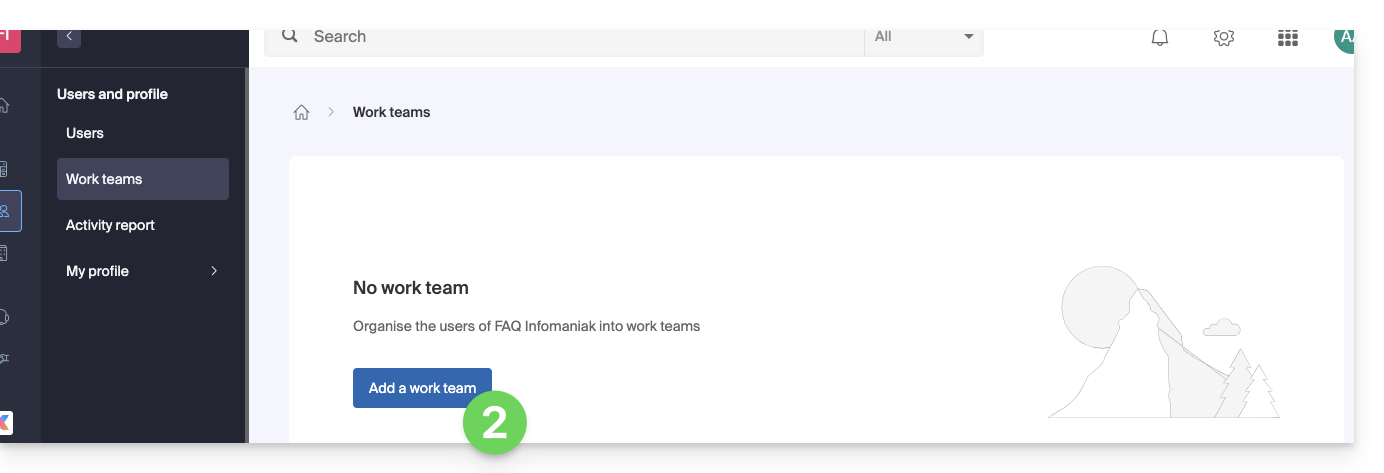
- Click on the blue button Add a work team:
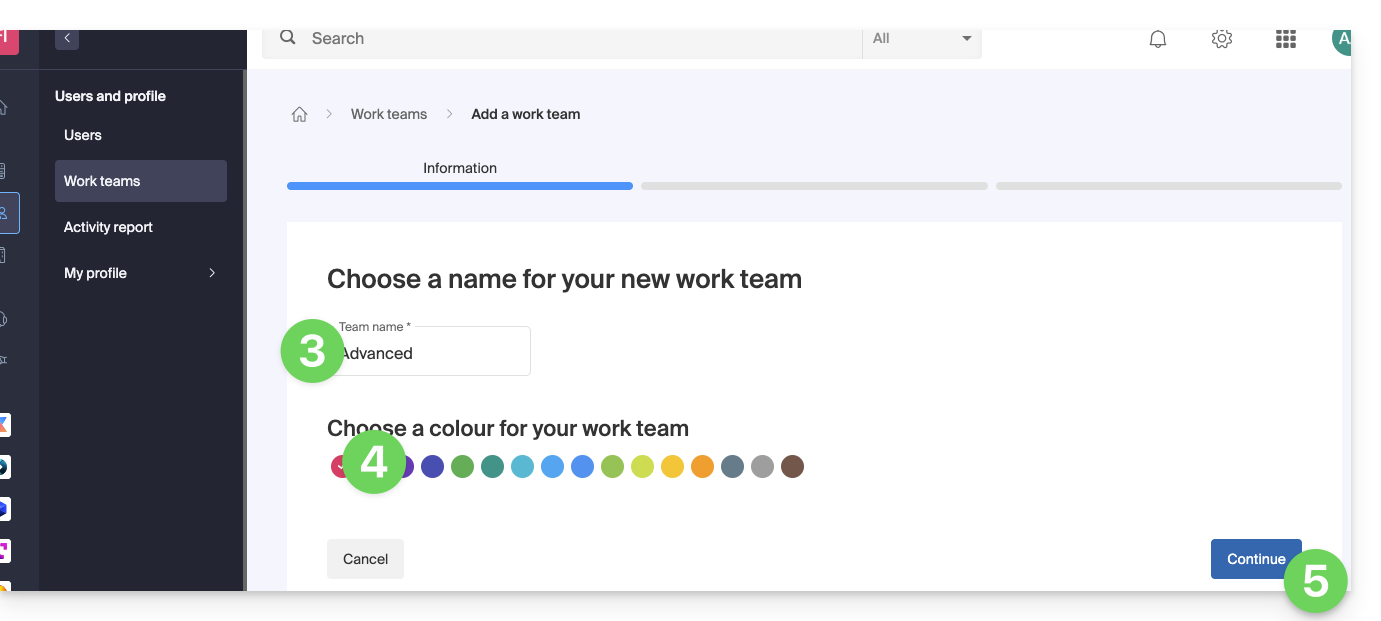
- Define a name for your work team.
- Choose a color.
- Click on the button to continue:
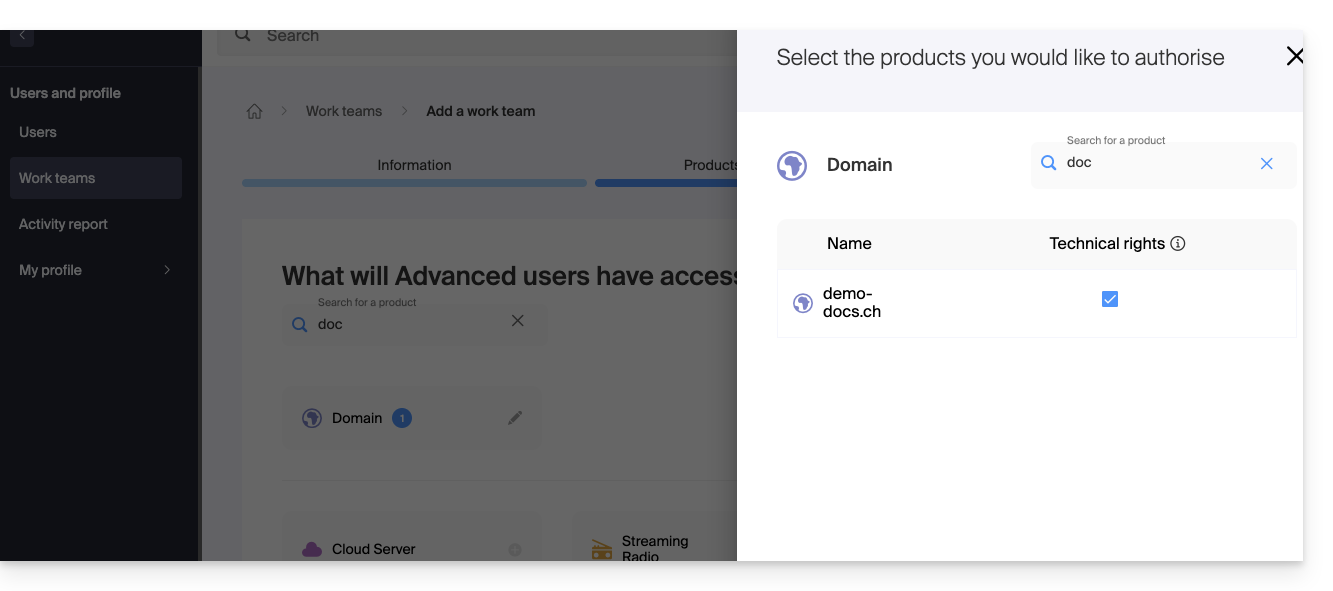
- Add the products that the work team users will have access to:
- If you have multiple products of the same type (e.g. Web Hosting, Mail Service, Newsletters, etc.), you will have the option to grant access to multiple/all products or only one of them.
- For each product, you will need to choose the access rights to it:
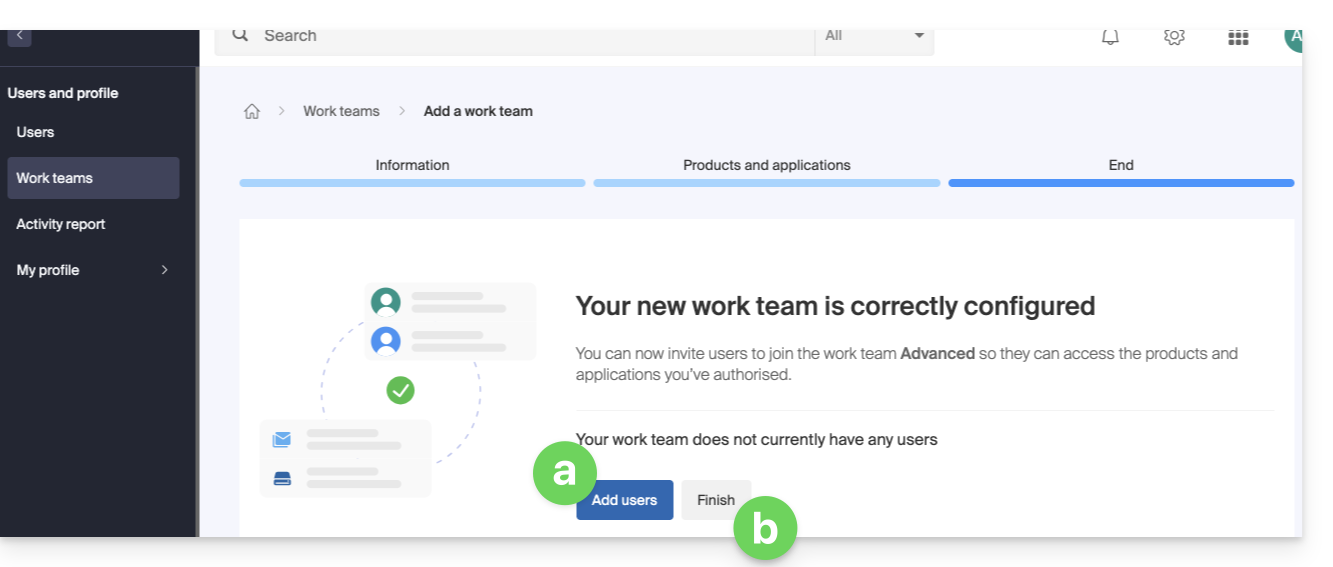
- Click on Continue to create the team. Then:
- Click on Add users to the work team then click on the Finish button.
- Click directly on the Finish button:
It is possible to add new users to a work team at any time.
List of user rights
| User rights | Details |
|---|---|
| Technical rights | The user can modify the product |
| Statistics rights | The user can view the product statistics |
| Ticket control | The user can control the tickets |
| Sales control | The user can control sales |
Learn more
Link to this FAQ:
Has this FAQ been helpful?