Knowledge base
1000 FAQs, 500 tutorials and instructional videos. Here, there are only solutions!
Back up data with Cyberduck to Swiss Backup (SFTP)
This guide details how to manually back up data using the Cyberduck application (macOS / Windows) via the SFTP protocol on Swiss Backup, the backup solution in a Swiss independent cloud.
Introduction
Configure Cyberduck
Prerequisites
- Have an Swiss Backup Infomaniak account with an available device quota (minimum 1) for a Cloud backup.
- Add 1 device of type Cloud to obtain the SFTP parameters.
- Download and install Cyberduck (macOS / Windows).
To configure a new backup:
- Open the Cyberduck application.
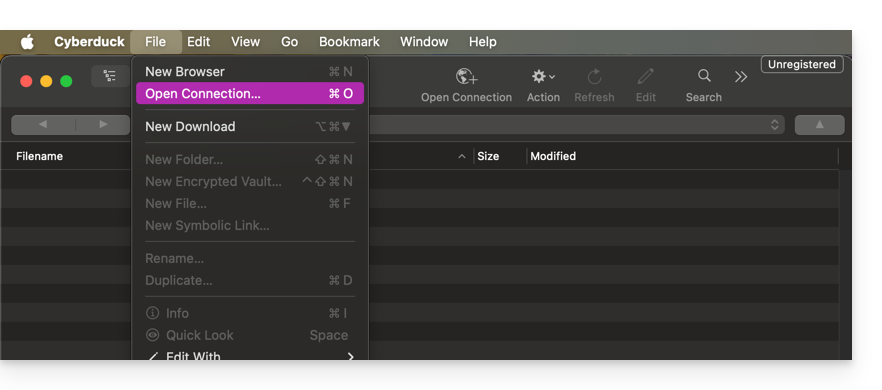
- Click on Open Connection:
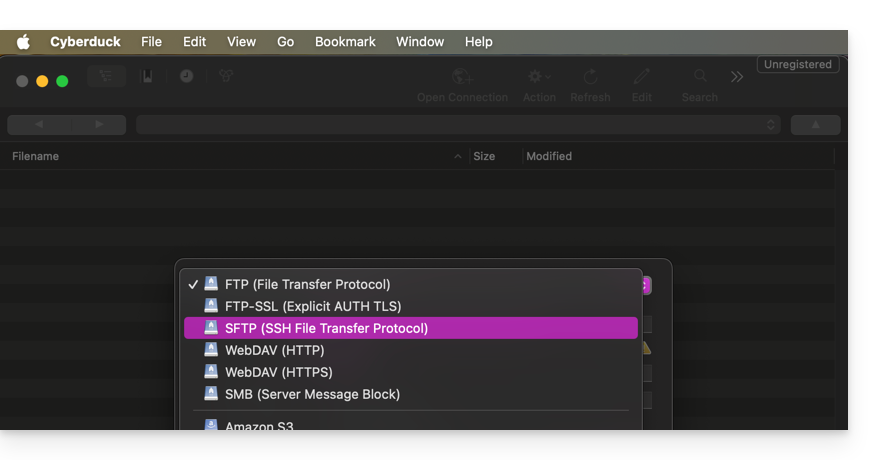
- Choose the corresponding protocol:
- Enter the information specific to your device in the fields (refer to this other guide):
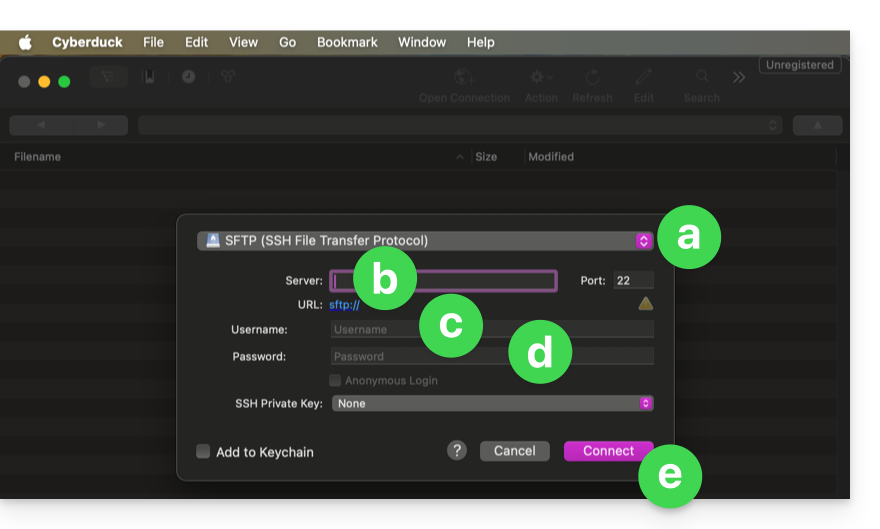
- Choose
SFTP(SSH File Transfer Protocol) from the dropdown menu. - Server:
sftp.swiss-backup02.infomaniak.com - Username: the name of your Swiss Backup device (e.g.,
SBI-MS0020). - Password: the password generated via the email you received after creating your Swiss Backup device.
- Click Connect.
- Choose
Cyberduck allows you to create bookmarks, which are pre-configured access points for easier connection to the FTP storage later. Once the bookmark is created, you can double-click it to connect to the FTP storage.
Link to this FAQ: https://faq.infomaniak.com/2548
Has this FAQ been helpful?