Knowledge base
1000 FAQs, 500 tutorials and instructional videos. Here, there are only solutions!
Resolve the issue with the Prestashop module "Faceted Search"
This guide helps to solve a problem with the PrestaShop CMS and more specifically with its “Faceted Search” module, which allows the management of filters on product category pages.
The problem
This specific PrestaShop search module creates a cache in the database to speed up the search. However, the corresponding table is never cleaned, which poses a problem for the hosting infrastructure.
First solution
The first solution is to disable the proposed caching.
If you have a cache module, such as Ultimate Cache, there will be no negative impact.
To do this:
- In the PrestaShop administration panel, go to Modules → Module Manager.
- Select Modules and use the search field to find “facet”.
- Click on Configure next to the module obtained in the result:
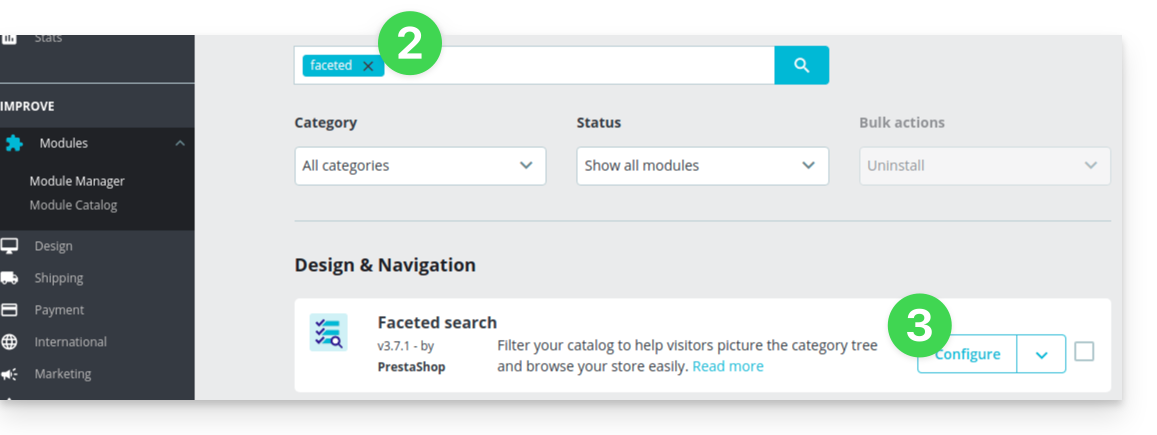
- Disable the button for this:
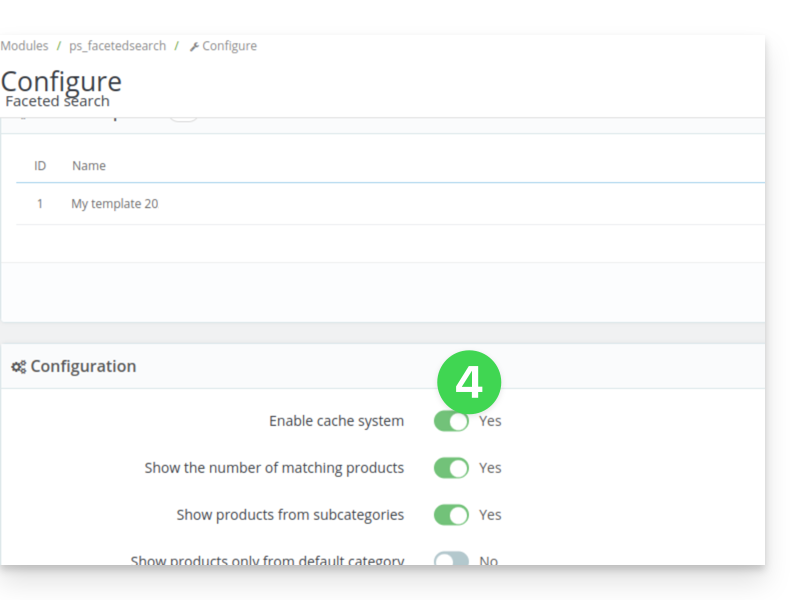
Second solution
The second solution is to set up a cron job to clean the table, for example every night:
- From the module settings, copy the existing URL on the
Clear cachebutton:
Then, from the Infomaniak Manager, create a webcron (refer to this other guide on this subject) to execute the URL copied in point 1 above, for example once a day and once at night.
Link to this FAQ: https://faq.infomaniak.com/2521
Has this FAQ been helpful?