Knowledge base
1000 FAQs, 500 tutorials and instructional videos. Here, there are only solutions!
Sync Qnap with kDrive
Update 02/26/2026
This guide provides instructions to synchronize kDrive with a QNAP NAS (or vice versa) via the WebDAV protocol found in the HBS 3 Hybrid Backup Sync application.
✘ UNAVAILABLE with
kSuite Free / kSuite Standard
my kSuite / my kSuite+ (ik.me, etik.com, ikmail.com)
Prerequisites
- Have a QNAP NAS accessible from the Internet.
- Know your kDrive identifier (kDrive ID).
Synchronize kDrive and QNAP via HBS 3
To do this:
- Log in to the QNAP NAS administration interface (QTS).
- If necessary, download and install the app HBS 3 Hybrid Backup Sync.
- Open HBS 3.
- Go to Sync from the left menu.
- Create a synchronization task (Two-way Sync Job).
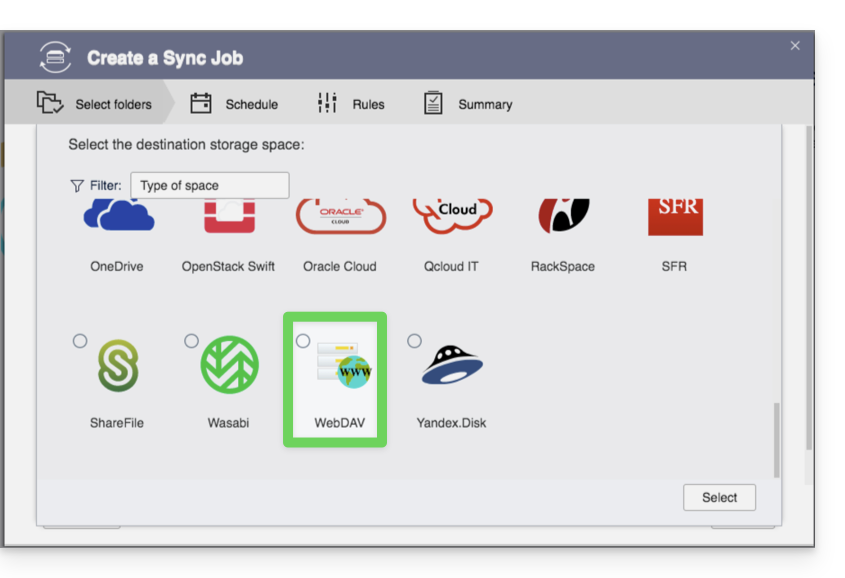
- Select WebDAV from the list of Cloud providers:
- For the account settings, use the following information:
- Server address:
https://IDkDrive.connect.kdrive.infomaniak.com(see prerequisites above) - Username: email address to log in to your Infomaniak account
- Password: create an application password for this specific use.
- Server address:
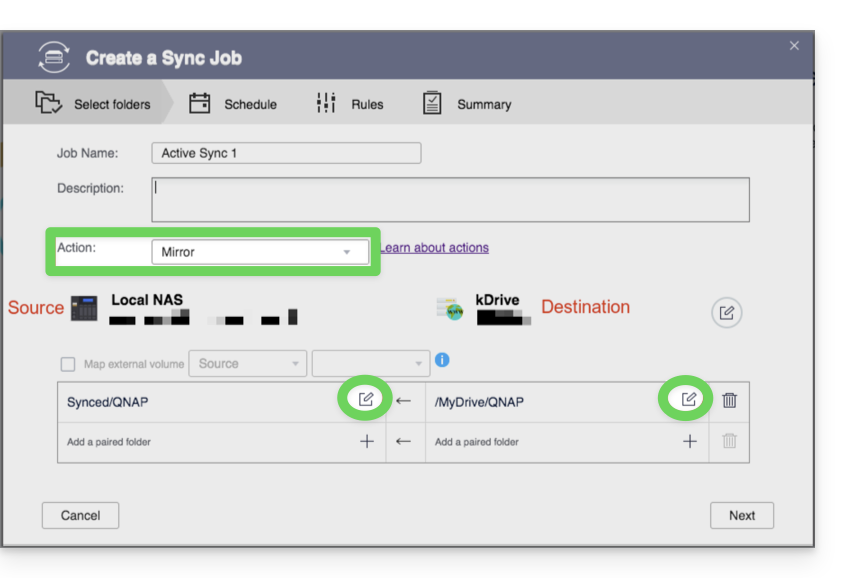
- Select the local and destination folders:
- Customize the task frequency.
- Complete the wizard.
Link to this FAQ:
Has this FAQ been helpful?