Knowledge base
1000 FAQs, 500 tutorials and instructional videos. Here, there are only solutions!
Manage kDrive storage
This guide explains how to see how the storage space of your kDrive is used and how to increase its capacity if needed.
Preamble
- The maximum number of files per kDrive is not a fixed limit, but if it is exceeded, the stability of the storage system and the kDrive application cannot be guaranteed by Infomaniak.
- Only the particular conditions Backup and storage that you can find on your Manager are binding.
- Refer to this other guide for details specific to drop boxes.
Current limits
Other types of limits are detailed in this other guide.
⚠ Max. number of files / subfolders:
| per kDrive | per folder | |
| All offers | 300000 / 1000 | 50000 |
⚠ Bandwidth (in GB) allowed per day and per user (these limits, provided for informational and preventive purposes, may apply if excessive use degrades the service, in order to guarantee its stability and availability for all users):
| kSuite | free | 200 |
| Standard | 1000 | |
| Business | 1000 | |
| Enterprise | 1000 | |
| my kSuite | 200 | |
| my kSuite+ | 200 | |
| kDrive | Solo | 1000 |
| Team | 1000 | |
| Pro | 1000 |
⚠ Max. number of daily downloads of a file per user:
| kSuite | free | 50000 |
| Standard | 100000 | |
| Business | 100000 | |
| Enterprise | 100000 | |
| my kSuite | 50000 | |
| my kSuite+ | 50000 | |
| kDrive | Solo | 50000 |
| Team | 50000 | |
| Pro | 50000 |
⚠ Max. size of a file (in GB) sent via:
| Desktop app | Web app | API | |
| All offers | 50 | 50 | 50 |
View kDrive storage space
To access kDrive:
- Click here to access the Infomaniak kDrive web app (online service ksuite.infomaniak.com/kdrive).
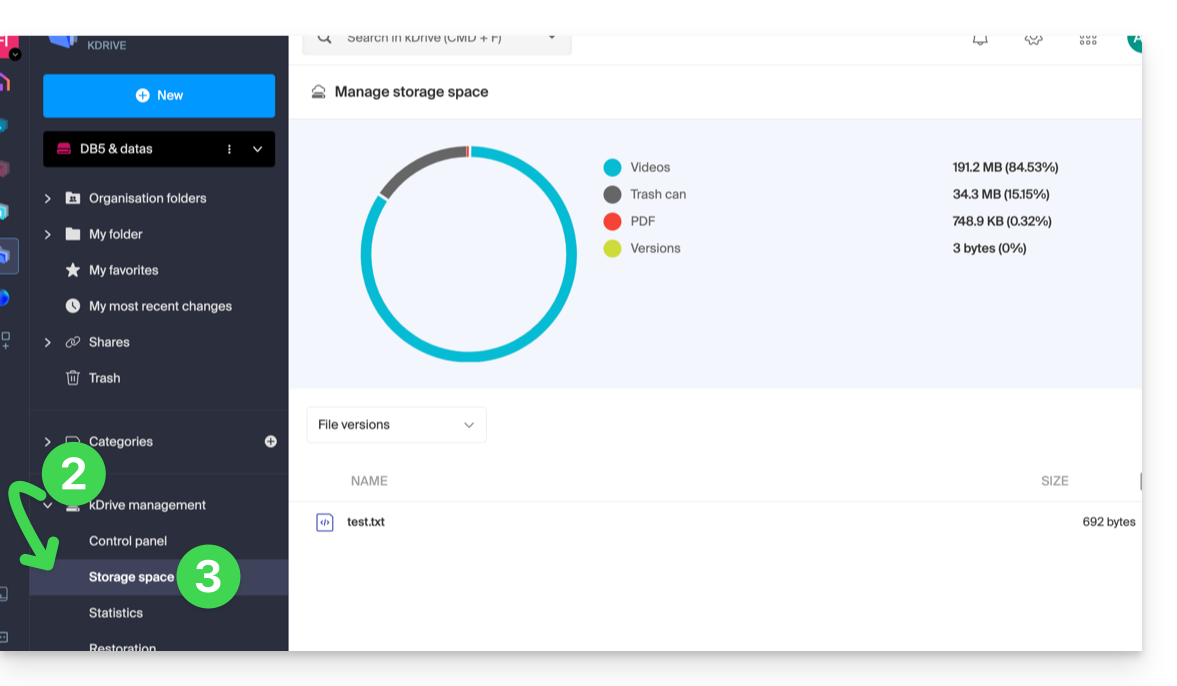
- Click on the chevron to expand the kDrive Management section in the left sidebar.
- Click on Storage Space in the left sidebar:
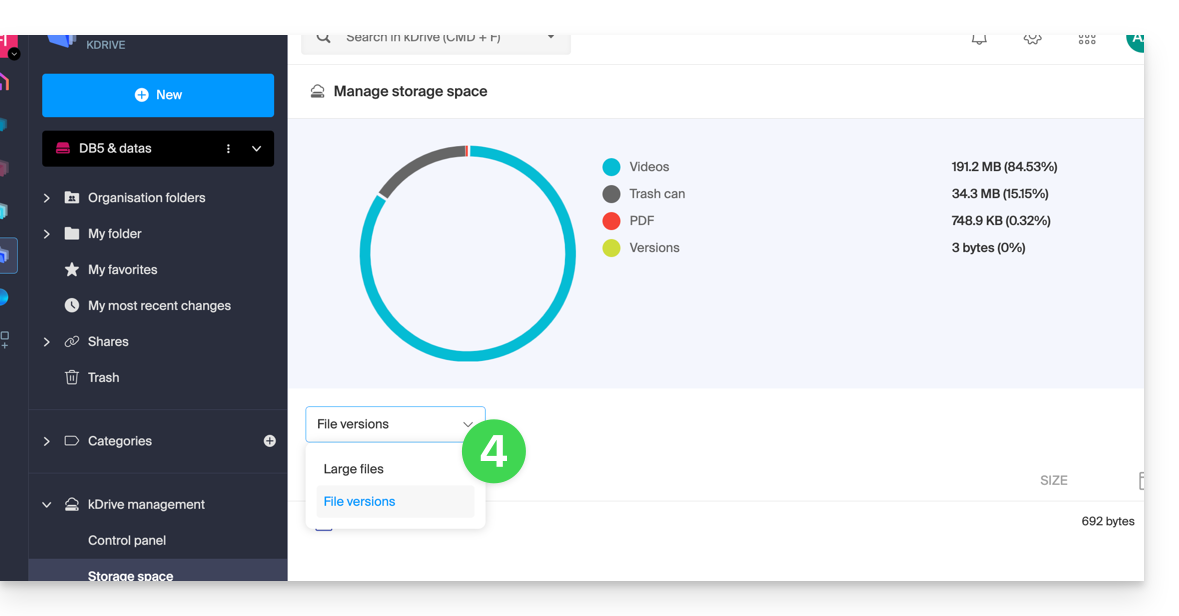
- Select large files (or file versions that are also counted in the storage space) using the dropdown menu:
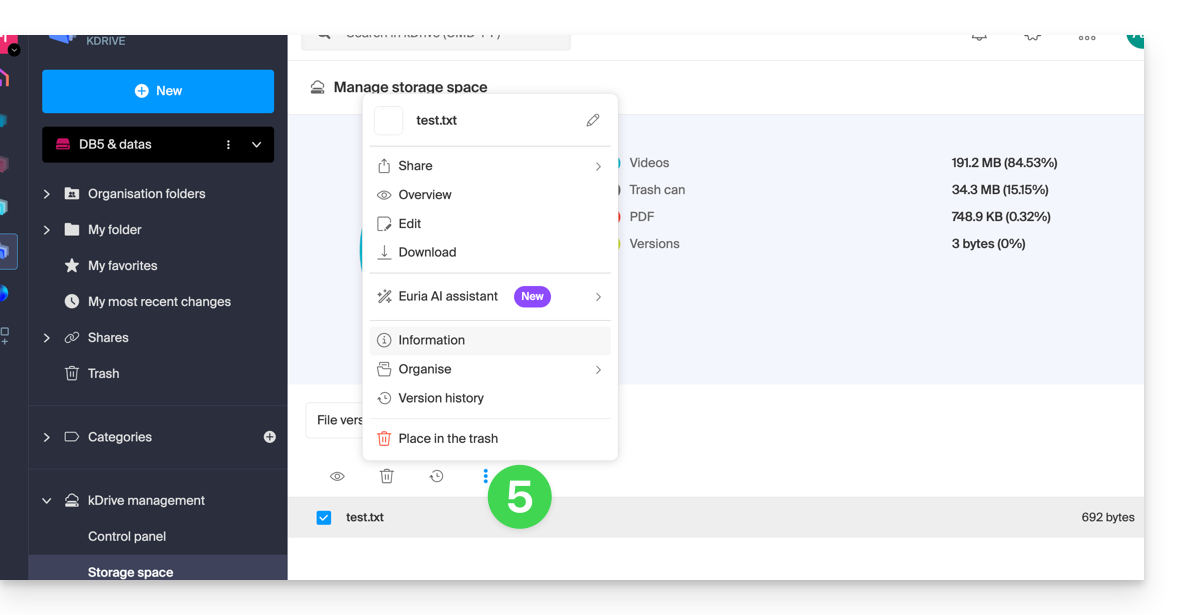
- Click on the action menu ⋮ located above your selection to perform an action (e.g., deletion):
Increase kDrive Storage Space
Prerequisites
- Have sufficient permissions within the Organization.
To modify kDrive storage space:
- Click here to access the Infomaniak kDrive web app (online service ksuite.infomaniak.com/kdrive).
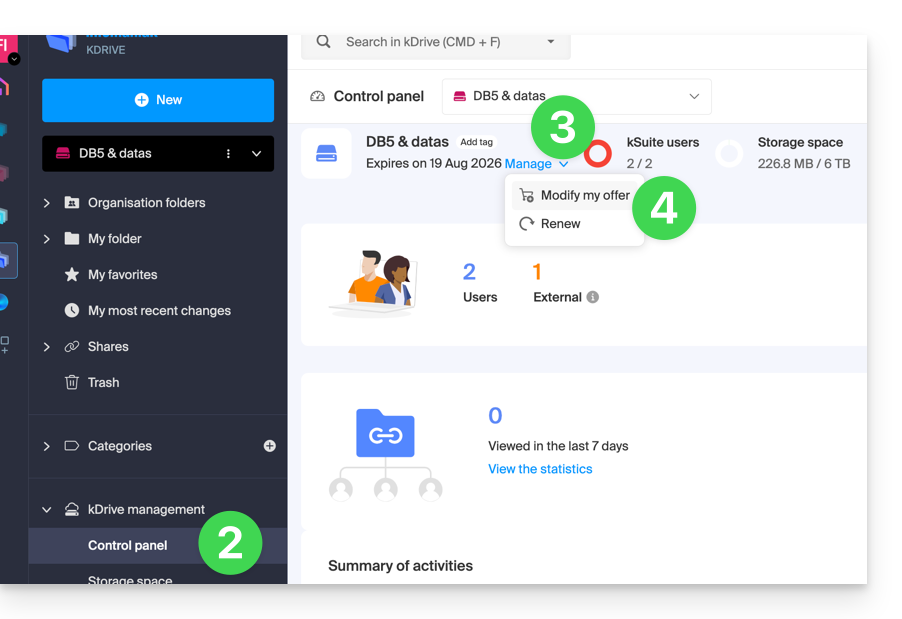
- Click on Dashboard in the left sidebar under kDrive Management.
- Click on Manage.
- Click on Change Offer:
- You will be offered the choice to change the offer or modify the maximum storage space of your kDrive.
- Once the offer is modified, click on Next and proceed with the payment.
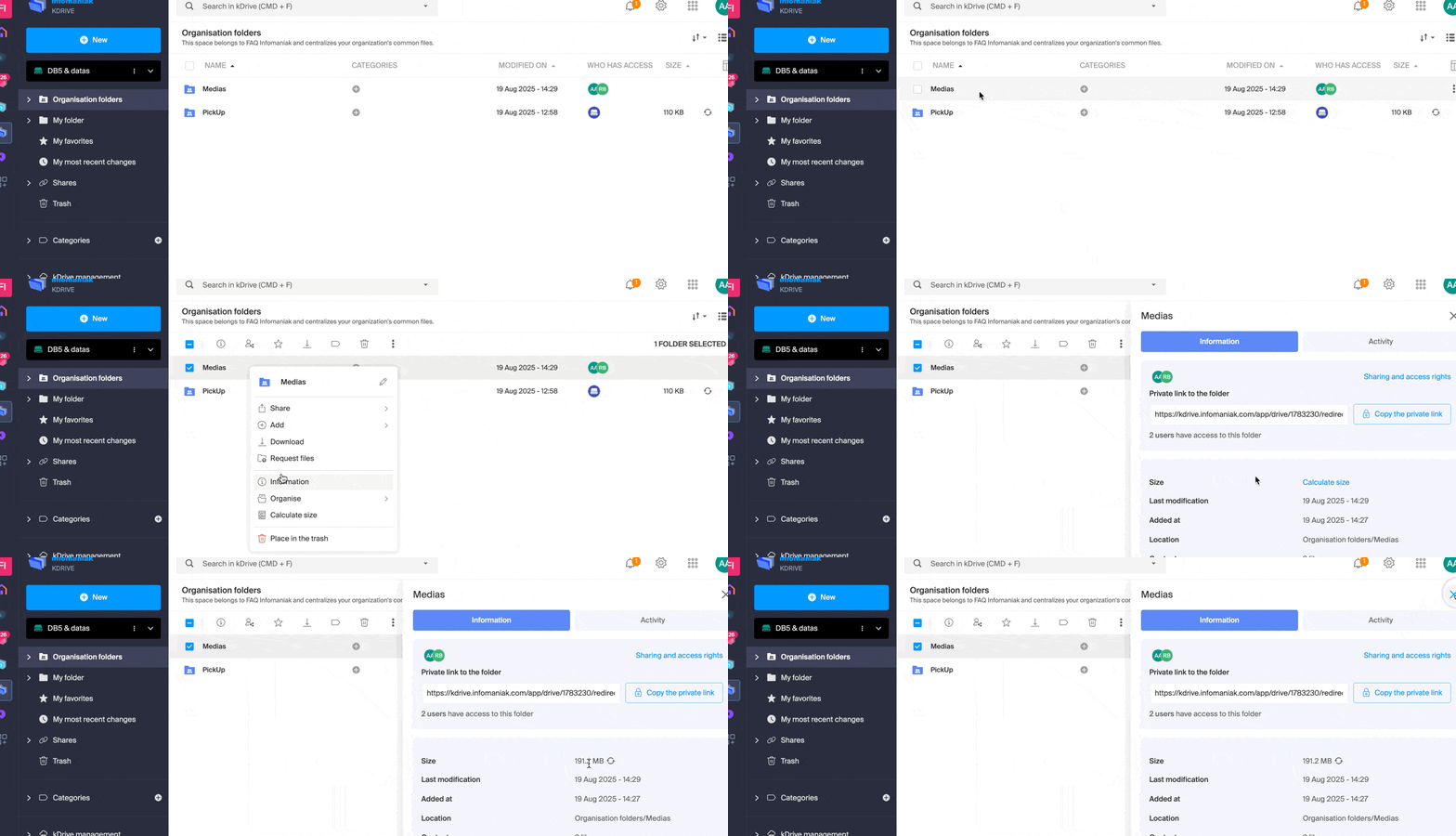
Get information about a folder and its contents
Simply right-click on any folder in the kDrive web app to get the size and content information:
Link to this FAQ: https://faq.infomaniak.com/2387
Has this FAQ been helpful?