Knowledge base
1000 FAQs, 500 tutorials and instructional videos. Here, there are only solutions!
Remove a kAuth account
Update 06/08/2026
This guide explains how to remove an Infomaniak account configured in the Infomaniak mobile app kAuth (application for iOS / Android smartphones or tablets).
Removing an account from the kAuth mobile app
To delete one of the accounts, you must use a web browser, preferably on a computer:
- Click here to access the two-factor authentication management on the Infomaniak Manager.
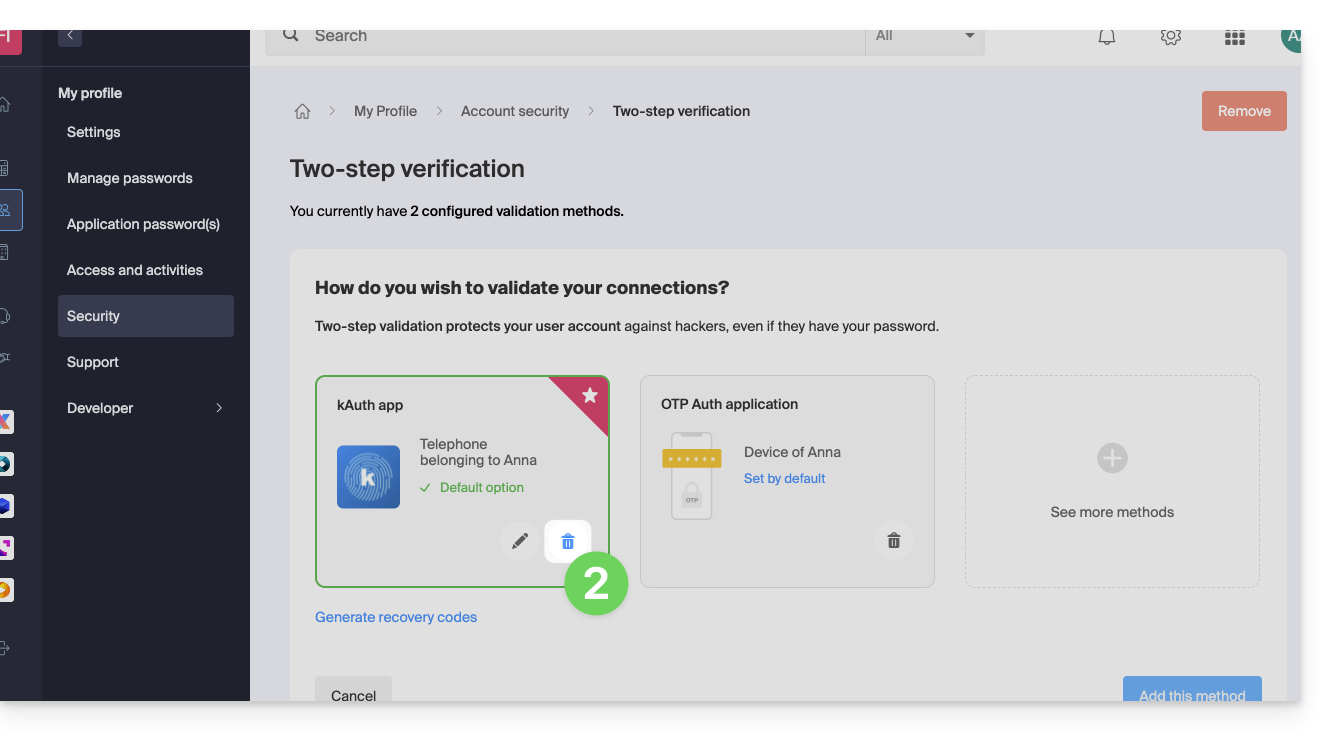
- Click on the trash can icon in the box corresponding to the Infomaniak kAuth app:
- Enter the password to log in to your Infomaniak account.
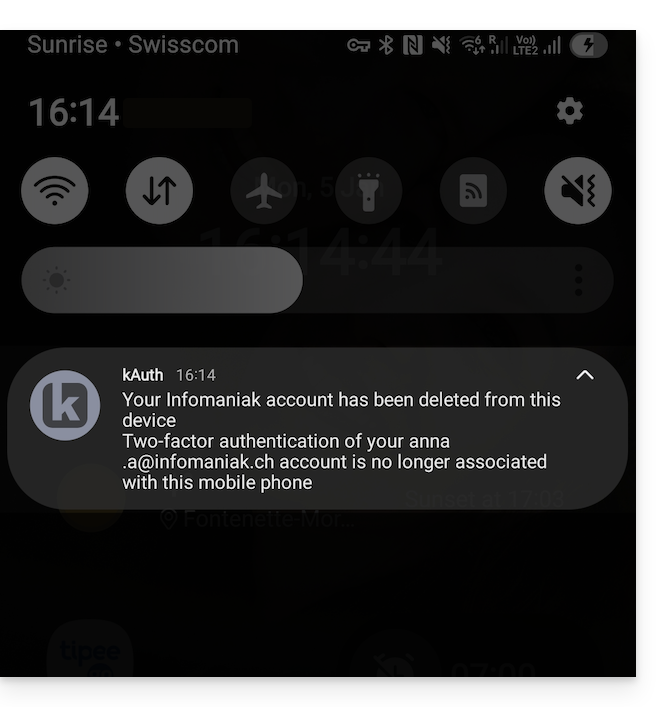
- A kAuth notification is sent to the mobile device on which the app is installed:
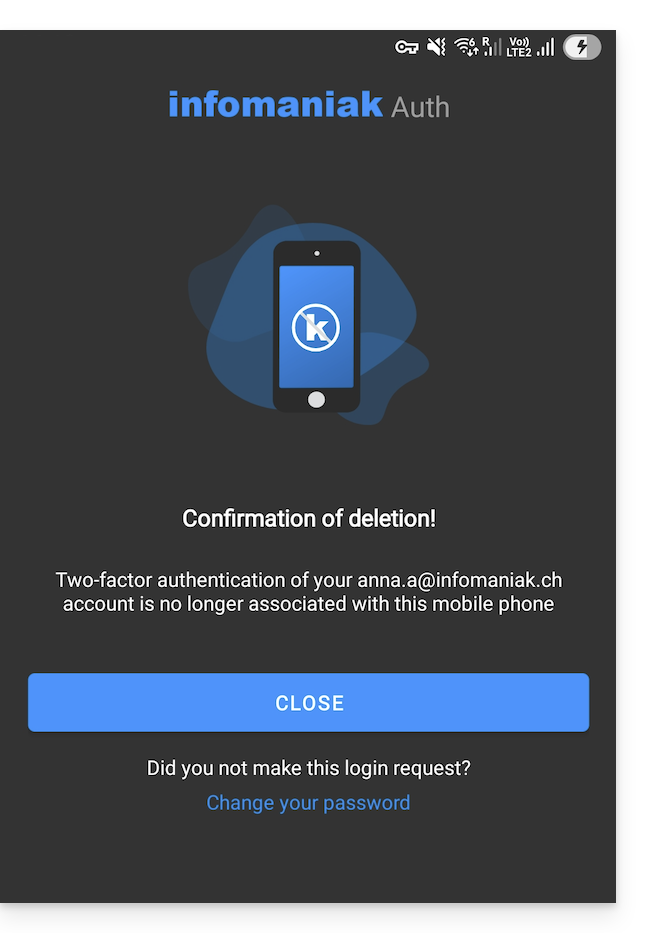
- The message is also displayed to the user directly within the kAuth app:
Warning: if no other method is configured to secure your account access (e.g., SMS), the two-factor authentication system is therefore deactivated; it is strongly recommended that you re-secure your account with two-factor authentication!
Link to this FAQ: https://faq.infomaniak.com/2361
Has this FAQ been helpful?