Knowledge base
1000 FAQs, 500 tutorials and instructional videos. Here, there are only solutions!
Display Infomaniak account activity
This guide explains how to obtain information on…
- … the connections made to the Manager Infomaniak with your Infomaniak account login,
- … the activities performed within the Manager by your Infomaniak account.
Obtain the log of connections to the Infomaniak account
To view a connection log (active sessions) made to the Manager Infomaniak with your Infomaniak account login:
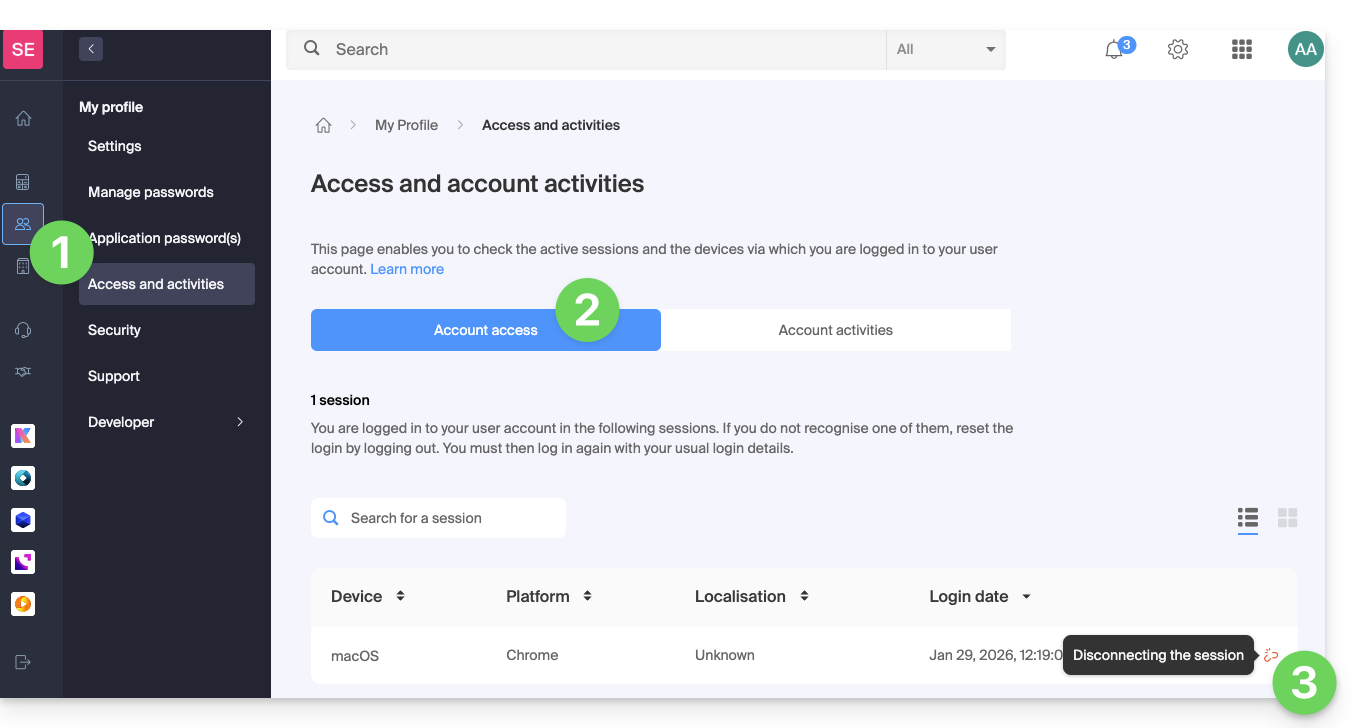
- Click here to access the summary of access to the Infomaniak Manager by your Infomaniak account.
- From the Account Access tab, view the list of devices connected to your Infomaniak account.
- You can end an open session by clicking on the icon to the far right of the name of the device connected to your account, which will log it out.:
Be notified in case of successful or unsuccessful login
To be notified by email upon login or attempted login to your Infomaniak account:
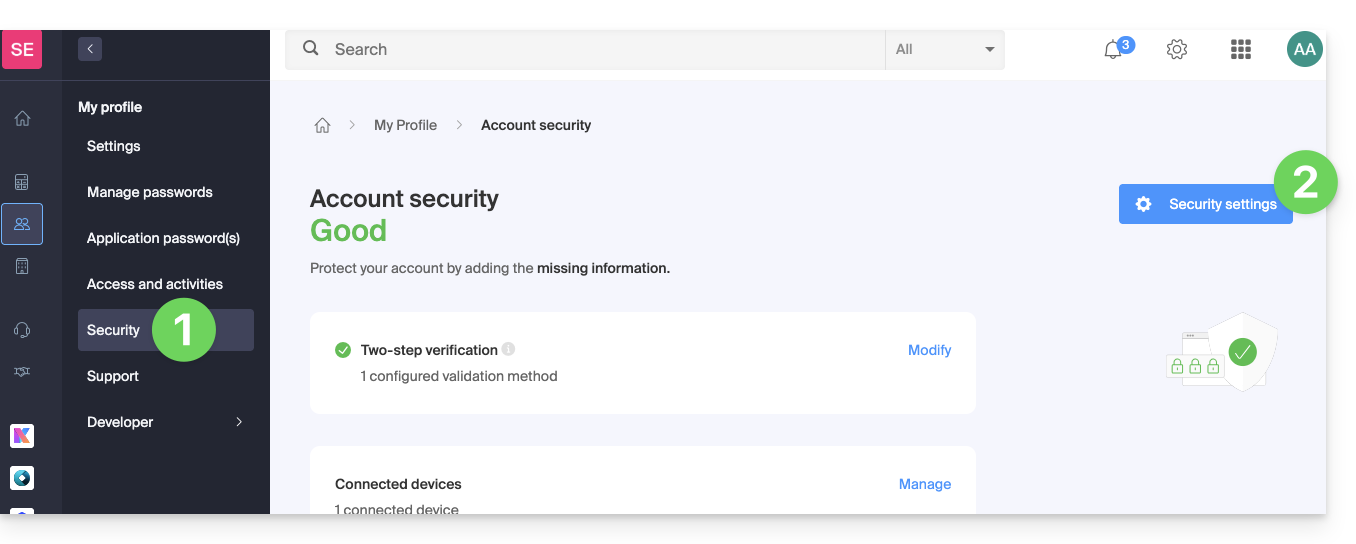
- Click here to access the security summary of your account on the Infomaniak Manager.
- Click on Security Settings:
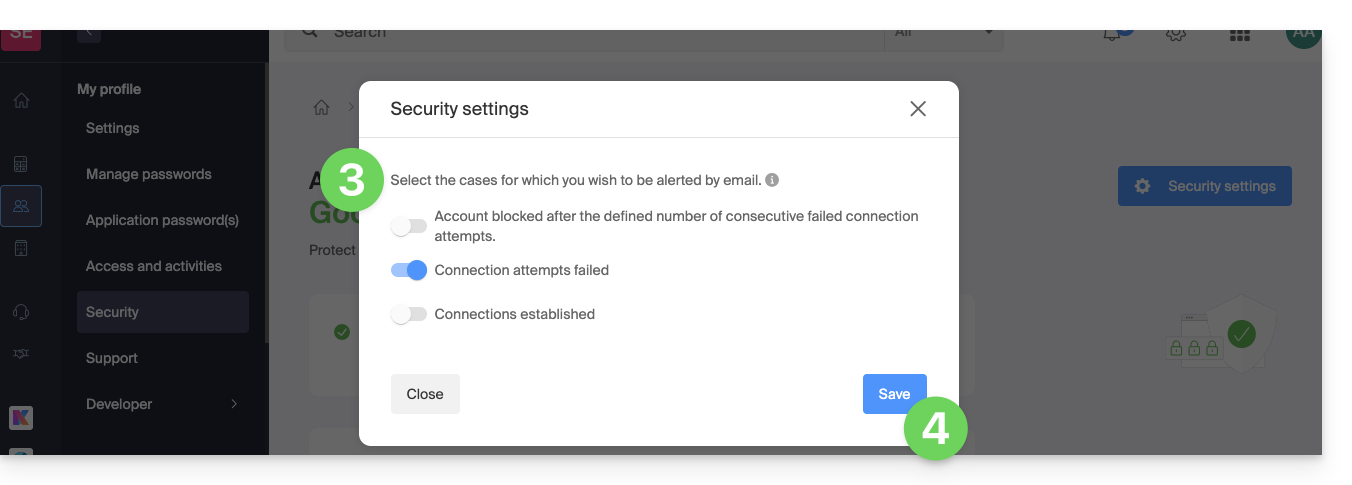
- Select the cases for which you want to be alerted by email (warning upon successful login, or only in case of failed login).
- Click to Save your changes:
In the same place, you can choose from how many unsuccessful attempts minimum to lock your Infomaniak account: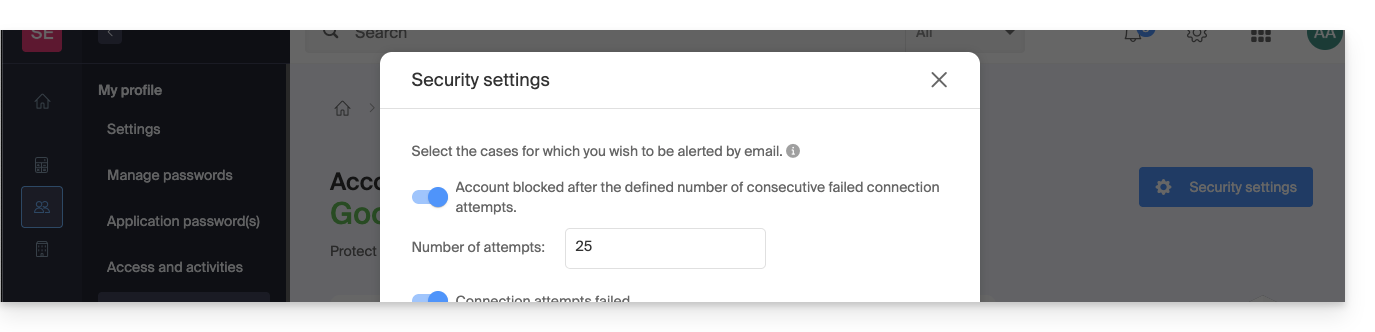
Once locked, the account can be unlocked by an Organization administrator or by a secure form.
Obtain the activity log of the user account
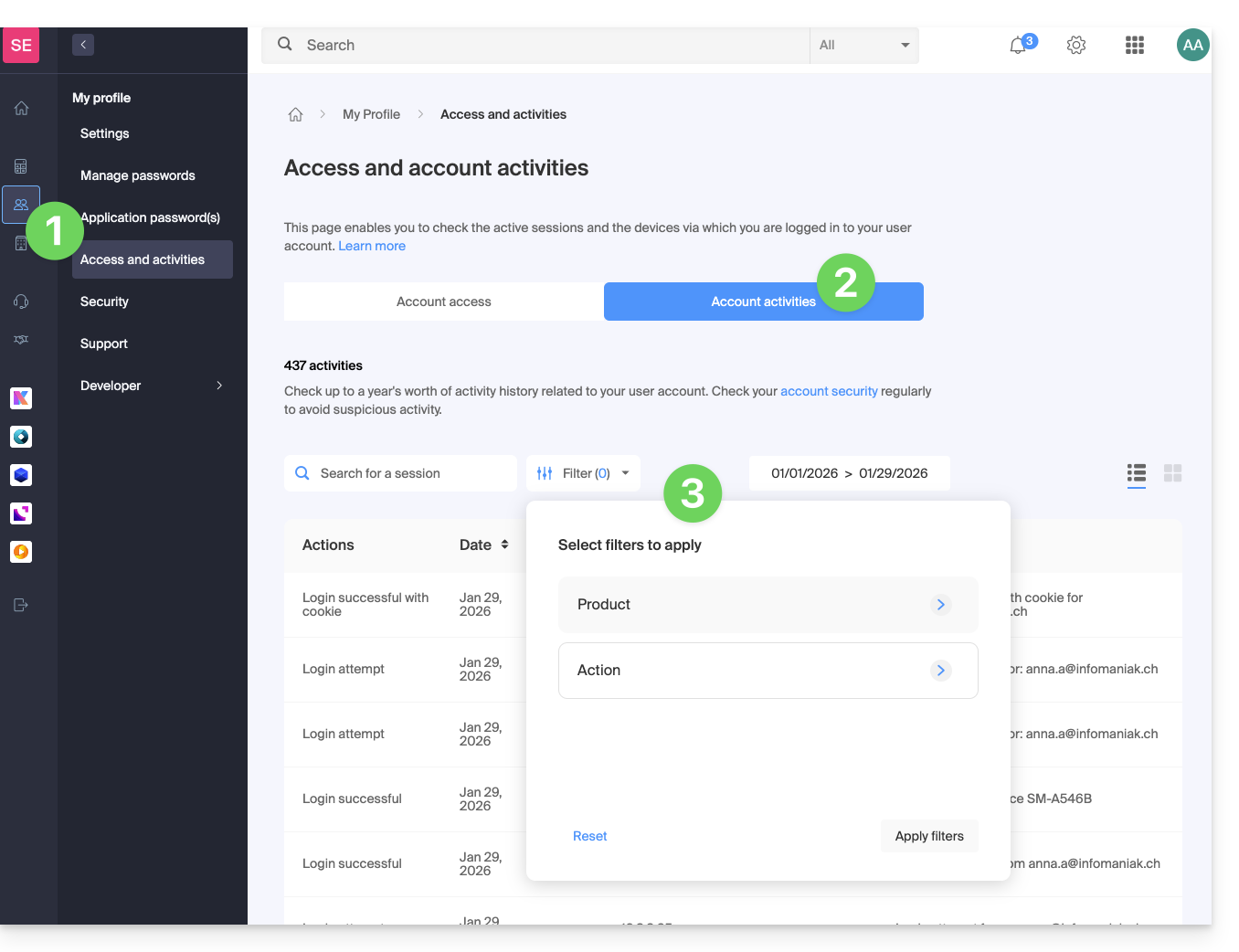
To view recent activities performed within the Manager by your Infomaniak account:
- Click here to access the activity summary of your account on the Infomaniak Manager.
- From the Account Activities tab, view the latest activities and actions of your Infomaniak account.
- Search and log filtering options are available: date, product or type of action:
Link to this FAQ: https://faq.infomaniak.com/2339
Has this FAQ been helpful?