Knowledge base
1000 FAQs, 500 tutorials and instructional videos. Here, there are only solutions!
Cancel a Guest Manager
This guide explains how to completely terminate the Infomaniak Guest Manager.
Preamble
- For most products, confirm the termination request by email, otherwise no data will be deleted.
- Outstanding and out-of-package fees remain due.
- A termination confirmation is sent to any other administrators of the Organization.
- The event and all its data will be deleted upon termination, making any restoration impossible.
Terminate the guest management offer
To terminate the Guest Manager, you need to delete the events for which you have used the manager:
- Click here to access the management of your product on the Infomaniak Manager (need help?).
- Click on the action menu ⋮ located to the right of the item concerned.
- Choose Delete:
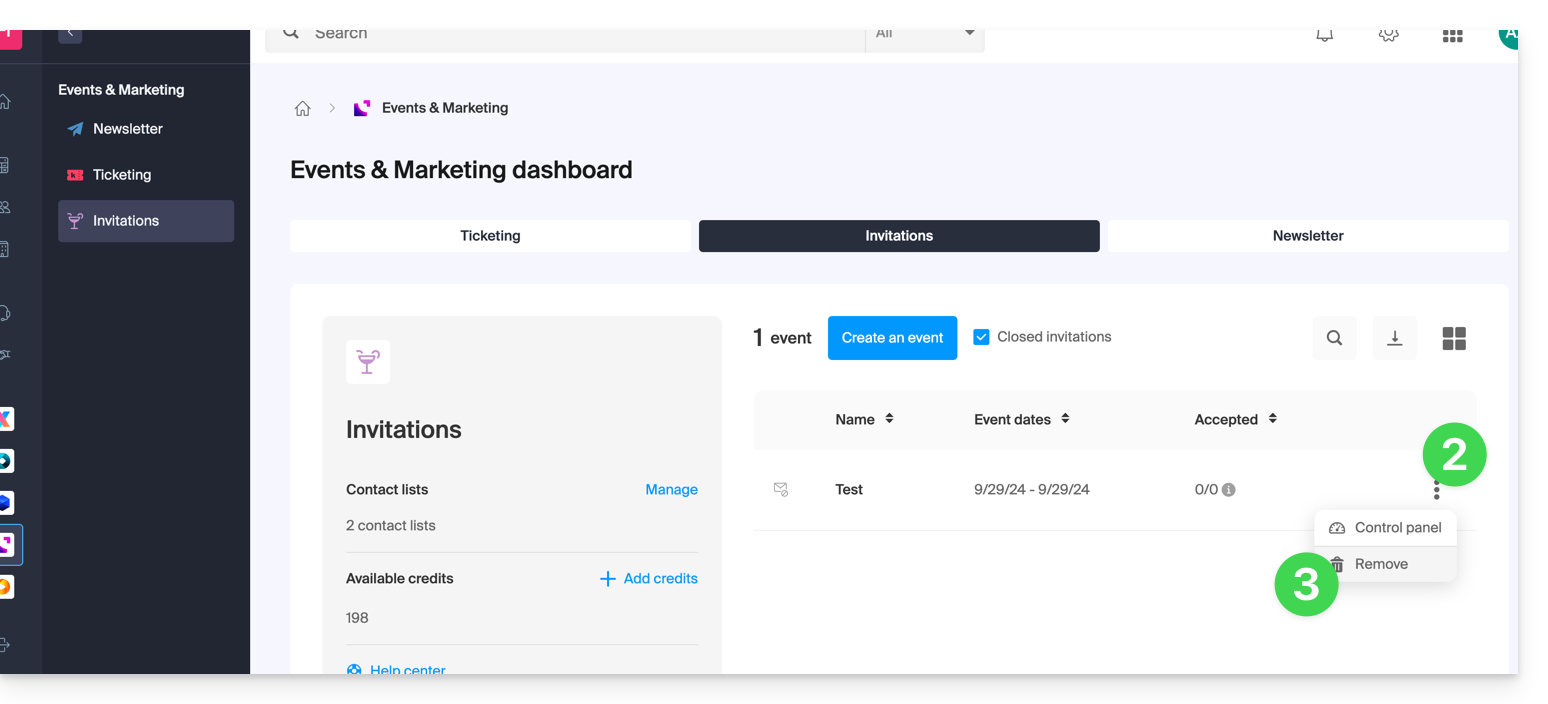
- Follow the procedure to the end.
Link to this FAQ: https://faq.infomaniak.com/2332
Has this FAQ been helpful?