Knowledge base
1000 FAQs, 500 tutorials and instructional videos. Here, there are only solutions!
Create a new Infomaniak Organization
Update 03/23/2026
This guide explains how to add a new Organization to which you will have access with your current Infomaniak account and in which you can add and/or transfer products, link users, etc.
Create a new Organization
You can add multiple Organizations (i.e., a space to manage your products) by accessing them with the same login credentials to separate your activities professional and personal for example, or when managing multiple clients:
- Click here to access your settings management (Infomaniak Manager).
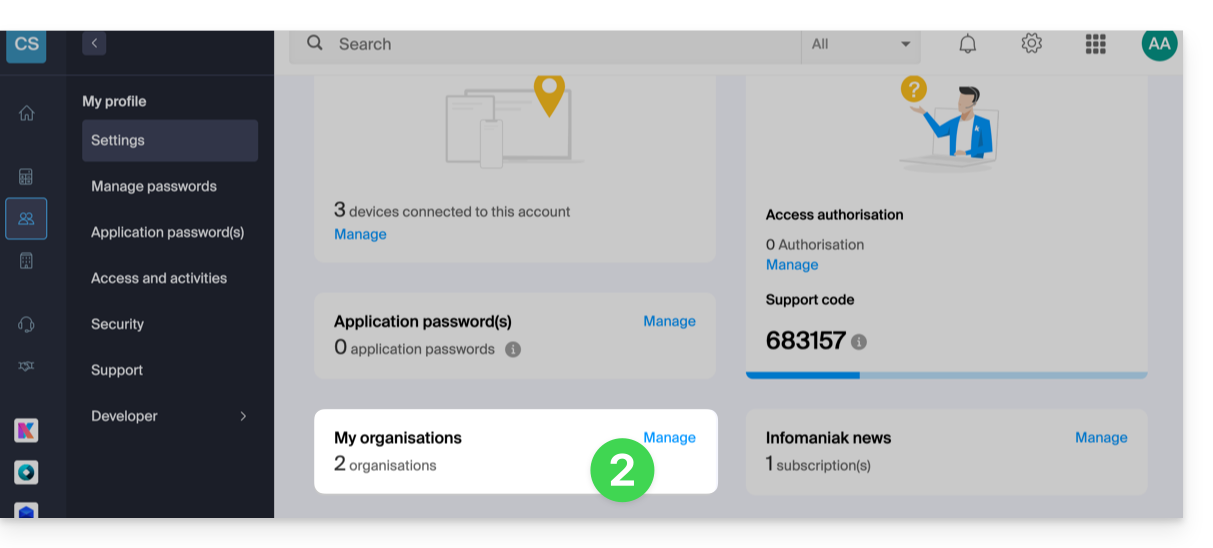
- Click on Manage from the My organizations box:
- Click on the Create a new organization button
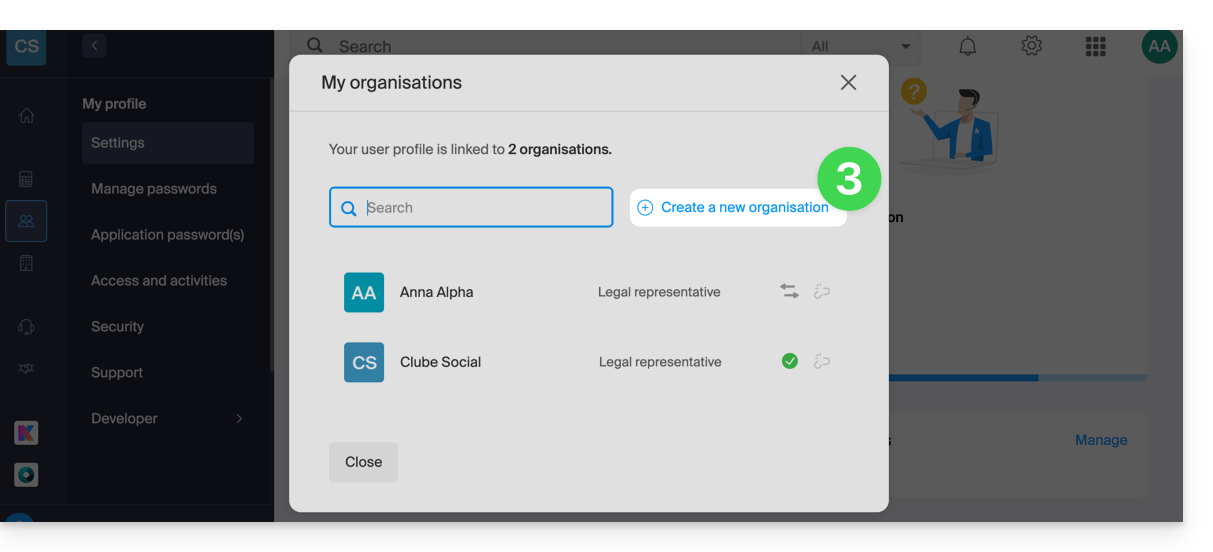
- Follow the procedure to create a new Organization.
You will thus be able to continue using your usual login credentials while being able to switch between your different Organizations (top left of the Manager).
Link to this FAQ:
Has this FAQ been helpful?