Knowledge base
1000 FAQs, 500 tutorials and instructional videos. Here, there are only solutions!
Back up macOS with Acronis on Swiss Backup
Update 04/28/2026
This guide details how to back up an Apple macOS computer using Acronis on Swiss Backup, the backup solution in an independent Swiss cloud.
Prerequisites
- Check the macOS versions supported by the Acronis Agent.
- Have a Swiss Backup Infomaniak space with available device quota (minimum 1) for macOS:
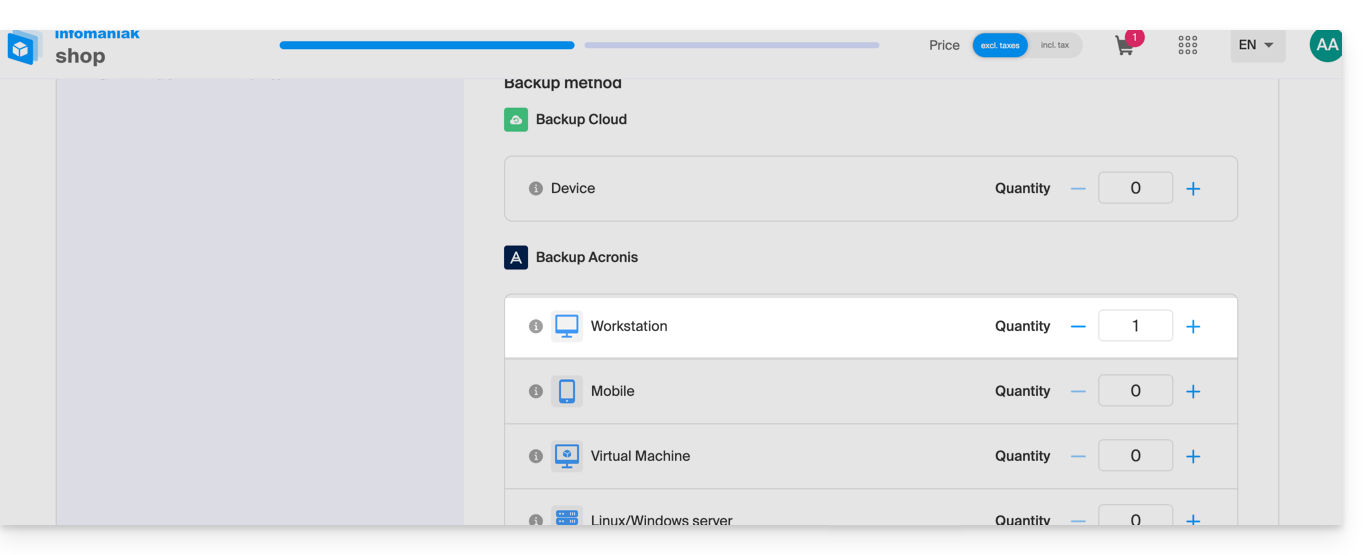
- If necessary, increase the device quota according to your needs.
- Add the device to the Infomaniak Manager to receive the login credentials.
- If needed, local partners referenced by Infomaniak can handle these procedures : launch a free call for tenders; they take care of everything, freeing you from technical details.
Configure the backup
To configure the backup with Acronis:
- Click here to access the Acronis Console with the credentials obtained after adding the device (need help?).
- Download and install the Acronis Agent for macOS (need help?):
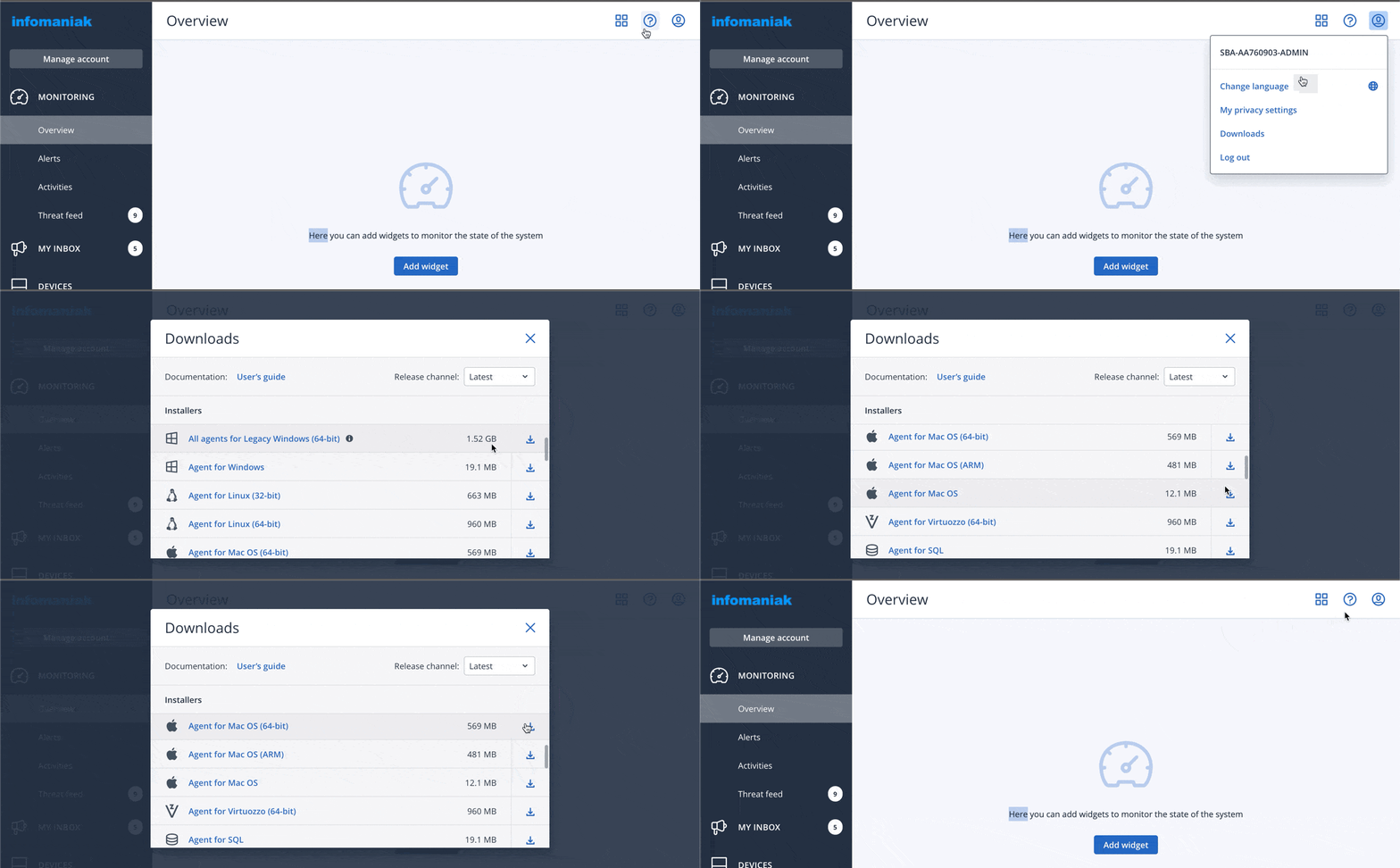
- Also refer to the chapter below regarding the disk access requested by the installer.
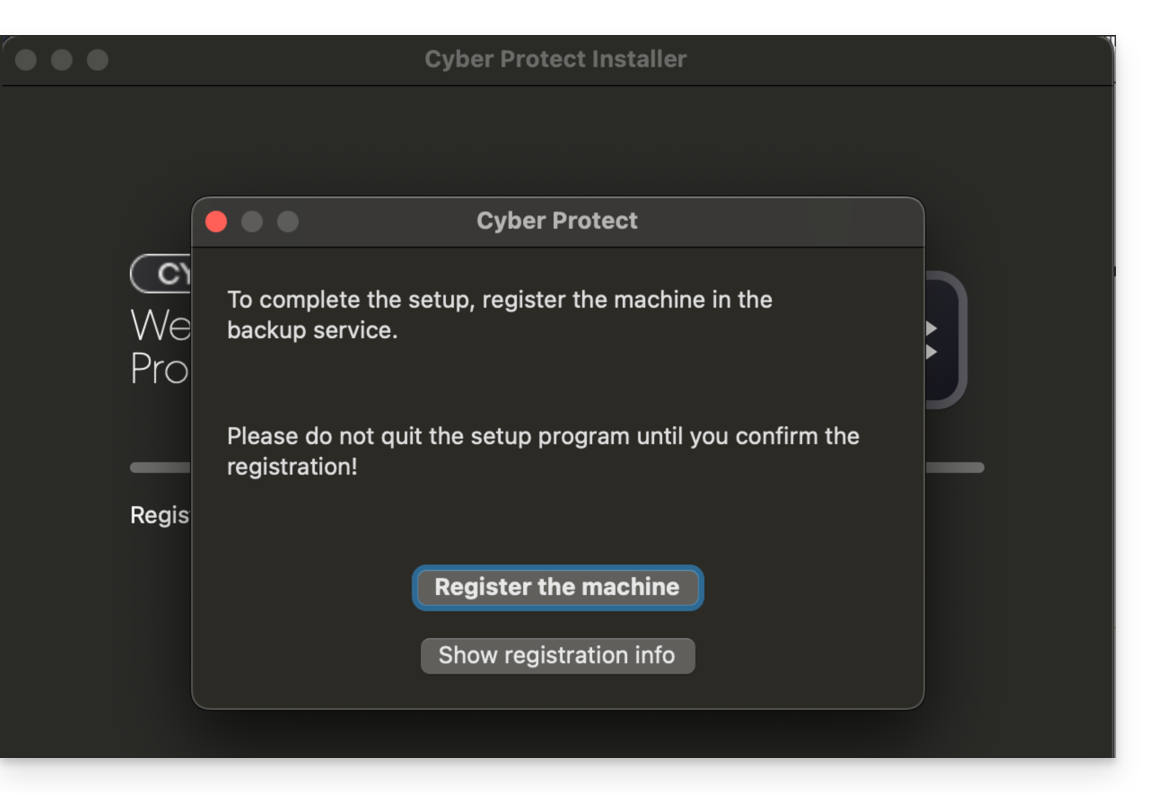
- Click on Register the machine at the end of the Cyber Protect installation:
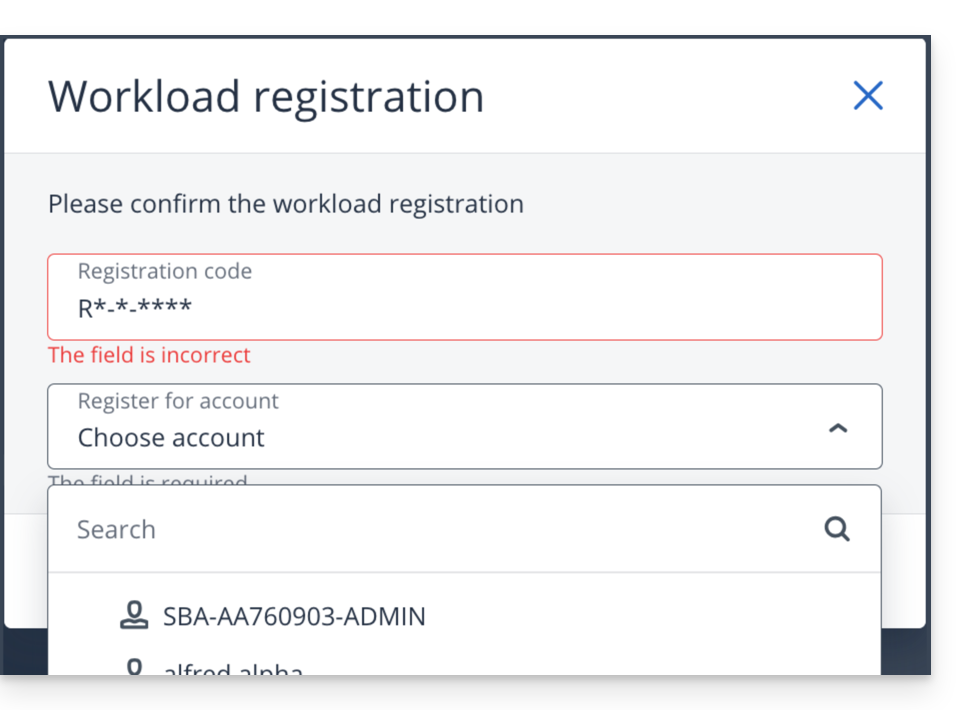
- Do not modify the proposed code, choose the user concerned if necessary and click on Verify code:
- Refer to this other guide if the machine registration fails.
- Create a backup plan.
Password and access permissions
During the installation of the desktop app (point 2 above), the required password is that of your Mac (user account)
You will also need to grant (from the macOS settings) full disk access to the Acronis Agent Cyber-Protect-Service: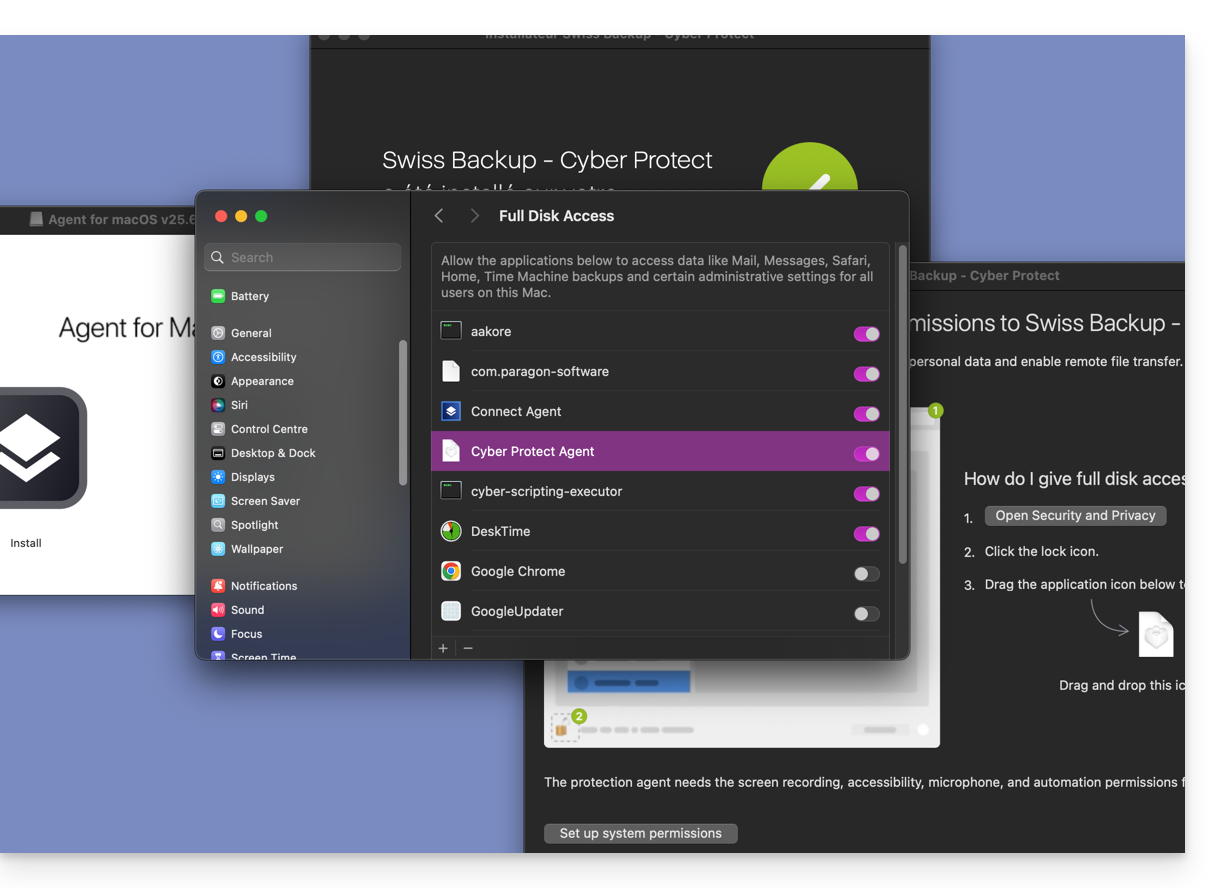
Accessing and restoring backed-up files
Refer to this other guide for restoring your data.
Link to this FAQ:
Has this FAQ been helpful?