Knowledge base
1000 FAQs, 500 tutorials and instructional videos. Here, there are only solutions!
Connect to the DSM (DiskStation Manager) of the Synology Infomaniak NAS
This guide explains how to connect to the operating system of a Synology NAS hosted by Infomaniak.
DSM Access
To activate and manage an Infomaniak Synology NAS:
- Click here to access the management of your product on the Infomaniak Manager (need help?).
- Click directly on the name assigned to the product in question.
- Click on the button Activate my Synology:
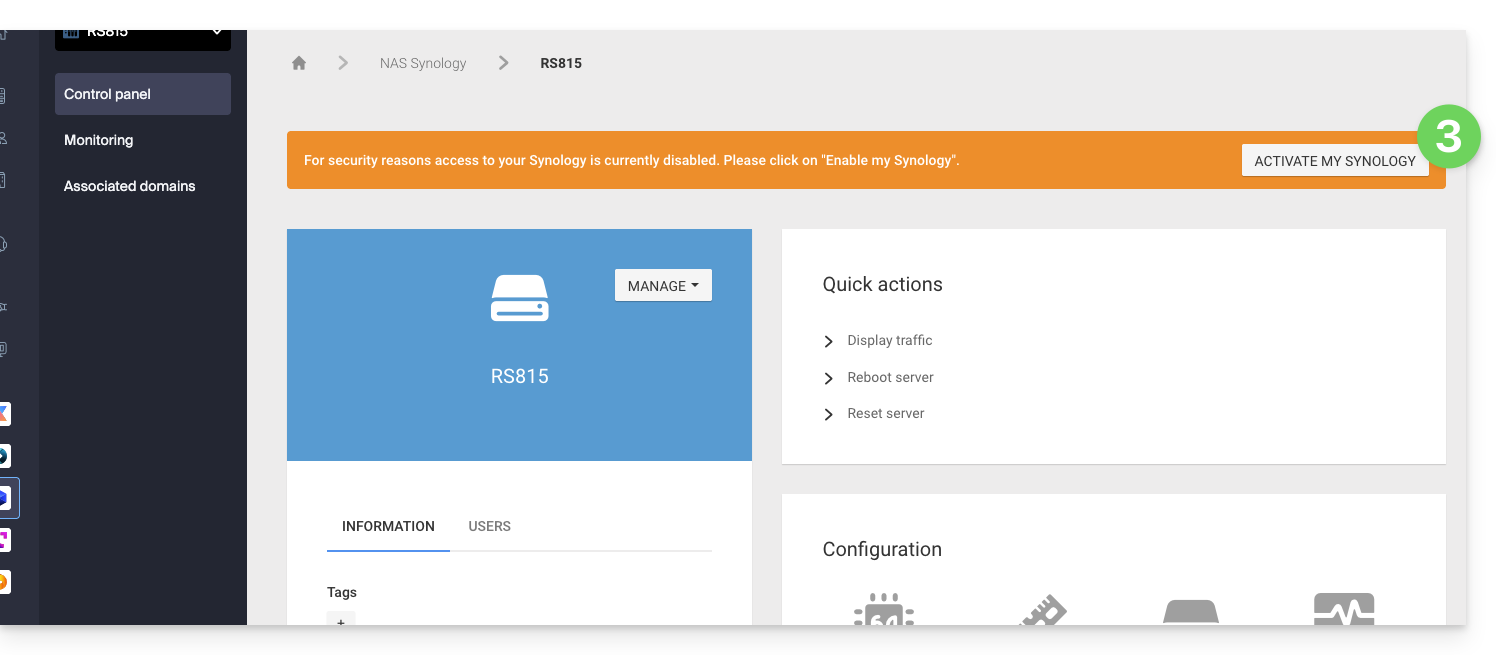
- Wait while your Synology is being activated.
- Click on the DSM Access / Manage my Synology from the Quick Actions block:
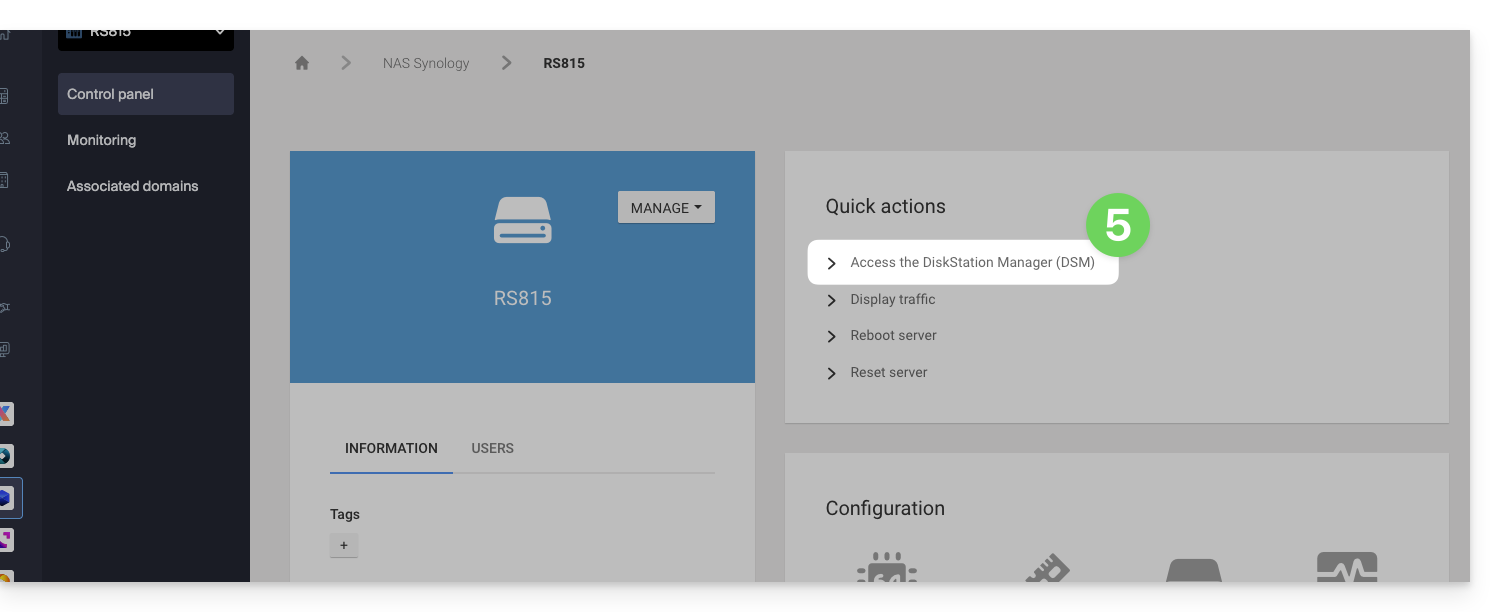
It is recommended to read this other guide to secure your Synology NAS.
Link to this FAQ: https://faq.infomaniak.com/2238
Has this FAQ been helpful?