Knowledge base
1000 FAQs, 500 tutorials and instructional videos. Here, there are only solutions!
Update a Let's Encrypt SSL certificate
This guide explains how to update an Let's Encrypt SSL certificate for a website hosted by Infomaniak.
Preamble
- It may be necessary following the addition or removal of aliases to a website to regenerate a certificate to include the new domain names linked to the website.
- The dashboard will clearly indicate that one of the domains linked to the site is not included in the SSL certificate in place:
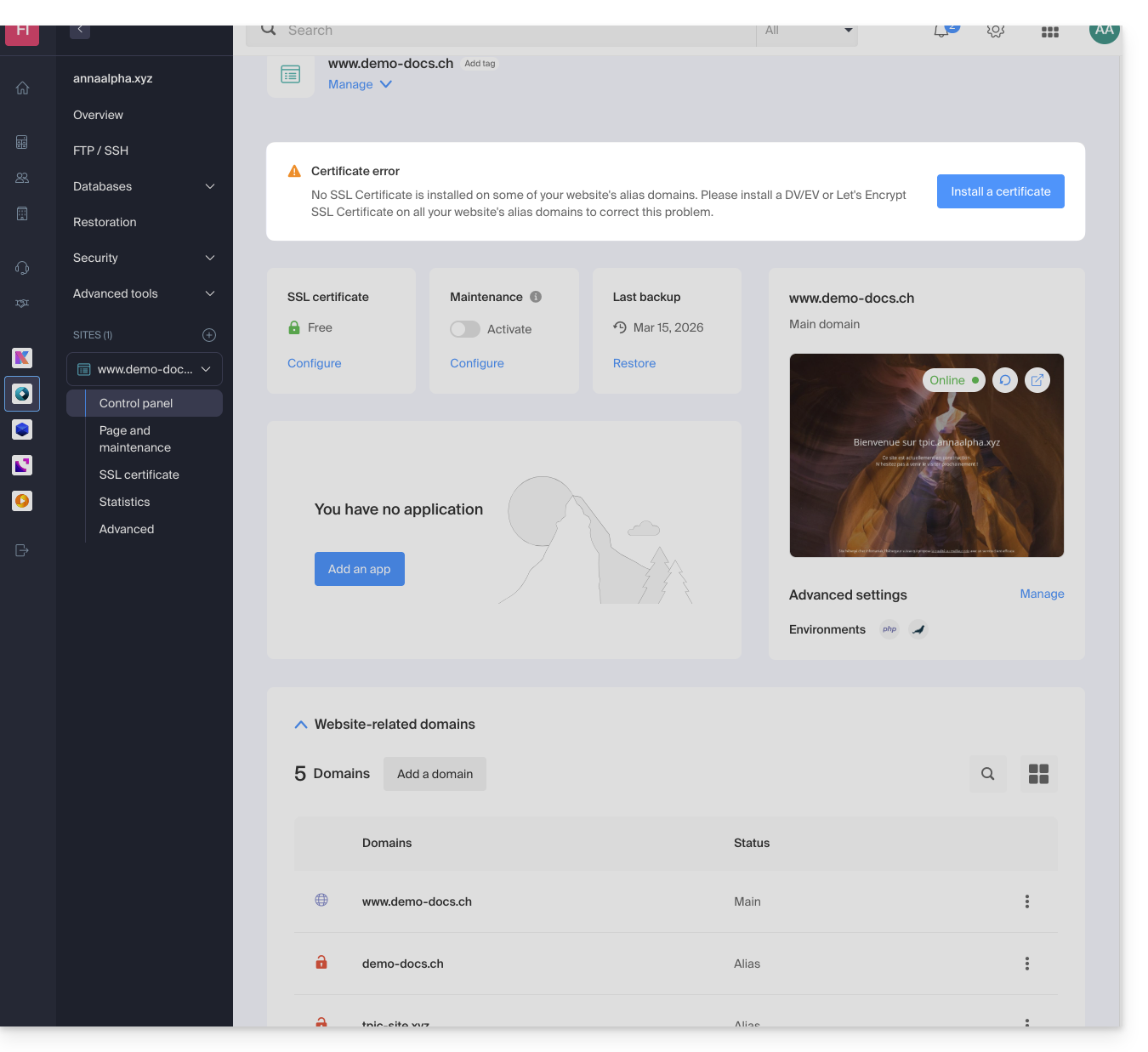
Update a Let's Encrypt certificate
To access certificate management:
- Click here to access the management of your product on the Infomaniak Manager (need help?).
- Click directly on the name assigned to the product concerned:
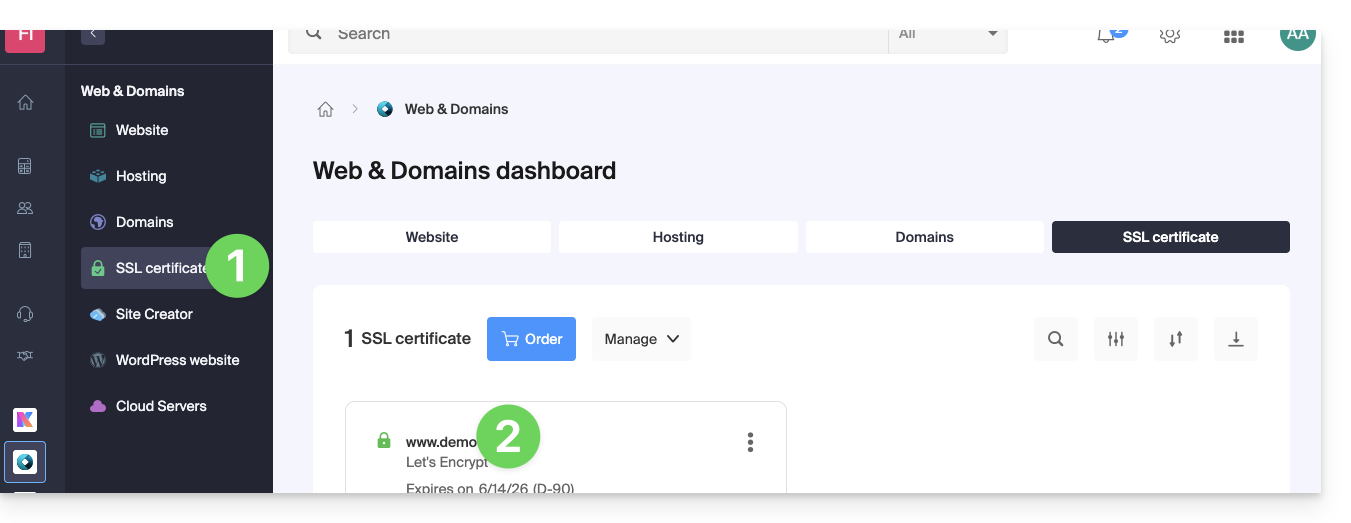
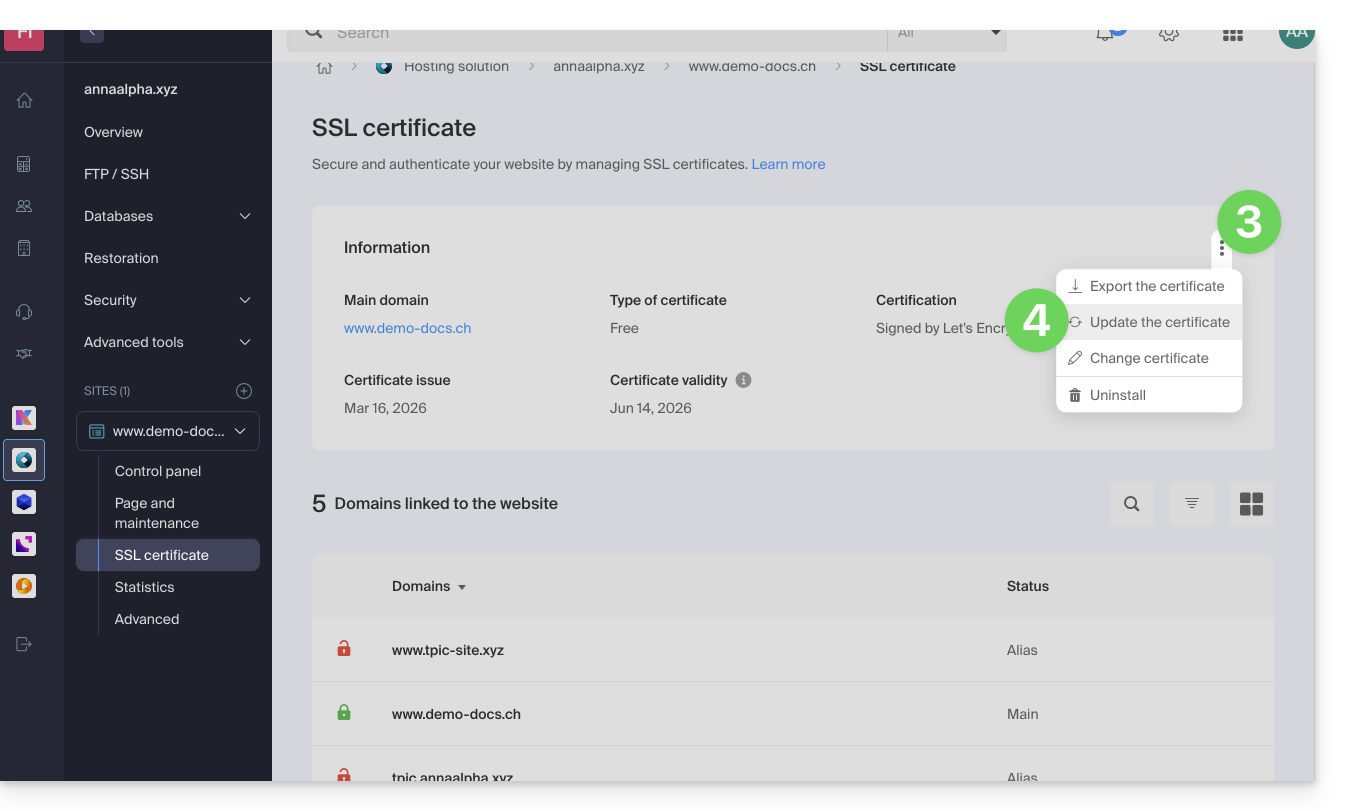
- Click on the action menu ⋮.
- Click on Update the certificate:
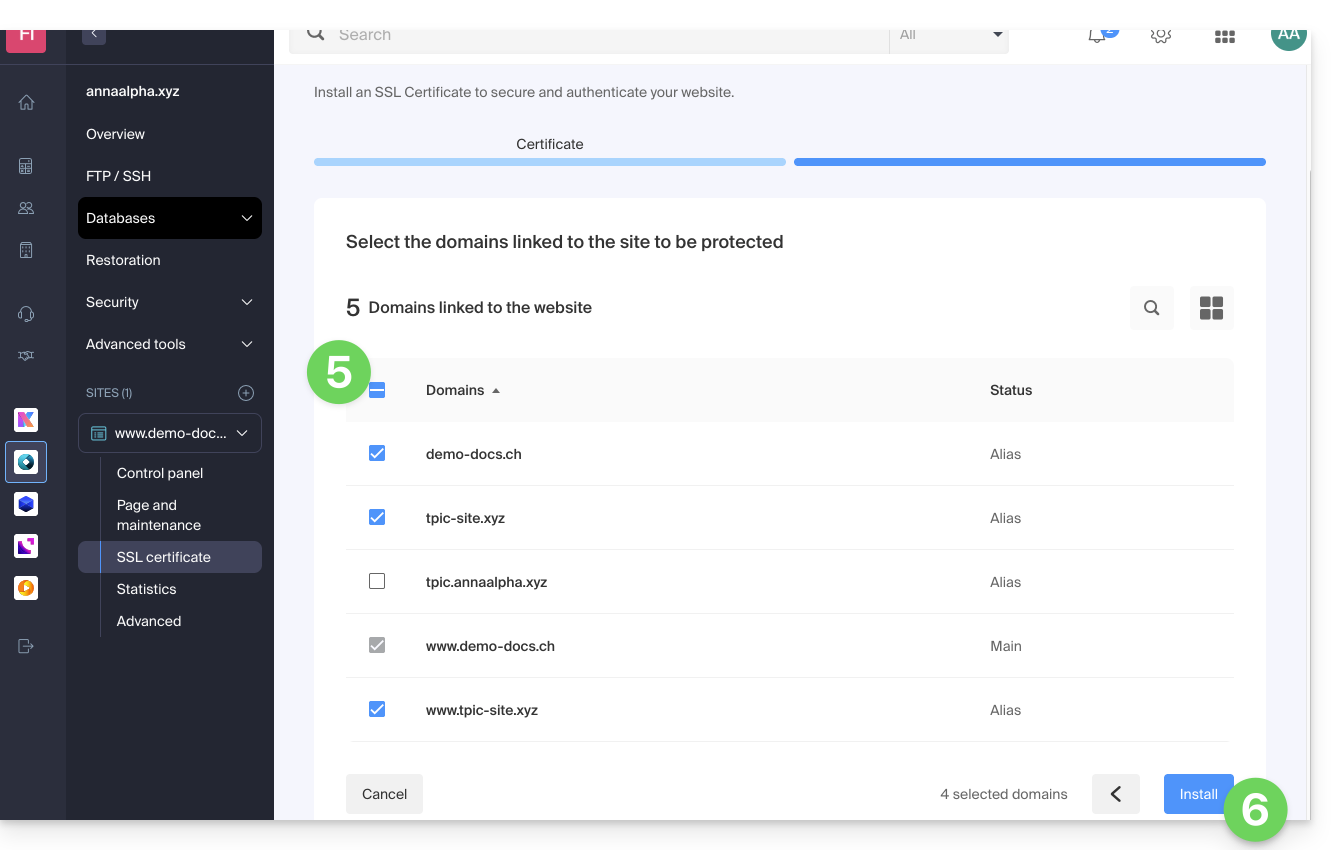
- Check or select the domains concerned.
- Click on the button Install:
Link to this FAQ: https://faq.infomaniak.com/2155
Has this FAQ been helpful?