Knowledge base
1000 FAQs, 500 tutorials and instructional videos. Here, there are only solutions!
Use unauthenticated (not recommended) email sending from a website
This guide details sending emails from a website hosted by Infomaniak using the PHP function mail() which is disabled by default.
Preamble
- Infomaniak strongly discourages the use of the PHP mail() function for sending emails from your applications:
- The emails will be considered as "unauthenticated" and will therefore be subject to limits.
- Their deliverability will be affected, which can harm your website.
- It is strongly recommended to use an authenticated SMTP sending method for your email sending from your applications; Infomaniak offers a corresponding service.
Specify the sender's address
For messages to be sent correctly from your CMS/web application (and to avoid an error such as Could not instantiate mail function or sender mismatch) it is necessary to specify a valid address in the site parameters on the Infomaniak side:
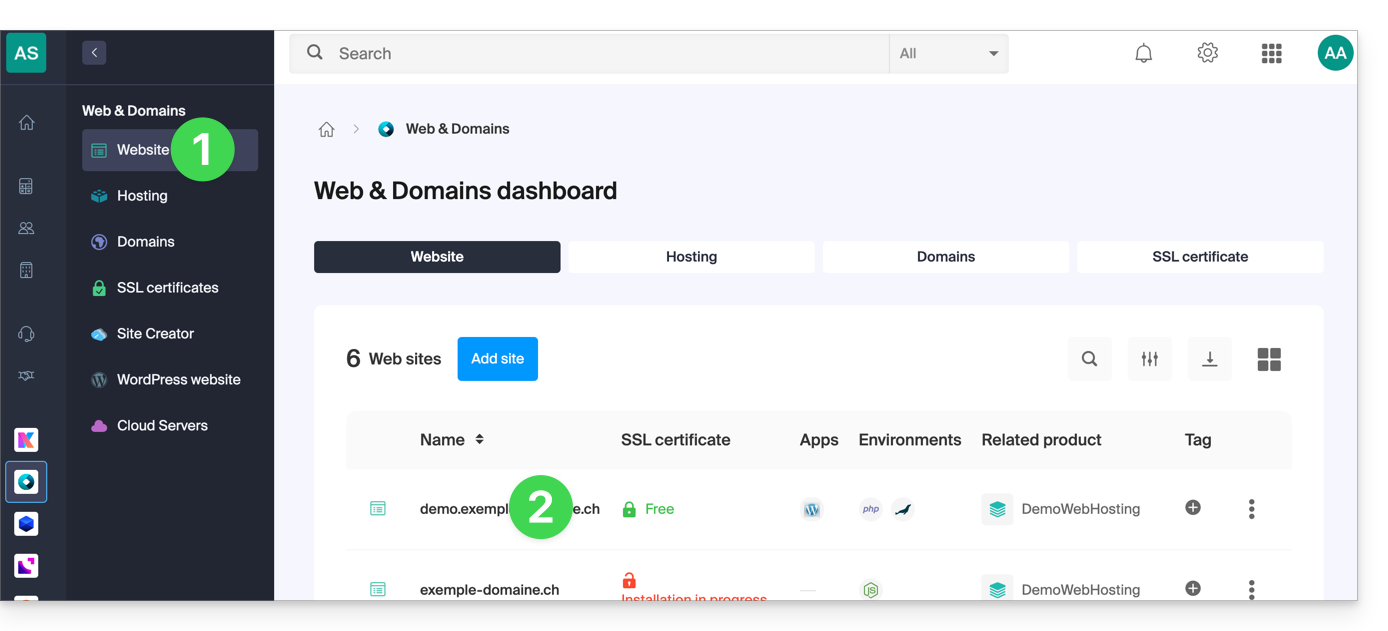
- Click here to access the management of your site on the Infomaniak Manager (need help?).
- Click directly on the name assigned to the site concerned:
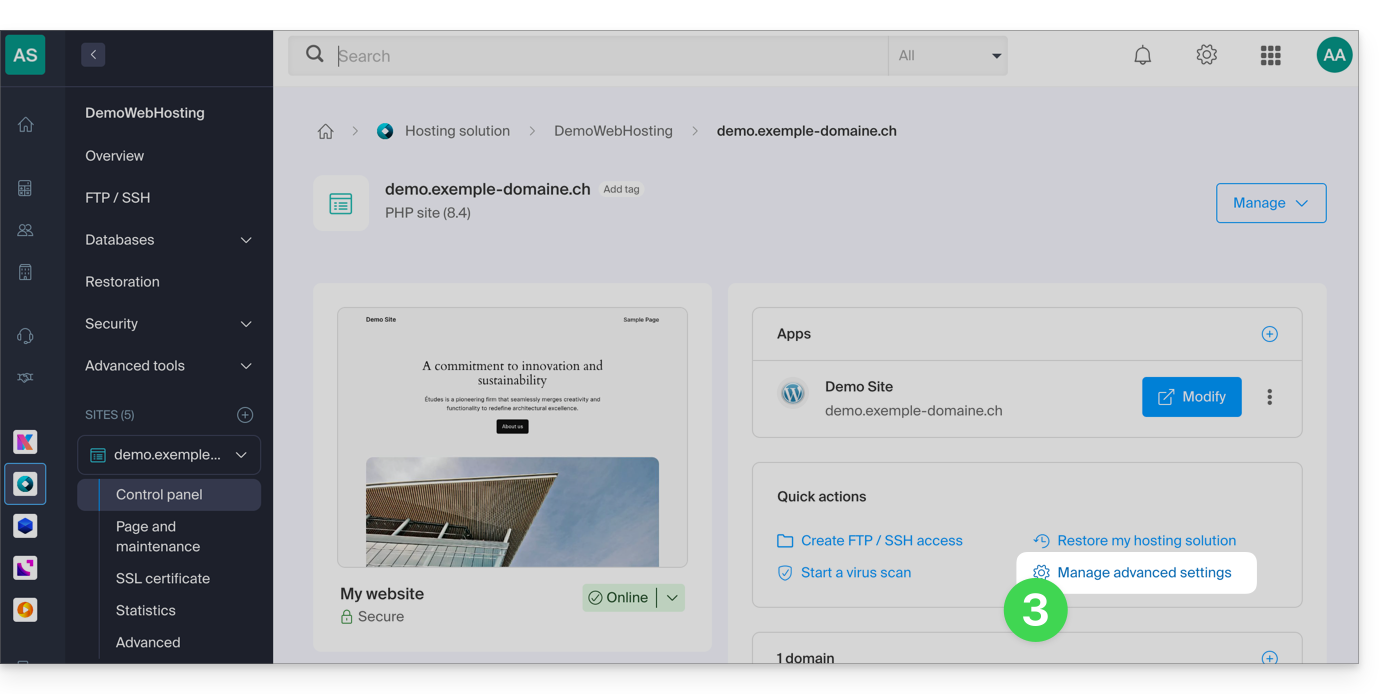
- Click on Manage advanced settings:
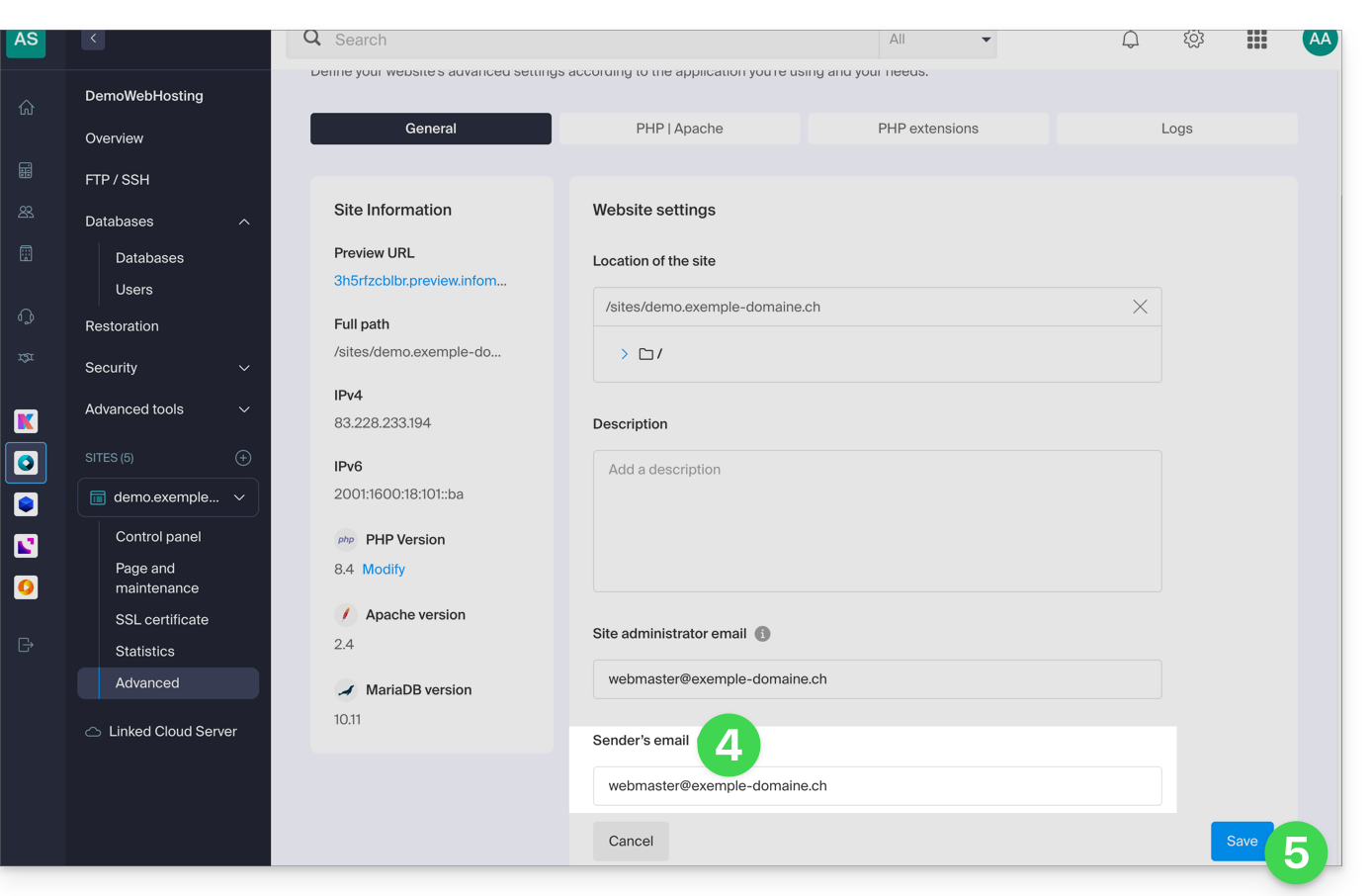
- From the General tab, enter an existing email address in the Sender's email field.
- Click on the blue Save button:
Re-enable the mail function
If you still want to use the PHP mail function, you will need to activate it on each of the sites of your Web Hosting concerned:
- Click here to access the management of your site on the Infomaniak Manager (need help?).
- Click directly on the name assigned to the site concerned:
- Click on Manage advanced settings:
- Click on the PHP / Apache tab:
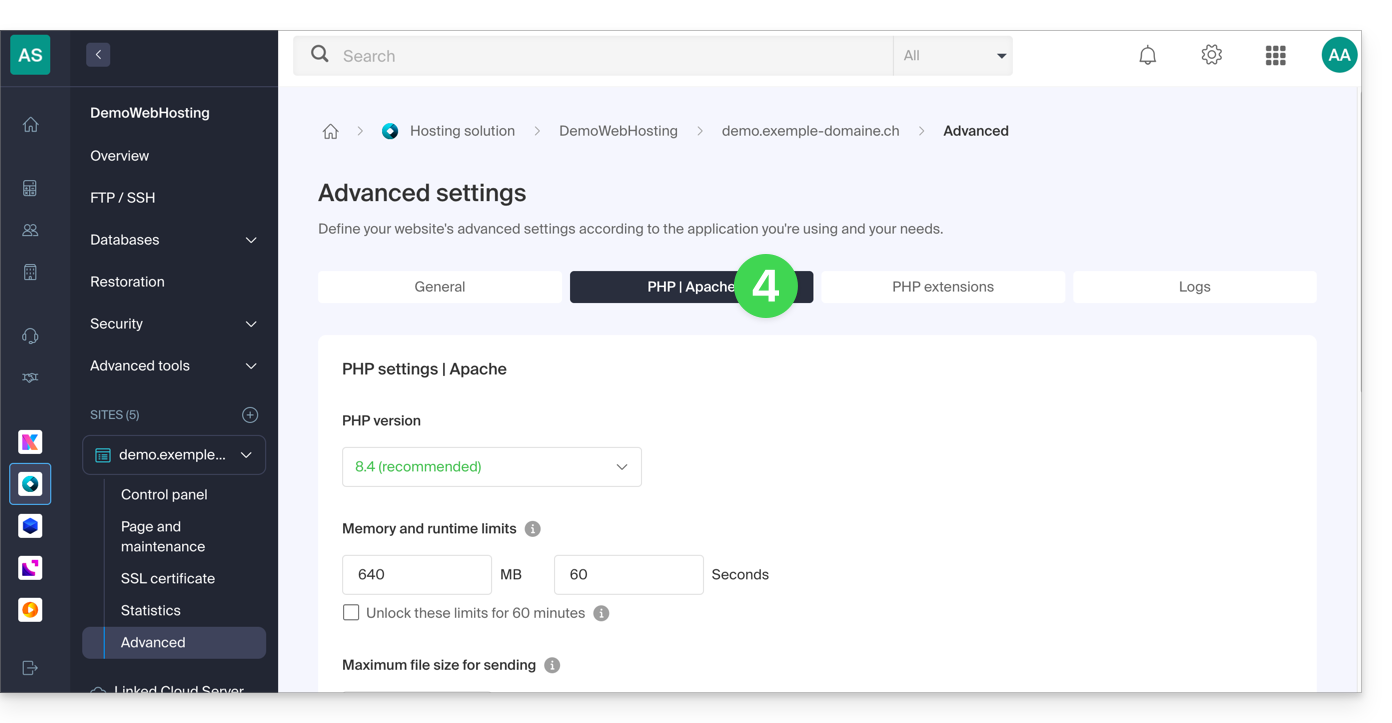
- Activate the mail function:
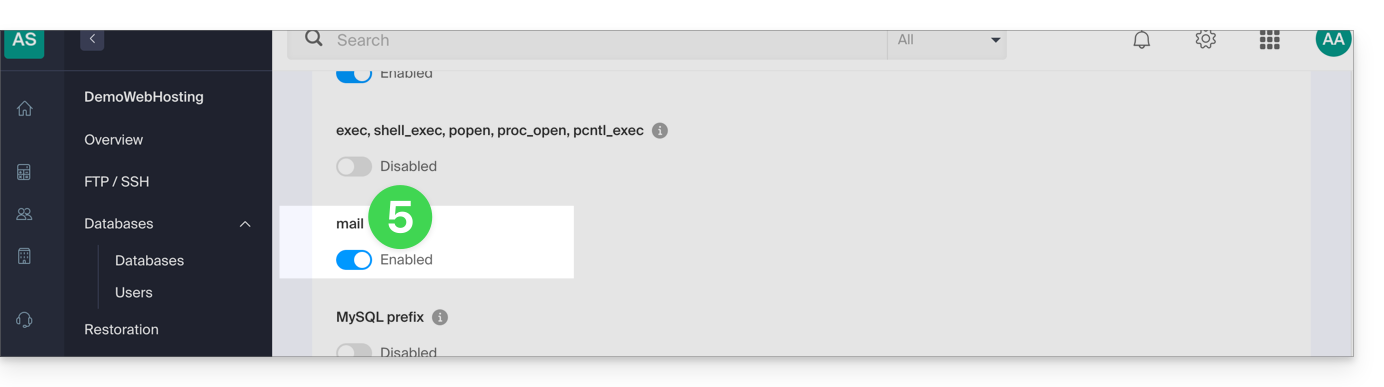
- Click on the Save button at the bottom of the page to validate the changes.
PHP mail() examples...
... on WordPress
Configure the sending of the default contact form included with Divi Builder:
- Log in to the WordPress admin dashboard.
- Go to the Divi editor of the page containing the contact form.
- Click on the Settings icon to configure the Divi contact form:

- Under EMAIL, enter the email address that will receive form submissions and save:

- By default, when a visitor uses the form to contact you, you will receive an email from
mail@your-website-nameand if you reply, the recipient will automatically be the email address indicated by the visitor when filling out the contact form.
… on Prestashop
Go to Prestashop advanced settings:
- Specify the SMTP mode.
- Enter
localhostas the server. - Enter port
25. - Do not specify a username or password.

… on Joomla
Configure email sending via PHPmail (not recommended) in Joomla:
- Log in to the admin dashboard of your Joomla site.
- Go to Configuration then Server.
- Do NOT enter anything in the Site Email field:
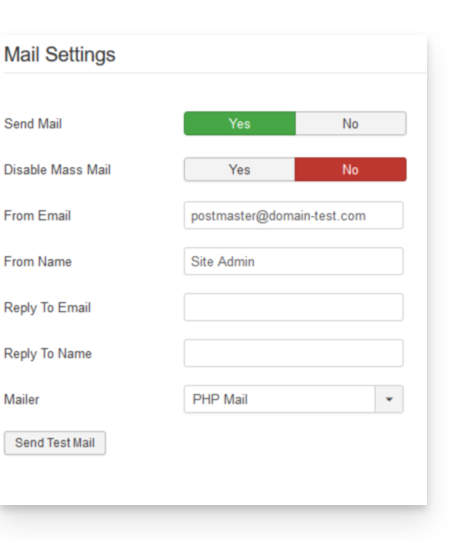
This unfortunately prevents any test sending via the button for this purpose, but it will work if you configure a contact form on your site. Click Save once the box is left empty.
PHP mail() reply address
When sending an email with PHP's mail() function, the return-path will be in the form of root@h2web3.infomaniak.ch for example. However, the Reply-To: header present in your form code allows you to specify a valid reply address.
Link to this FAQ:
Has this FAQ been helpful?