Knowledge base
1000 FAQs, 500 tutorials and instructional videos. Here, there are only solutions!
Use unauthenticated (not recommended) email sending from a website
This guide details how to send emails from a website hosted by Infomaniak using the PHP mail() function, which is disabled by default.
Introduction
- Infomaniak strongly advises against using the PHP mail() function to send emails from your applications:
- Emails will be considered "unauthenticated" and will therefore be subject to limits.
- Their deliverability will be affected, which may harm your website.
- It is strongly recommended to use an authenticated SMTP sending methodfor sending emails from your applications; Infomaniak offers a dedicated service for this purpose.
Specify the sending address
To ensure that messages are sent correctly from your CMS/web application (and to avoid errors such as Could not instantiate mail function or sender mismatch), it is necessary to specify a valid address in the site settings on the Infomaniak platform:
- Click here to access the hosting & site management section in your Infomaniak Manager (❓: help).
- Click on the name of the website in question.
- Click on Manage advanced settings:
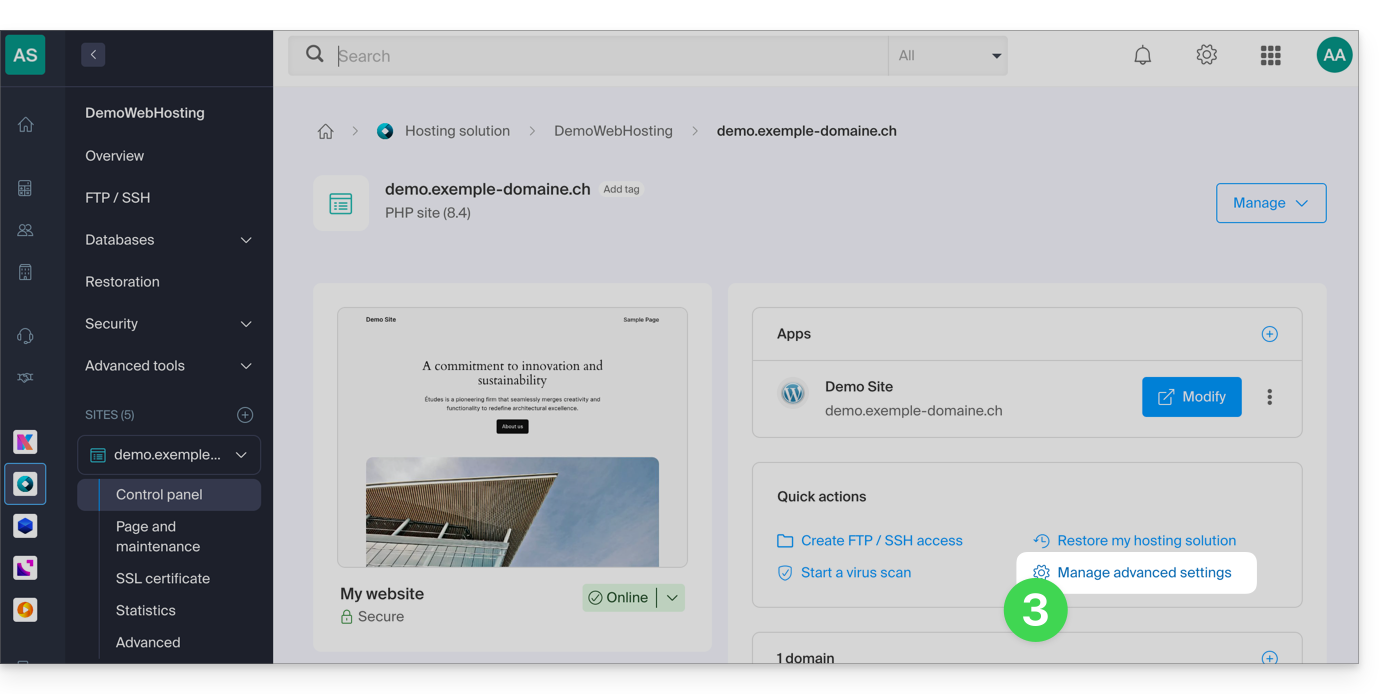
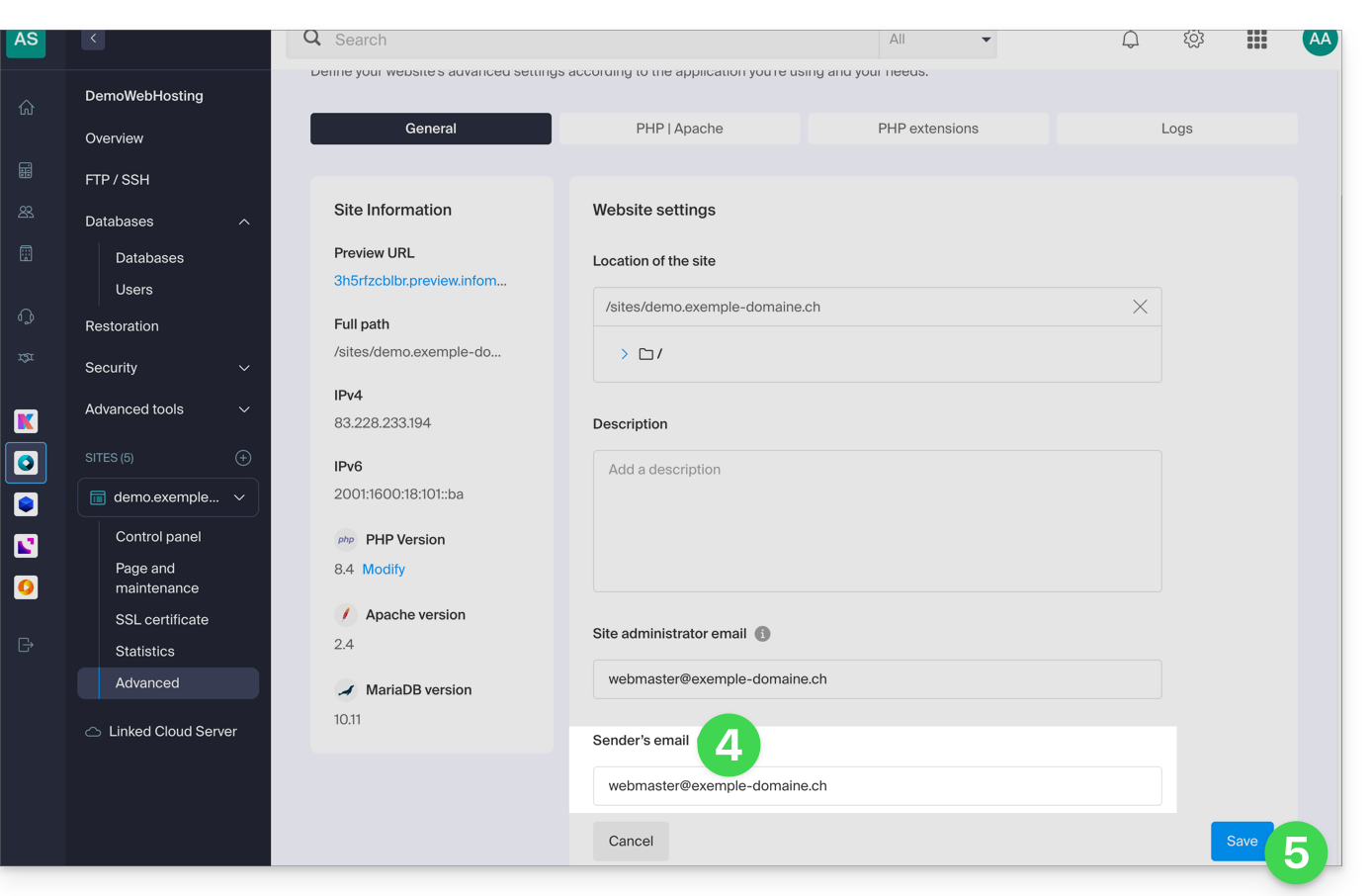
- From the General tab, enter an existing email address in the Sender Email field.
- Click the blue Save button:
Re-enable the mail function
If you still want to use the PHP mail function, you will need to enable it for each of the websites on your Web Hosting account:
- Click here to access the hosting & website management section in your Infomaniak Manager (❓: help).
- Click on the name of the website in question.
- Click on Manage advanced settings:
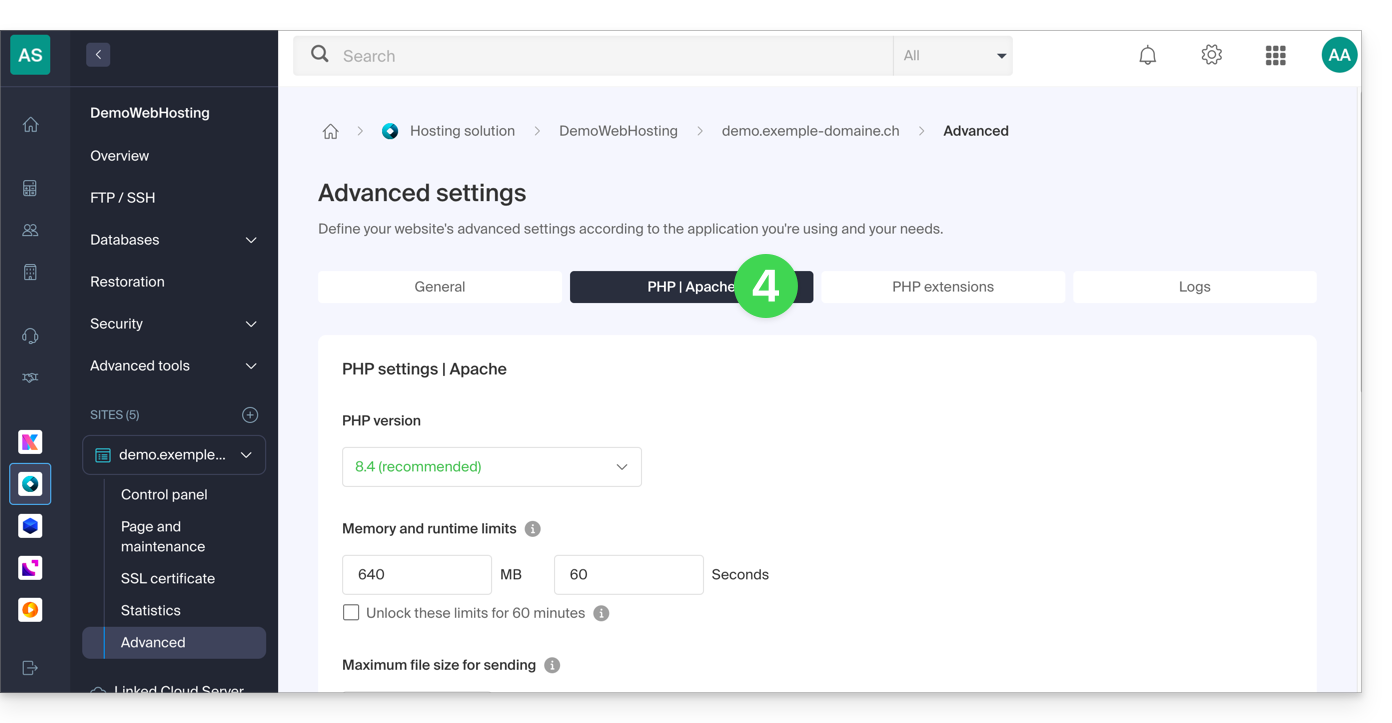
- Click on the PHP / Apache tab:
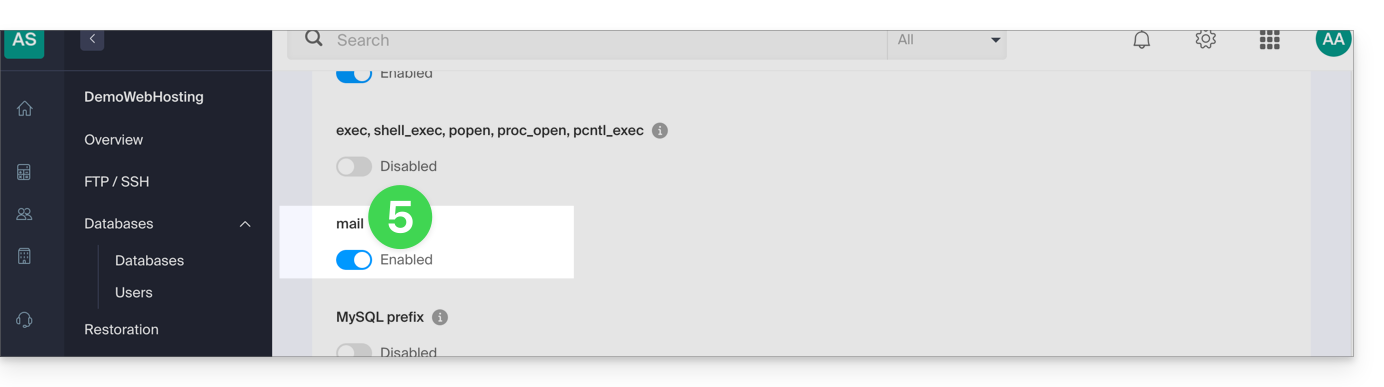
- Enable the mail function:
- Click the Save button at the bottom of the page to apply the changes.
PHP mail() examples…
… on WordPress
Configure the sending of the default contact form included with the Divi Builder:
- Log in to the WordPress administration panel.
- Go to the Divi editor of the page containing the contact form.
- Click on Settings to configure the Divi contact form:

- Under EMAIL, enter the email address that will receive the form submissions and save:

- By default, when a visitor uses the form to contact you, you will receive an email from
mail@le-nom-de-votre-site, and if you reply, the recipient will automatically be the email address provided by the visitor when filling out the contact form.
… on Prestashop
Enter the advanced settings of Prestashop:
- Specify the SMTP mode.
- Enter
localhostas the server. - Enter port
25. - Do not specify a username or password.

… on Joomla
Configure sending emails via PHPmail (not recommended) in Joomla:
- Log in to the administration panel of your Joomla site.
- Go to Configuration then Server.
- Do NOT enter anything in the Website Email field:
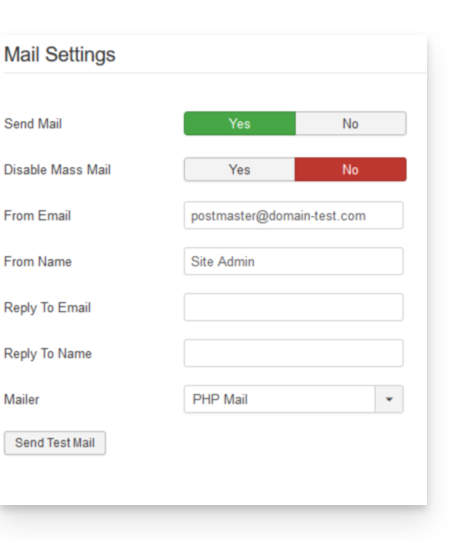
Unfortunately, this prevents any sending tests via the corresponding button, but it will work if you configure a contact form on your website. Click Save once the field is left blank.
PHP mail() function reply address
When sending an email using the PHP mail() function, the return-path will be set as root@h2web3.infomaniak.ch, for example. However, the Reply-To: header present in your form's code allows you to specify a valid reply address.
Link to this FAQ: https://faq.infomaniak.com/2150
Has this FAQ been helpful?