Knowledge base
1000 FAQs, 500 tutorials and instructional videos. Here, there are only solutions!
Change the Infomaniak account recovery email
This guide explains how to change the email address used to recover access to your Infomaniak account.
Preamble
- When you forget your Infomaniak password, the procedure you can follow includes resetting the password via a link that will be sent to your secondary email address.
- You can specify or modify it in advance by following this guide.
Change the recovery email address
To change the password recovery email address:
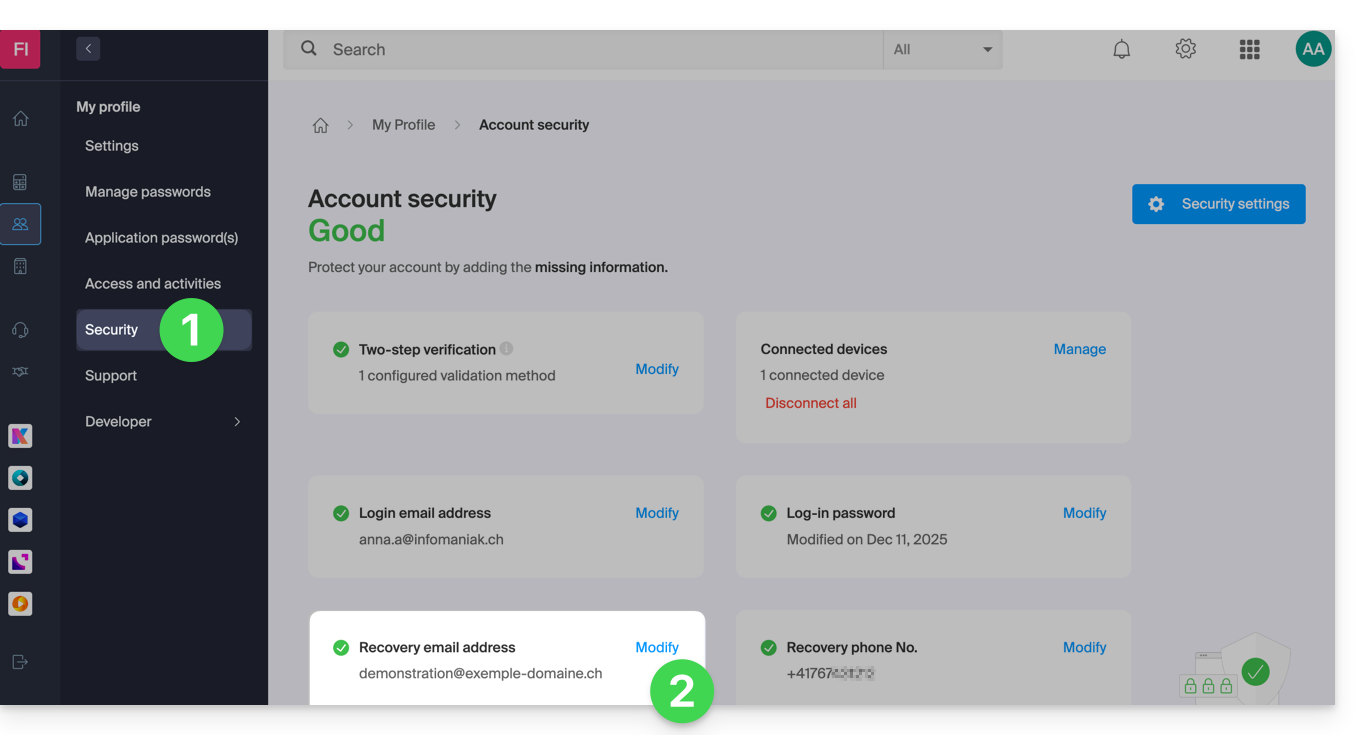
- Click here to access the management of your security information on the Infomaniak Manager.
- Click on Modify in the Recovery email box:
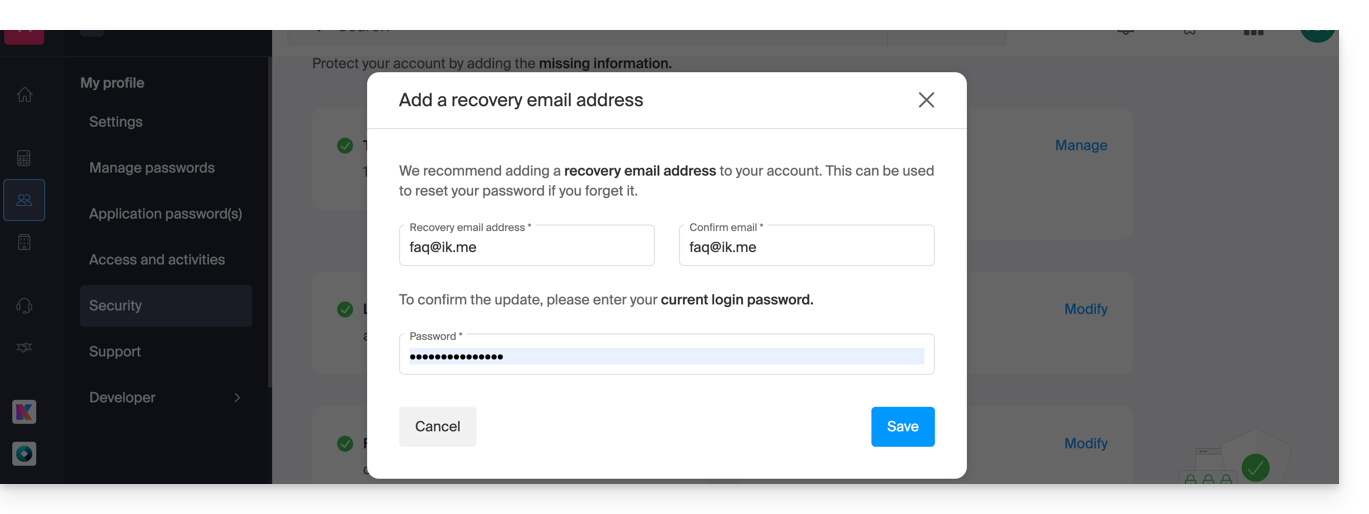
- Enter the new recovery email address, then click on Save:
- You will then need to confirm the addition of the email address by clicking on the link received by email following this action.
- You can resend the activation email, or delete the current request, from this window:
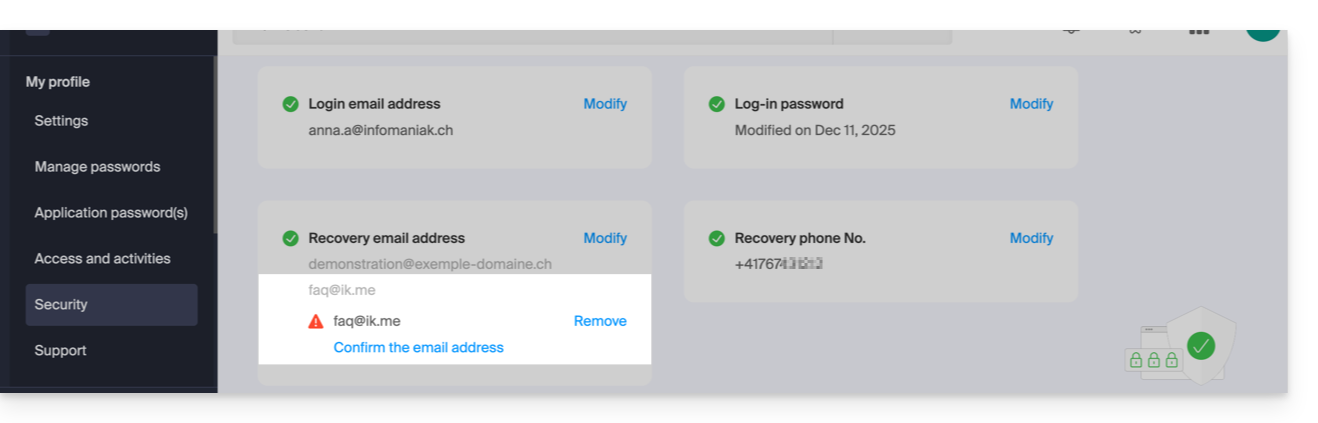
- You can resend the activation email, or delete the current request, from this window:
Link to this FAQ: https://faq.infomaniak.com/2146
Has this FAQ been helpful?