Knowledge base
1000 FAQs, 500 tutorials and instructional videos. Here, there are only solutions!
Install a free Let's Encrypt SSL certificate on a site
This guide explains how to install a free SSL certificate from Let's Encrypt on a website hosted by Infomaniak.
Preamble
- Once the certificate is installed, your website will be accessible in
httpandhttps… - If you want to include an alias domain name recently added to your site that already had a certificate, you need to update it.
- For multiple subdomains, refer to this other guide.
- Let's Encrypt limits the installation of certificates to:
- 100 subdomains
- 20 certificates for 7 days per registered domain
- 5 unsuccessful requests per account per hostname per hour
Install a free SSL certificate on a site
Prerequisites
- For the installation to be possible, the DNS of the domain name must be correctly configured to point to the site in question.
- If a change has just been made at this level, some operations may not be functional immediately.
To access websites to install an SSL certificate:
- Click here to access the management of your product on the Infomaniak Manager (need help?).
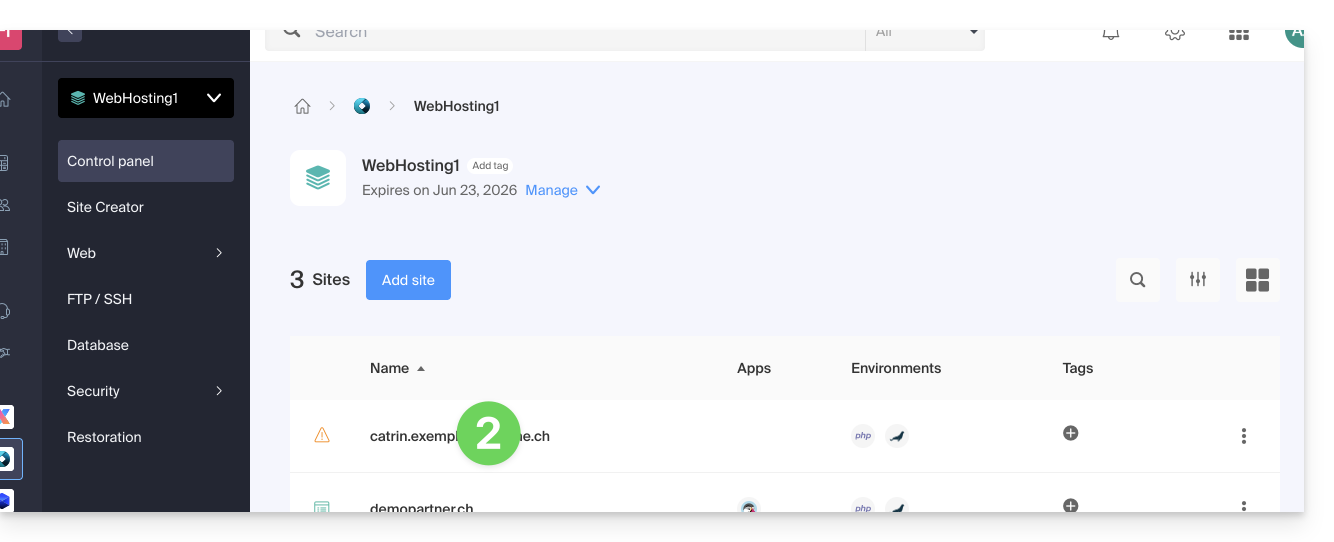
- Click directly on the name assigned to the product in question:
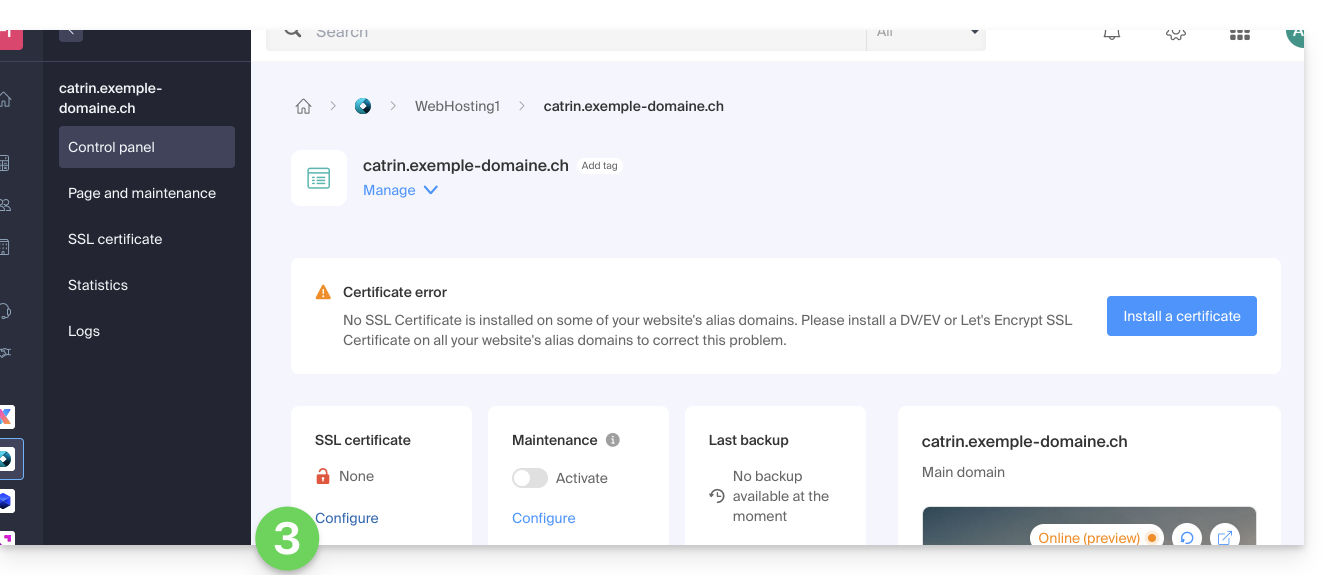
- Click on Configure under SSL Certificate:
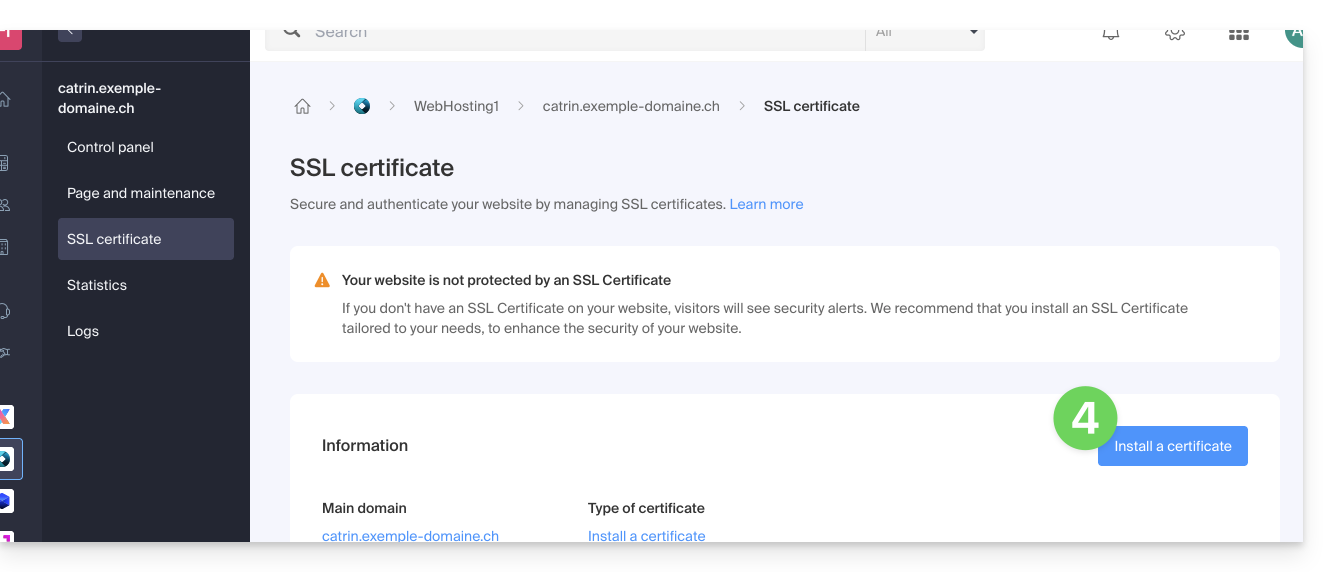
- Click on the Install a certificate button:
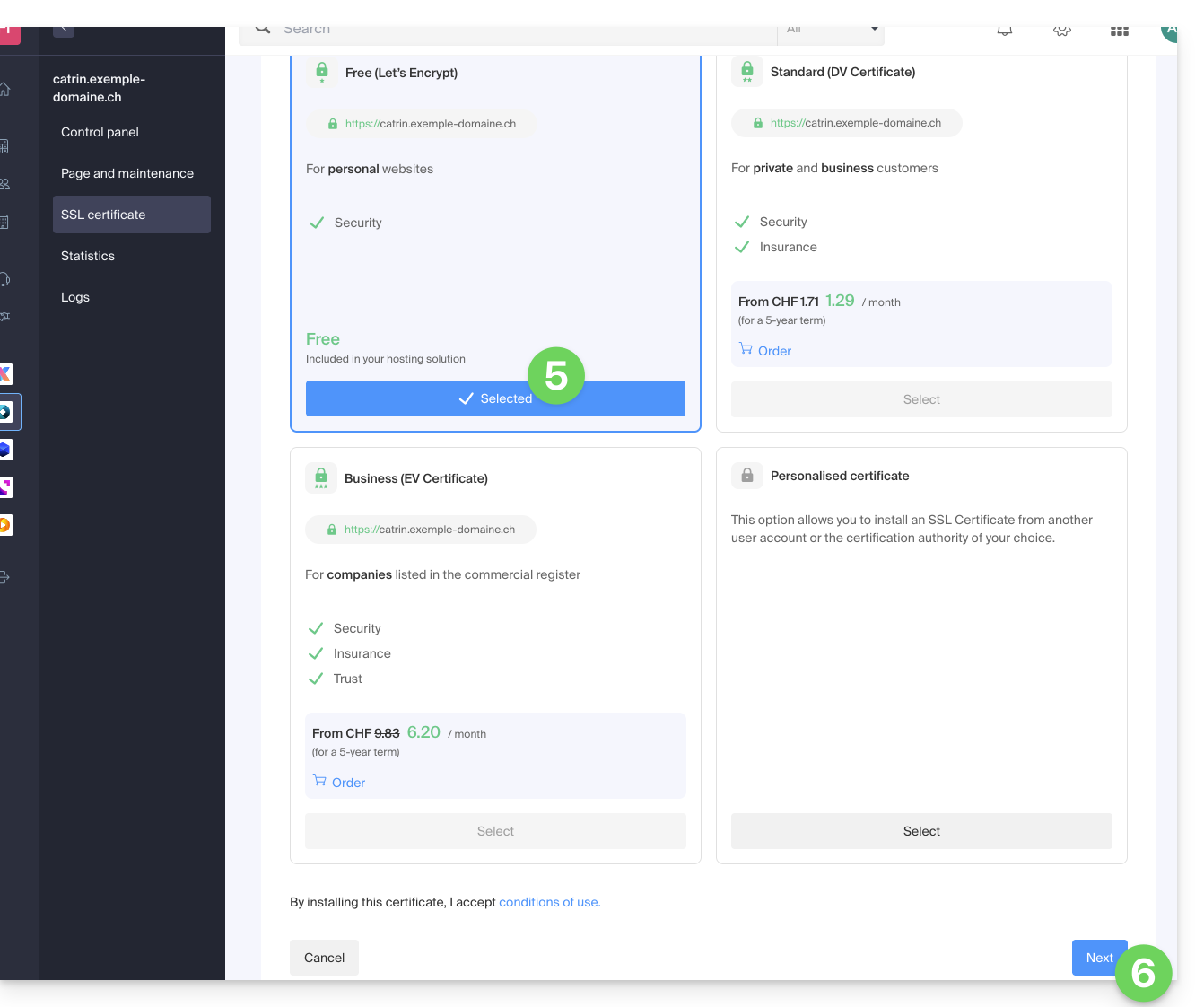
- Choose the free certificate.
- Click on the Next button:
- Check or select the domains concerned.
- Click on the Install button:
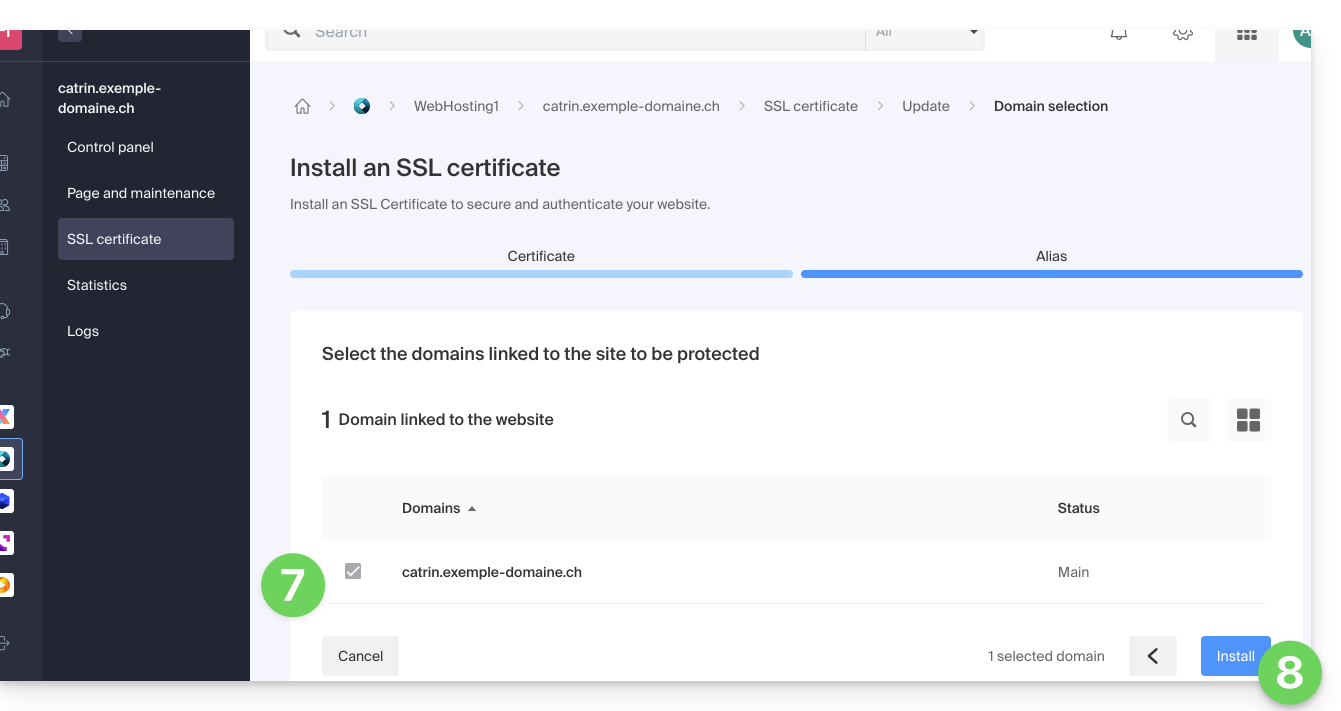
- Wait a few minutes until the certificate is obtained on the site.
Refer to this guide if you encounter SSL errors and to this other guide specifically if you are using Cloudflare.
Link to this FAQ:
Has this FAQ been helpful?