Knowledge base
1000 FAQs, 500 tutorials and instructional videos. Here, there are only solutions!
Pay for / Renew a product using a prepaid account
This guide details the payment system for your Infomaniak services using a prepaid account.
Introduction
- The prepaid account is a fund available in your Infomaniak Manager that you can top up as needed.
- Once credited, it allows you to pay for your financial transactions.
- Familiarize yourself with the limits and payment methods for the prepaid account.
Top up your prepaid account
To top up your prepaid account:
- Click here to access the prepaid account management section in the Infomaniak Manager.
- Click on the blue Credit account button:
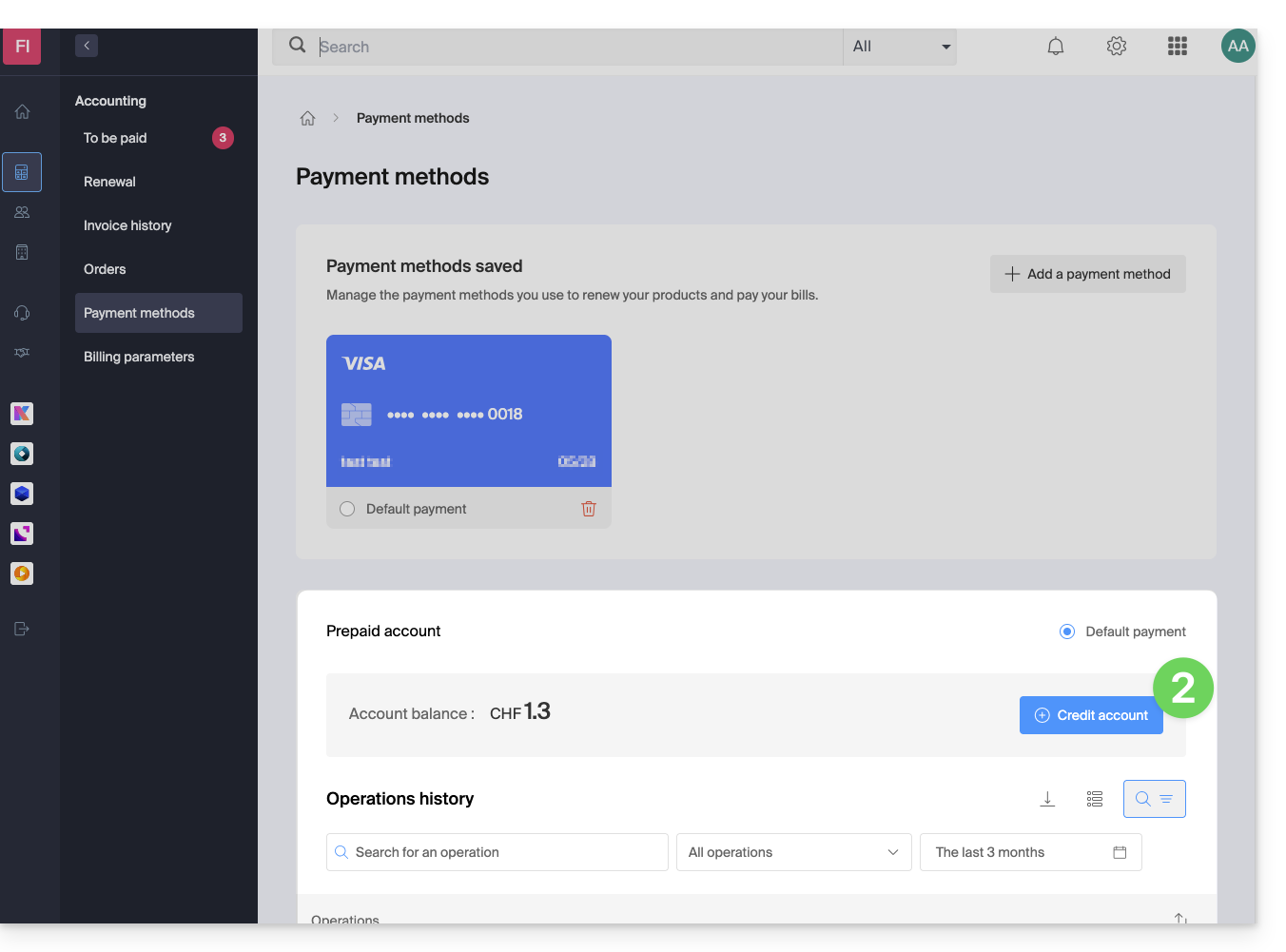
- Enter the amount to credit.
- Follow the on-screen instructions to credit the account using your payment method.
Prepay to pay for a new purchase
When ordering a new product, at the final step, click on the chevron to access other payment methods, including the prepaid account: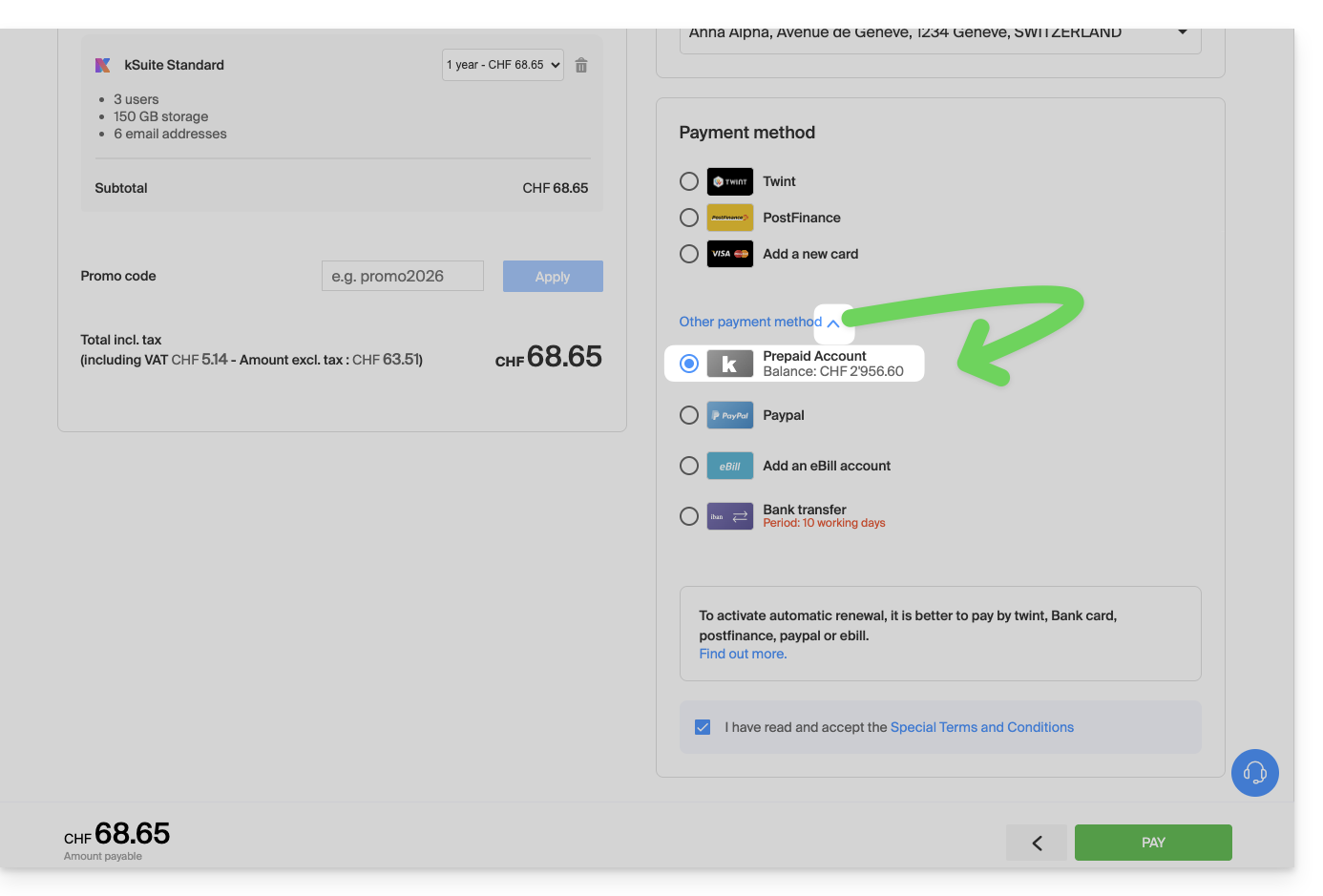
Prepayment to settle an open order
To settle an open order with your prepaid account:
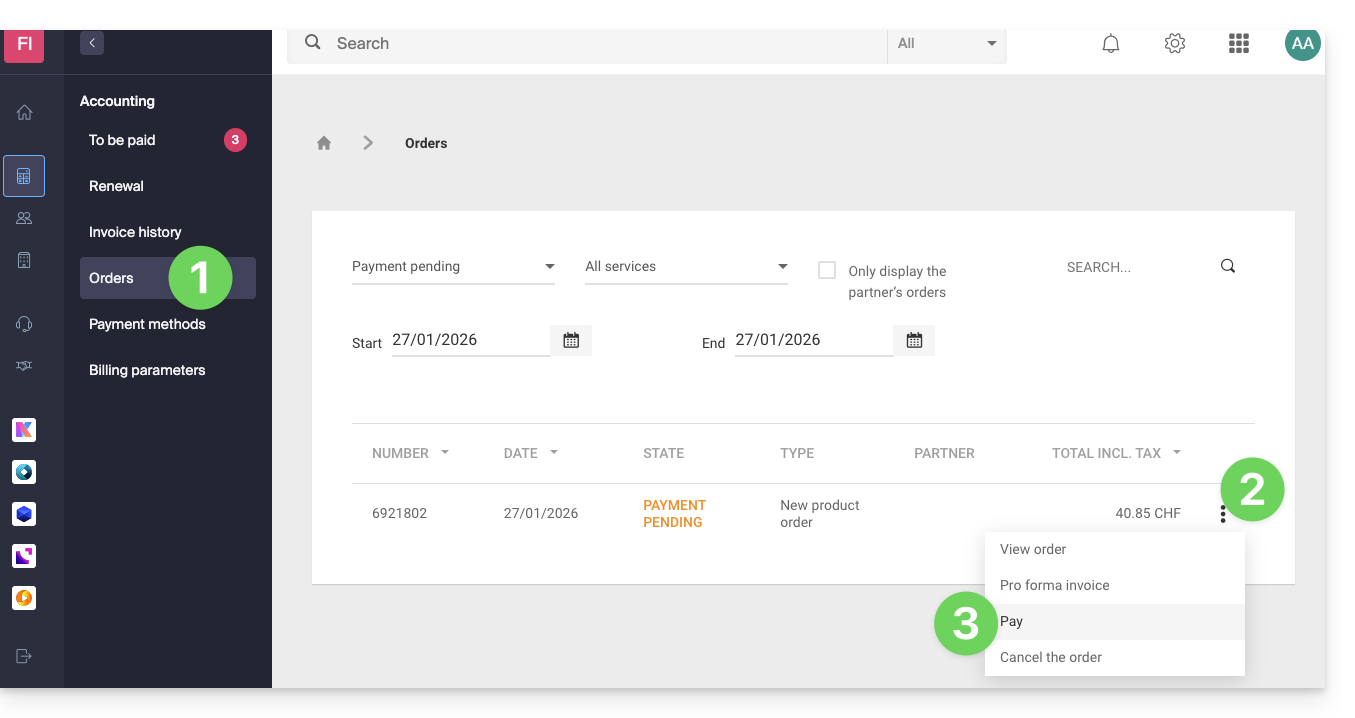
- Click here to access the order management section in the Infomaniak Manager.
- Click on the action menu ⋮ located to the right of the relevant command.
- Choose Pay:
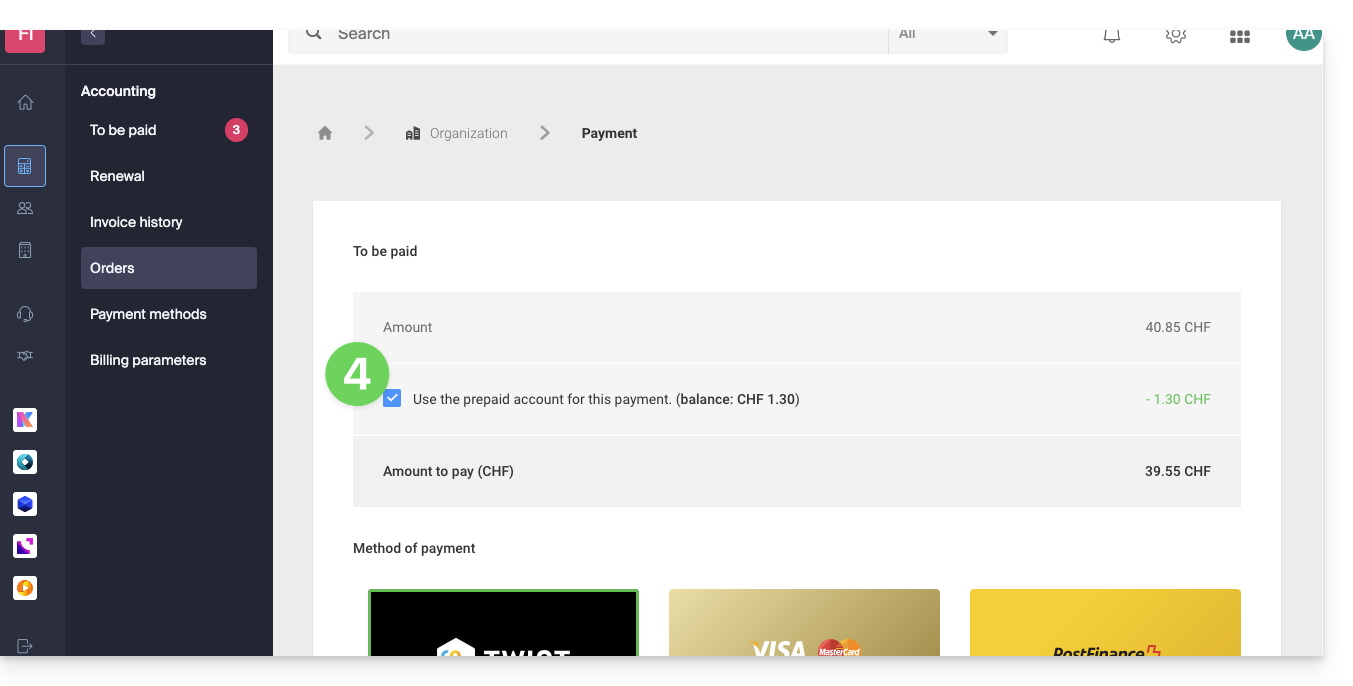
- Choose the prepaid account as your payment method and confirm to complete:
Prepayment to renew a product
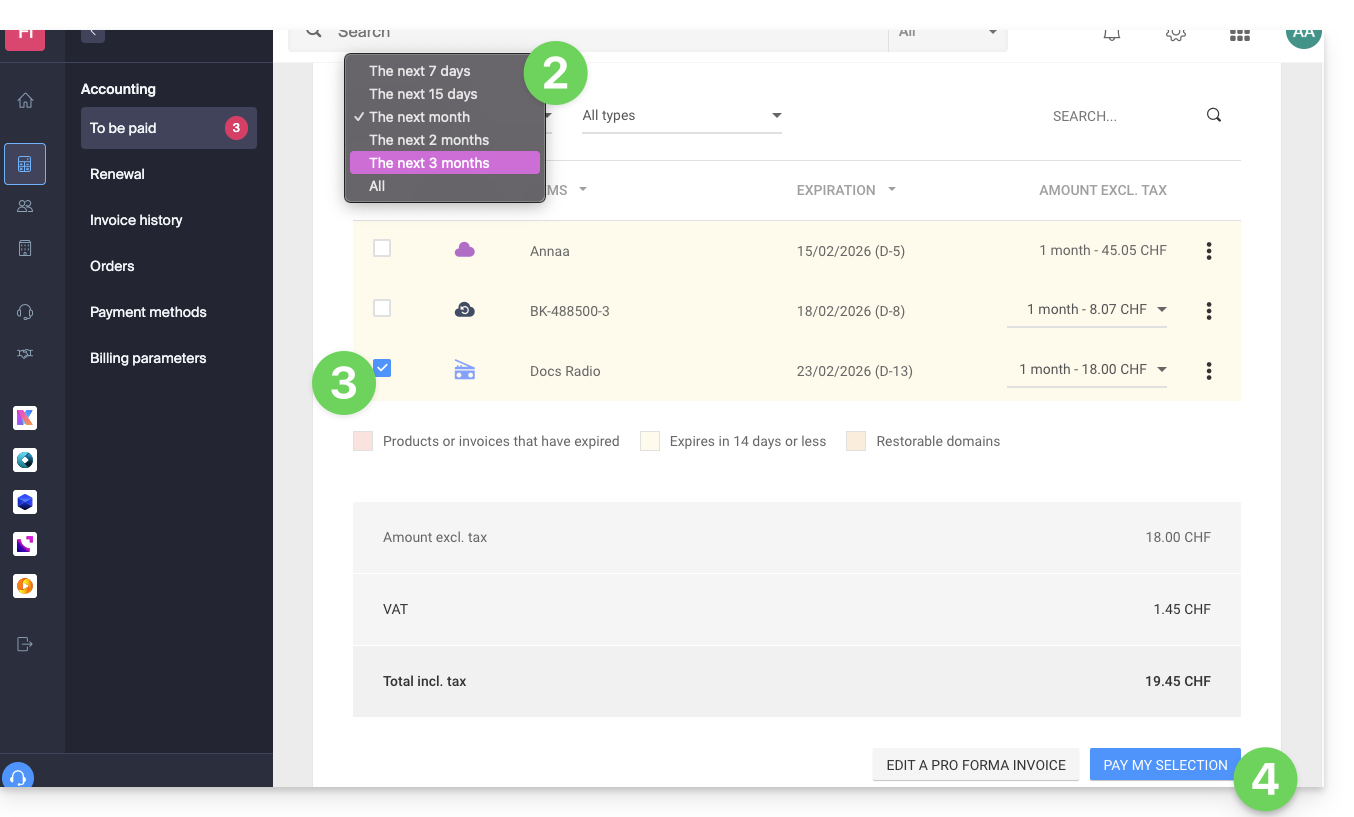
To pay an upcoming invoice for your prepaid account:
- Click here to access the payment management section in the Infomaniak Manager.
- If necessary, click on the date filter (next 2 months) to Show All.
- Select the product(s) to renew.
- Click the button to pay for your selection:
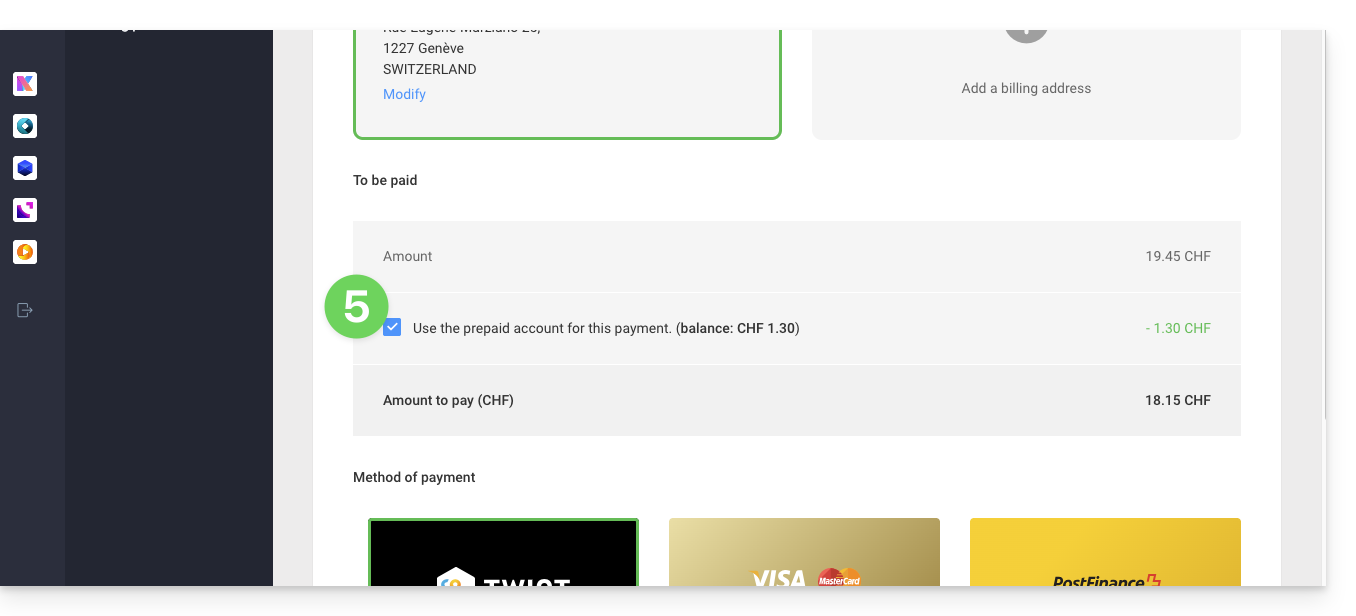
- Proceed to the payment page where you can select the prepaid account as your payment method and confirm to complete:
Automatically renew products
Activate automatic renewal with one click for the products of your choice. This feature ensures that you won't lose a domain name or inadvertently block access to your services. Modify your payment preferences at any time.
Link to this FAQ: https://faq.infomaniak.com/2117
Has this FAQ been helpful?