Knowledge base
1000 FAQs, 500 tutorials and instructional videos. Here, there are only solutions!
Pay / Renew a product with a prepaid account
Update 03/23/2026
This guide details the payment system for your Infomaniak services via a prepaid account.
Preamble
- A prepaid account consists of a reserve of money on your Infomaniak Manager that you can top up as you wish.
- Once topped up, it allows you to settle your financial transactions.
- Find out about the limits and payment methods for the prepaid account.
Recharge your prepaid account
To top up your prepaid account:
- Click here to access the management of your prepaid account on the Infomaniak Manager.
- Click on the blue button Credit the account:
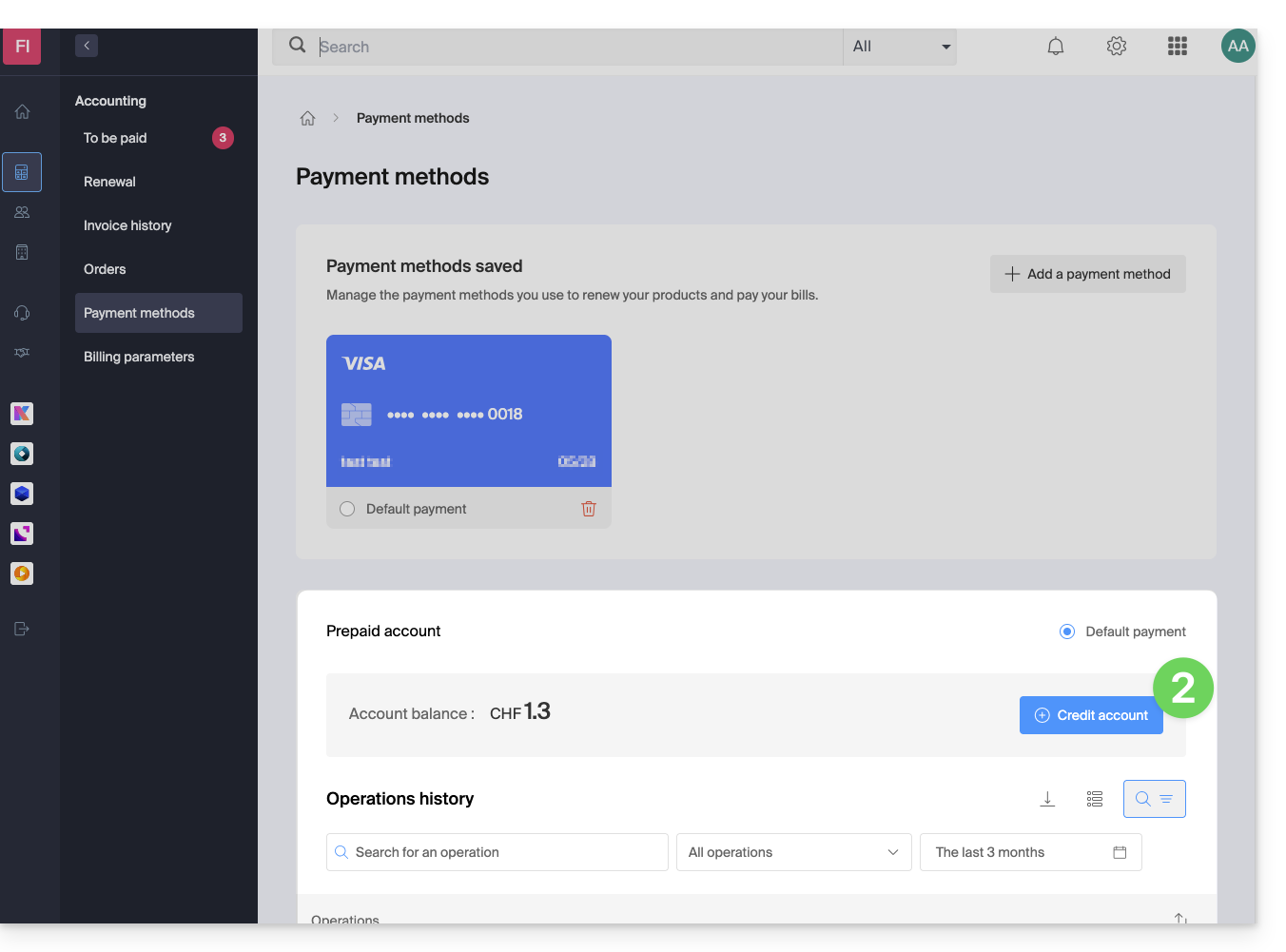
- Enter the amount to credit.
- Follow the displayed instructions to credit the account from your payment methods.
Prepayment to pay for a new purchase
When ordering a new product, in the final step, click on the chevron to access the other payment methods, including the prepaid account: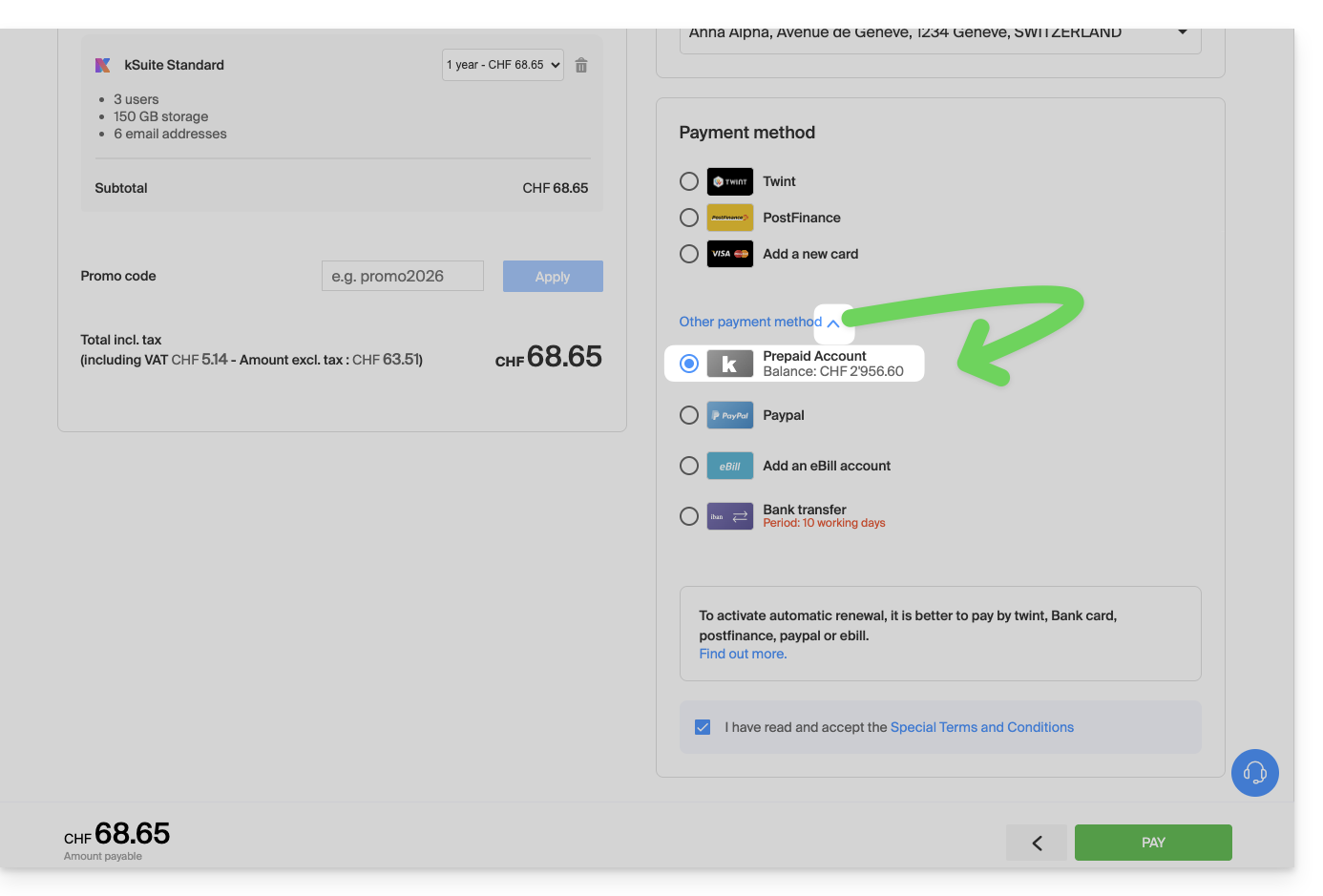
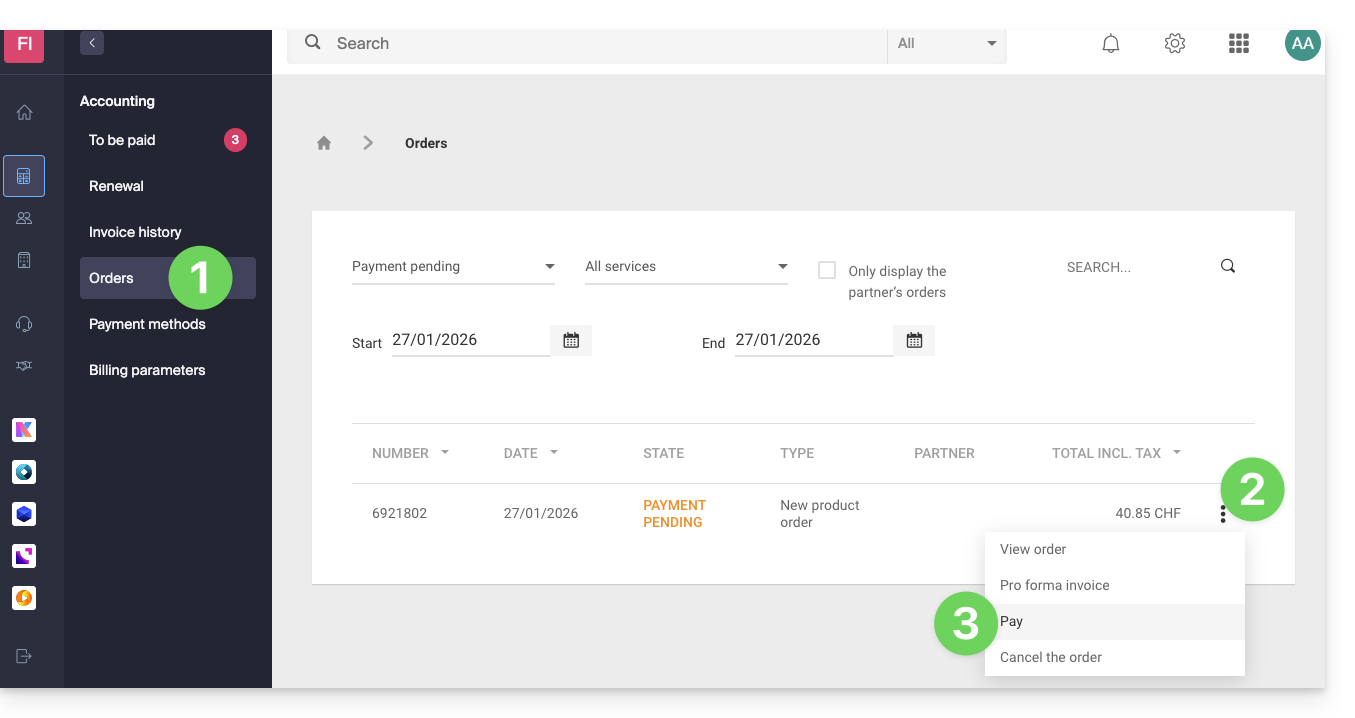
Prepayment to settle an open order
To settle an open order with your prepaid account:
- Click here to access the management of orders on the Infomaniak Manager.
- Click on the action menu ⋮ located to the right of the order in question.
- Choose Pay:
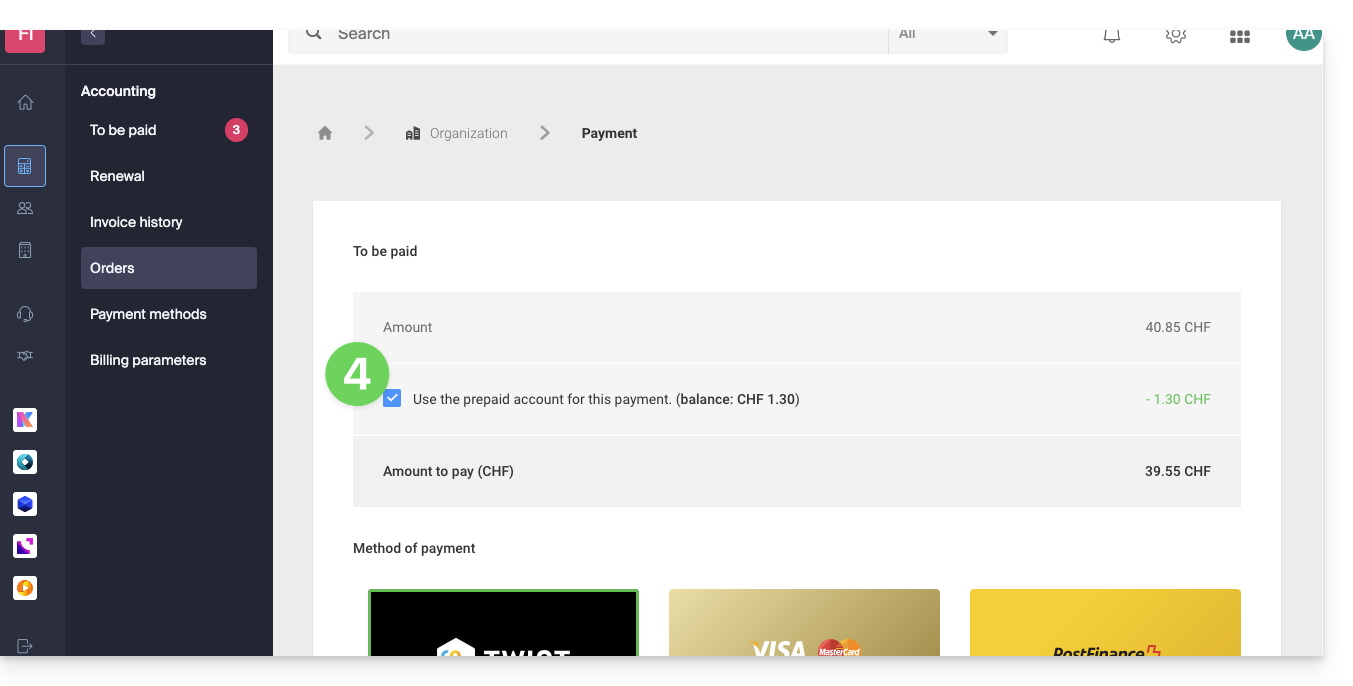
- Choose the prepaid account as the payment method and confirm to complete:
Prepayment to renew a product
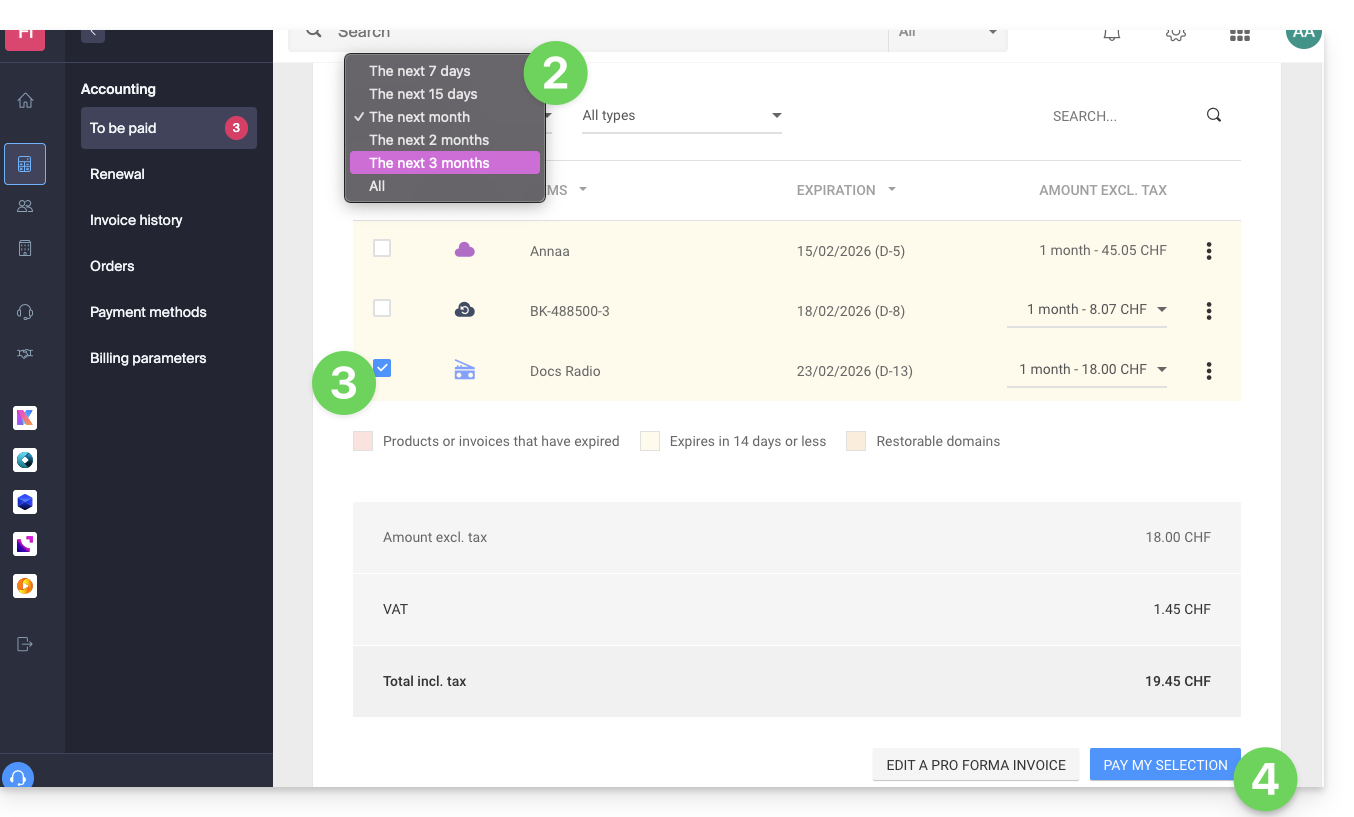
To settle an upcoming invoice with your prepaid account:
- Click here to access payment management on the Infomaniak Manager.
- If necessary, click on the date filter (next 2 months) to Show all.
- Select the product(s) to renew.
- Click the button to pay for the selection:
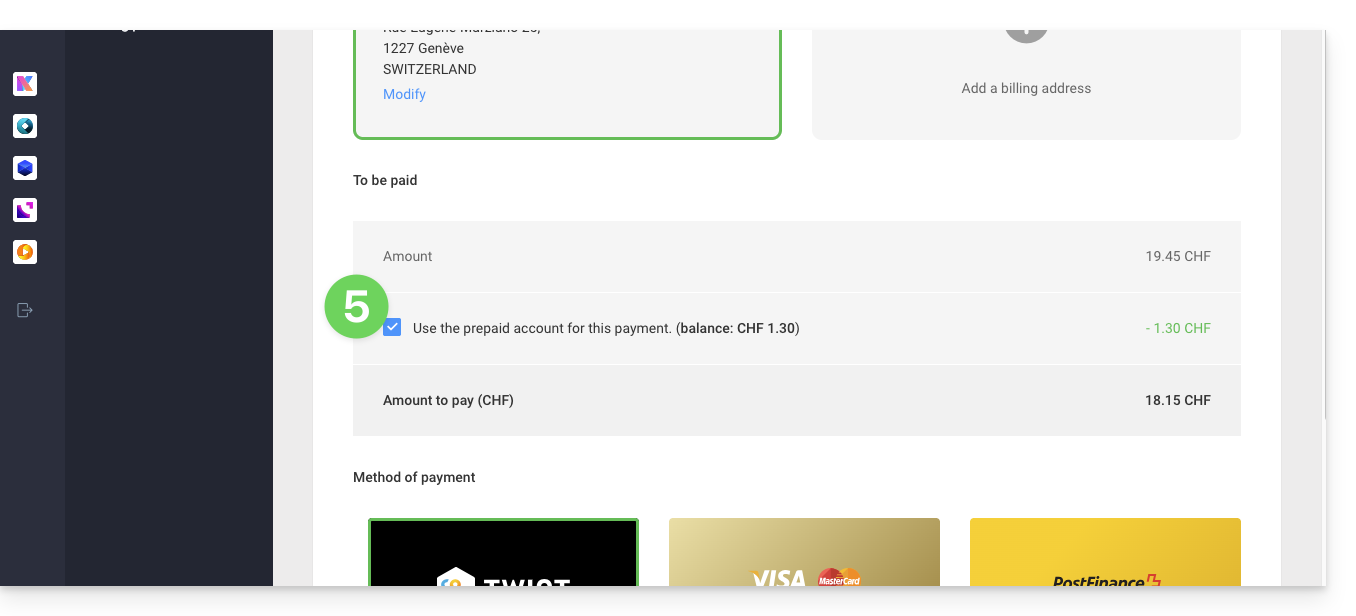
- Proceed to the payment page where you can choose the prepaid account as the payment method and confirm to complete:
Automatically renew products
Activate one-click automatic renewal for the products of your choice. This feature ensures that you do not lose a domain name or inadvertently block access to your services. Modify your payment preferences at any time.
Link to this FAQ:
Has this FAQ been helpful?