Knowledge base
1000 FAQs, 500 tutorials and instructional videos. Here, there are only solutions!
Install a free "wildcard" SSL certificate
Update 03/17/2026
This guide explains how to generate a certificate signing request (CSR) for a domain name and all its subdomains with a Web Hosting (excluding free hosting of type Starter).
This allows you to encrypt the connection to your domain name and all its subdomains via SSL.
Setting up a Wildcard Certificate
1. Add a domain alias with an asterisk *
To add an alias of type * to your website:
- Click here to access the management of your site on the Infomaniak Manager (need help?).
- Click directly on the name assigned to the site concerned:
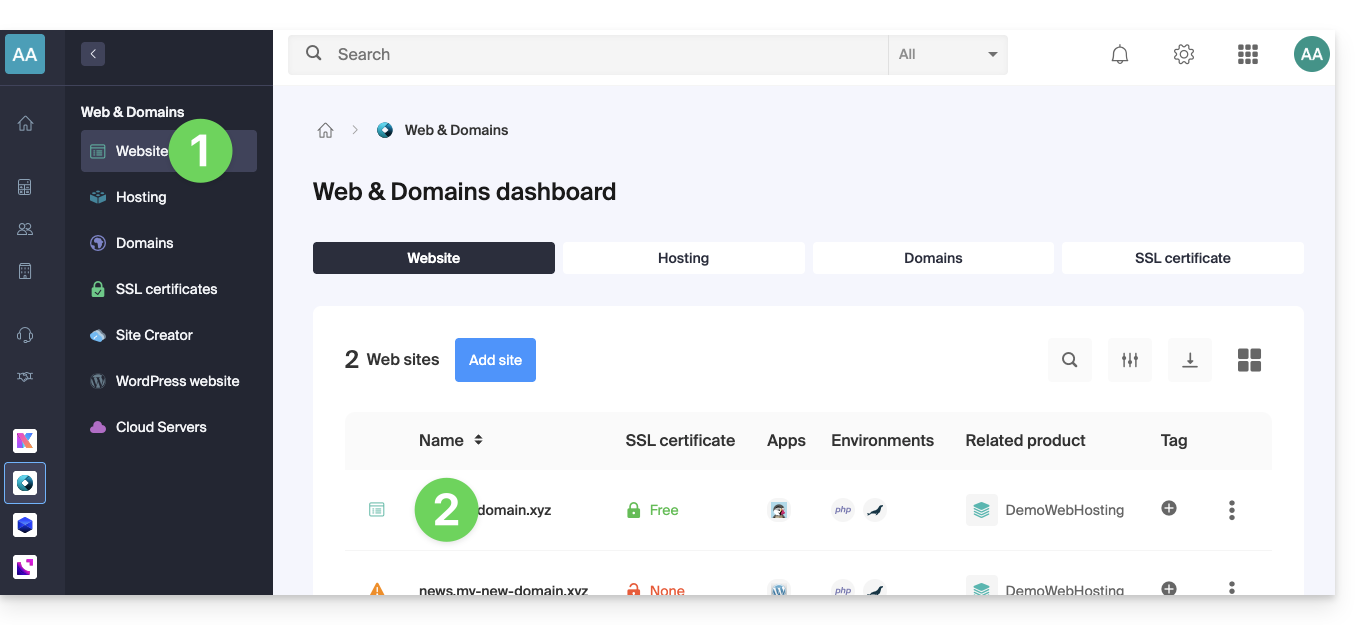
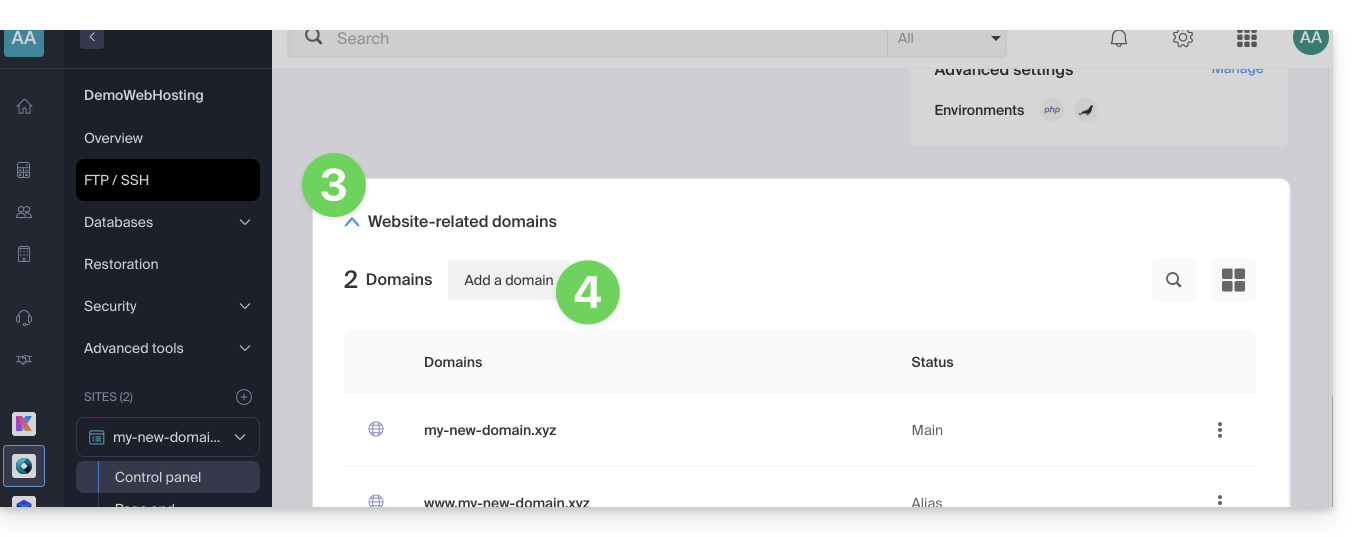
- Click on the chevron to expand the Domains section of this site.
- Click on the Add a domain button:
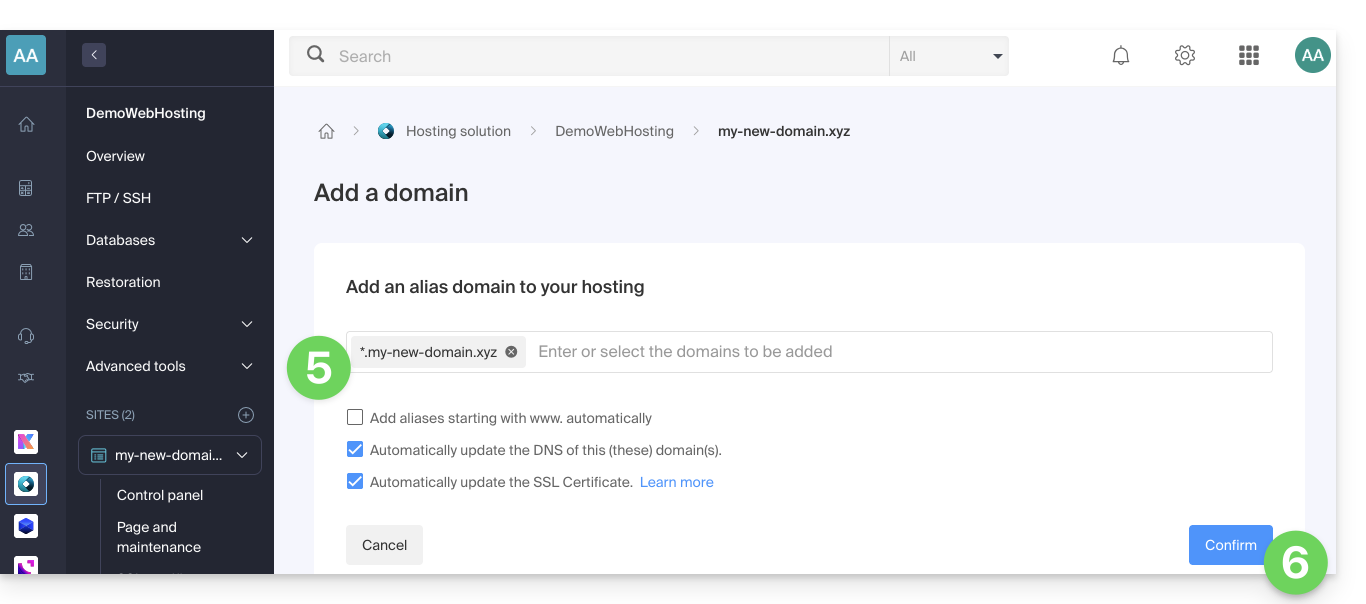
- Enter the domain name to add in this format:
*.domain.xyz(the asterisk is mandatory, followed by a dot, then the domain name of the website which is domain.xyz in this example)
- Click on the Confirm button to complete the procedure:
2. Install or update an SSL certificate
Example of updating the existing certificate to include the wildcard subdomain *:
- Click here to access the management of your site on the Infomaniak Manager (need help?).
- Click directly on the name assigned to the site concerned.
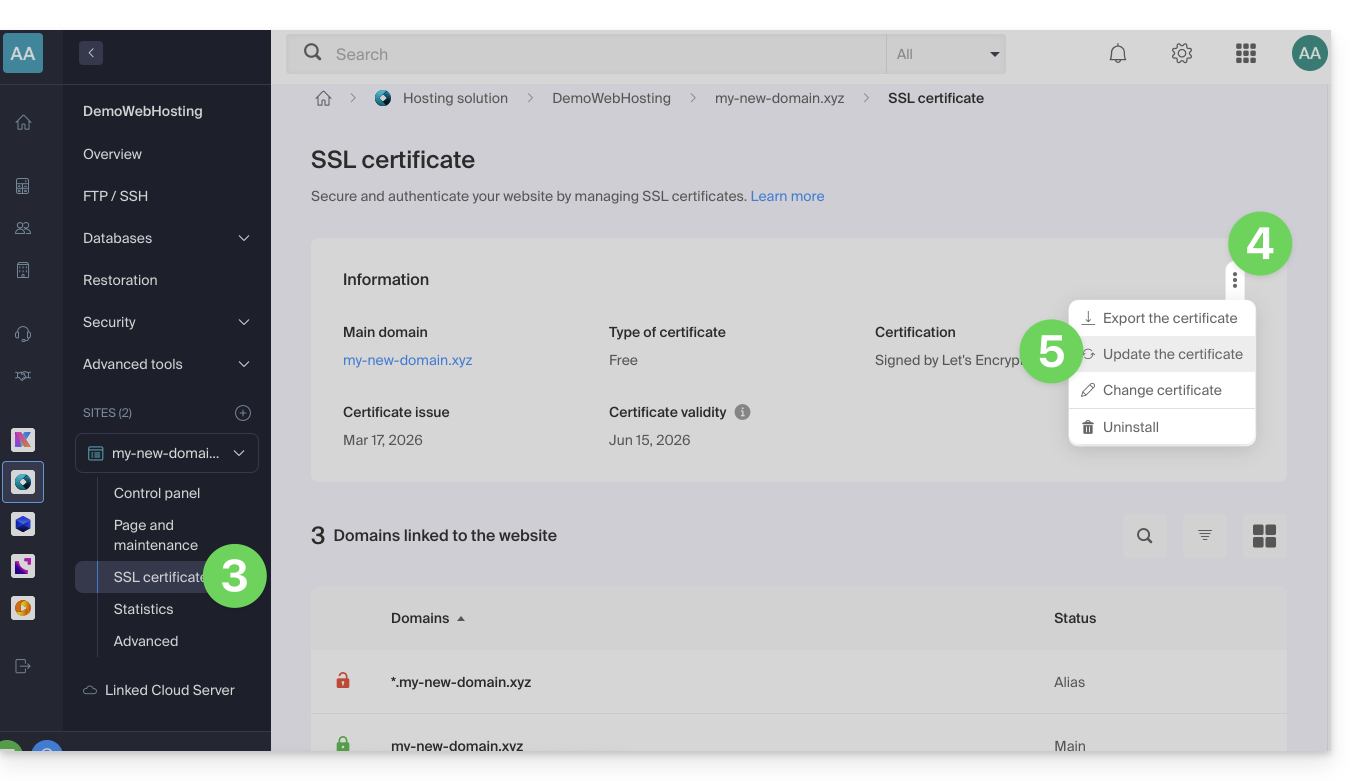
- Click on SSL Certificate in the left sidebar.
- Click on the action menu ⋮ located on the right.
- Click on Update Certificate:
- Make sure the recently added subdomain is selected.
- Click on the Install button at the bottom:
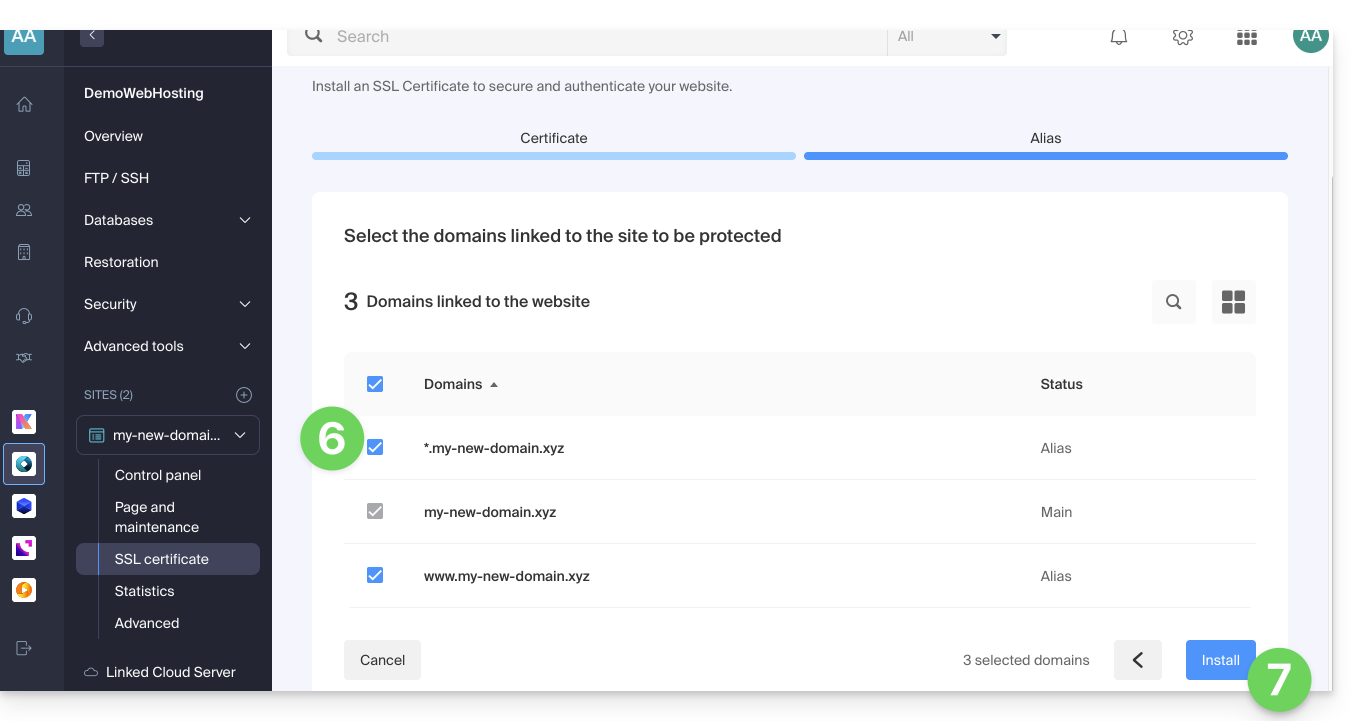
- Please wait while the creation or update is in progress.
Link to this FAQ:
Has this FAQ been helpful?