Knowledge base
1000 FAQs, 500 tutorials and instructional videos. Here, there are only solutions!
Manage A and AAAA records
This guide explains how to add or modify one or more A and AAAA type records in the DNS zone (of a domain name) managed on the Manager Infomaniak.
Preamble
- This type of record allows a domain name to point to a static IP address (usually a server), type A for an IPv4 and AAAA for IPv6.
- This is the method generally used to redirect your domain name to the IP address of the web server on which your website is hosted. Moreover, this type of pointing is used automatically to link your domain name with your website if they are in the same place and in the same Infomaniak Organization.
- You should only modify this type of record if you have a particular configuration to set up (e.g., pointing a subdomain to an external application).
Modify the DNS zone
To manage this type of record in a DNS zone:
- Click here to access the management of your domain on the Infomaniak Manager (need help?).
- Click directly on the name assigned to the domain in question.
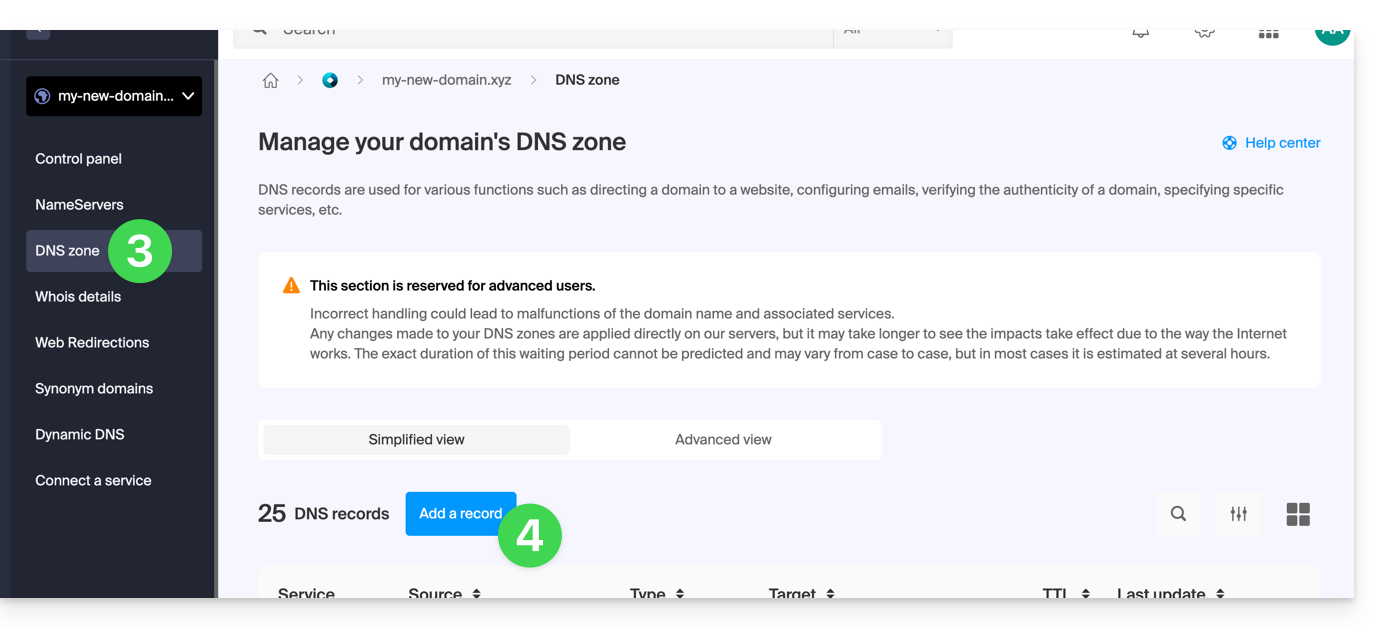
- Click on DNS Zone in the left sidebar.
- Click the button to add a record:
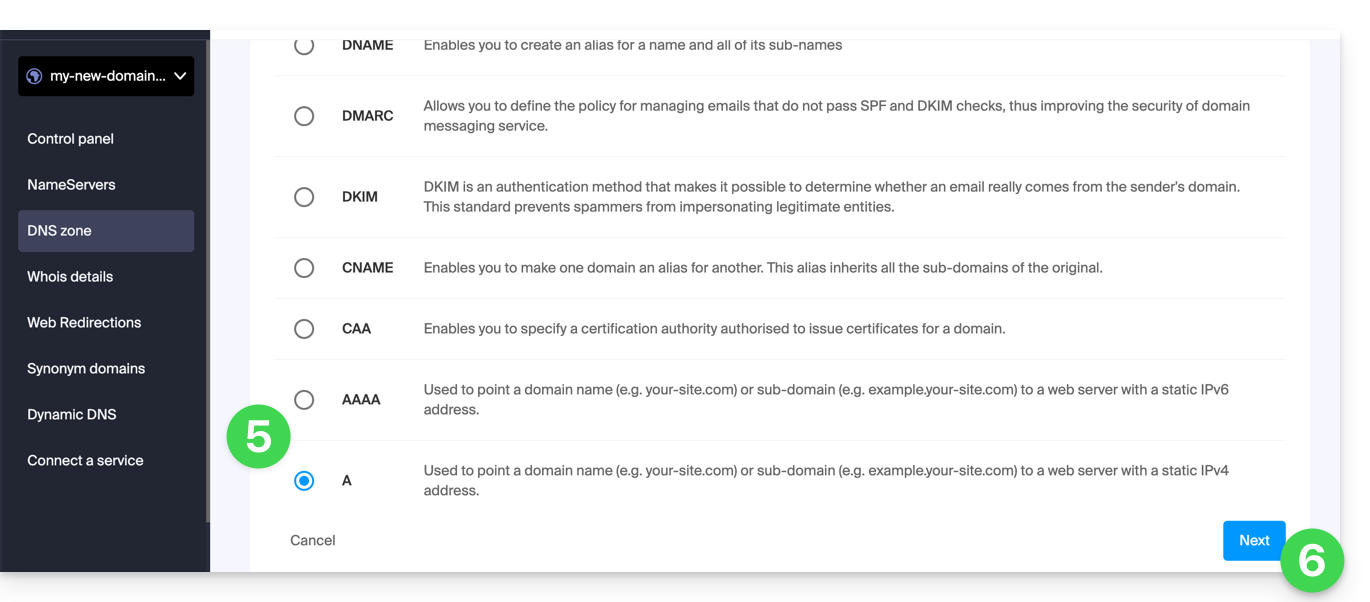
- Click the A or AAAA radio button to add a record.
- Click the Next button:
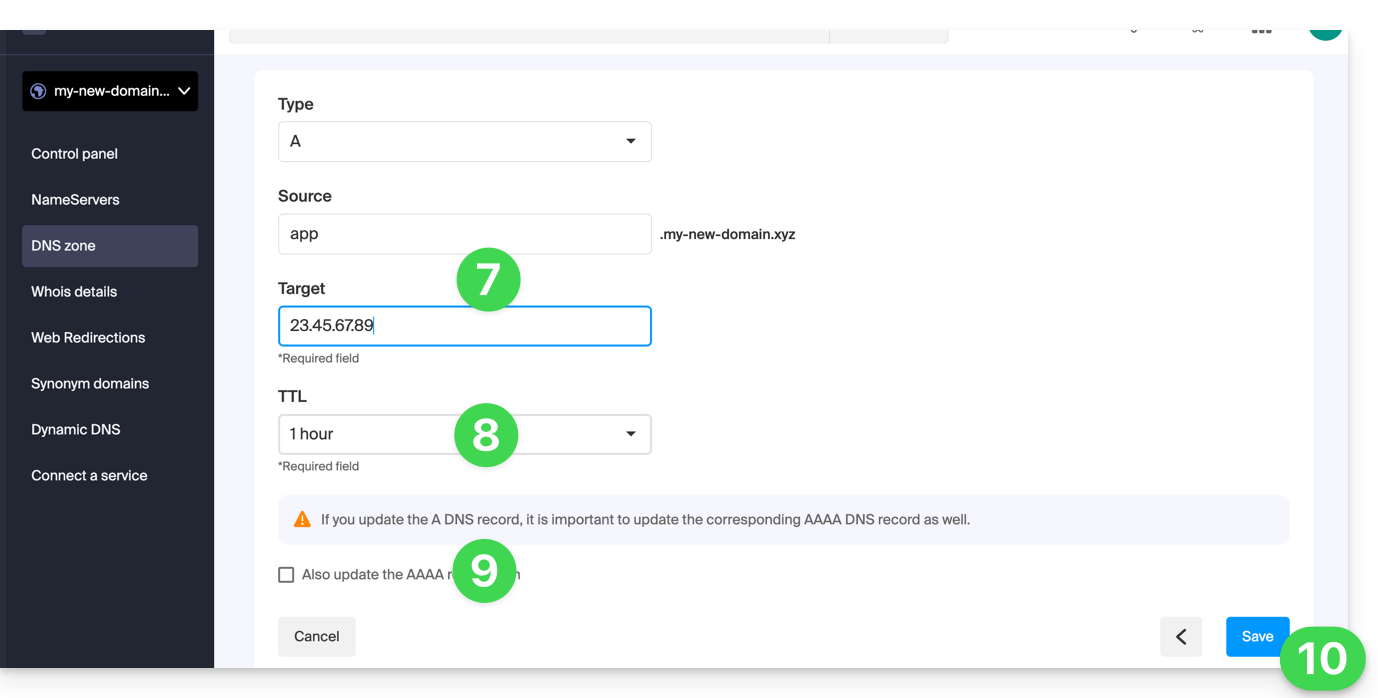
- Enter the values necessary for your DNS zone.
- Leave the default value for the TTL.
- If necessary, you can request the adjustment of the AAAA record by checking the box, which will allow you to indicate an IPv6 at the same time.
- Click the Save button:
Link to this FAQ: https://faq.infomaniak.com/2088
Has this FAQ been helpful?