Knowledge base
1000 FAQs, 500 tutorials and instructional videos. Here, there are only solutions!
Unbind a domain synonymous with a domain name
This guide explains how to dissociate a synonym domain from an Infomaniak domain name.
Remove the synonym domain
To remove the synonym domain from the main domain dashboard:
- Click here to access the management of your product on the Infomaniak Manager (need help?).
- Click directly on the name assigned to the main domain concerned.
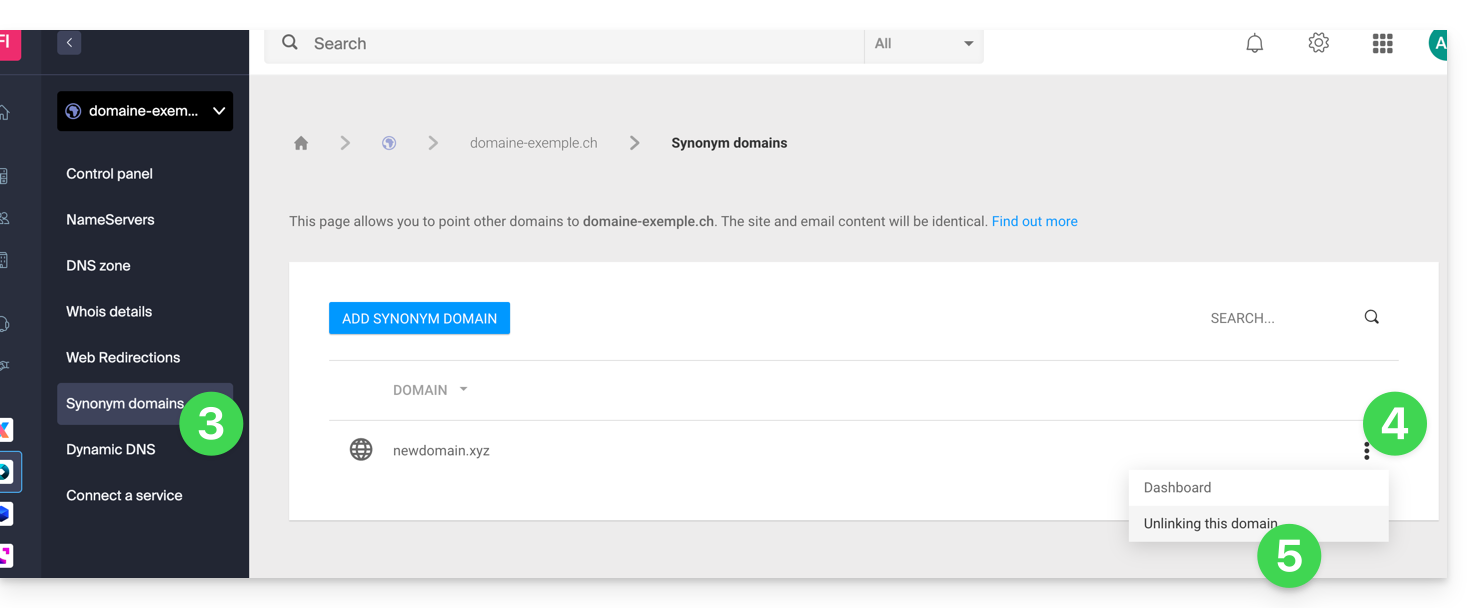
- Click on Synonym Domains in the left sidebar menu.
- Click on the action menu ⋮ to the right of the synonym domain in the displayed table.
- Click on Dissociate this domain:
You can also proceed in the other direction, by going to the synonym domain dashboard:
- Click here to access the management of your product on the Infomaniak Manager (need help?).
- Click directly on the name assigned to the product concerned.
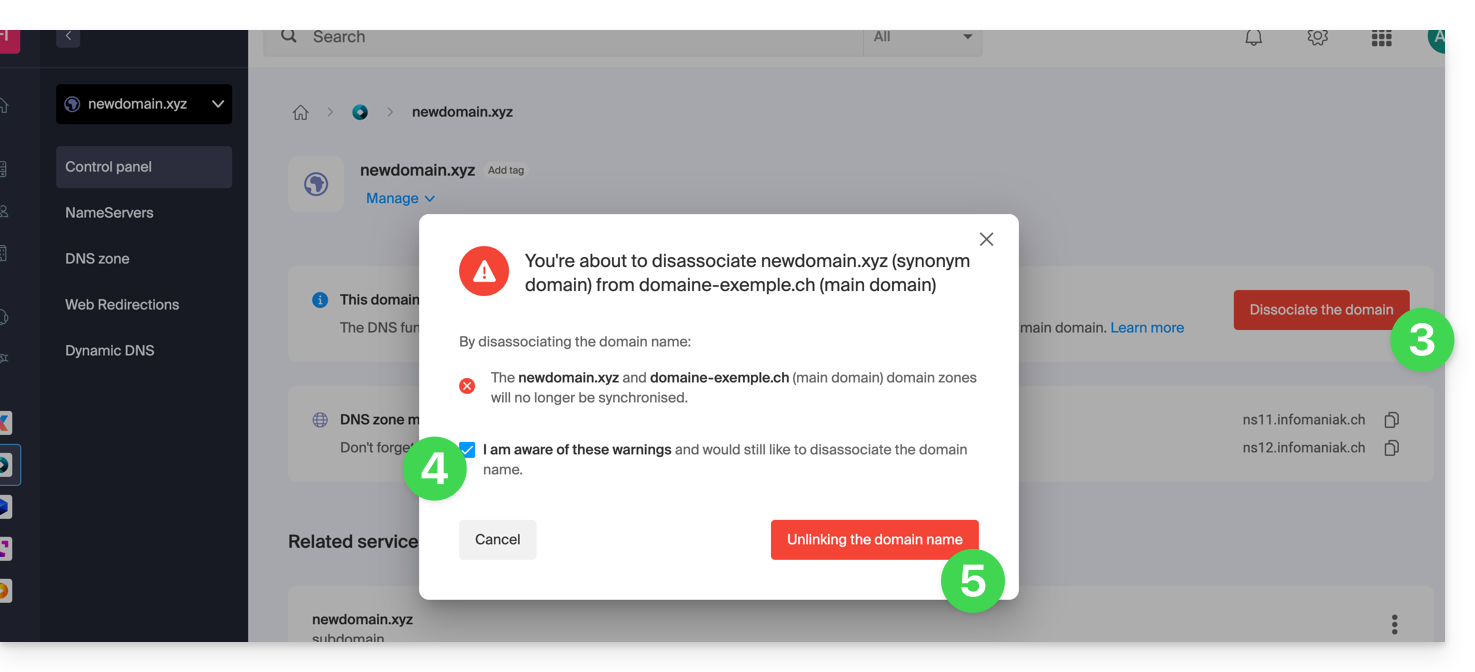
- Click on Dissociate in the top banner.
- Check the box to validate the voluntary desynchronization of these 2 domains.
- Click the red button to Dissociate the domain name:
At this stage, you will still need to dissociate the alias domain from your Web and/or Mail hosting if necessary:
- Refer to this other guide to dissociate an alias domain name from a Mail Service.
- Refer to this other guide to dissociate an alias domain name from a Web Hosting.
Link to this FAQ: https://faq.infomaniak.com/1998
Has this FAQ been helpful?