Knowledge base
1000 FAQs, 500 tutorials and instructional videos. Here, there are only solutions!
Unlink a domain name from the website
This guide explains how to remove an alias domain from an Infomaniak Web Hosting. The main domain name of the site will then no longer be linked to any other domain name.
This allows you to create a new Web Hosting or distinct site for the domain name thus unlinked.
Prerequisites
- Have dissociated the synonym domain name from the main domain name if there was an association before.
Remove the alias domain
To remove an alias domain from your site:
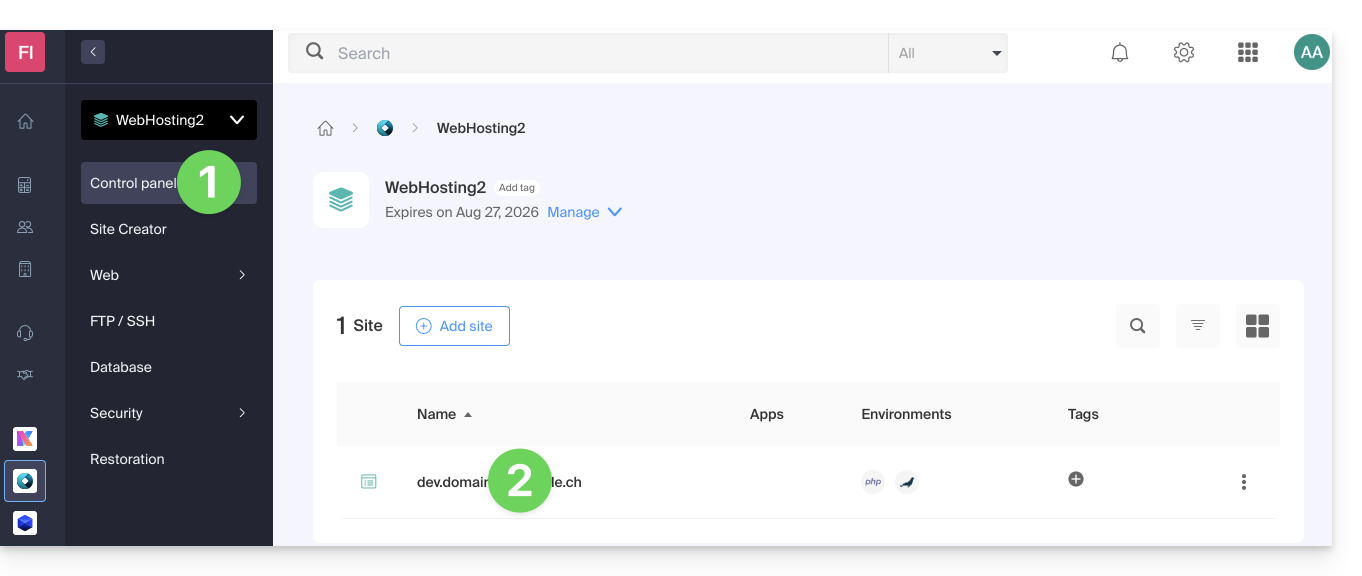
- Click here to access the management of your site on the Infomaniak Manager (need help?).
- Click directly on the name assigned to the site concerned:
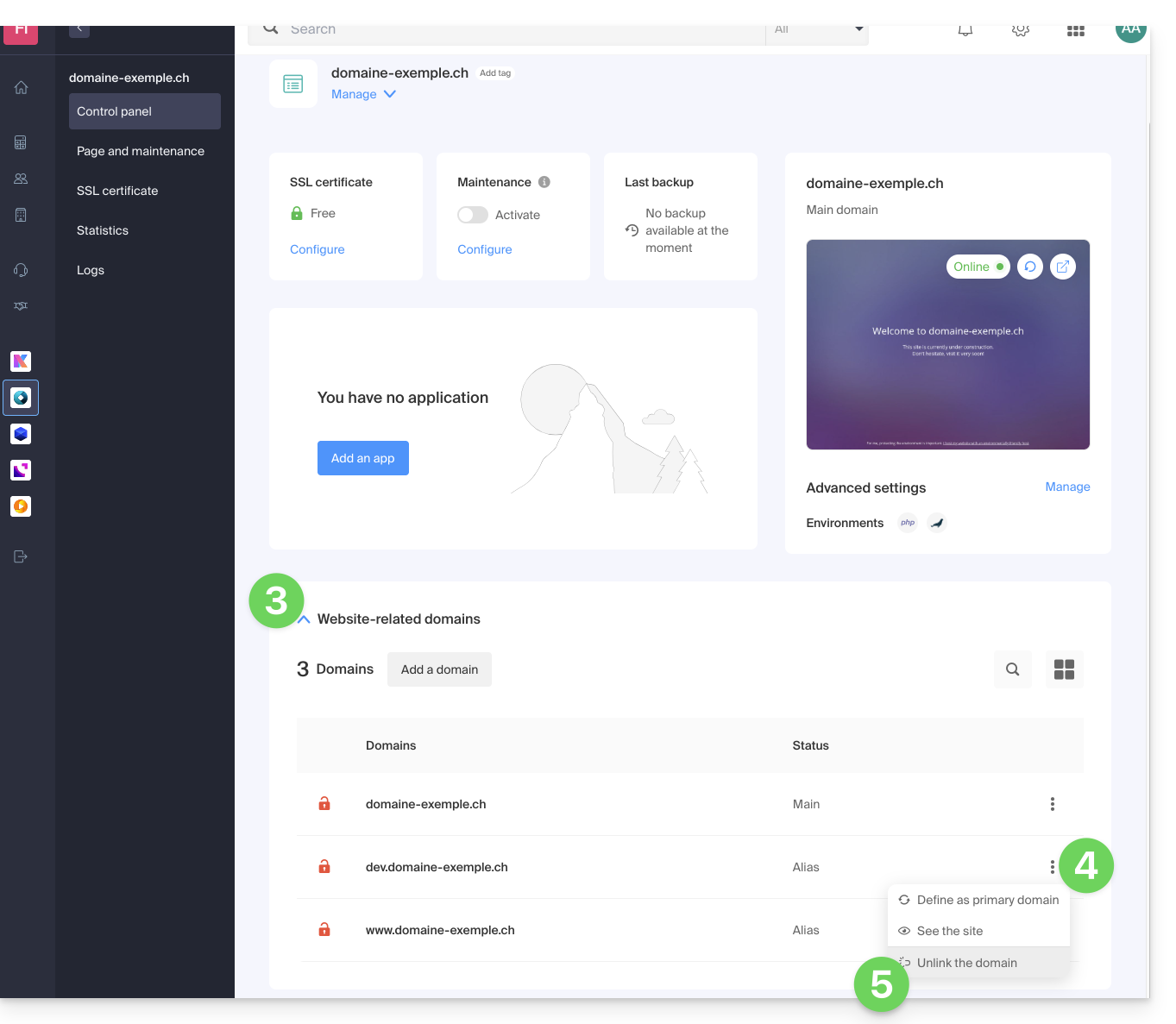
- Click on the chevron to expand the Domains section of this site.
- Click on the action menu ⋮ to the right of the domain to be removed.
- Choose Unlink:
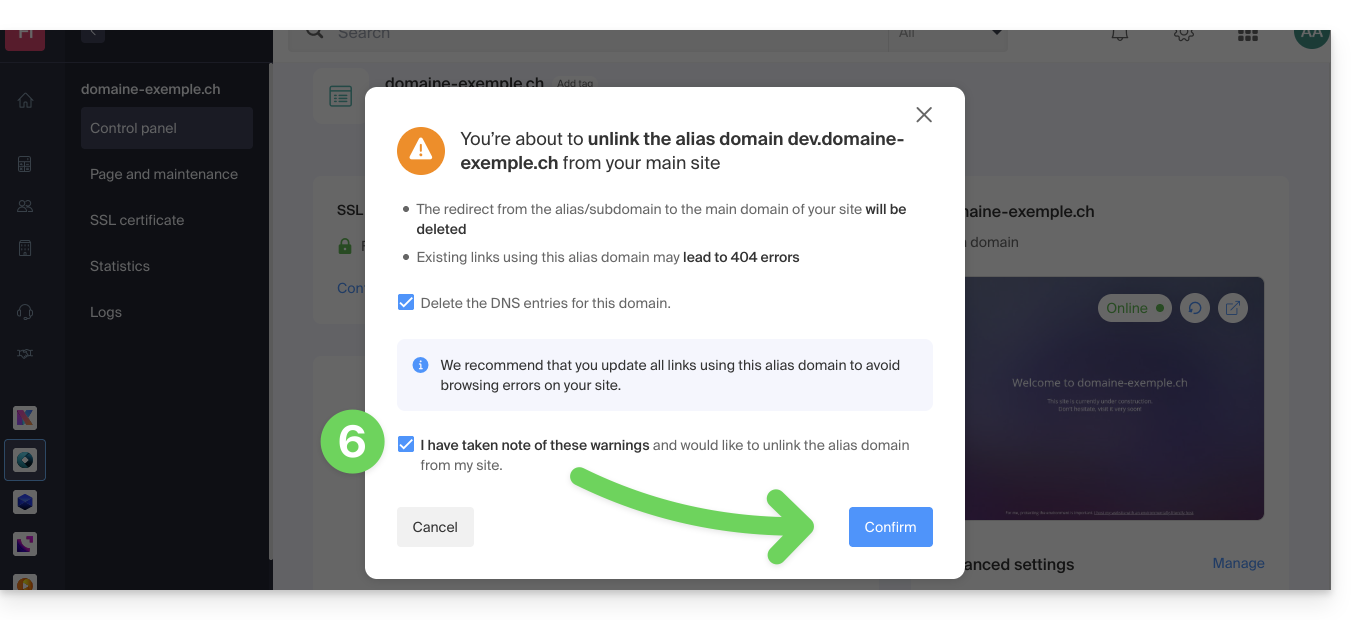
Confirm the deletion of the alias:
- If necessary, you can choose to delete the DNS records related to the domain…
Link to this FAQ: https://faq.infomaniak.com/1997
Has this FAQ been helpful?