Knowledge base
1000 FAQs, 500 tutorials and instructional videos. Here, there are only solutions!
Broadcast a video stream after a countdown
This guide explains how to display a countdown before the next live stream or during a scheduled interruption on Infomaniak's video streaming service.
Access the scheduling calendar
To do this:
- Click here to access the management of your product on the Infomaniak Manager (need help?).
- Click directly on the name assigned to the product concerned:
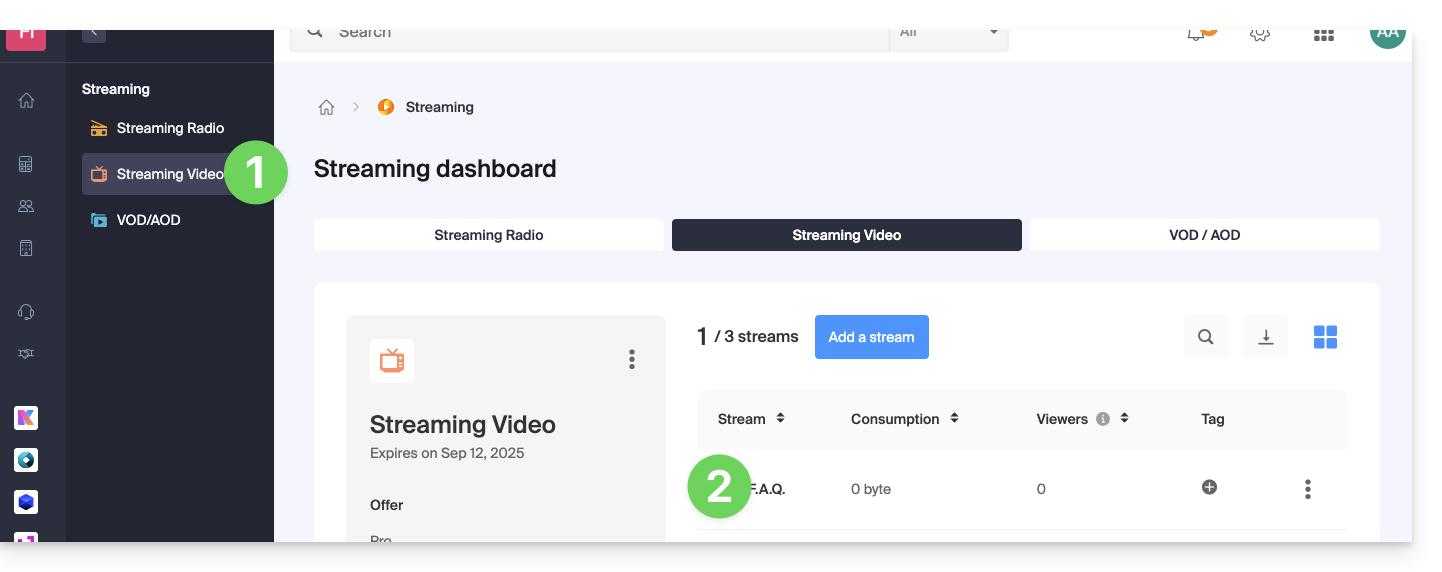
- Click on Scheduling in the left sidebar.
- Click on Scheduling tool in the left sidebar.
- Click on the desired date:
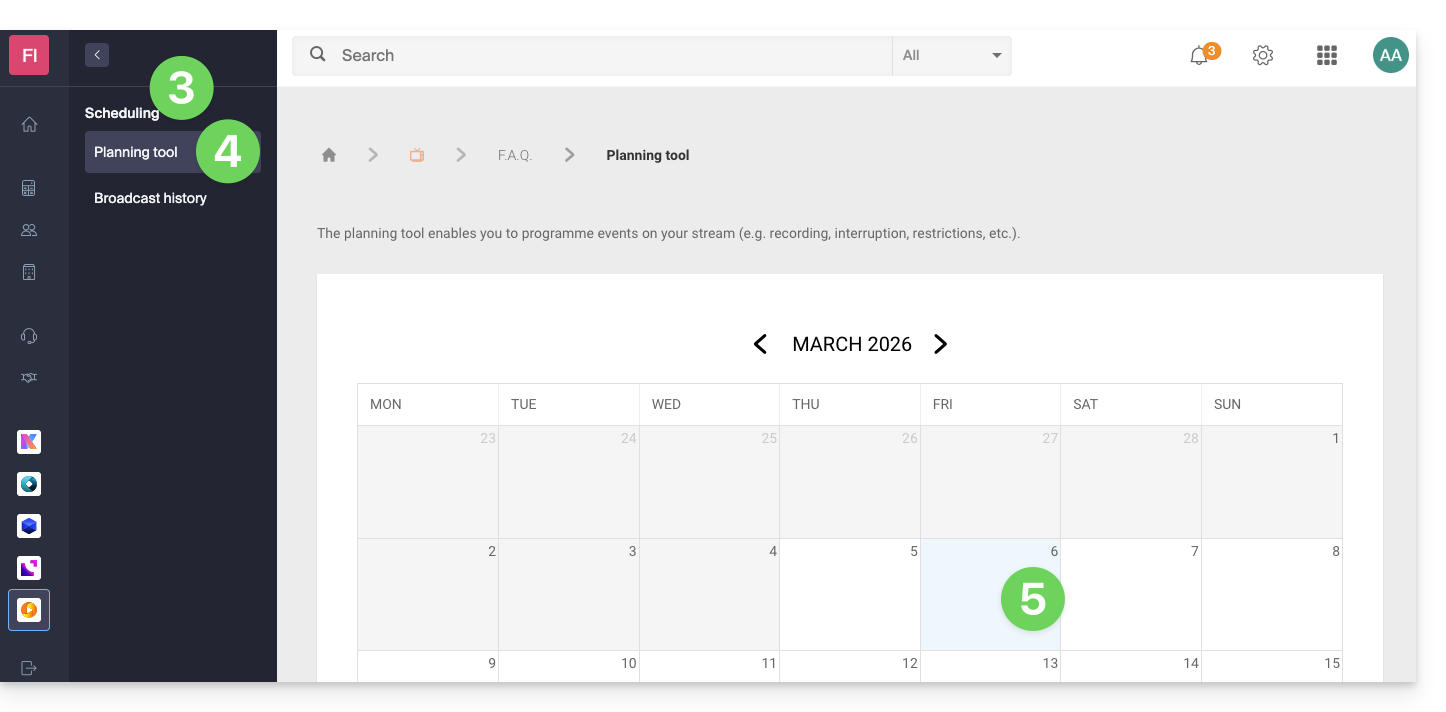
Interruption function on the schedule
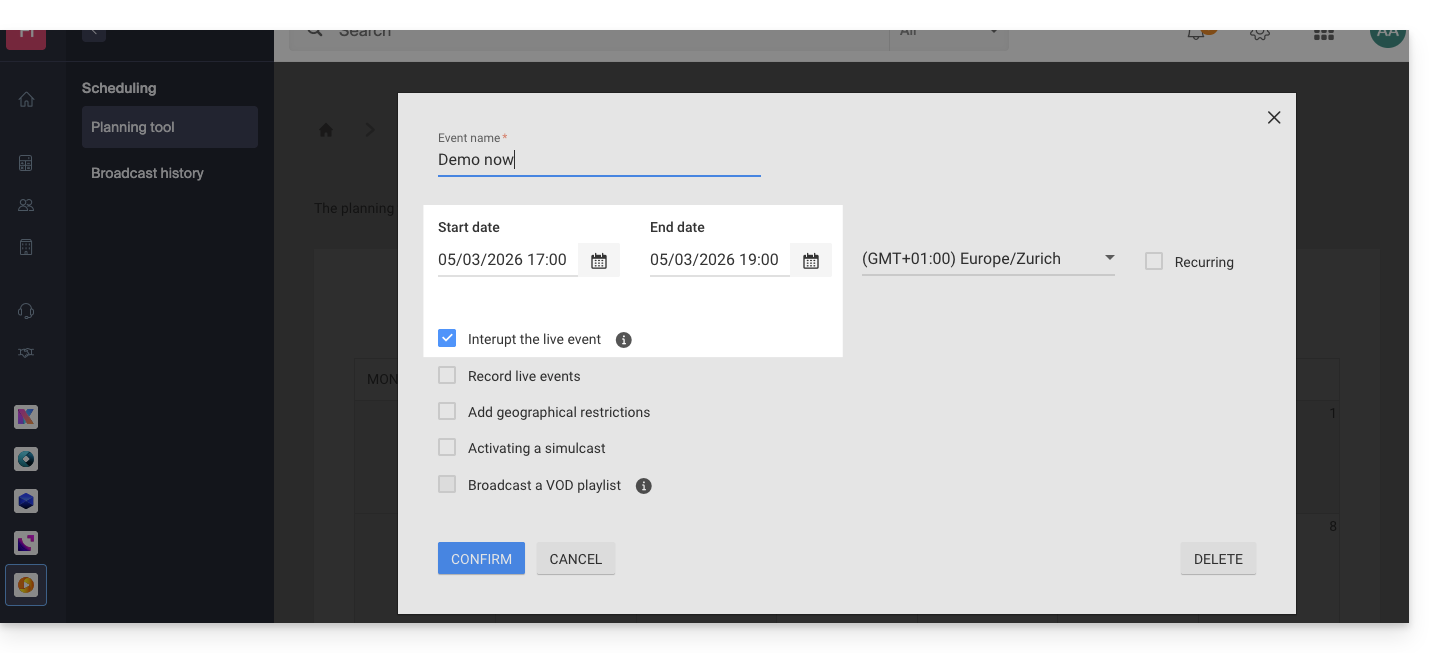
For example:
- This configuration on the calendar to interrupt a live program…
- … and this configuration at the level of the image (thumbnail) and text choice of the video player…
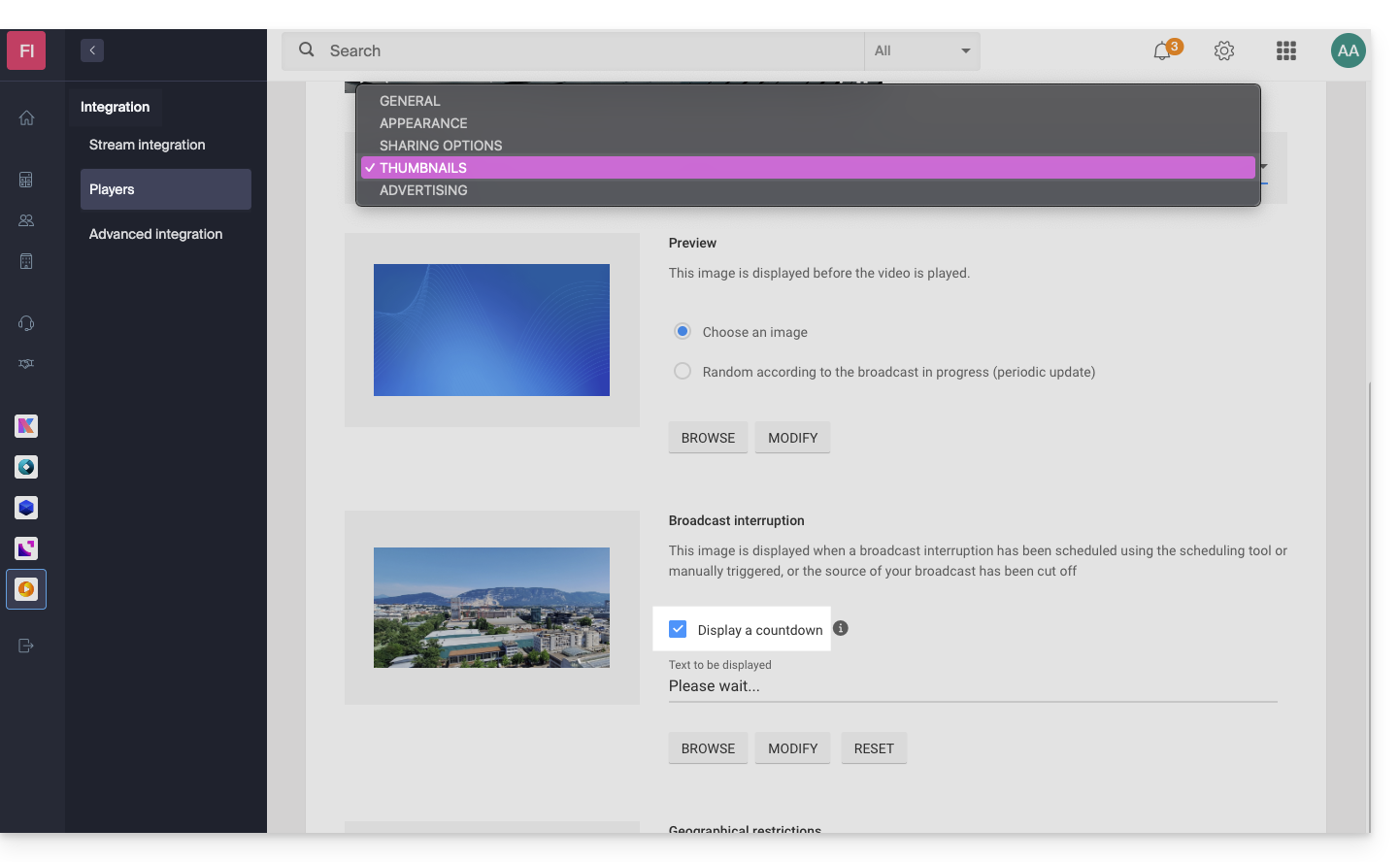
- … will display this result from 5 PM, with a 2-hour countdown in seconds visible on the player of your TV stream:

The countdown, once scheduled, works in correlation with stream interruptions if you set one (or more in succession, thus managing the overlap). Note: it takes 2 minutes for a scheduled interruption to be reflected in the countdown.
Link to this FAQ: https://faq.infomaniak.com/1948
Has this FAQ been helpful?