Knowledge base
1000 FAQs, 500 tutorials and instructional videos. Here, there are only solutions!
Connect via SSH and use command line commands
This guide explains how to connect via SSH to a Web Hosting or a Cloud Server.
Connect via SSH…
… via a web browser
- Click here to access the management of your product on the Infomaniak Manager (need help?).
- Click directly on the name assigned to the product concerned.
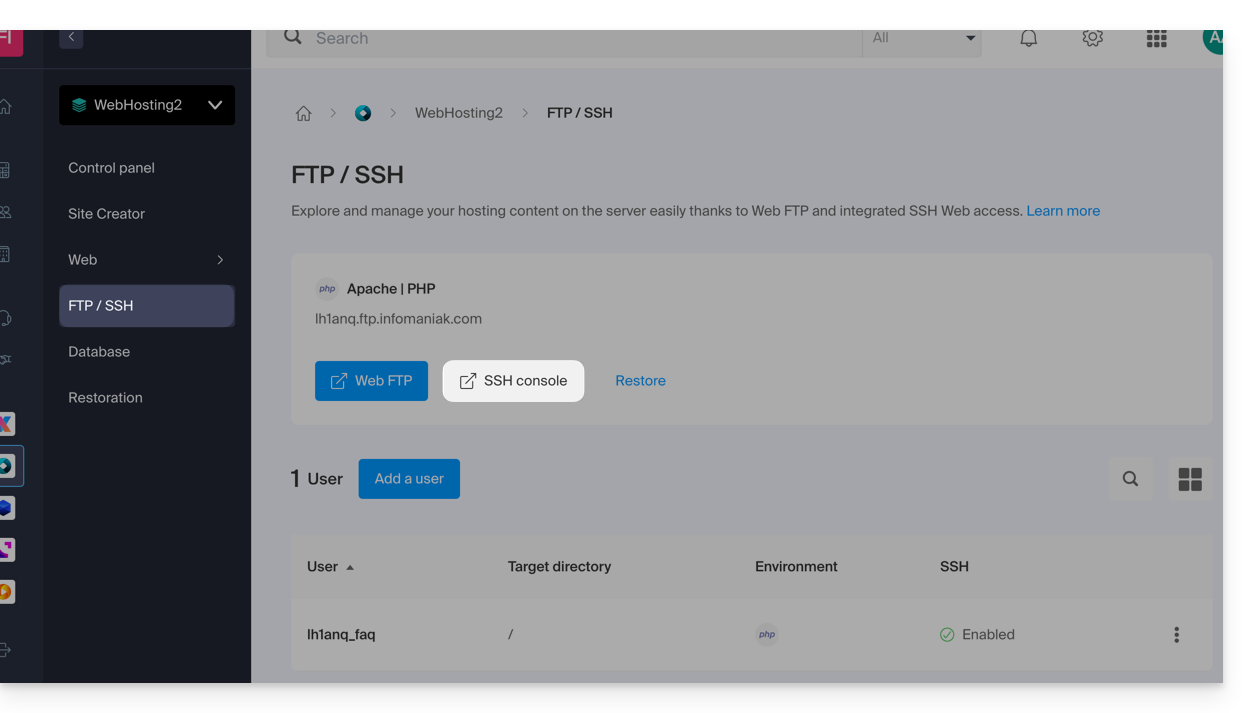
- Click on FTP / SSH in the left sidebar menu.
- Click on the Web SSH button:
… via the terminal or an application
To connect via SSH, use the following commands from a Terminal type application (command line interface, CLI / Command Line Interface) on your device, for example:
- Terminal (application already integrated with macOS and Linux)
- PuTTY (Windows)
- Windows 10 SSH client (help in French / in English)
Then enter the following command:
ssh username@serverusernamebeing the username of the FTP accountserverbeing the host server (e.g. xxxx.ftp.infomaniak.com)
To know which command is available and know the path to use, run the command "whereis":
$ whereis mysql
mysql: /opt/mysql/bin/mysql
Link to this FAQ:
Has this FAQ been helpful?