Knowledge base
1000 FAQs, 500 tutorials and instructional videos. Here, there are only solutions!
Add a billing address
This guide explains how to add a billing address so that the products of your Organization can be billed under new contact details in the future, for example, to assign invoices to different people.
Add billing addresses
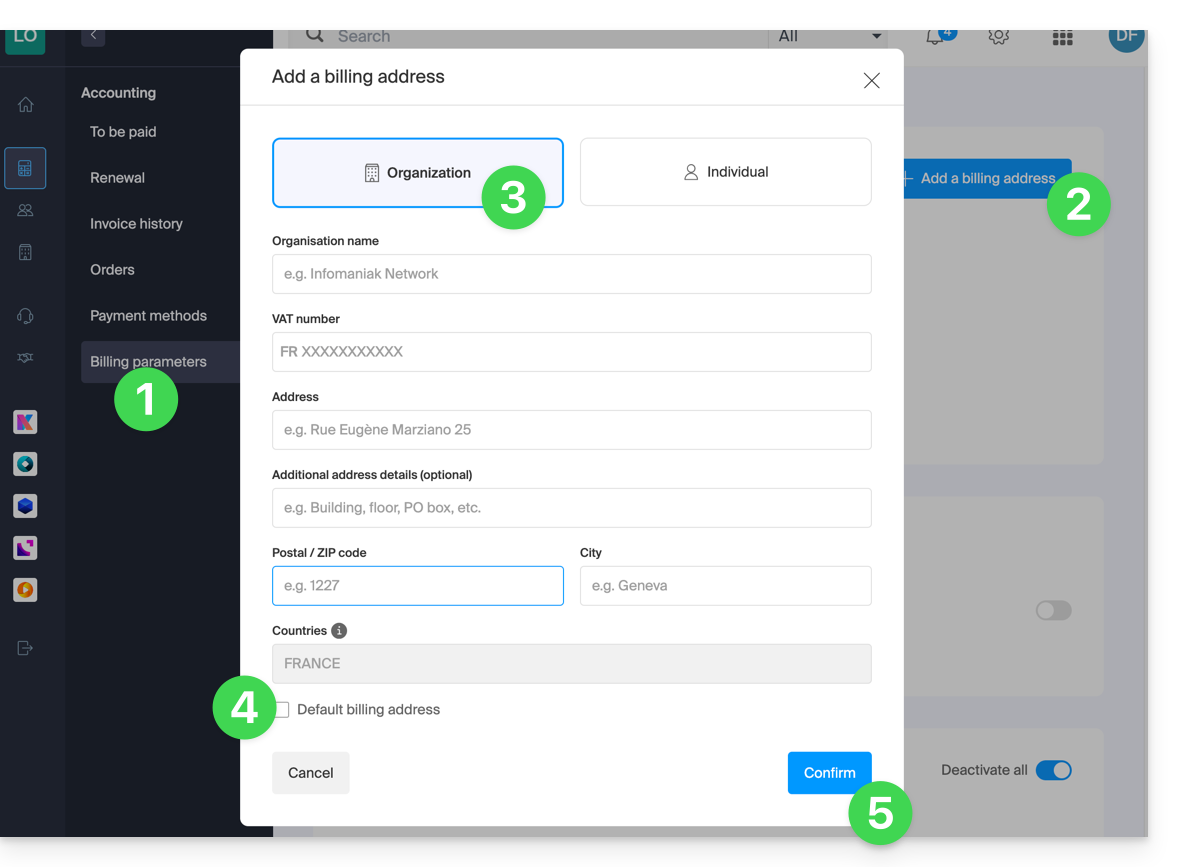
To create additional billing addresses:
- Click here to access the billing address management.
- Access requires authentication with a user who has sufficient rights.
- Click the Add button.
- Enter the desired details for the additional billing address.
- If necessary, set this as the default address.
- Click on Confirm:
When renewing a product, choose the desired billing address.
Refer to this other guide if you need information about the currently defined postal address.
Link to this FAQ: https://faq.infomaniak.com/1920
Has this FAQ been helpful?