Knowledge base
1000 FAQs, 500 tutorials and instructional videos. Here, there are only solutions!
Create a custom MX (for Synology NAS, for example)
This guide explains how to create a custom MX record (mx.domain.xyz assuming that domain.xyz belongs to you) to be used later in the MX configuration of your NAS.
An MX record cannot be declared directly as an IP address, for example 178.123.456.789
Custom MX record
To access your domain names:
- Click here to access the management of your domain on the Infomaniak Manager (need help?).
- Click directly on the name assigned to the domain in question.
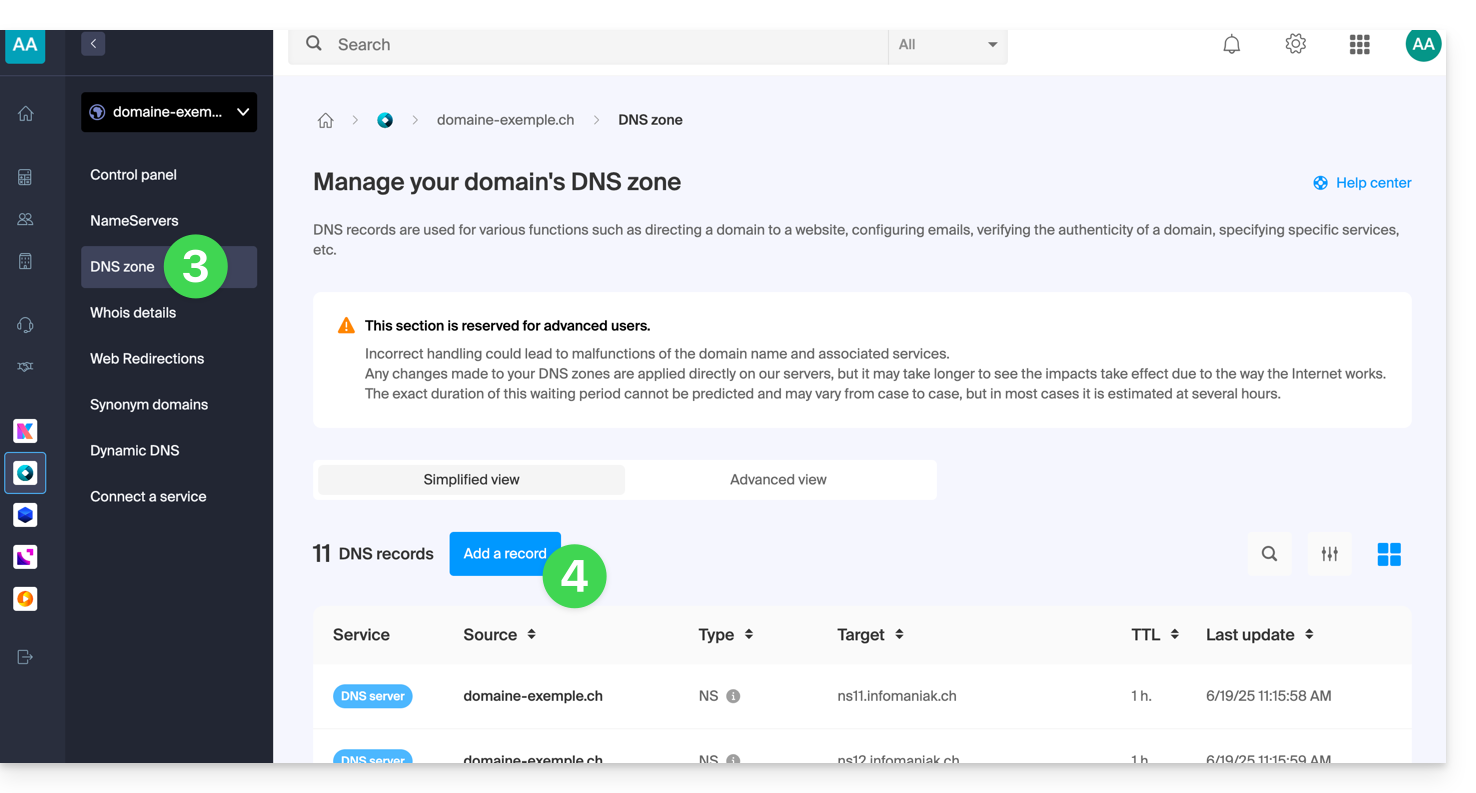
- Click on DNS Zone in the left sidebar.
- Click on the blue button Add a record:
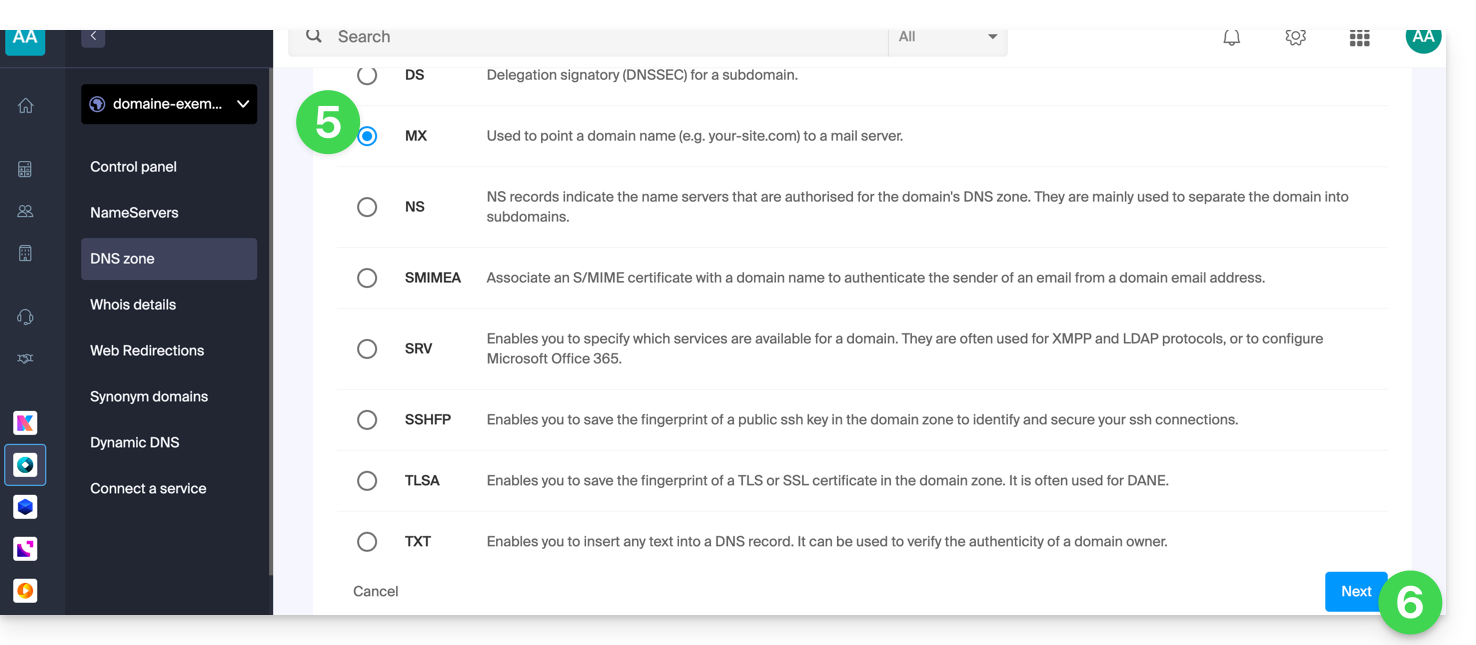
- Select MX as the record type.
- Click on Next:
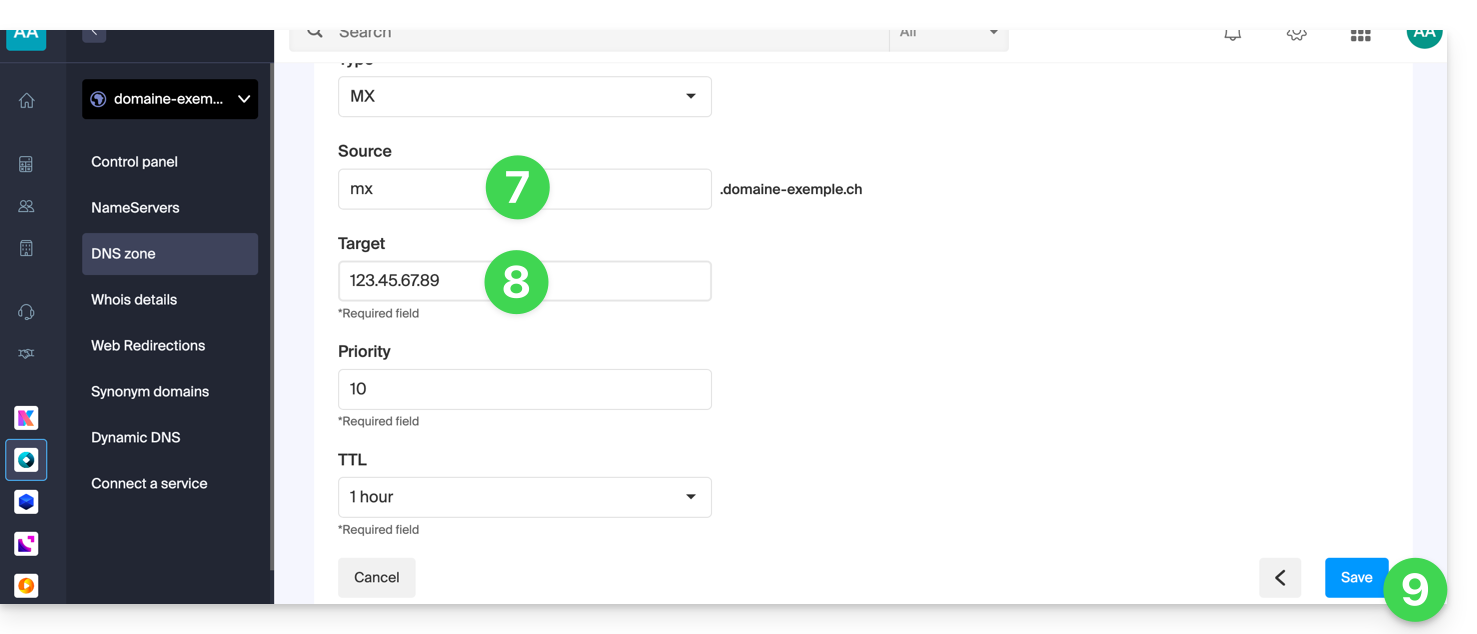
- Enter the desired MX record ("
mx.domain.xyz" for example). - Point the record to the desired IP address (target).
- Click on the Save button:
Link to this FAQ: https://faq.infomaniak.com/1896
Has this FAQ been helpful?