Knowledge base
1000 FAQs, 500 tutorials and instructional videos. Here, there are only solutions!
Manage the SMTP email sending method from Site Creator
Update 05/21/2026
This guide concerns messages sent from Site Creator (contact form or e-commerce module, for example).
Preamble
- By default, emails are sent using the unauthenticated PHP mail() protocol.
- It is recommended to use the authenticated SMTP method instead.
Change the sending method
Prerequisites
- Have a valid email address (even a free one).
- Have created a device password (add a device named, for example, “
Site Creator” or “SC2026” doesn't matter) for this email address: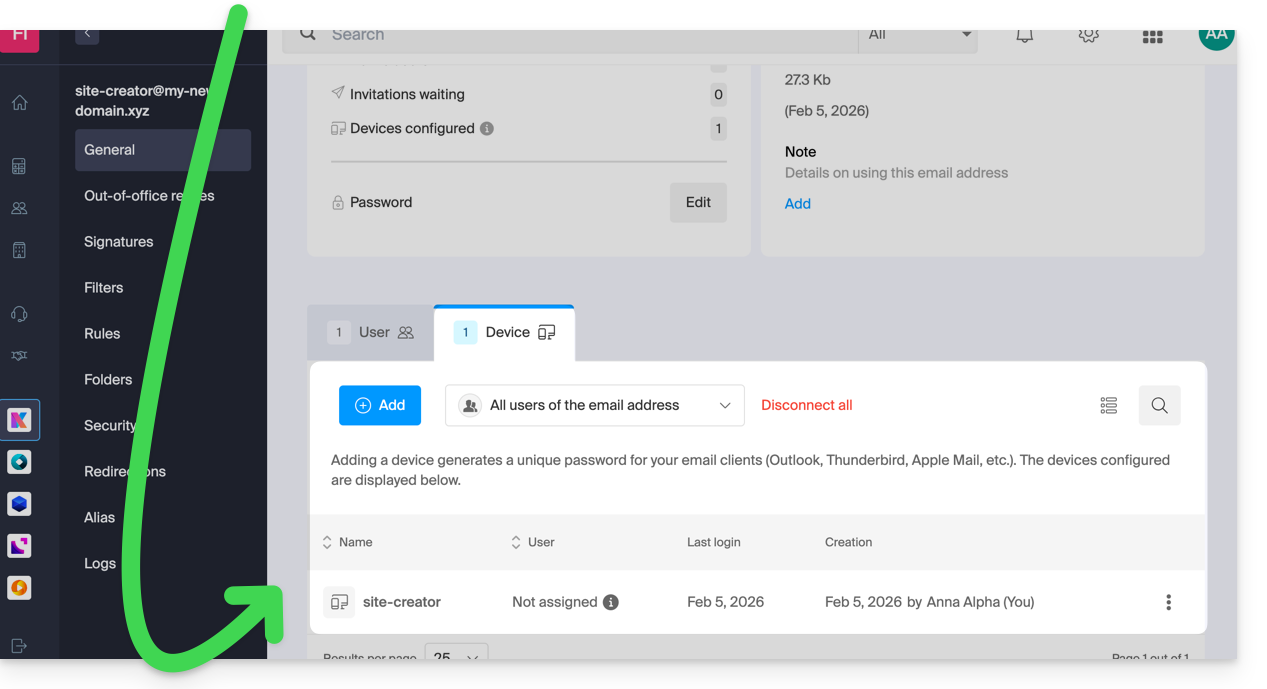
- Access Site Creator:
- Click here to access the management of your product on the Infomaniak Manager (need help?).
- Click directly on the name assigned to the Site Creator concerned.
- Click the Edit my site button to start the editor:

To change the email sending method from Site Creator:
- Click the Settings button in the left sidebar.
- Click on General settings:
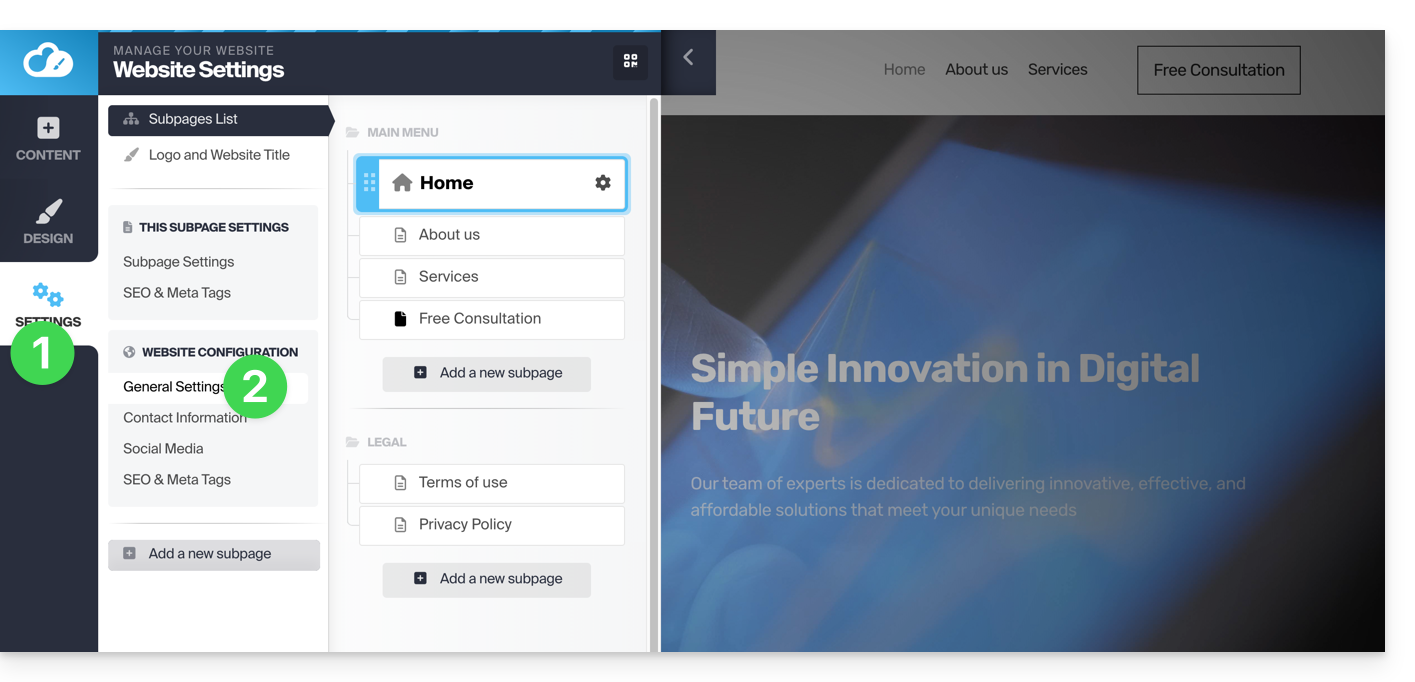
- Choose the SMTP method, then fill in the fields with the SMTP server name
mail.infomaniak.com, then the information related to your email address and its password (see prerequisites above). - Once all fields are filled in, click the Verify button.
- If everything is correct, the Save button appears and you can click on it to save your email settings:
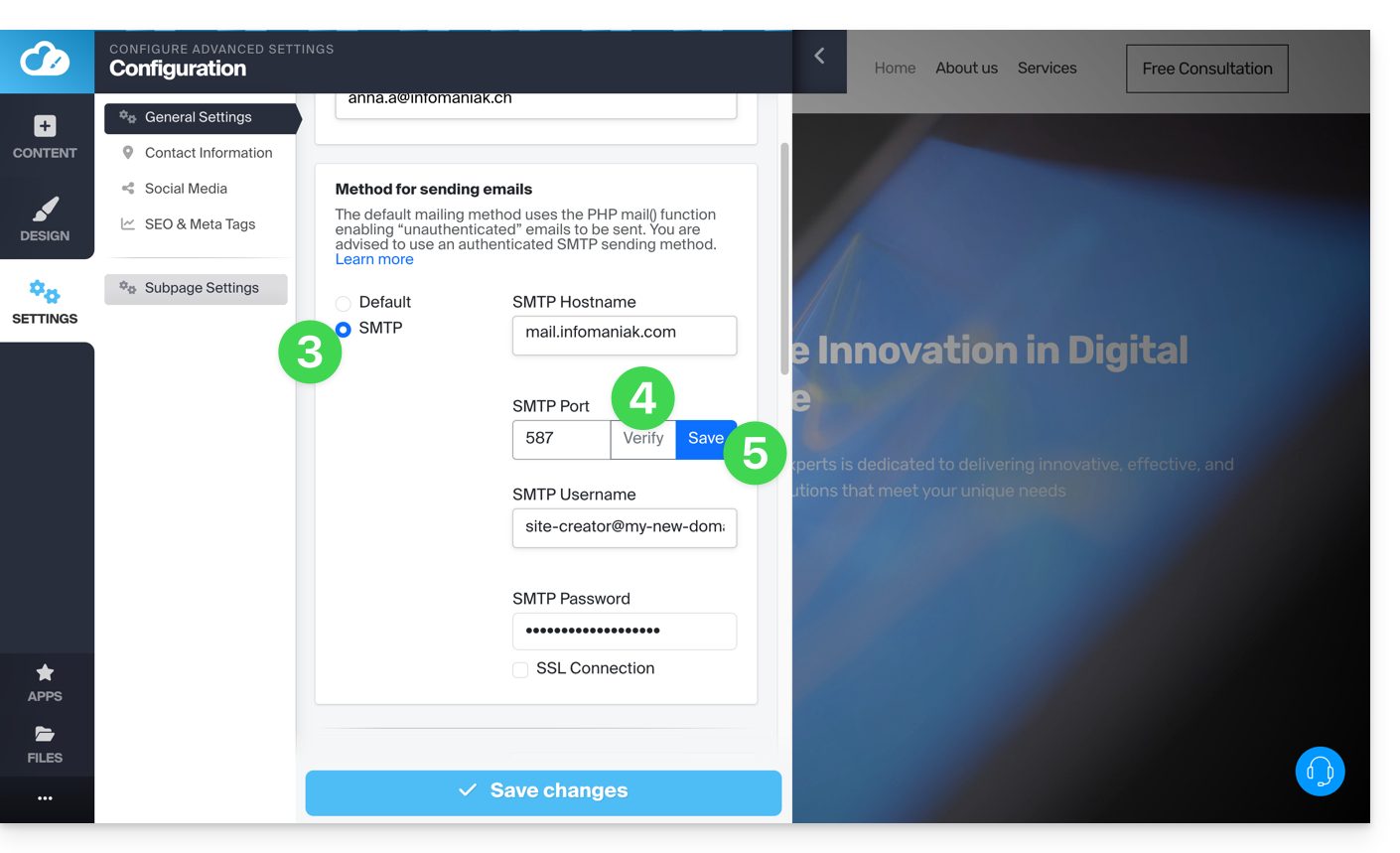
Settings to use
- Outgoing SMTP server = mail.infomaniak.com
- SMTP Port =
587 - Username = the complete & full email address
- Password = the one assigned to the email address (see prerequisites above)
Link to this FAQ: https://faq.infomaniak.com/1867
Has this FAQ been helpful?