Knowledge base
1000 FAQs, 500 tutorials and instructional videos. Here, there are only solutions!
Share data by email from the kDrive Web app
This guide explains how to quickly share content from the Web app kDrive Infomaniak (online service ksuite.infomaniak.com/kdrive) by email.
Share by email from kDrive
You can email a file (or rather a link to a file, as the email will not contain an attachment) from your kDrive:
- Click here to access the Web app kDrive (online service ksuite.infomaniak.com/kdrive).
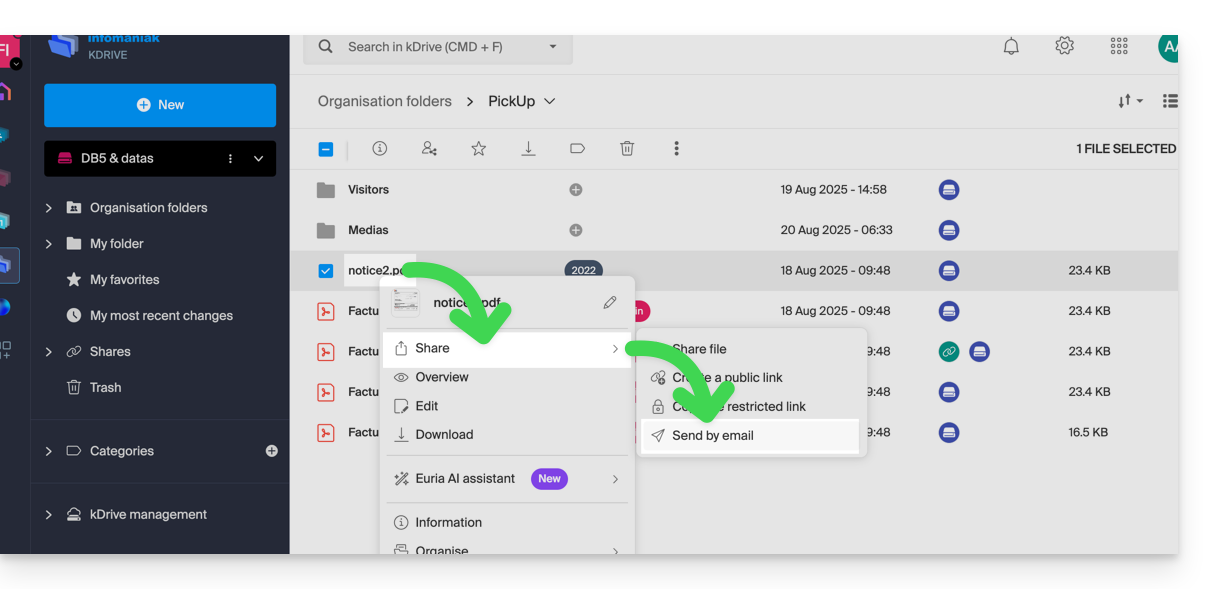
- Right-click on the file/folder in question or click on the action menu ⋮ to the right of the item in question.
- From the dropdown menu that appears, choose to share the item by email:
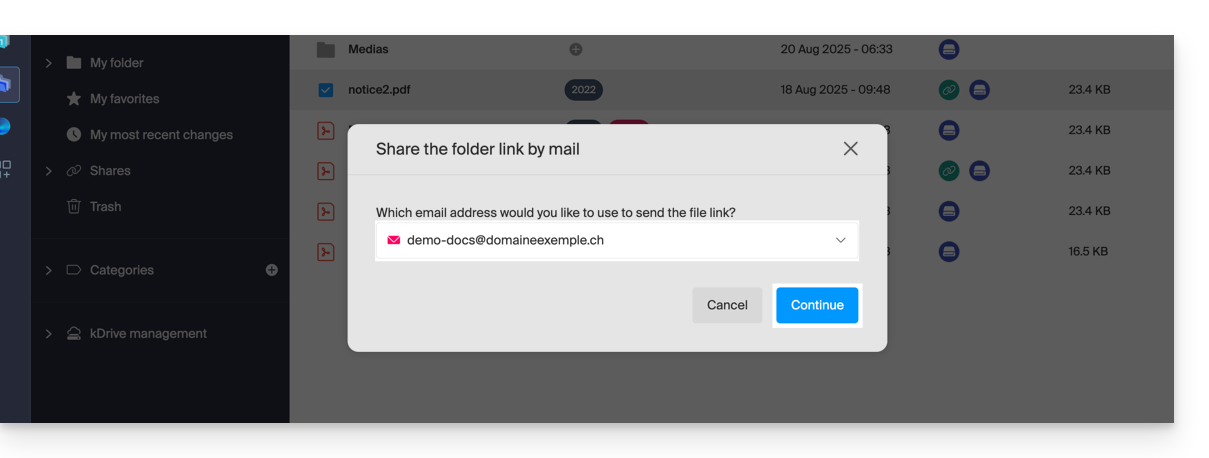
- Choose which address (from those currently linked to your Web app Mail) to send the file from.
- Click on Continue:
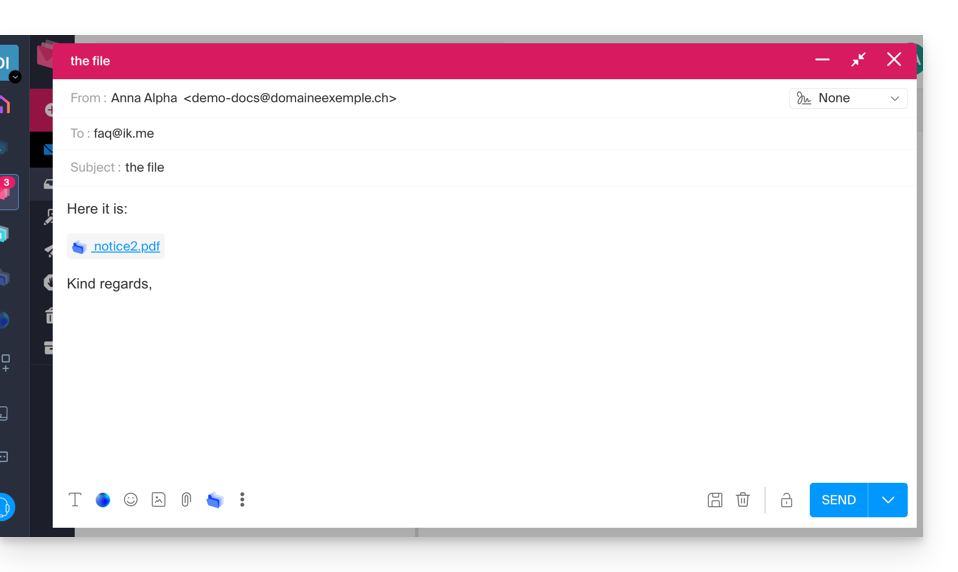
- The Web app Mail opens in the browser and the body of the message automatically contains the links to the shared content:
- This is exactly the same method as if you select the file directly from the kDrive icon on the composition window of the Web Mail app:
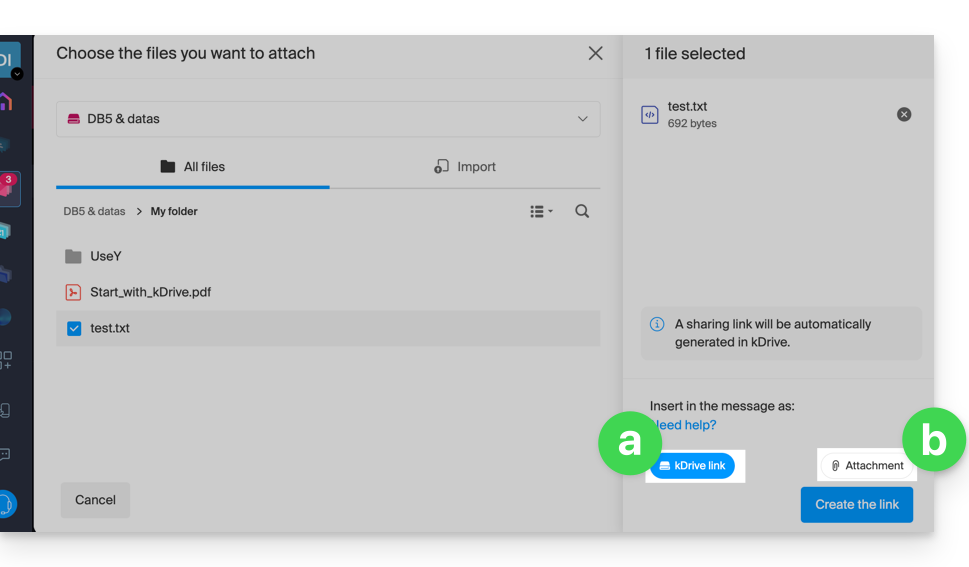
- However, by doing this (linking a kDrive file from Mail directly), an additional choice allows you to attach the file itself, as an attachment (the file will be sent in the state it is in at the moment you select it; there is no longer any notion of collaboration / sharing as is the case with the method explained in this guide and in the choice of point “
a” above).
- This is exactly the same method as if you select the file directly from the kDrive icon on the composition window of the Web Mail app:
Invite to collaborate on the file
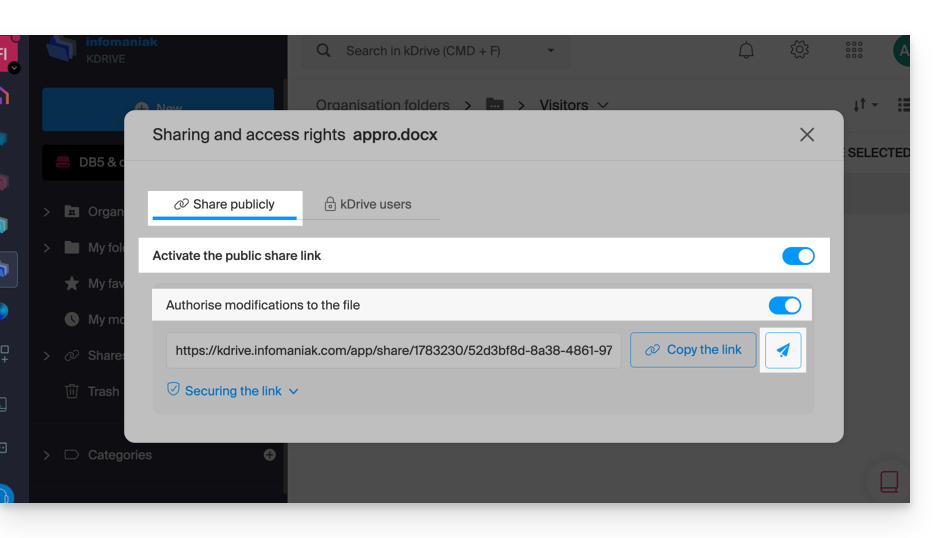
For documents with Office-type file extensions .docx, .xls, etc., it is recommended to perform a standard share of the document (see the image below) which allows you to authorize the modification of the document if you wish: 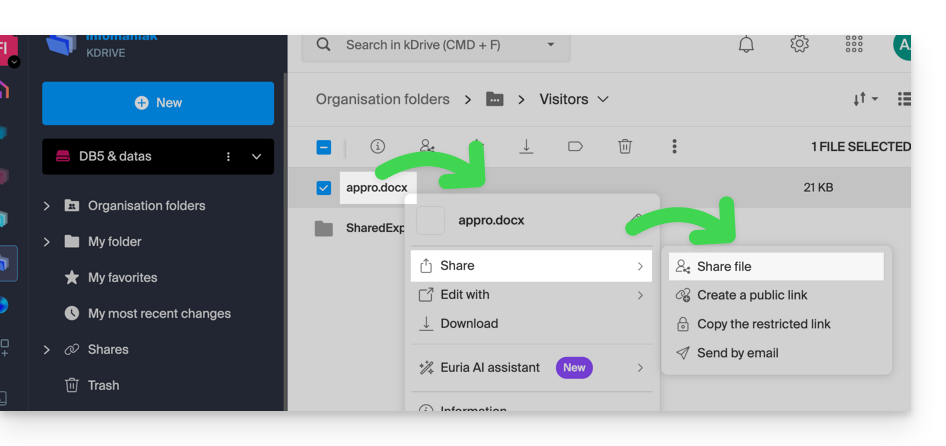
- If you authorize the modification of the document from kDrive, the user will be able to collaborate (with or without prior registration) i.e. modify in their browser and then save the document you have shared:
Link to this FAQ: https://faq.infomaniak.com/1854
Has this FAQ been helpful?