Knowledge base
1000 FAQs, 500 tutorials and instructional videos. Here, there are only solutions!
Using the "Knowledge Base" Application of Site Creator
This guide introduces the Knowledge Base module for Infomaniak's Site Creator, similar to the Questions & Answers module, which allows you to quickly format FAQ-style articles or similar ones present on your page.
Prerequisites
- Access Site Creator:
- Click here to access your product management on the Infomaniak Manager (need help?).
- Click directly on the name assigned to the relevant Site Creator.
- Click the Edit my site button to start the editor:

Configuration and use
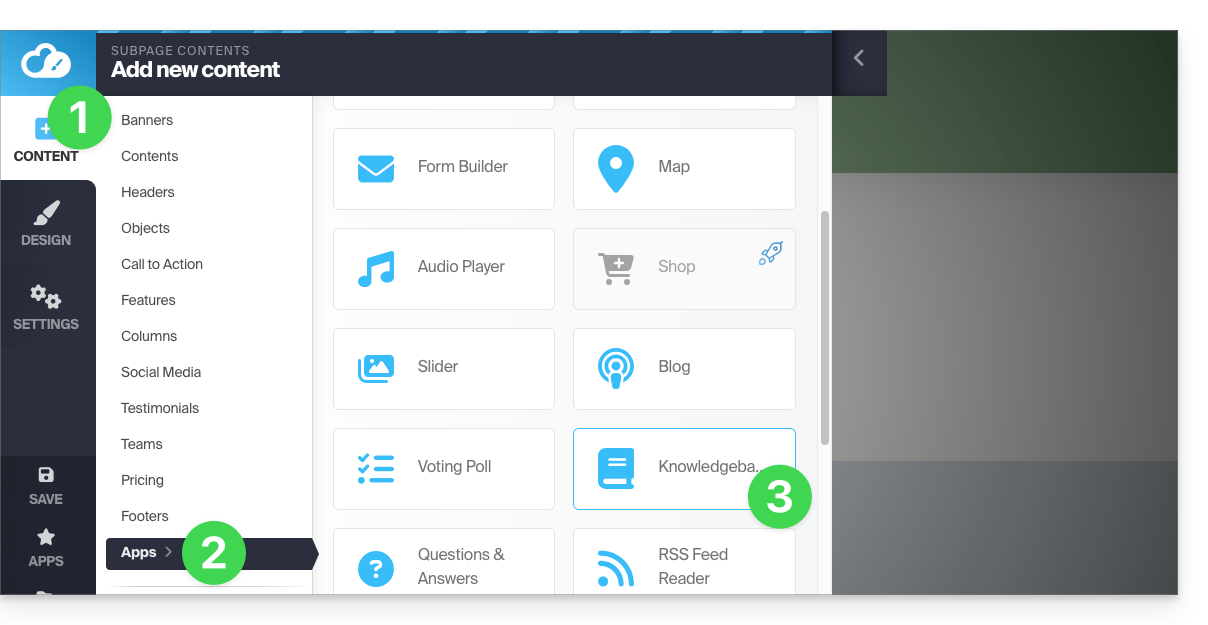
To insert the module in the desired location in Site Creator:
- Click the Content button in the left sidebar.
- Click Applications at the bottom of the list.
- Click Knowledge Base:
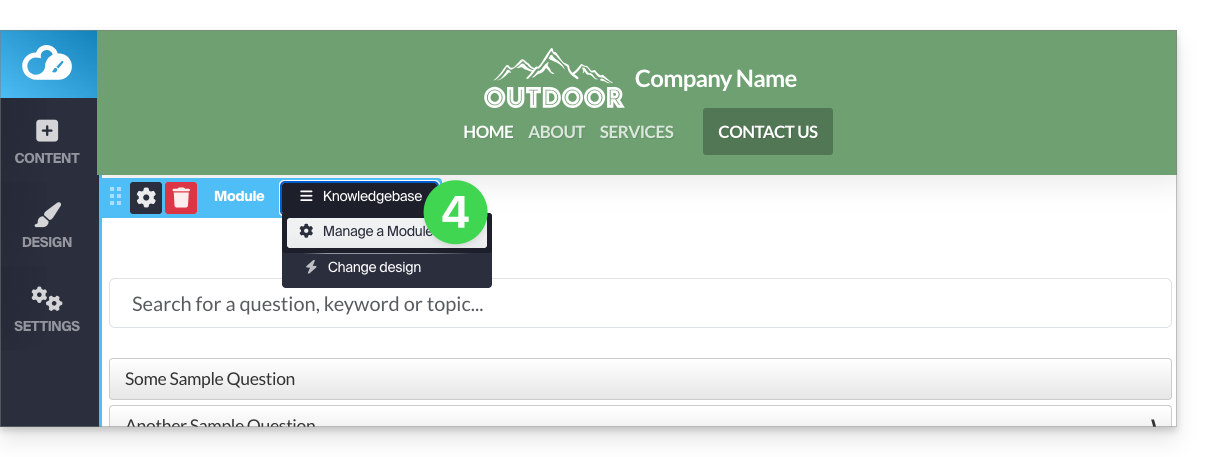
- Once the module is added, hover over it to edit:
- The blue button allows you to add a new question:
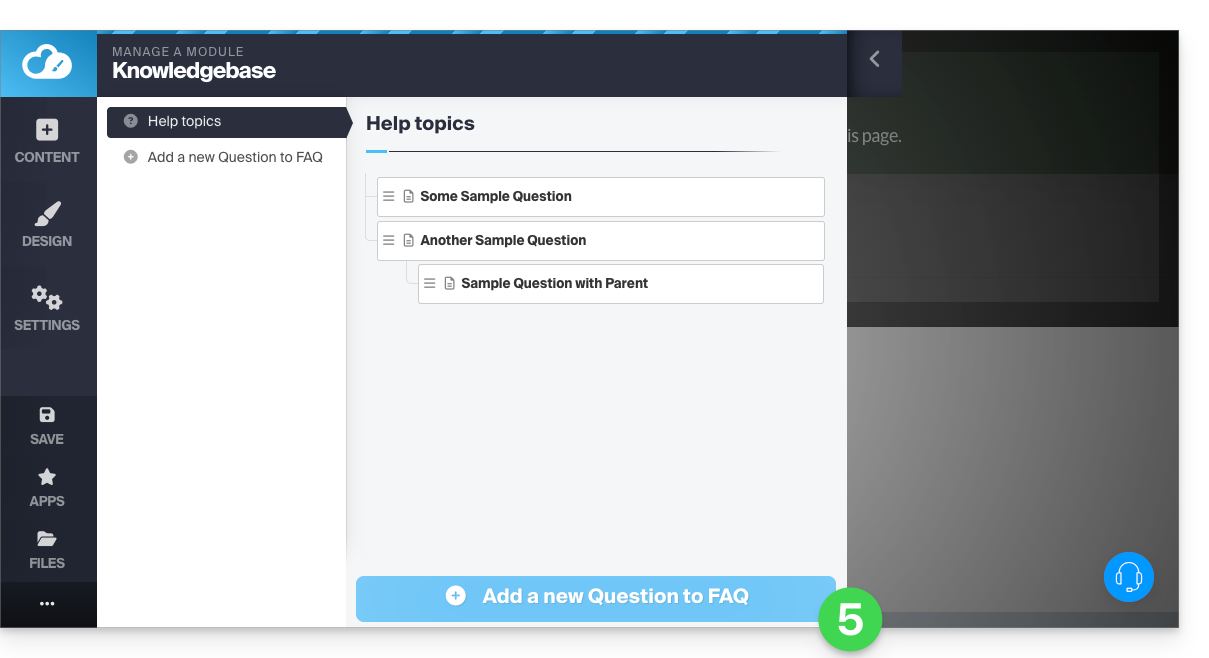
Once the card is completed (title, text with formatting, keyword facilitating search, summary and optional link to a YouTube video), save at the bottom of the page.
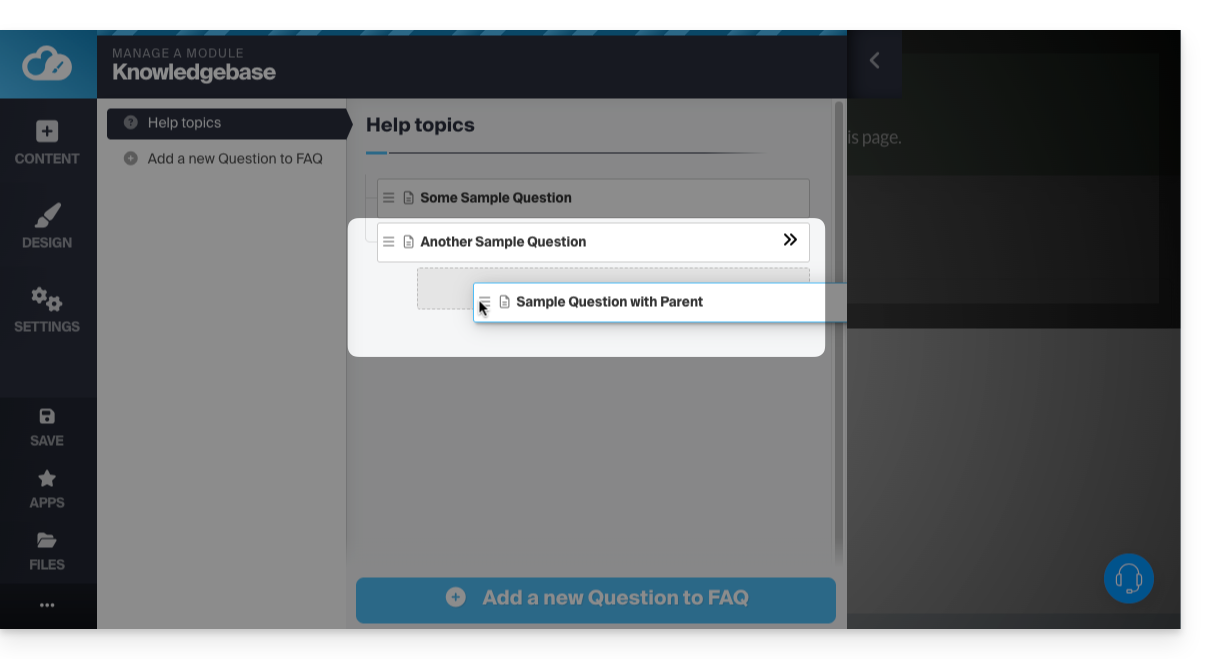
- You can organize your texts by creating a card with only a "category" title ("General" for example), then drag your cards to the right to subcategorize them (parent - child):
Browse the knowledge base
Navigation through your cards will be presented as follows. A click on the "category" thus created will expand the questions/answers: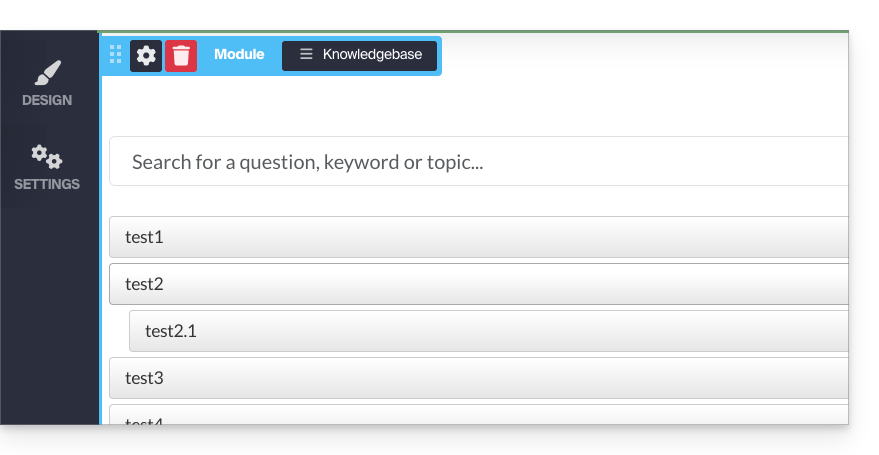
URL of created cards
A click on a question will open a separate web page, with the question repeated as the title and its answer below. The URL of this answer page will be composed of the address to the page where you placed the module, followed by "/kb/X-the-question", X being the number corresponding to the order of creation of your cards: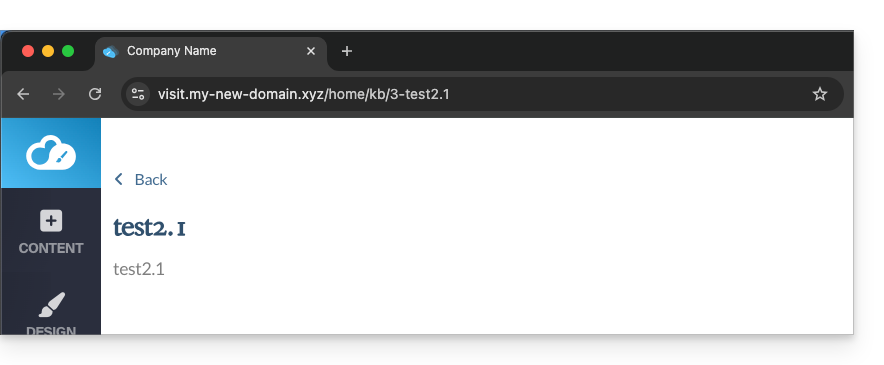
Customize the display
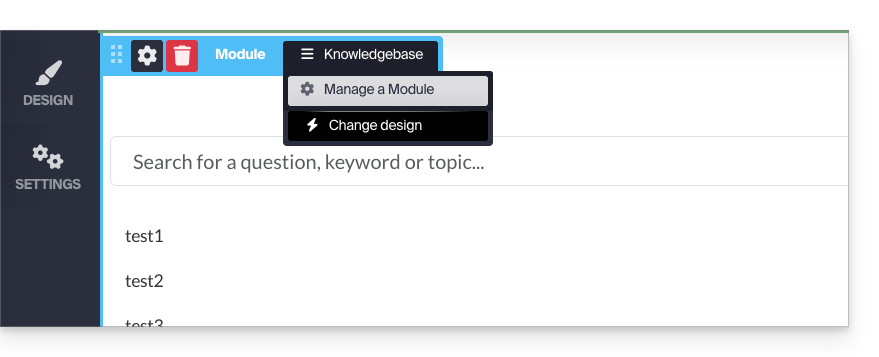
By hovering over your module in edit mode again, you can change the display and make your tree structure transparent:
Add keywords
Keywords (separated by a space) can be added: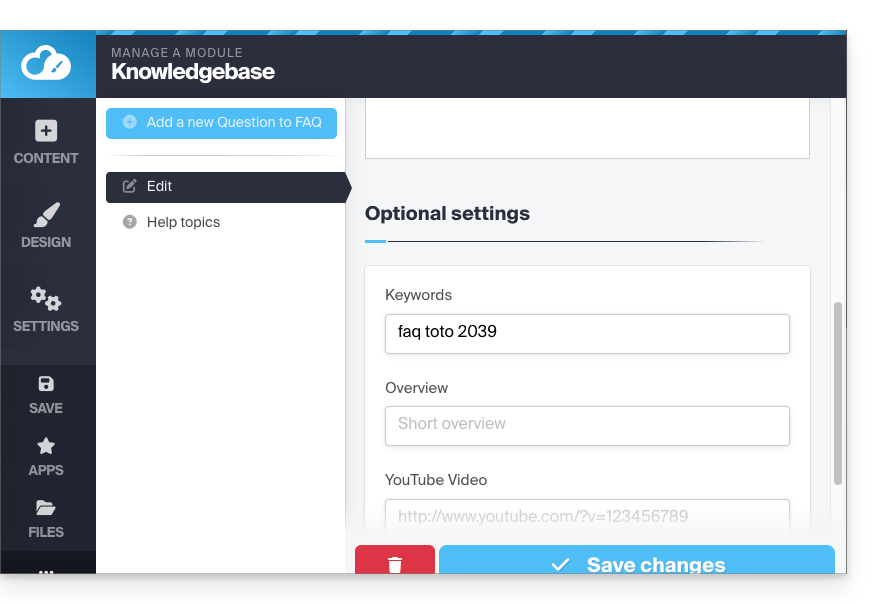
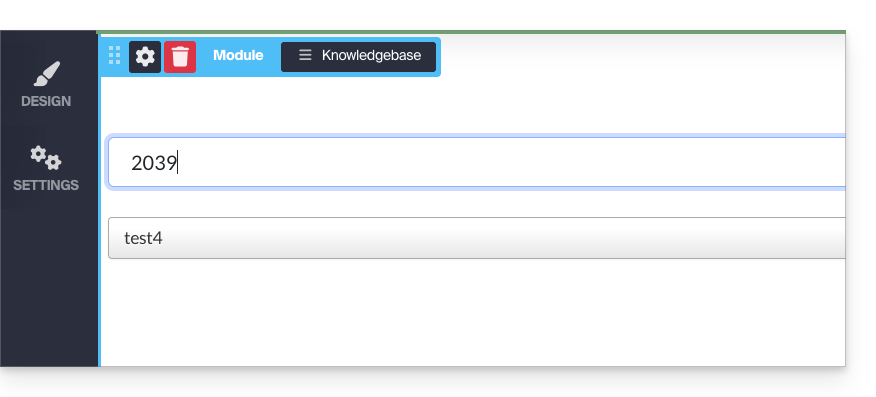
This then allows you to filter the display of responses if you enter the tag in the search bar (of the inserted module):
Display the module in multiple locations
The Knowledge Base application can be added to different places on your site but it will be the same and unique module each time. It is not possible to differentiate the display or content according to the pages where the module is inserted.
Link to this FAQ: https://faq.infomaniak.com/1783
Has this FAQ been helpful?