Knowledge base
1000 FAQs, 500 tutorials and instructional videos. Here, there are only solutions!
Publicly share a Calendar Infomaniak web app calendar
This guide explains how to make one of your calendars/schedules public from the Infomaniak Web app Calendar (online service ksuite.infomaniak.com/calendar).
Preamble
- You will obtain a URL specific to your schedule in format
.icsthat Calendar (formerly Apple iCal), Calendar (formerly Microsoft iCalendar), Thunderbird (formerly Mozilla Lightning) or even Google Calendar can recognize to display your schedule:
- The data contained in the shared calendar will no longer be private but will only be available in read-only mode to users who "subscribe" to it.
- The frequency of the updates made by the application that subscribes to the URL of your calendar must be defined in the application in question.
- PHP scripts (not provided) also allow you to parse such files, allowing you, for example, to include events on a website.
- Refer to this other guide to configure the synchronization of your calendars/schedules or this other guide to share a calendar/schedule with your collaborators with different permissions.
Enable public sharing of an Infomaniak calendar
To share a schedule publicly:
- Click here to access the Infomaniak Web app Calendar (online service ksuite.infomaniak.com/calendar).
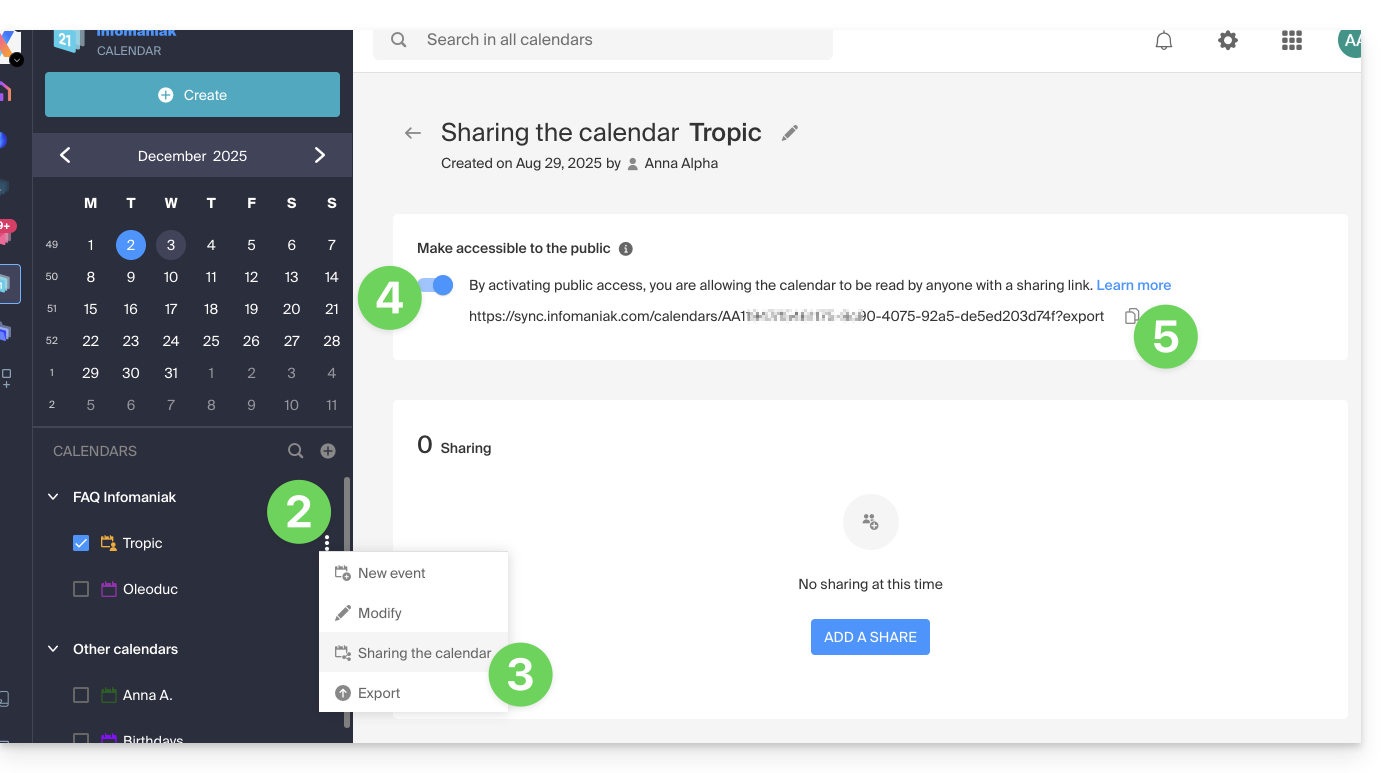
- Click on the action menu ⋮ to the right of a calendar.
- Click on Share the calendar.
- Activate the toggle switch for public sharing.
- Click on the icon to copy the address to the clipboard:
- It is always possible to remove public access from this sharing page (see point 4 above):
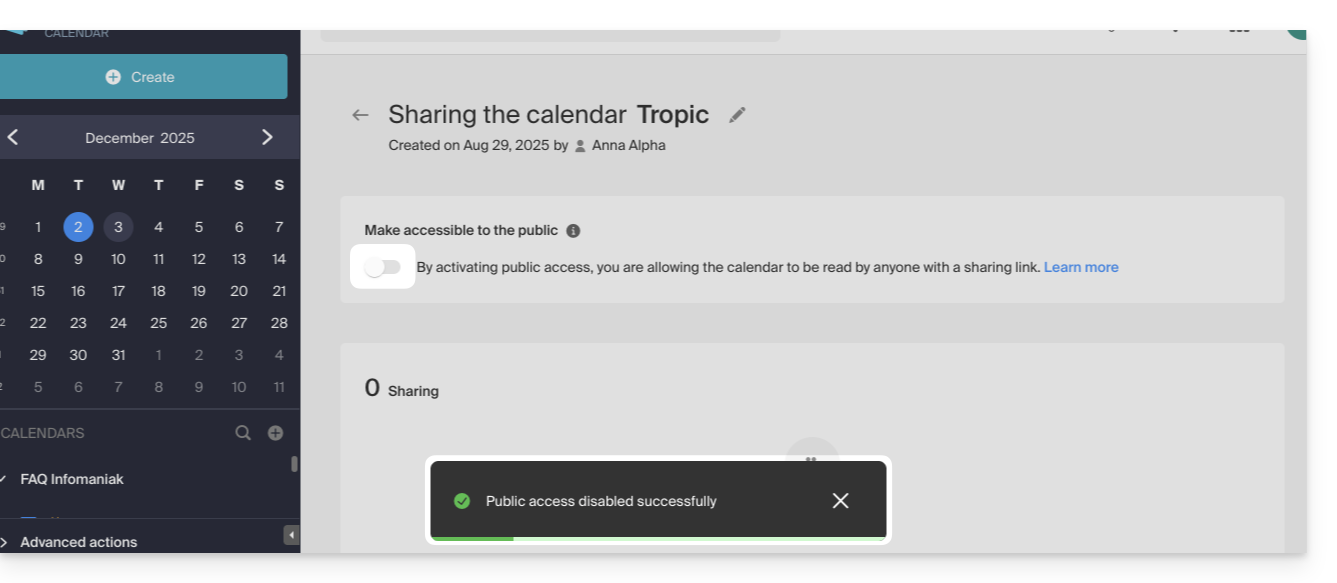
- It is always possible to remove public access from this sharing page (see point 4 above):
Link to this FAQ:
Has this FAQ been helpful?