Knowledge base
1000 FAQs, 500 tutorials and instructional videos. Here, there are only solutions!
Share an address book from the Infomaniak Contacts Web App
This guide explains how to share contacts with other users from address books in the Infomaniak Web app Contacts (online service ksuite.infomaniak.com/contacts).
Share an address book
To share contacts:
- Click here to access the Infomaniak Web app Contacts (online service ksuite.infomaniak.com/contacts).
- Click on the action menu ⋮ to the right of an address book (above any groups, which cannot be shared specifically but will be visible when the share is accepted).
- Click on Share:
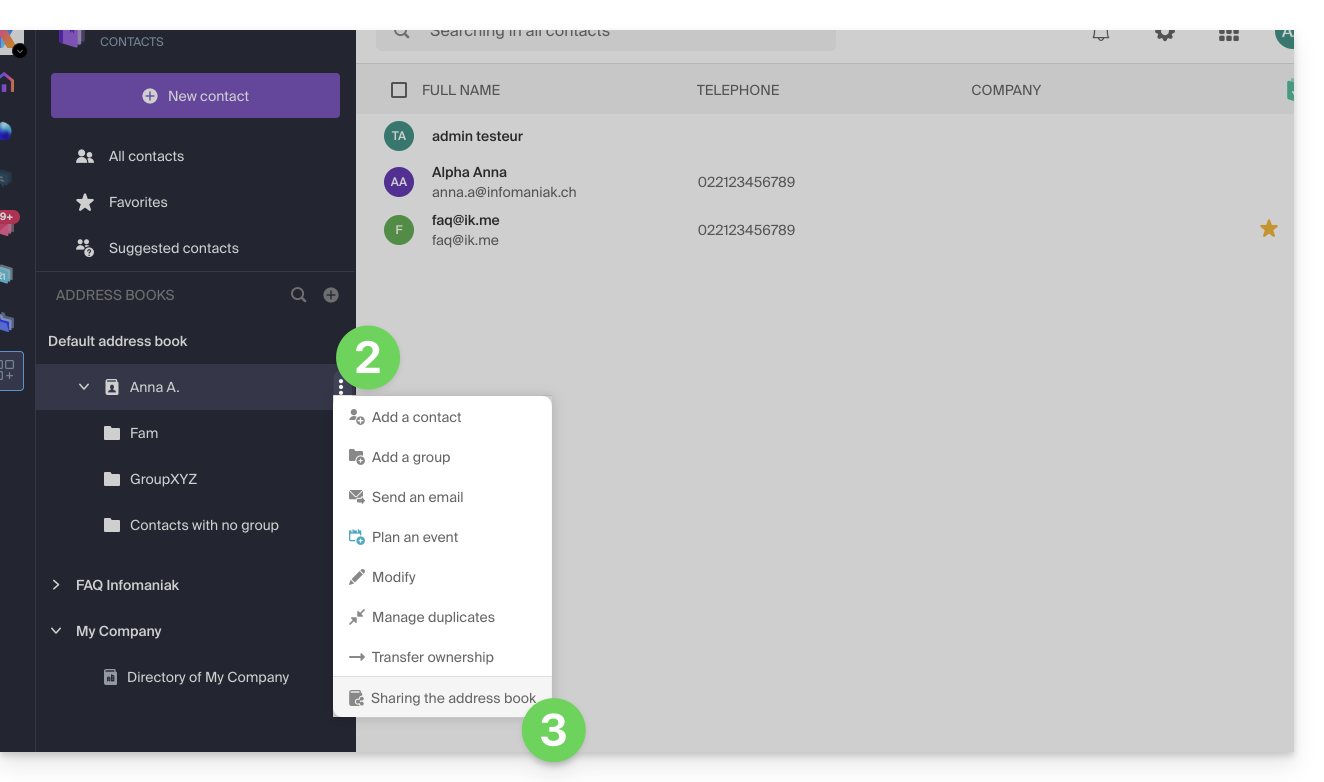
- If there is already a share in progress and you want to start another, click on Share at the top, otherwise click on the Share button below.
- Enter the email address of the user who will access the address book:
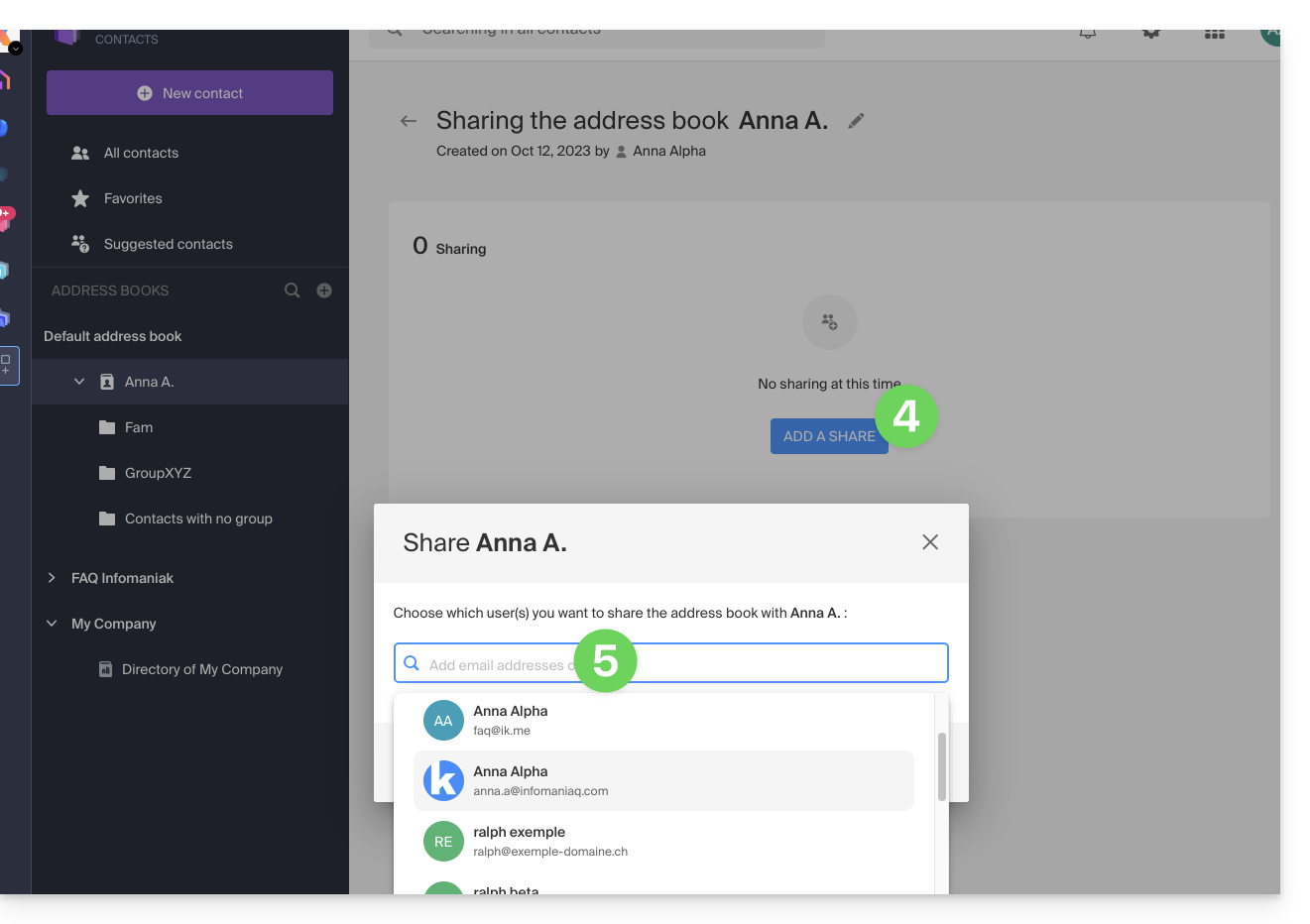
- If the user does not already have one, they can create one for free.
- Specify the user's rights on this address book (Administration, Read only, Read and write).
- Finish by clicking on the share button:
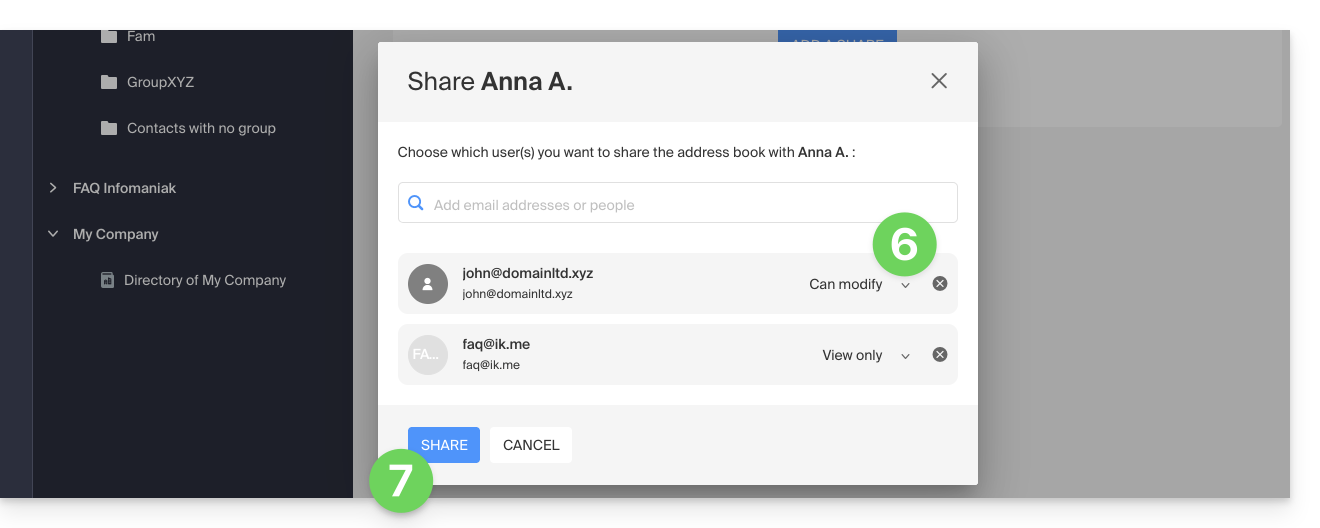
Contacts created or moved/copied to this address book in the future will be visible dynamically to all users with access to the share.
Accept the share
The invited user must accept the share to access the shared data (group names are already visible before acceptance) which will be in a section “Other address books”: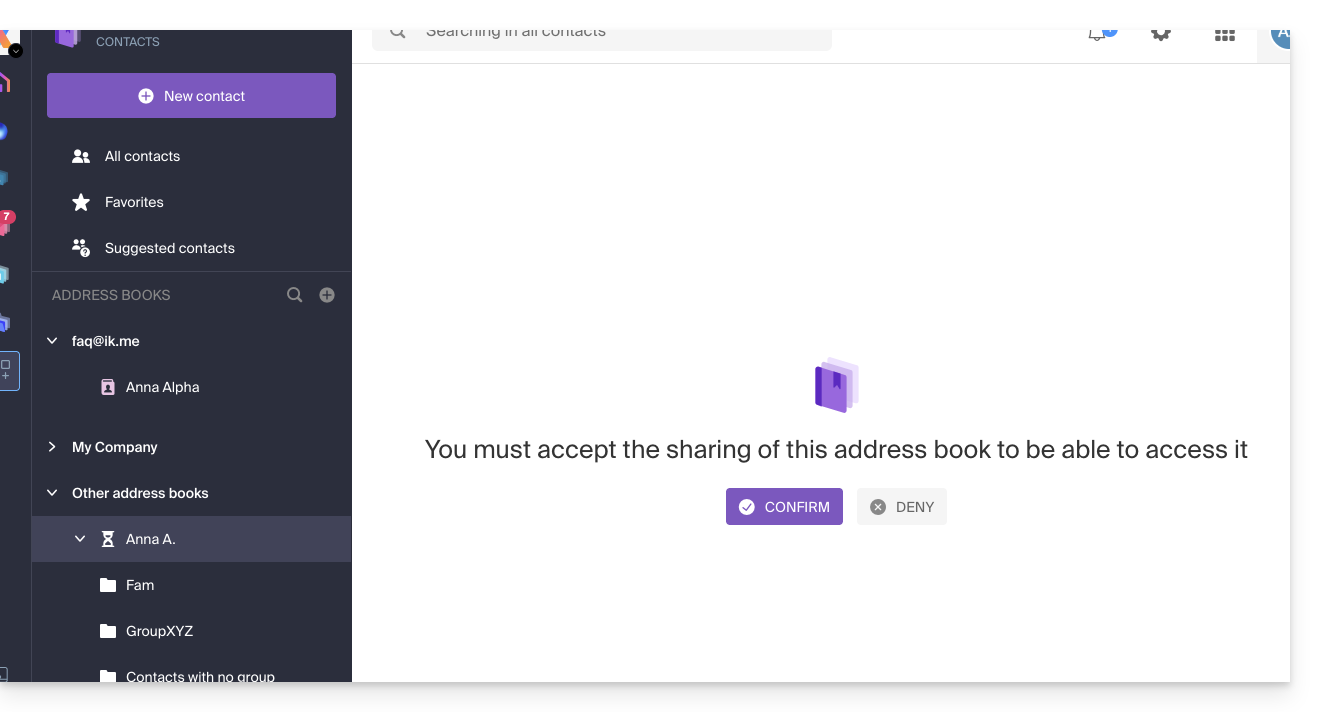
Depending on their permissions, they can perform certain operations on the contacts or simply view them, including when composing a new email: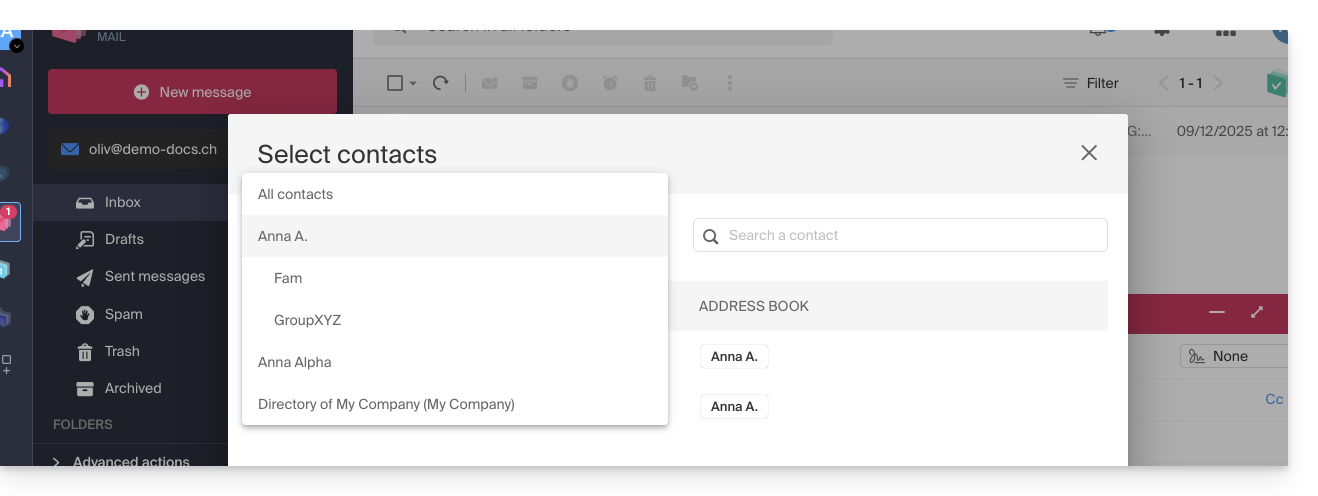
Leave a share already accepted
A user can leave a share from the action menu ⋮ to the right of the shared address book: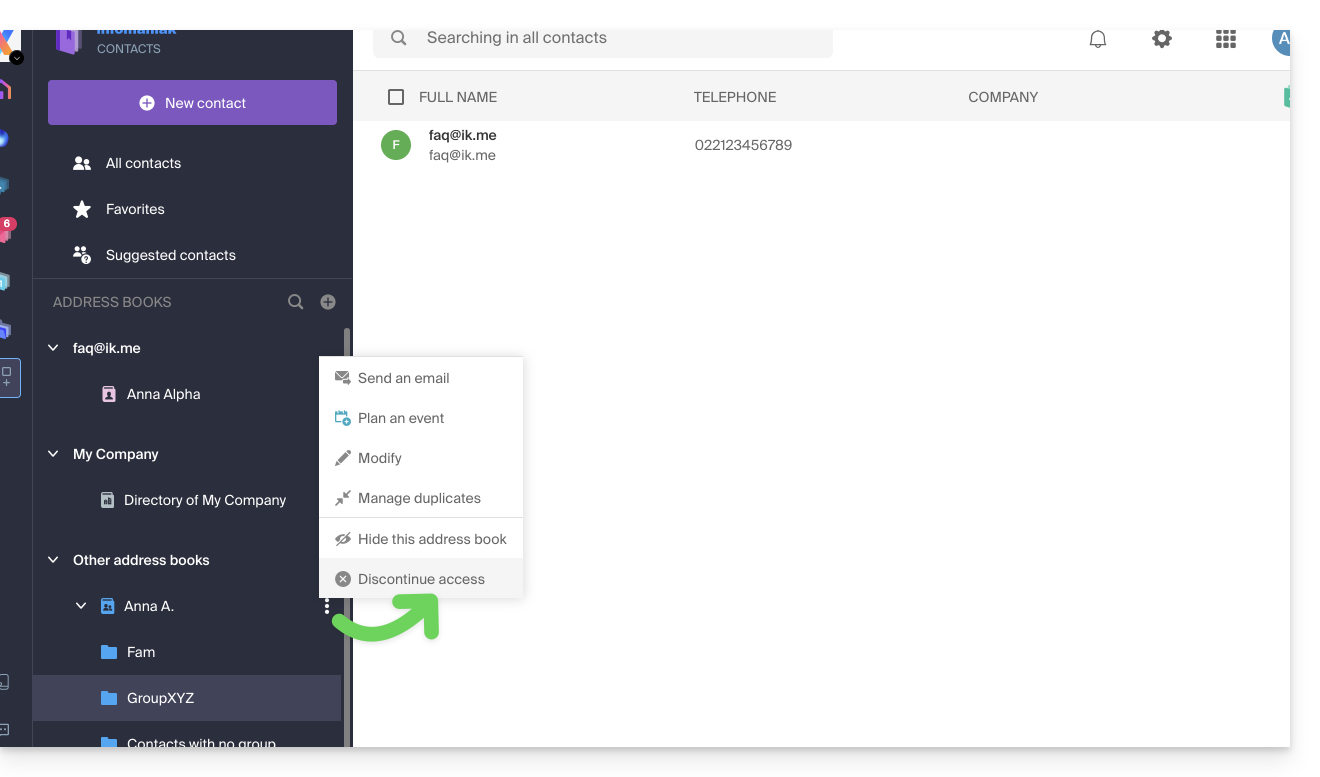
Link to this FAQ: https://faq.infomaniak.com/1678
Has this FAQ been helpful?