Knowledge base
1000 FAQs, 500 tutorials and instructional videos. Here, there are only solutions!
Manage the sender name on the Infomaniak Web Mail app
This guide explains how to add or modify a sender name that will be used when sending your emails from the Infomaniak Web app Mail (online service ksuite.infomaniak.com/mail).
Preamble
- This full name (usually a surname and a first name) is linked to your email address, your Infomaniak account, and any signatures.
- It appears in place of or next to your email address for the recipient of your email.
- Note that if they have already added you to their address book with a name/surname, it is often these recorded details that take precedence.
Add / modify the sender name
Without signature
If you do not use a signature when sending your message, the details used are those of your Infomaniak account:
- Click here to access the Infomaniak Web app Mail (online service ksuite.infomaniak.com/mail) to write a new message.
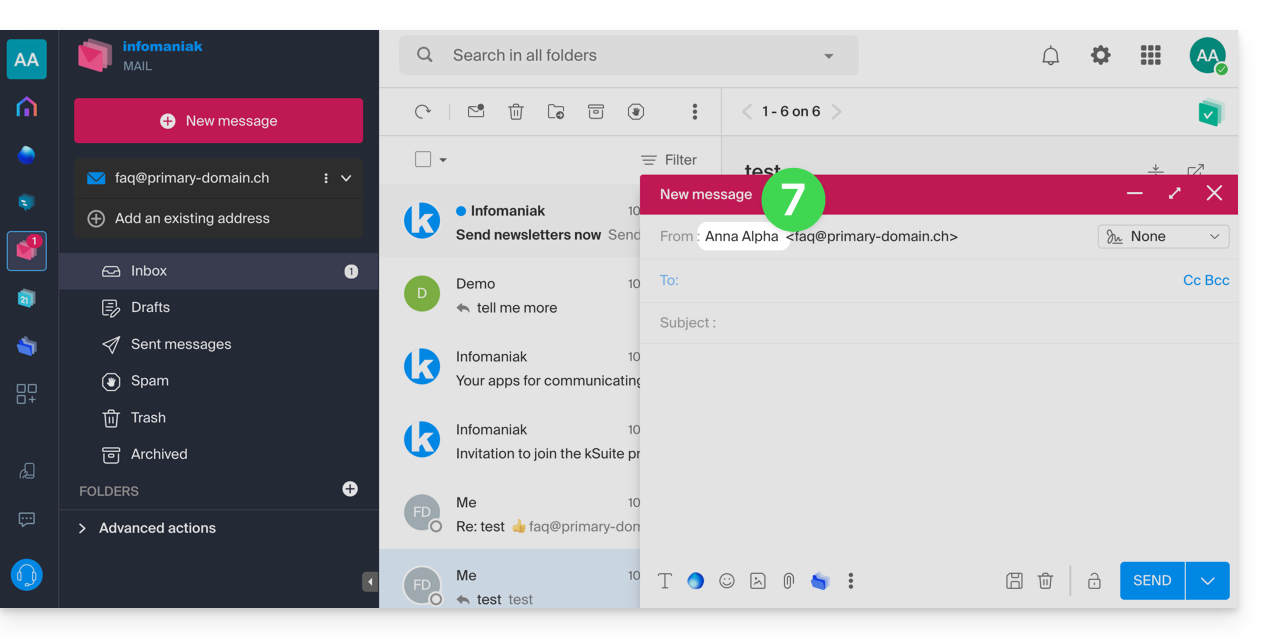
- Check the From: that is to say the sender.
- Check that you are not using a signature:
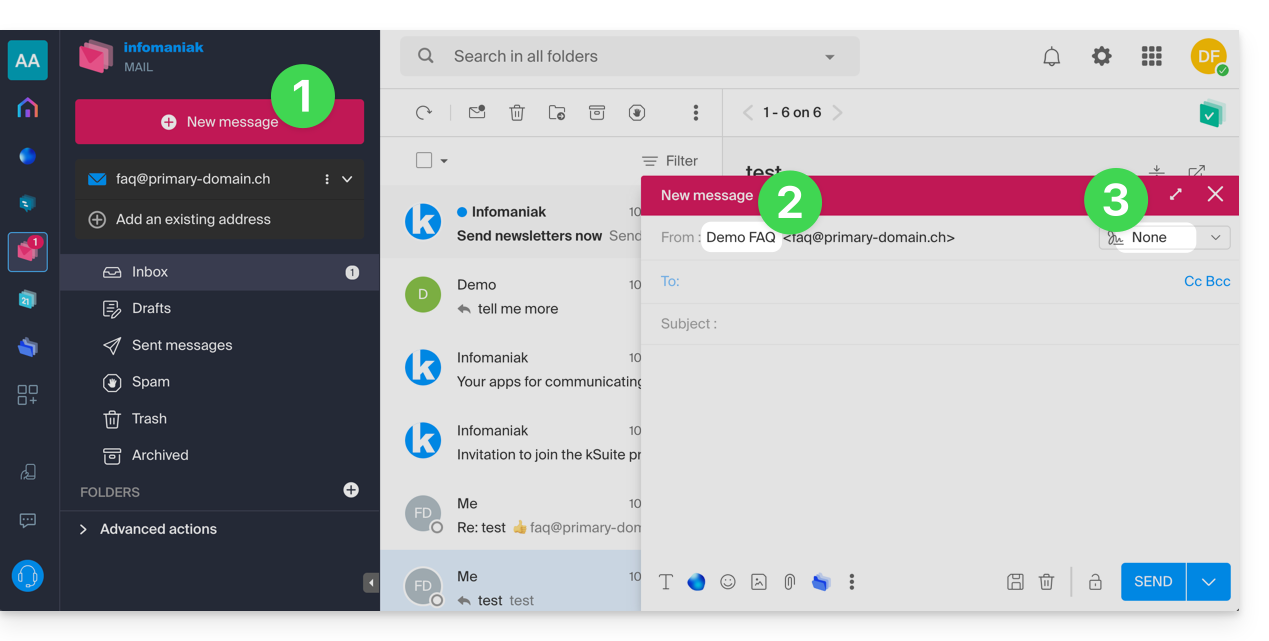
- In this case, click here (or on the badge with your initials / avatar in the top right of the Infomaniak Manager) to "Manage my account":
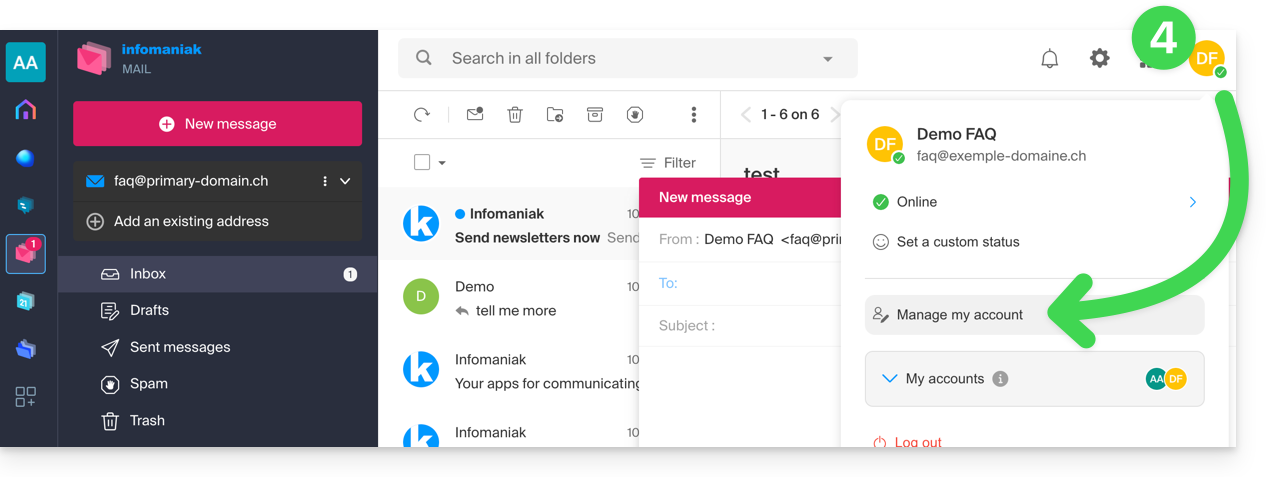
- Click to edit your personal information:
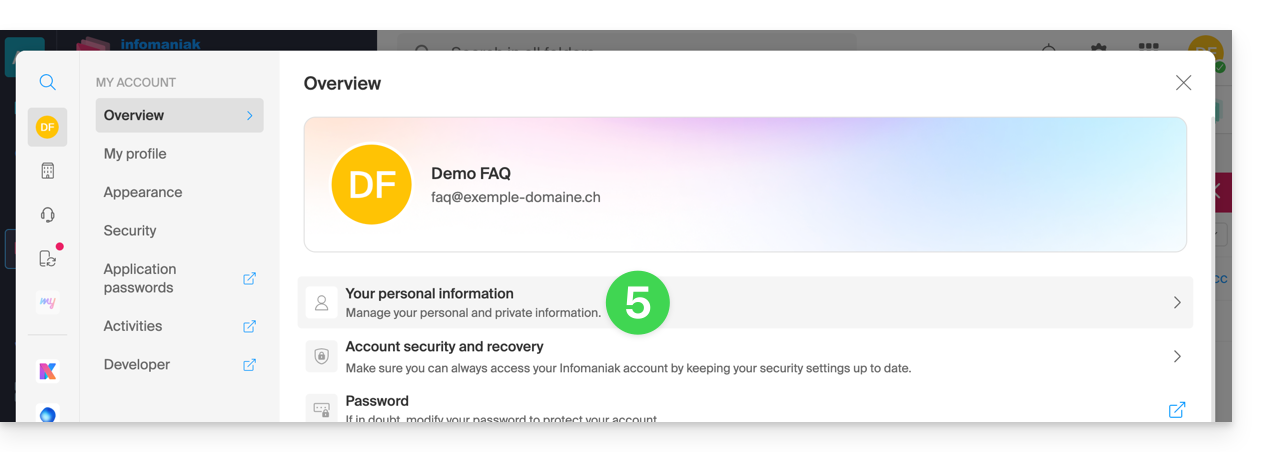
- Edit the name and first name, validate by clicking to the right of the line concerned:
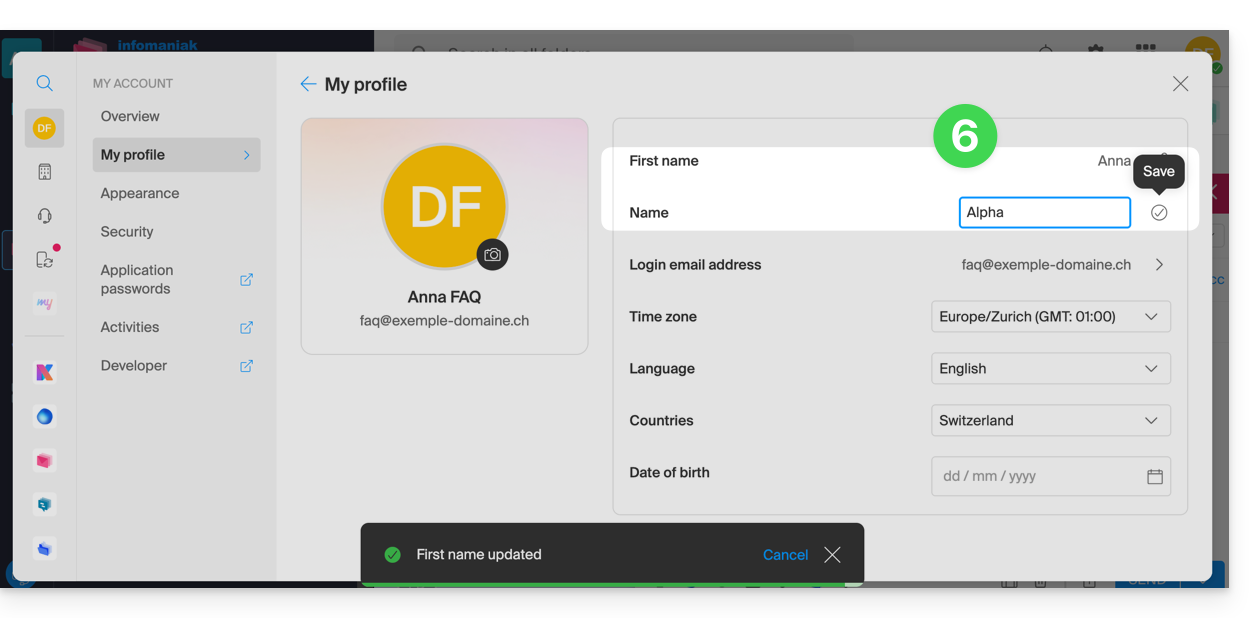
- Go back to writing a new email, refresh the browser window if necessary, and check that the from has been modified:
With signature
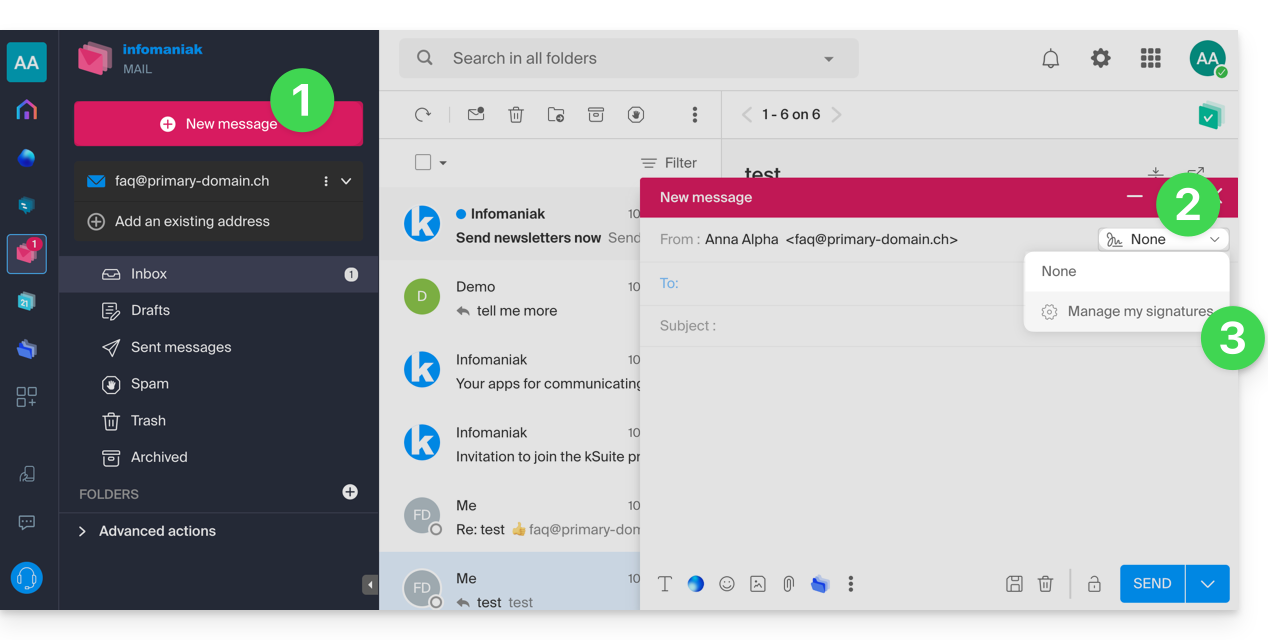
- Click here to access the Infomaniak Web app Mail (online service ksuite.infomaniak.com/mail) to write a new message.
- Click on the signature menu.
- Click on Manage my signatures:
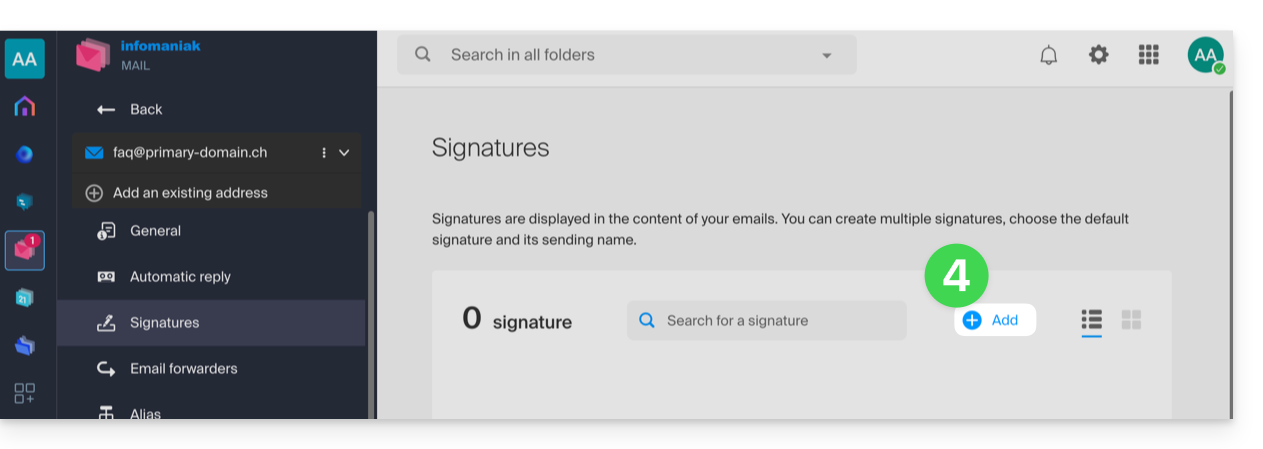
- Add a new signature:
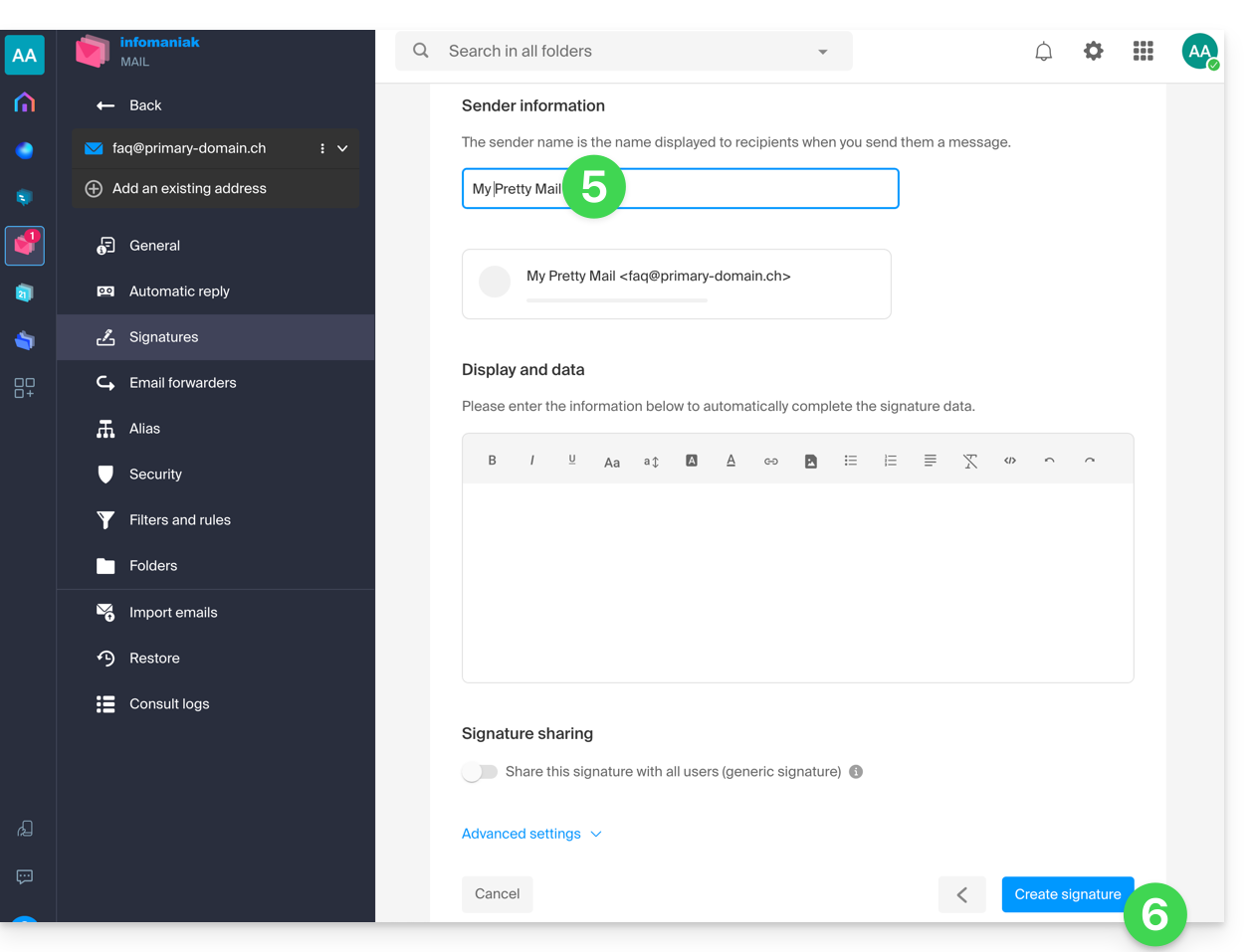
- Choose the template to use, then on the edit page, enter the name that should appear as the sender.
- Save your signature:
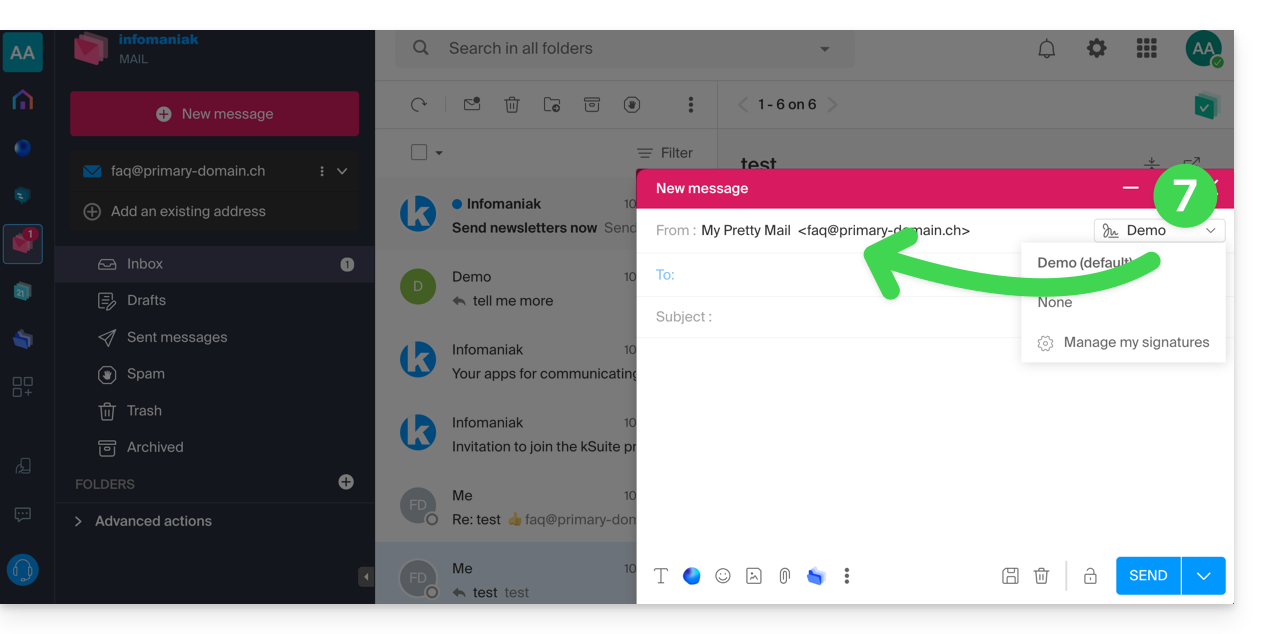
- Select your new signature, it will complete the from of your message with the name you have customized:
Refer to this other guide if you are looking for information on editing Mail signatures and on the behavior of the full name among the different users of a signature template.
Link to this FAQ:
Has this FAQ been helpful?