Knowledge base
1000 FAQs, 500 tutorials and instructional videos. Here, there are only solutions!
Copy or move contacts on the Infomaniak Contacts Web App
This guide explains how to copy or move contacts to address books in the Infomaniak Web app Contacts (online service ksuite.infomaniak.com/contacts).
Preamble
- Contacts can also be managed within groups, i.e., subfolders of your address book.
Copy or move a contact
To do this:
- Click here to access the Infomaniak Web app Contacts (online service ksuite.infomaniak.com/contacts).
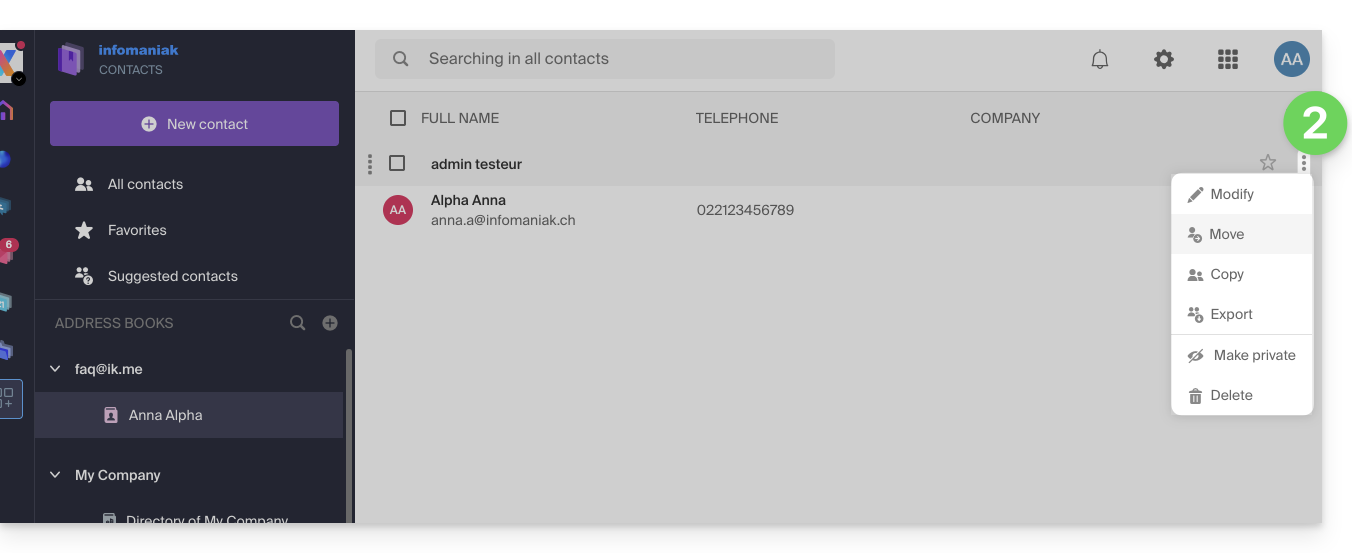
- Click on the action menu ⋮ to the right of a contact to choose to copy or move the contact to the desired location using a wizard:
You can also click and hold the mouse all the way to the left of a contact line to copy or move a contact (or multiple contacts if you select them in advance) to the desired address book in the left sidebar: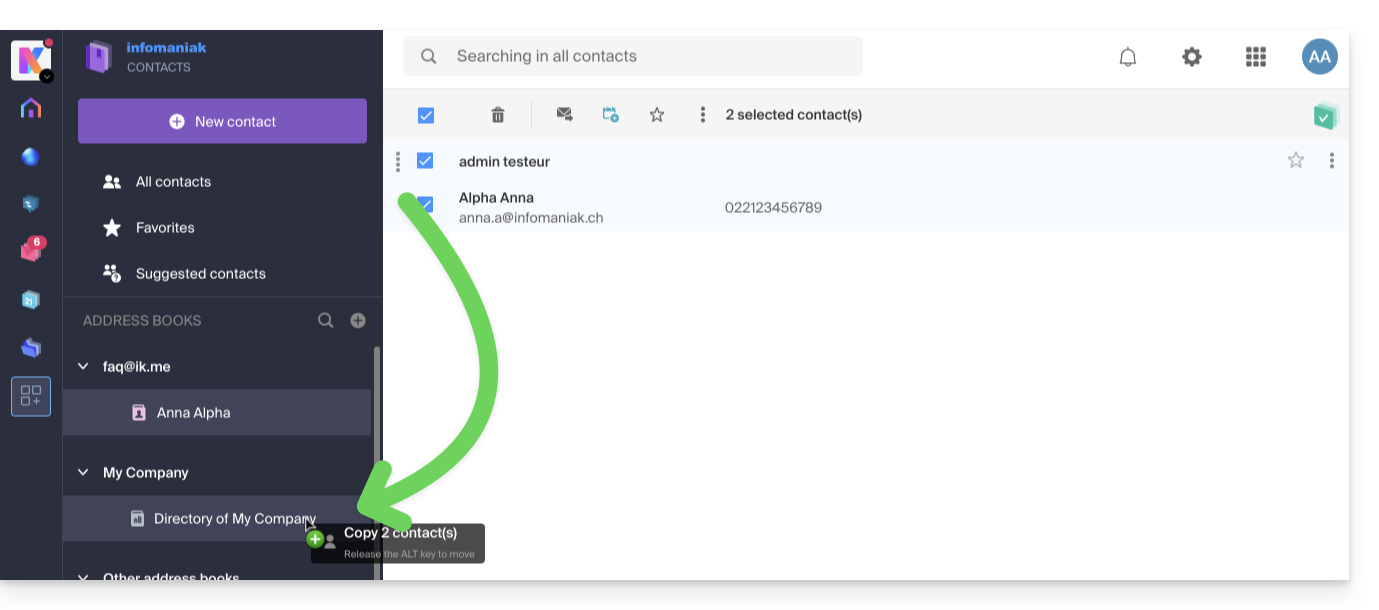
The default behavior when moving a contact card from the address book to another folder or address book is "move".
By pressing the keyboard key that usually allows you to copy files from your computer (the ALT key in principle) by dragging them from one place to another, you can "copy" contacts instead of moving them.
Link to this FAQ:
Has this FAQ been helpful?