Knowledge base
1000 FAQs, 500 tutorials and instructional videos. Here, there are only solutions!
Configure pre-invoice reminders
Update 10/12/2026
This guide explains how to receive email notifications about the expiration date of an Infomaniak product, at different intervals that you can configure to avoid being overwhelmed with messages.
Prerequisites
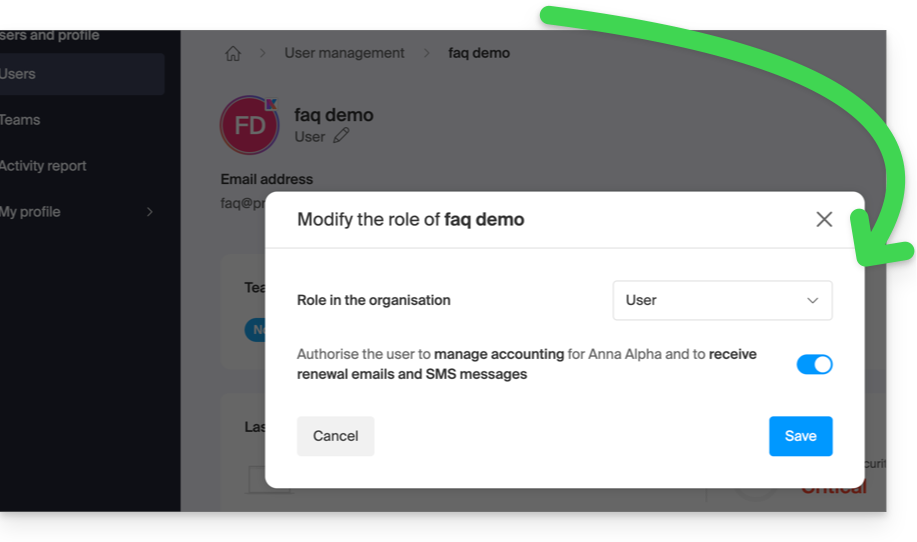
- You must have at least the right to manage accounting (❓: help):
Enable or disable emails
To check and modify the current configuration of billing messages:
- Click here to access the configuration/accounting page in the Infomaniak Manager (need help?).
- On this page, enable or disable the desired notifications:
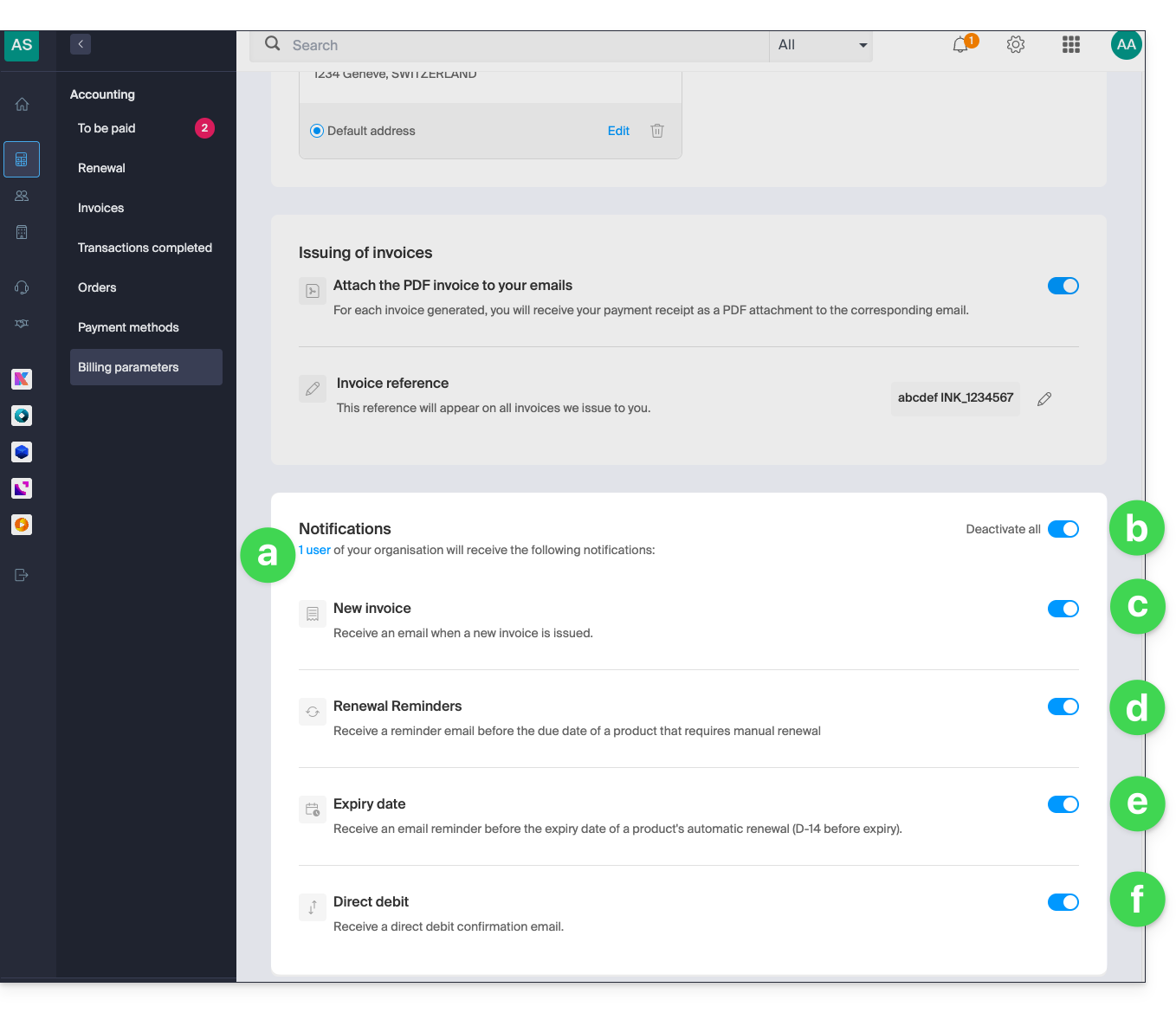
- Allows you to see the user(s) concerned by receiving the notifications (see prerequisites).
- Allows you to enable or disable all notifications with a single click.
- Email notification when an invoice is issued.
- Reminder email before the expiration date of a product that will not be automatically renewed.
- Reminder email before the automatic renewal date of a product (14 days before expiration).
- Confirmation email upon a direct debit.
Your preferences are automatically saved as soon as a change is made on the page.
You should also consult this other guide about invoices.
Link to this FAQ: https://faq.infomaniak.com/1634
Has this FAQ been helpful?