Knowledge base
1000 FAQs, 500 tutorials and instructional videos. Here, there are only solutions!
Configure pre-due date billing reminders
This guide explains how to receive email notifications about product due dates, at different intervals that you can configure to avoid being overwhelmed with messages.
Prerequisites
- You must be Administrator or Legal Representative within the Organization…
- … or a simple user account but with the permission to manage accounting enabled:
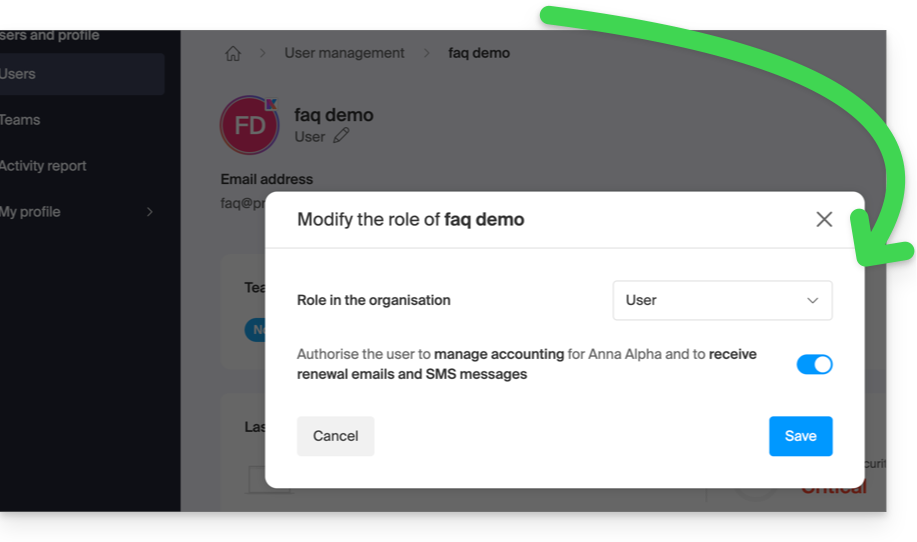
- … or a simple user account but with the permission to manage accounting enabled:
Enable or disable emails
To check and modify the current configuration of billing messages:
- Click here to access the configuration/accounting page in the Infomaniak Manager (need help?).
- On this page, enable or disable the desired notifications:
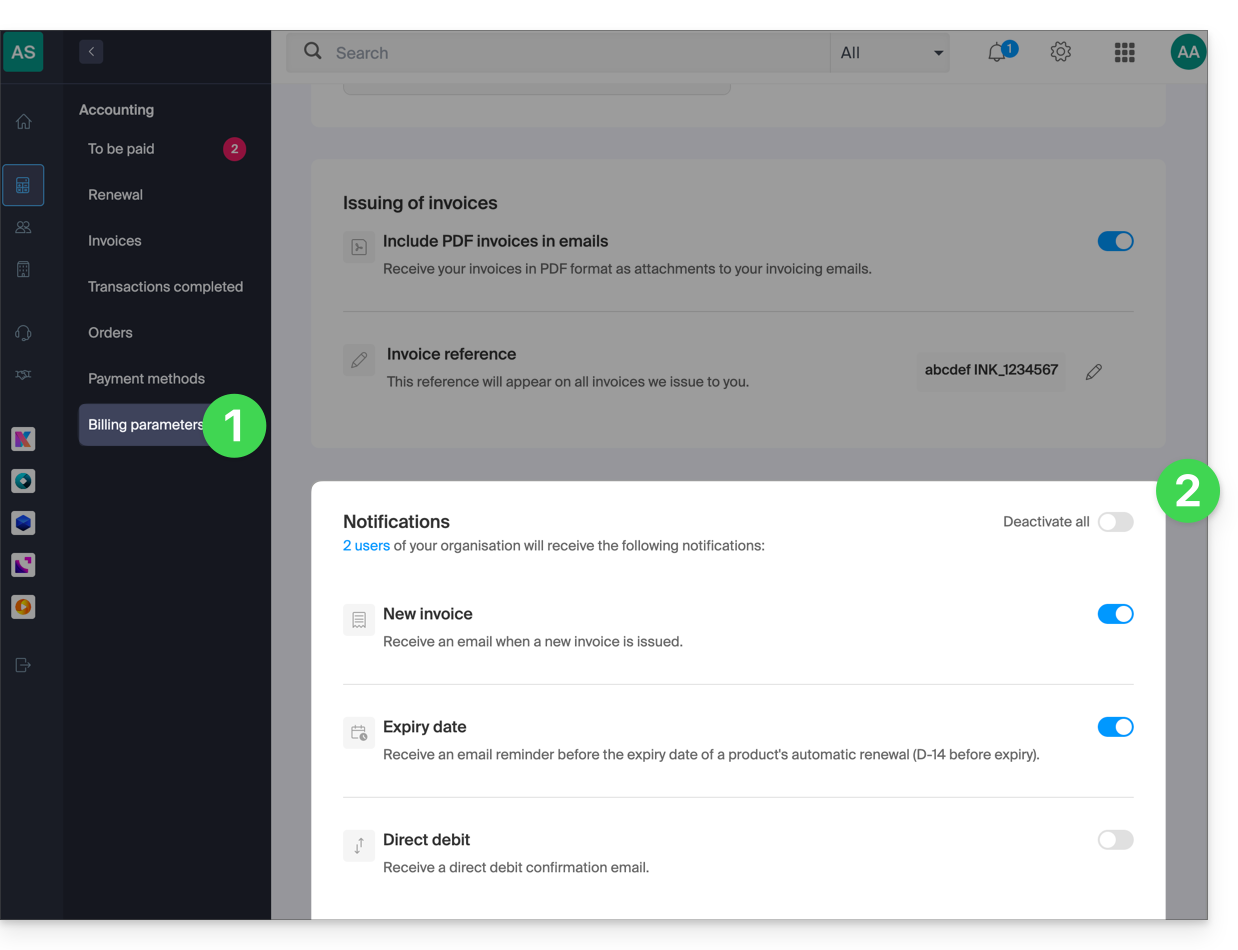
- Notification when your invoices are issued.
- Reminder email before the automatic renewal date of a product (14 days before due date).
- Confirmation email for renewal and automatic payment.
Your preferences are automatically saved as soon as a change is made on the page.
Also, please refer to this other guide.
Link to this FAQ: https://faq.infomaniak.com/1634
Has this FAQ been helpful?