Knowledge base
1000 FAQs, 500 tutorials and instructional videos. Here, there are only solutions!
Force an encoding when connecting to a MySQL database
This guide helps you resolve issues related to special characters (accents, emojis, etc.) that are not displayed correctly or appear as symbols like ??, often due to incorrect encoding when connecting to MySQL.
Introduction
- By default, MySQL uses
UTF-8. - Recent MySQL servers are generally configured to use
UTF-8orUTF-8MB4by default.- This is suitable for most cases, especially for international languages and emojis.
- Also, refer to this other guide to learn how to avoid causing encoding issues with non-European characters and emojis in your developments.
Define the default MySQL / MariaDB charset (Cloud Server)
With an Infomaniak Cloud Server, it is possible to define the default charset (utf8 or utf8mb4):
- Click here to access the management of your product on the Infomaniak Manager (need help?).
- Click directly on the name assigned to the product in question.
- Click on MariaDB in the left-hand menu.
- Choose the default character set:
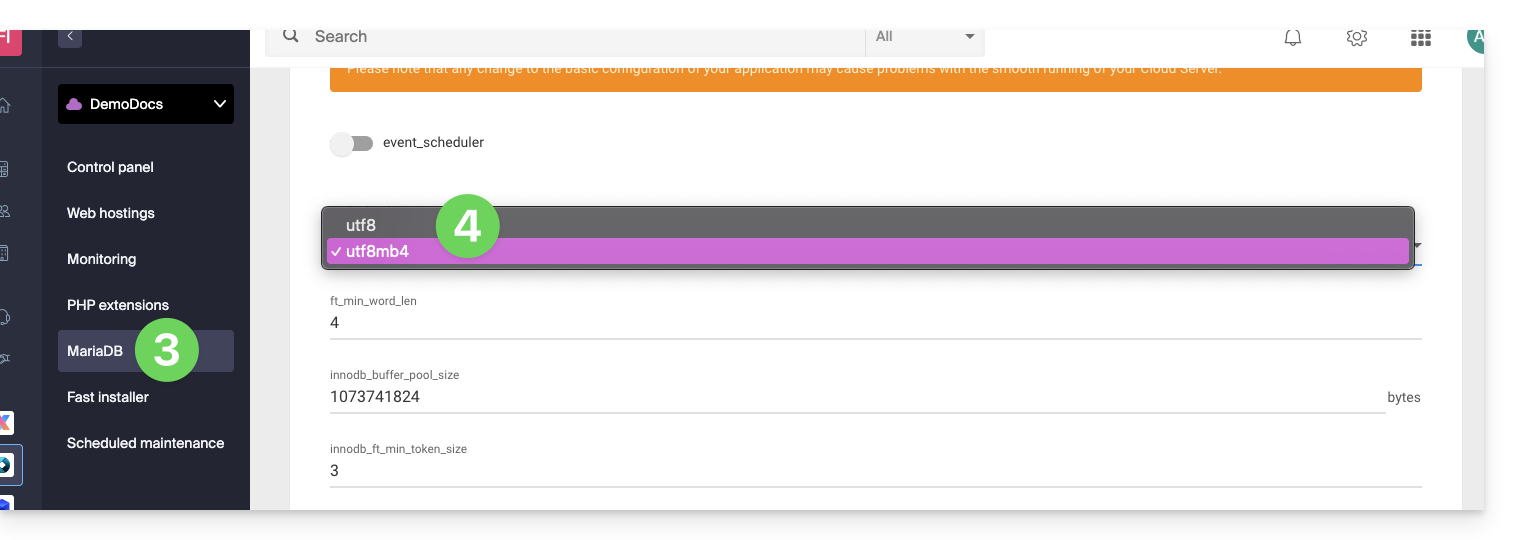
- If you have not yet migrated to MariaDB, the principle is the same.
- Save your changes at the bottom of the page.
Force a specific encoding (e.g., latin1)
If you need to work with a database in latin1 (ISO-8859-1), you must explicitly align the encoding when connecting, depending on your environment.
For current offers, place the following code in a user.ini file located in the root directory of your hosting:
mysql.connect_charset = "latin1"
mysqli.connect_charset = "latin1"
pdo_mysql.connect_charset = "latin1"
or in PHP (MySQL API):
mysql_query("SET CHARACTER SET latin1");
For older hosting plans, force the MySQL connection to use latin1 via the .htaccess file located in the root directory of your hosting:
php_value mysql.connect_charset latin1
php_value mysqli.connect_charset latin1
php_value pdo_mysql.connect_charset latin1
Link to this FAQ: https://faq.infomaniak.com/1611
Has this FAQ been helpful?