Knowledge base
1000 FAQs, 500 tutorials and instructional videos. Here, there are only solutions!
Secure an audio stream by GeoIP restriction
This guide explains how to maintain control over your radio Streaming streams by activating geo-location protection to decide, for example, whether a listener can listen to your radio or not.
Preamble
- You can protect an MP3/AAC or HLS stream independently of each other (the same applies to token protection).
- It's the same principle for applying restrictions based on the listener's IP.
- Activating the restriction involves changing the stream configuration, which may take a few minutes to be replicated on the servers.
Protect an audio stream by GeoIP
To do this, simply go to the restriction settings and activate the protection on the stream you want to secure:
- Click here to access the management of your product on the Infomaniak Manager (need help?).
- Click directly on the name assigned to the product concerned:
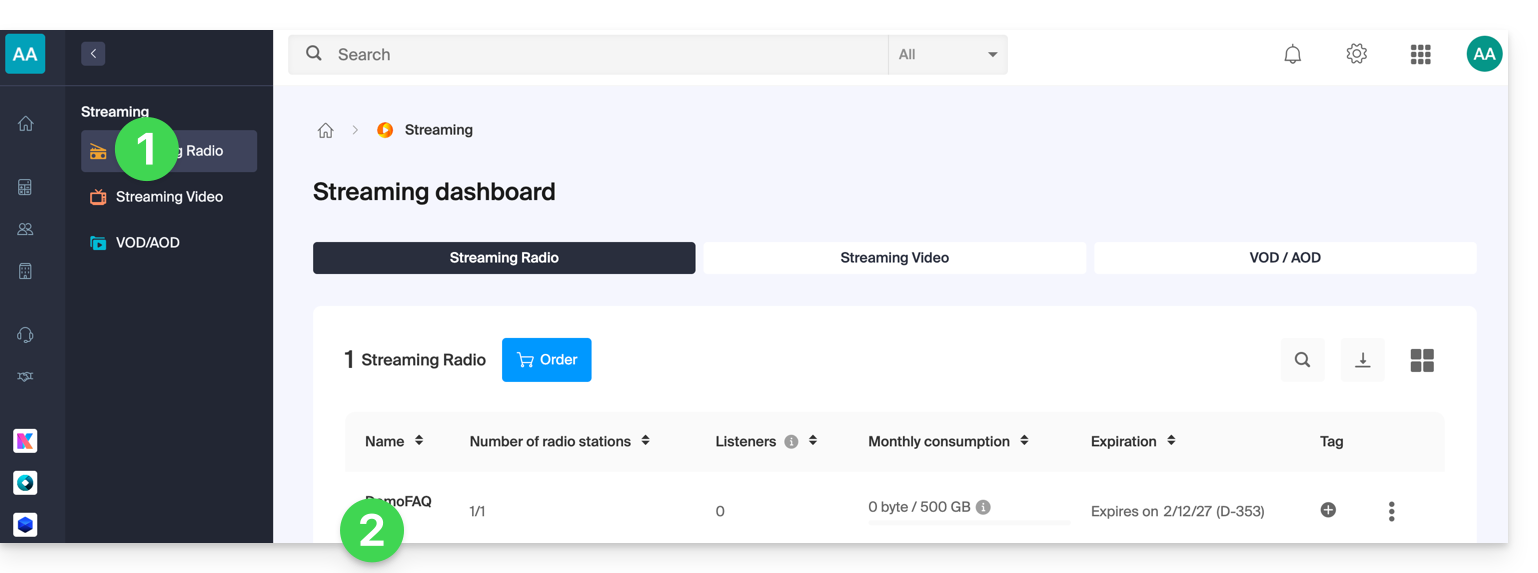
- Click:
- either on the radio name:
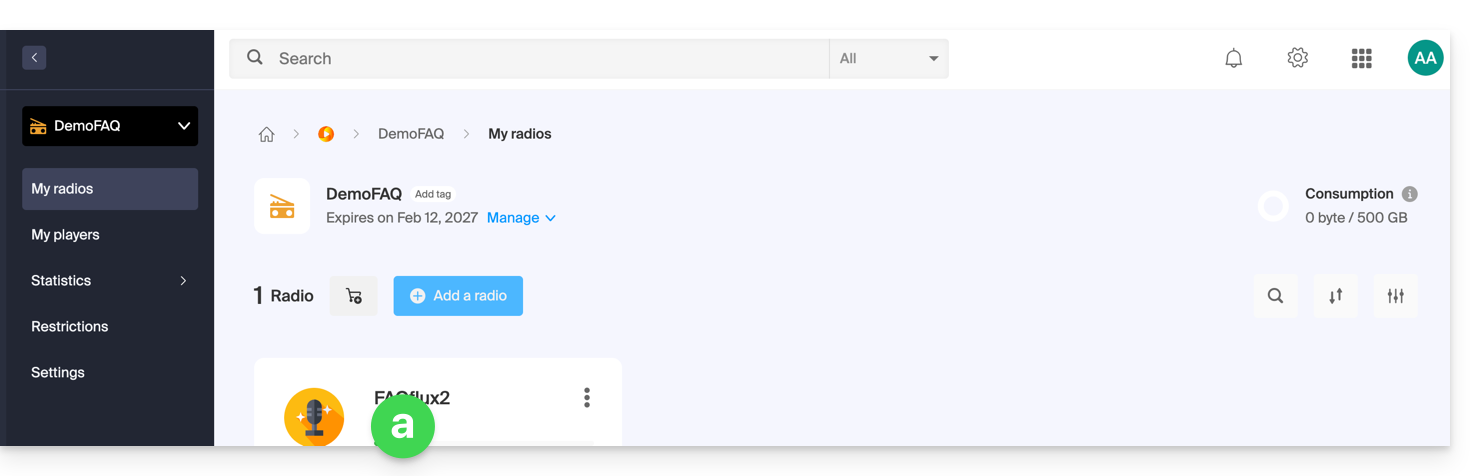
- or on Restrictions in the left sidebar to apply restrictions to the entire product:
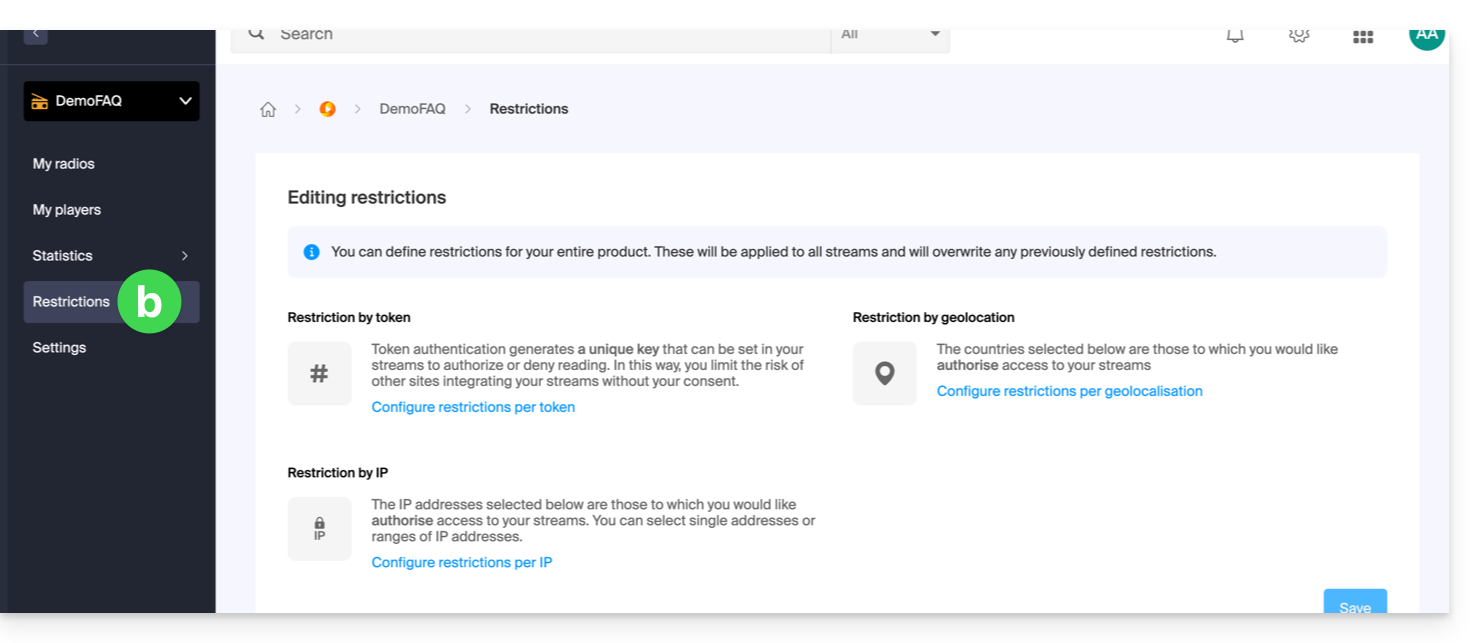
- either on the radio name:
- When choosing
aabove, then click on Restrictions in the left sidebar. - Choose HLS if necessary.
- Click on the action menu ⋮ located to the right of the item concerned.
- Click on Geo-location restriction or by IP:
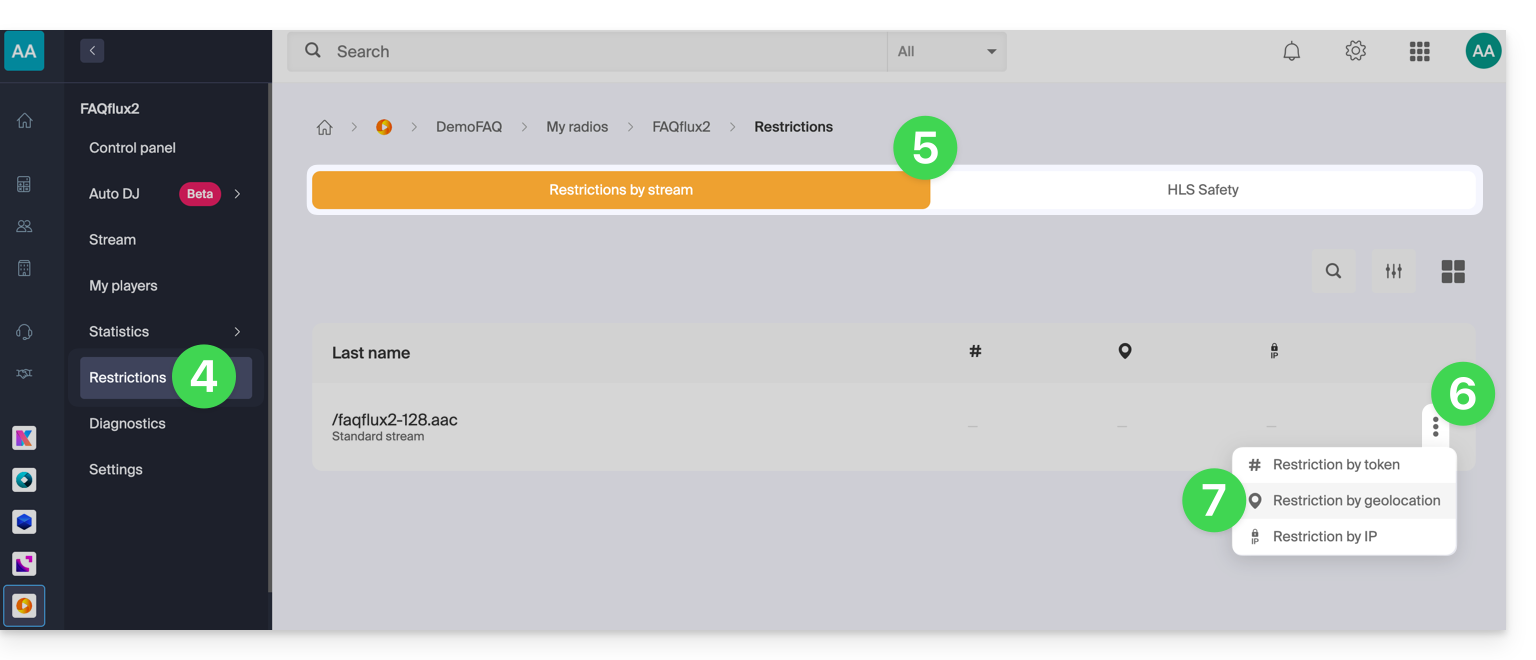
Then configure the restrictions:
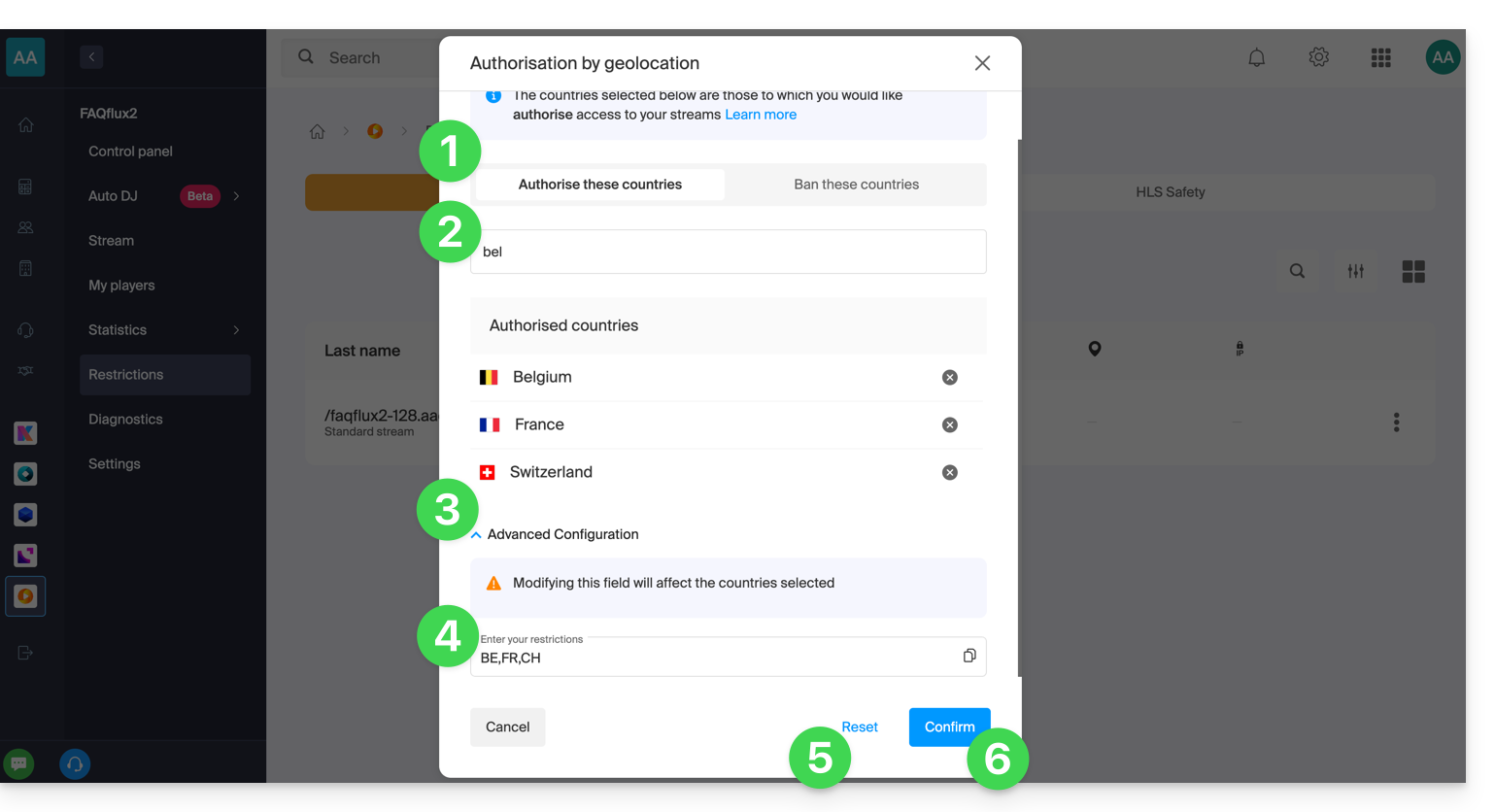
- Choose whether the listed countries will be allowed or forbidden (the same applies to IPs if you have chosen to restrict by IP).
- Search for a country to add it to the list.
- Activate the advanced configuration if necessary.
- Copy or paste a list of countries (useful for restricting other streams with a simple copy-paste).
- Click to remove all the countries listed on the page.
- Click on the blue button to save:
Link to this FAQ: https://faq.infomaniak.com/1588
Has this FAQ been helpful?